
QML中border、padding、margin
1、border
定义
border代表边框,可以设置border的宽度和颜色等属性
实现image

实现code
Rectangle
{
width: 200
height: 160
anchors.centerIn: parent
color: "red"
border.width: 10
border.color: "yellow"
}
2、margin
定义
margin代表一个控件的边框到另一个控件的边框的距离,属于容器外部距离
实现image
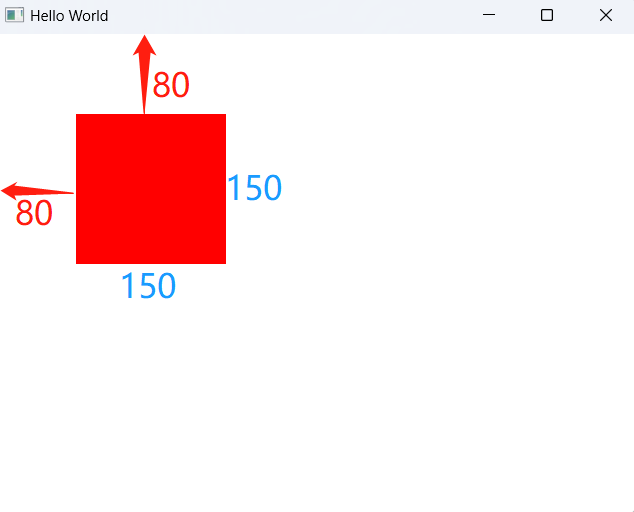
实现code
Rectangle
{
id:rect1
width: 150
height: 150
anchors.left: parent.left
anchors.leftMargin: 80
anchors.top: parent.top
anchors.topMargin: 80
color: "red"
}
3、padding
定义
padding代表自身边框到自身内部另一个容器边框之间的距离,属于容器内距离
实现image
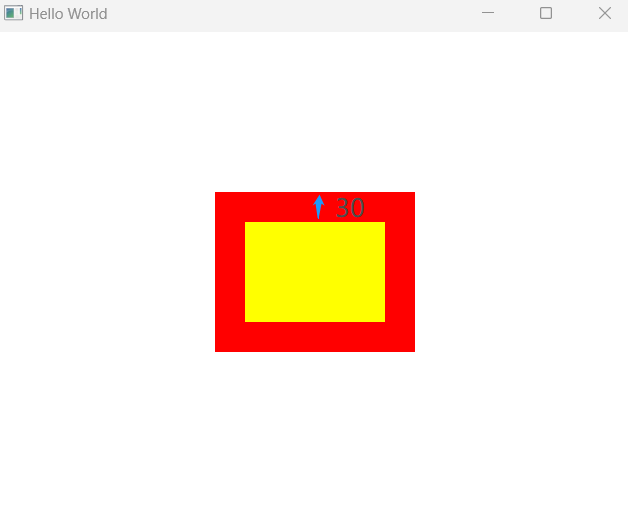
实现code
Control
{
width: 200
height: 160
anchors.centerIn: parent
padding: 30
background: Rectangle
{
anchors.fill: parent
color: "red"
}
contentItem: Rectangle
{
color: "yellow"
}
//border.width: 10
//border.color: "yellow"
}
4、试验
4.1.1 image
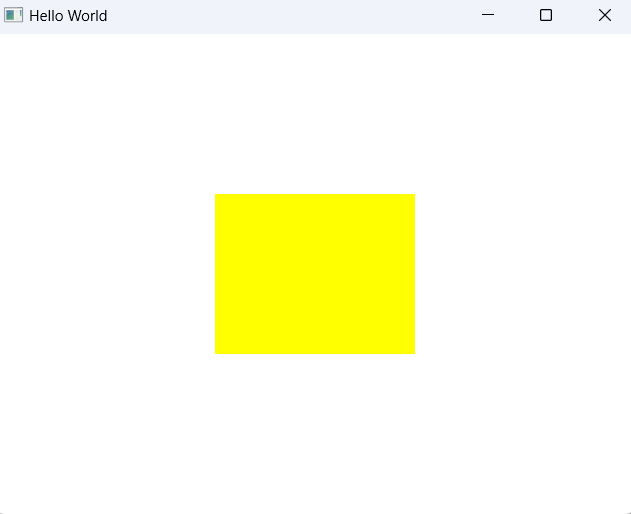
4.1.2 code
Control
{
width: 200
height: 160
anchors.centerIn: parent
//padding: 30
background: Rectangle
{
anchors.fill: parent
color: "red"
}
contentItem: Rectangle
{
color: "yellow"
}
//border.width: 10
//border.color: "yellow"
}
4.2.1 image
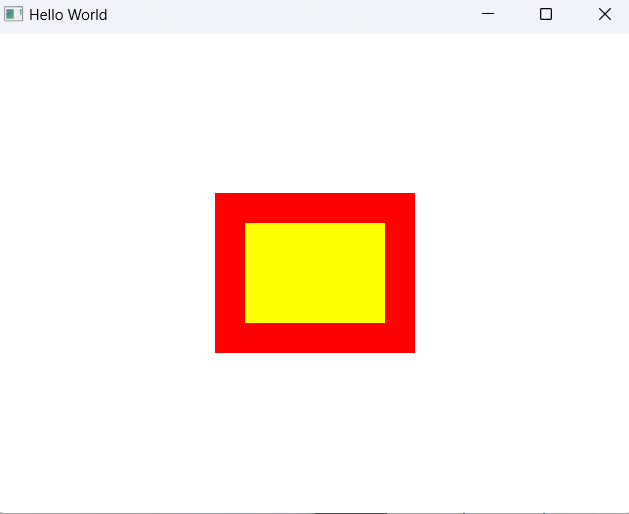
4.2.2 code
Control
{
width: 200
height: 160
anchors.centerIn: parent
padding: 30
background: Rectangle
{
anchors.fill: parent
color: "red"
}
contentItem: Rectangle
{
color: "yellow"
}
//border.width: 10
//border.color: "yellow"
}
5、总结
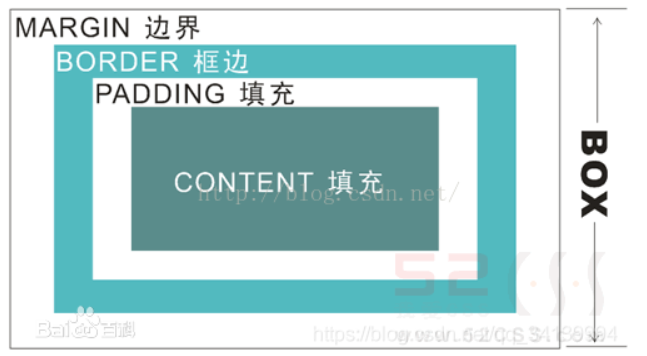
由外到内,margin -> border -> padding -> content

 浙公网安备 33010602011771号