
idea热部署
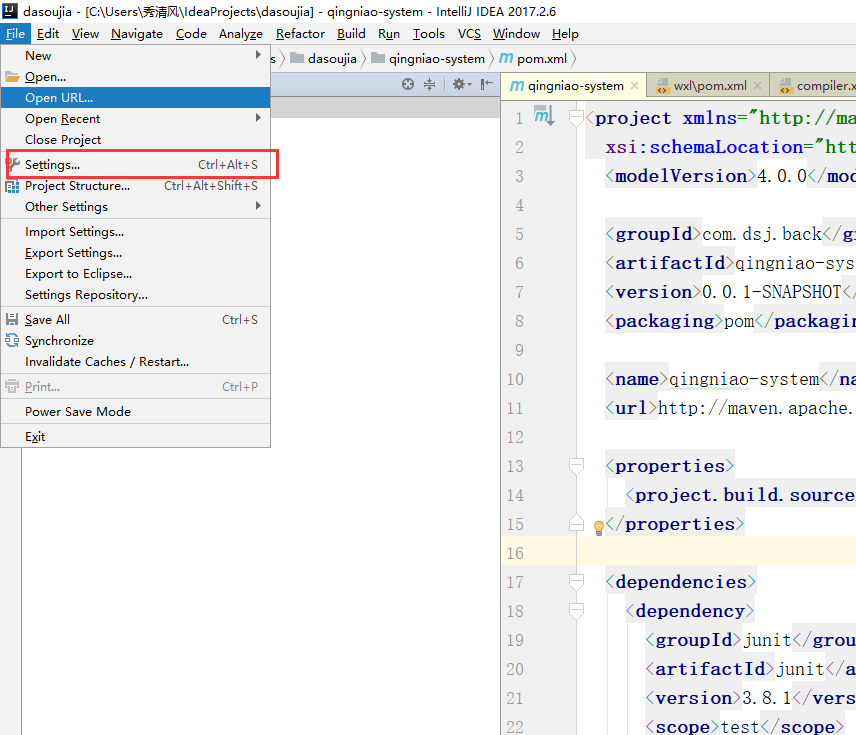
1.点击File找到Settings打开。
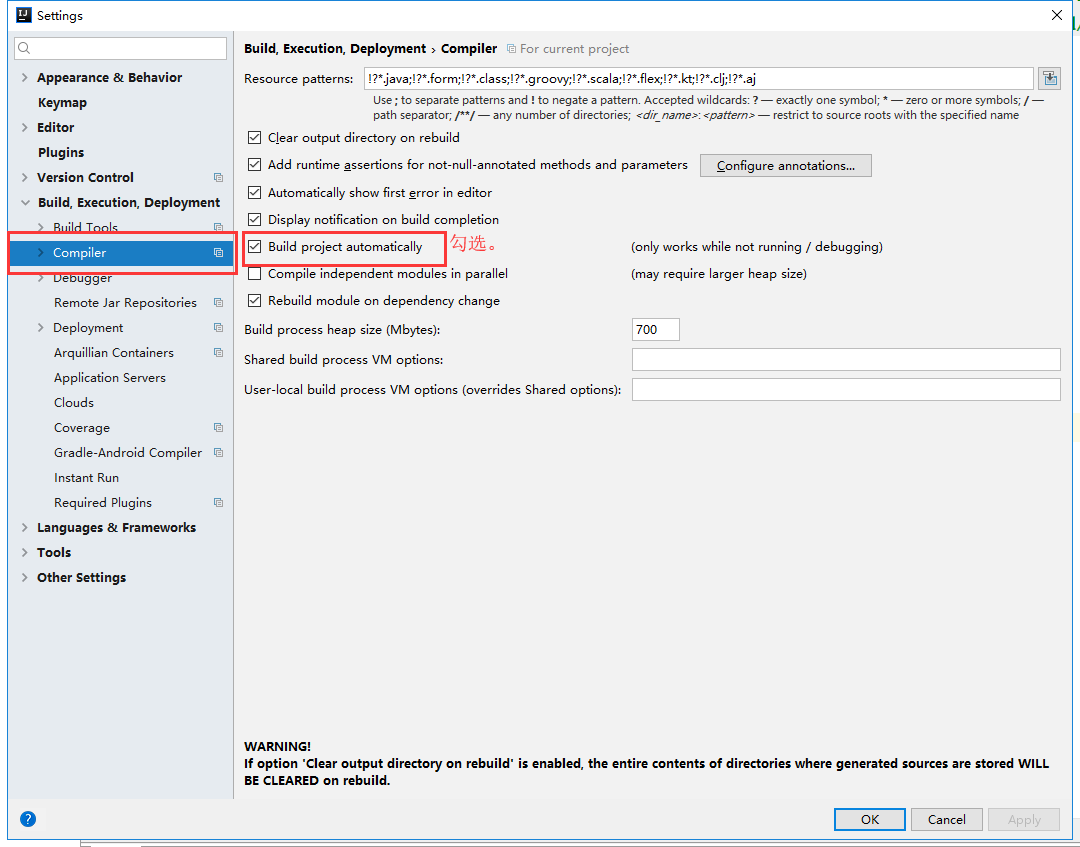
1.2:找到Compiler将 Build project automatically 勾选
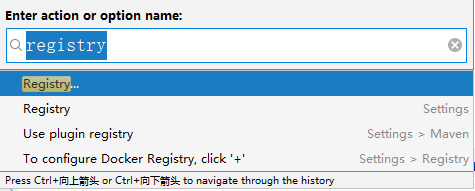
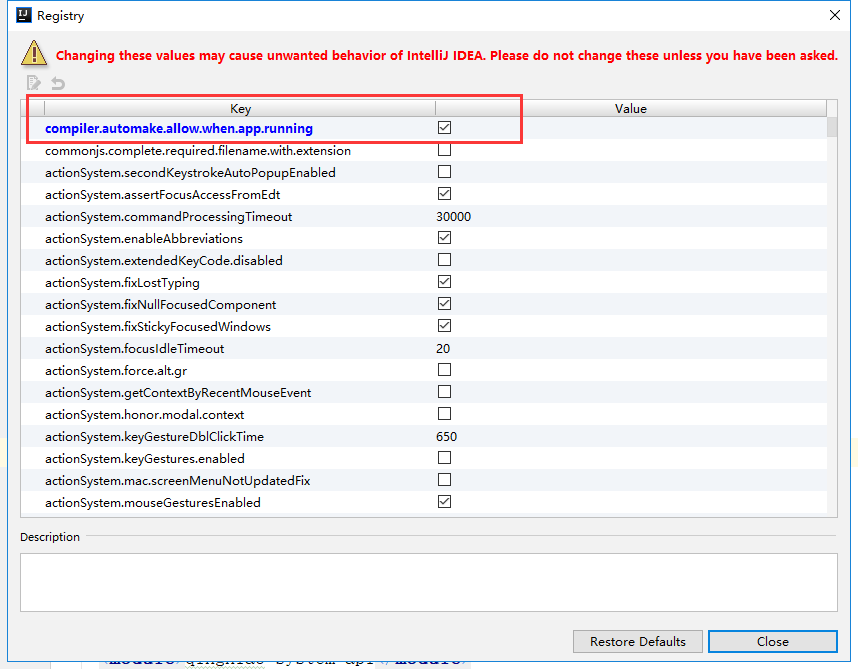
2.使用快捷键 Ctrl+Shift+A 搜索 registry ,找到 compiler.automake.allow.when.app.running 勾选上,点击关闭。
1.点击File找到Settings打开。
1.2:找到Compiler将 Build project automatically 勾选
2.使用快捷键 Ctrl+Shift+A 搜索 registry ,找到 compiler.automake.allow.when.app.running 勾选上,点击关闭。

 浙公网安备 33010602011771号