
css画圆弧
有时候,在编写公众号,或者微信小程序,或者webapp的时候,需要一些比较特殊的效果,如圆弧。
效果图如下:
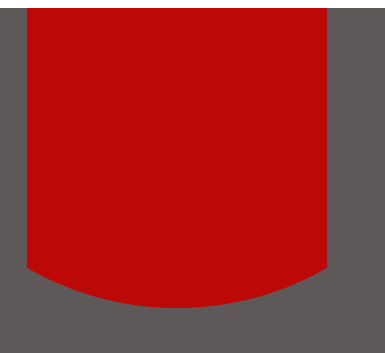
上图中的红色部分。
其实原理很简单,只要在外部写一个box装住红色的部分,红色部分设置宽度比box宽度的大,然后调整红色的圆弧和位置就可以了
直接上代码

.box{
     width:100%;
     background-color: #5e5858;
     height: 500px;
     text-align: center;
 }
 .arcbox{
    width: 300px;
    height: 300px;
    margin: 0px auto;
    overflow: hidden;
 }

 .arcbottom{
     width: 200%;
     position: relative;
     height: 300px;
     background-color: #bd0808;
     border-bottom-left-radius: 350px;
     border-bottom-right-radius: 350px;
     left: -150px;

 }
页面代码如下:
 <div class="box">
      <div class="arcbox">
        <div class="arcbottom"></div>
      </div>
    </div>

 浙公网安备 33010602011771号

