java调用Python程序
因为工作需要,就简单学习了下,我是用的是IDEA ,jdk 1.8
首先本地配置Python环境,这里使用了Anaconda,安装的时候选择添加环境变量,完成之后在cmd界面输入python命令,可以看到python的版本信息,至此,已经完成python环境安装
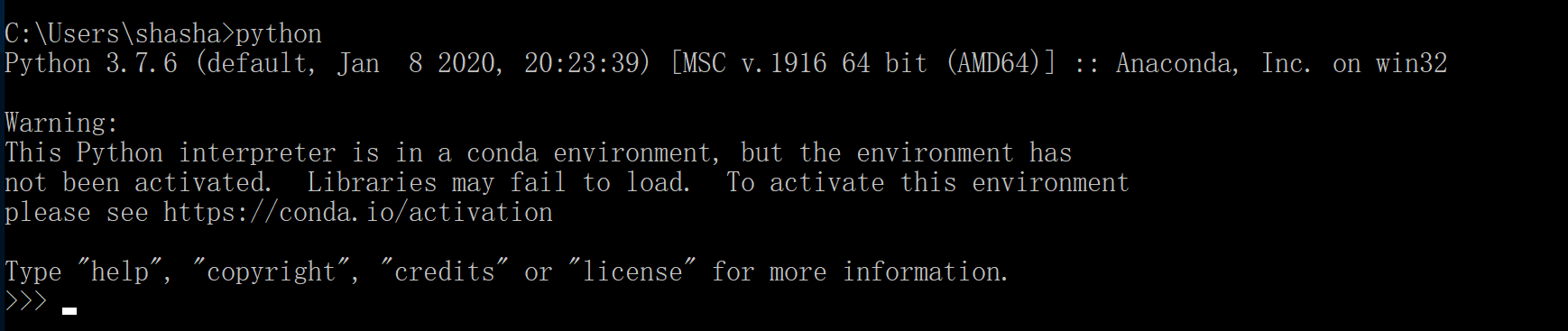
接下来,测试python语句的运行,自备一个Python代码文件进行运行
python XXXX\XX\xxx.py,如下:

到这里,可以发现,python脚本是可以运行的
接下来,回到IDEA
代码如下:
 1 public static void main(String[] args) {
 2   try {
 3       String exe = "python";
 4       String command = "XXX\\redis-demo.py";
 5       String[] cmdArr = new String[]{exe, command};
 6       Process process = Runtime.getRuntime().exec(cmdArr);
 7       BufferedReader in = new BufferedReader(new InputStreamReader(process.getInputStream(),"GBK"));
 8       String line;
 9       while ((line = in.readLine()) != null) {
10         System.out.println(line);
11       }
12       in.close();
13       int result = process.waitFor();
14       System.out.println("执行结果:" + result);
15     } catch (IOException | InterruptedException e) {
16       e.printStackTrace();
17     }
18
19   }
这个其实是本地Process调用的方式,处理逻辑是java调用命令行的方式调用Python程序,相对于已经停止维护更新的Jpython,可以处理Python程序中导入的各种包的情况,且运行速度也要快一些。

 浙公网安备 33010602011771号