
element-ui中的up-load组件,before-upload验证不符合之后会自动触发on-remove的解决方法
1.图示
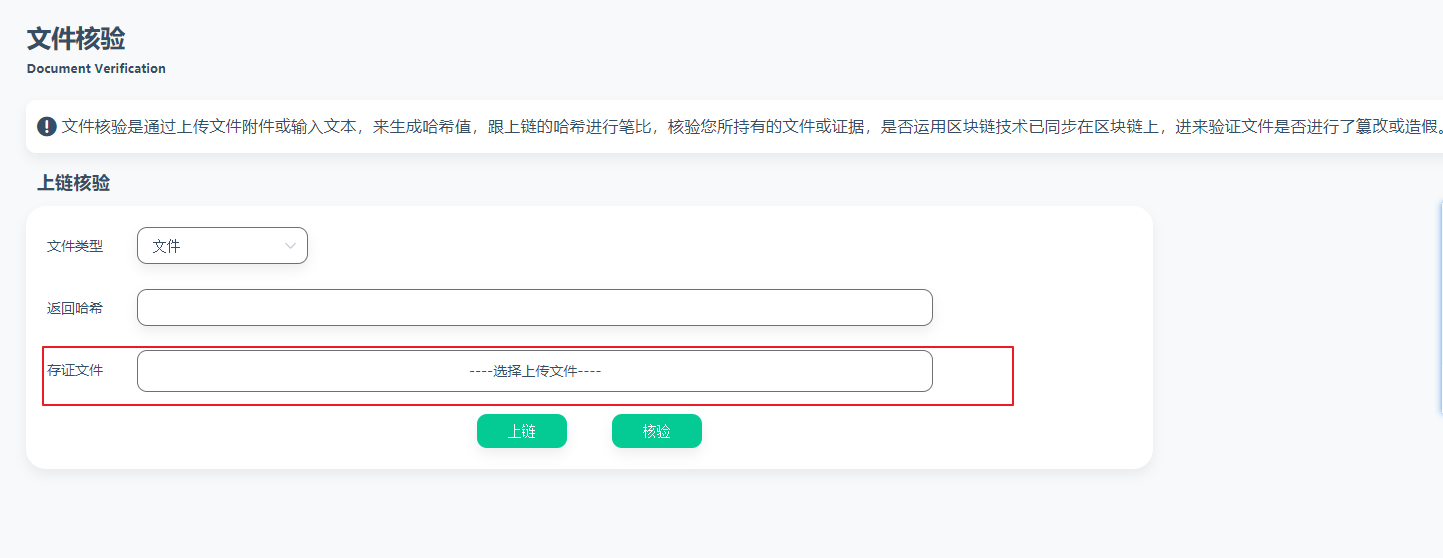
类似于这样的上传
2.html

<el-upload
     class="upload-demo"
     action="#"
     multiple
     :limit="1"
     :on-exceed="handleExceed"
     :http-request="httpRequest"
     :before-upload="beforeAvatarUpload"
     :on-remove="handleRemove" >
 <div class="filebox">----选择上传文件----</div>
</el-upload>
3.js
//这个file参数 也就是文件信息
getBase64(file) {
return new Promise((resolve, reject) => {
let reader = new FileReader();
let fileResult = "";
reader.readAsDataURL(file); //开始转
reader.onload = function () {
fileResult = reader.result;
}; //转 失败
reader.onerror = function (error) {
reject(error);
}; //转 结束 咱就 resolve 出去
reader.onloadend = function () {
resolve(fileResult);
};
});
},
httpRequest(data) {
if (data.file.size == 0) {
this.filesize = 0;
} else {
this.filesize = 1;
// 上传的文件转base64
this.getBase64(data.file).then((resBase64) => {
this.filedata = resBase64.split(",")[1];
});
this.$notify({
title: "成功",
message: "文件上传成功",
type: "success",
});
}
},
beforeAvatarUpload(file) {
      const isLt1M = file.size / 1024 / 1024 < 1;
      if (!isLt1M) {
        this.$notify({
          title: "失败",
          message: "上传文件大小不能超过 1MB",
          type: "error",
        });
      }
      return isLt1M;
    },
handleExceed(files, fileList) {
      this.$notify({
        title: "失败",
        message: "只能上传一个文件",
        type: "error",
      });
 },
handleRemove(file, fileList) {
      if (file.size / 1024 / 1024 > 1) {
        return false;
      } else {
        this.$notify({
          title: "成功",
          message: "文件已移除",
          type: "success",
        });
      }
},
在before-upload之前判断文件是不是大于1M,如果是的话则不能上传,我们需要在on-remove钩子函数中价格判断 if (file.size / 1024 / 1024 > 1) {},否则文件大于1M的时候会自动触发移除。
同时,这里面还有一个知识点,就是上传的文件转换成base64的。

 浙公网安备 33010602011771号