
webpack优化环境配置 - 21.缓存
缓存:
babel缓存
cacheDirectory: true
--> 让第二次打包构建速度更快
文件资源缓存
hash: 每次wepack构建时会生成一个唯一的hash值。
问题: 因为js和css同时使用一个hash值。
如果重新打包,会导致所有缓存失效。(可能我却只改动一个文件)
chunkhash:根据chunk生成的hash值。如果打包来源于同一个chunk,那么hash值就一样
问题: js和css的hash值还是一样的
因为css是在js中被引入的,所以同属于一个chunk
contenthash: 根据文件的内容生成hash值。不同文件hash值一定不一样
--> 让代码上线运行缓存更好使用
开启缓存:在 webpack.config.js 中配置 cacheDirectory 为 true

1.文件结构

2.代码
index.html
<!DOCTYPE html>
<html lang="en">
<head>
    <meta charset="UTF-8">
    <title>webpack</title>
</head>
<body>
    <h5>hello catch</h5>
</body>
</html>
index.css
html,body{
    margin: 0;
    padding: 0;
    height: 100%;
    background-color: skyblue;
}
index.js
import '../css/index.css';

function sum(...arg) {
  return arg.reduce((p, c) => p + c, 0);
}
// eslint-disable-next-line
console.log(sum(1, 2, 3,4,5,6));
webpack.config.js
const {resolve} = require('path')
const HtmlWebpackPlugin = require('html-webpack-plugin')
const MiniCssExtractPlugin = require('mini-css-extract-plugin')

const OptimizeCssAssetsWebpackPlugin = require('optimize-css-assets-webpack-plugin')

/*
  缓存:
    babel缓存
      cacheDirectory: true
      --> 让第二次打包构建速度更快
            文件资源缓存
              hash: 每次wepack构建时会生成一个唯一的hash值。
                问题: 因为js和css同时使用一个hash值。
                  如果重新打包,会导致所有缓存失效。(可能我却只改动一个文件)
              chunkhash:根据chunk生成的hash值。如果打包来源于同一个chunk,那么hash值就一样
                问题: js和css的hash值还是一样的
                  因为css是在js中被引入的,所以同属于一个chunk
              contenthash: 根据文件的内容生成hash值。不同文件hash值一定不一样
      --> 让代码上线运行缓存更好使用
*/

process.env.NODE_ENV = 'production';

const commonCssLoader = [
    MiniCssExtractPlugin.loader,
    'css-loader',
    {
        loader: "postcss-loader",
        options: {
            ident: "postcss",
            plugins: () => [
                require('postcss-preset-env')()
            ]

        }
    }
]
module.exports = {
    entry: './src/js/index.js',
    output: {
        filename: "js/built.[contenthash:10].js",
        path: resolve(__dirname, "build")
    },
    module: {
        rules: [
            {
                test: /\.js$/,
                exclude: /node_modules/,
                enforce: "pre",
                loader: "eslint-loader",
                options: {
                    fix: true,
                }
            },
            {
                oneOf: [
                    {
                        test: /\.css$/,
                        use: [...commonCssLoader]
                    },
                    {
                        test: /\.less$/,
                        use: [...commonCssLoader, 'less-loader']
                    },
                    {
                        test: /\.js$/,
                        exclude: /node_modules/,
                        loader: "babel-loader",
                        options: {
                            presets: [
                                [
                                    '@babel/preset-env',
                                    {
                                        useBuiltIns: 'usage',
                                        corejs: {
                                            version: 3
                                        },
                                        targets: {
                                            chrome: '60',
                                            firefox: '60',
                                            ie: '9',
                                            safari: '10',
                                            edge: '17'
                                        }
                                    }
                                ]
                            ],
                            // 开启 babel 缓存
                            // 第二次构建时,会读取之前的缓存
                            cacheDirectory:true
                        }
                    },
                    {
                        test: /\.(jpg|png|gif)$/,
                        loader: 'url-loader',
                        options: {
                            limit: 8 * 1024,
                            name: '[hash:10].[ext]',
                            outputPath: 'imgs',
                            esModule: false
                        }
                    },
                    {
                        test: /\.html$/,
                        loader: 'html-loader'
                    },
                    {
                        exclude: /\.(js|css|less|html|png|jpg|gif)$/,
                        loader: "file-loader",
                        options: {
                            outputPath: "media"
                        }
                    }
                ]
            }
        ]
    },
    plugins: [
        new MiniCssExtractPlugin({
            filename: 'css/built.[contenthash:10].css'
        }),
        new OptimizeCssAssetsWebpackPlugin(),
        new HtmlWebpackPlugin({
            template: "./src/index.html",
            minify: {
                collapseWhitespace: true,
                removeComments: true
            }
        })
    ],
    mode: 'production',
    devtool: 'source-map'
}
server.js(服务器代码,用于启动项目)
/*
 服务器代码
 全局安装 nodemon: npm i nodemon -g
 启动服务器指令: nodemon server.js  或  node server.js
 访问服务器地址: http://localhost:8080
*/
const express = require('express')

const app = express()

app.use(express.static('build', {maxAge: 1000 * 3600}))

app.listen(8080)
启动
$ node server.js
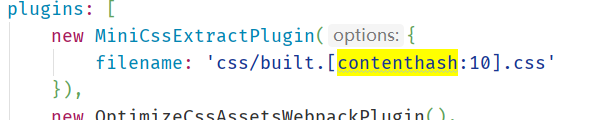
在文件后追加 hash 值,使文件在变化的时候,不再读取缓存,而是读取最新文件,
contenthash: 根据文件的内容生成hash值。不同文件hash值一定不一样,这样修改其它文件就不会影响其它文件。
3.预览
end~

 浙公网安备 33010602011771号