
Webpack 打包 - 5.webpack 打包其它资源
1.素材准备:
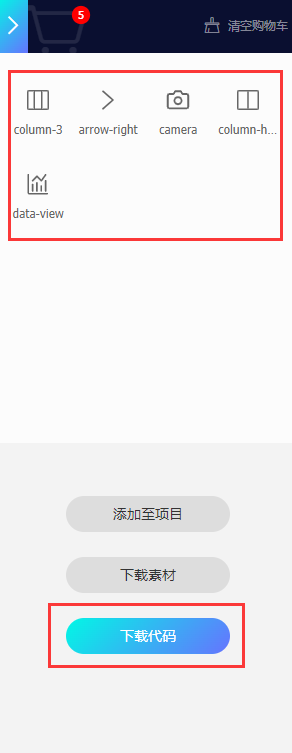
首先准备一些矢量图图标,如,阿里矢量图等。(阿里矢量官网: https://www.iconfont.cn/)
随便找一些 icon 下载到本地
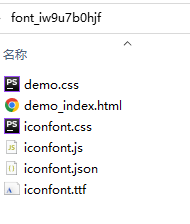
解压出来是这样的
2.文件结构
3. 安装 wenpack、webpack-cli
$ npm init
$ npm i webpack@4.41.6  webpack-cli@3.3.11  -g   //(全局)
$ npm i webpack@4.41.6  webpack-cli@3.3.11  -D   //(开发环境)
3.1 安装 style-loader、css-loader
$ npm i style-loader@1.1.3 css-loader@3.4.2 -D //(开发环境)
3.2 安装 file-loader
$ $ npm i file-loader@5.0.2 -D
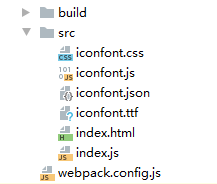
4.新建 src 文件夹,和 webpack.config.js 文件
src 文件夹中新建 index.html 和 index.js 文件
把刚才准备的 icon 文件放到 src 文件夹中
index.html
<!DOCTYPE html>
<html lang="en">
<head>
    <meta charset="UTF-8">
    <title>webpack</title>
</head>
<body>
    <span class="iconfont icon-3column"></span>
    <span class="iconfont icon-arrow-right"></span>
    <span class="iconfont icon-camera"></span>
    <span class="iconfont icon-column-horizontal"></span>
    <span class="iconfont icon-data-view"></span>
</body>
</html>
index.js
import './iconfont.css'
webpack.config.js
const {resolve} = require('path')
const HtmlWebpackPlugin = require('html-webpack-plugin')
module.exports = {
    entry: './src/index.js',
    output: {
        filename: "built.js",
        path: resolve(__dirname, 'build')
    },
    module: {
        rules: [
            {
                test: /\.css$/,
                use: ['style-loader', 'css-loader']
            },
            // 打包其他资源(除了html/js/css资源以外的资源)
            {
                //排除 css/js/html 资源
                exclude: /\.(css|js|html|less)$/,
                //排除其它资源后,使用 file-loader 打包
                loader: 'file-loader',
                options: {
                    name: '[hash:10].[ext]'
                }
            }
        ]
    },
    plugins: [
        new HtmlWebpackPlugin({
            template: "./src/index.html"
        })
    ],
    mode: 'development'
}
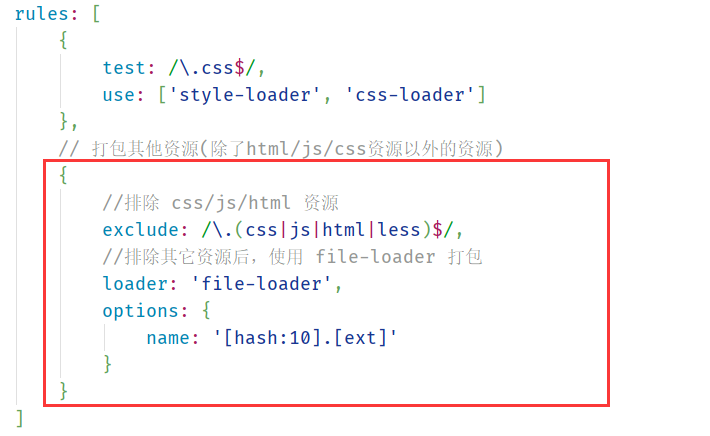
这里主要使用 exclude 排除其它文件后,再使用 file-loader 处理其它资源文件
4.打包
$ webpack
此时 build 文件夹下已经生成打包后的文件
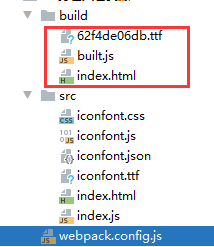
预览

end~

 浙公网安备 33010602011771号