01 yaml文件里的字段错误
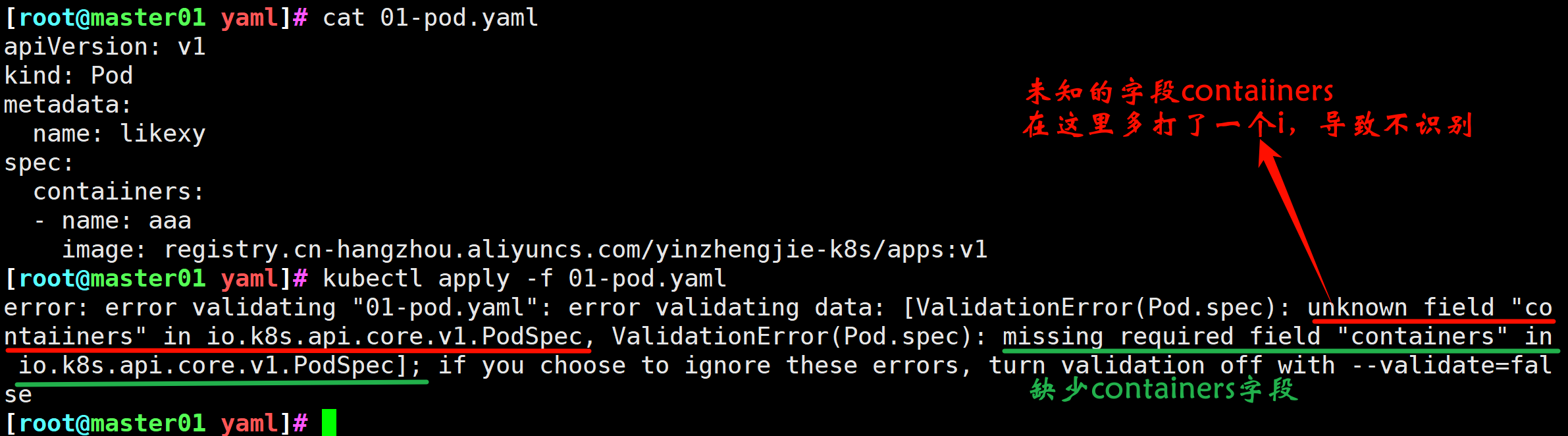
# 多打了一个i导致的报错
[root@master01 yaml]# cat 01-pod.yaml
apiVersion: v1
kind: Pod
metadata:
  name: likexy
spec:
  contaiiners:
  - name: aaa
    image: registry.cn-hangzhou.aliyuncs.com/yinzhengjie-k8s/apps:v1
[root@master01 yaml]# kubectl apply -f 01-pod.yaml
error: error validating "01-pod.yaml": error validating data: [ValidationError(Pod.spec): unknown field "contaiiners" in io.k8s.api.core.v1.PodSpec, ValidationError(Pod.spec): missing required field "containers" in io.k8s.api.core.v1.PodSpec]; if you choose to ignore these errors, turn validation off with --validate=false
![image-20250520134417716]()
图1 报错详情
02 重复创建资源
[root@master01 yaml]# kubectl apply -f 02-network.yaml
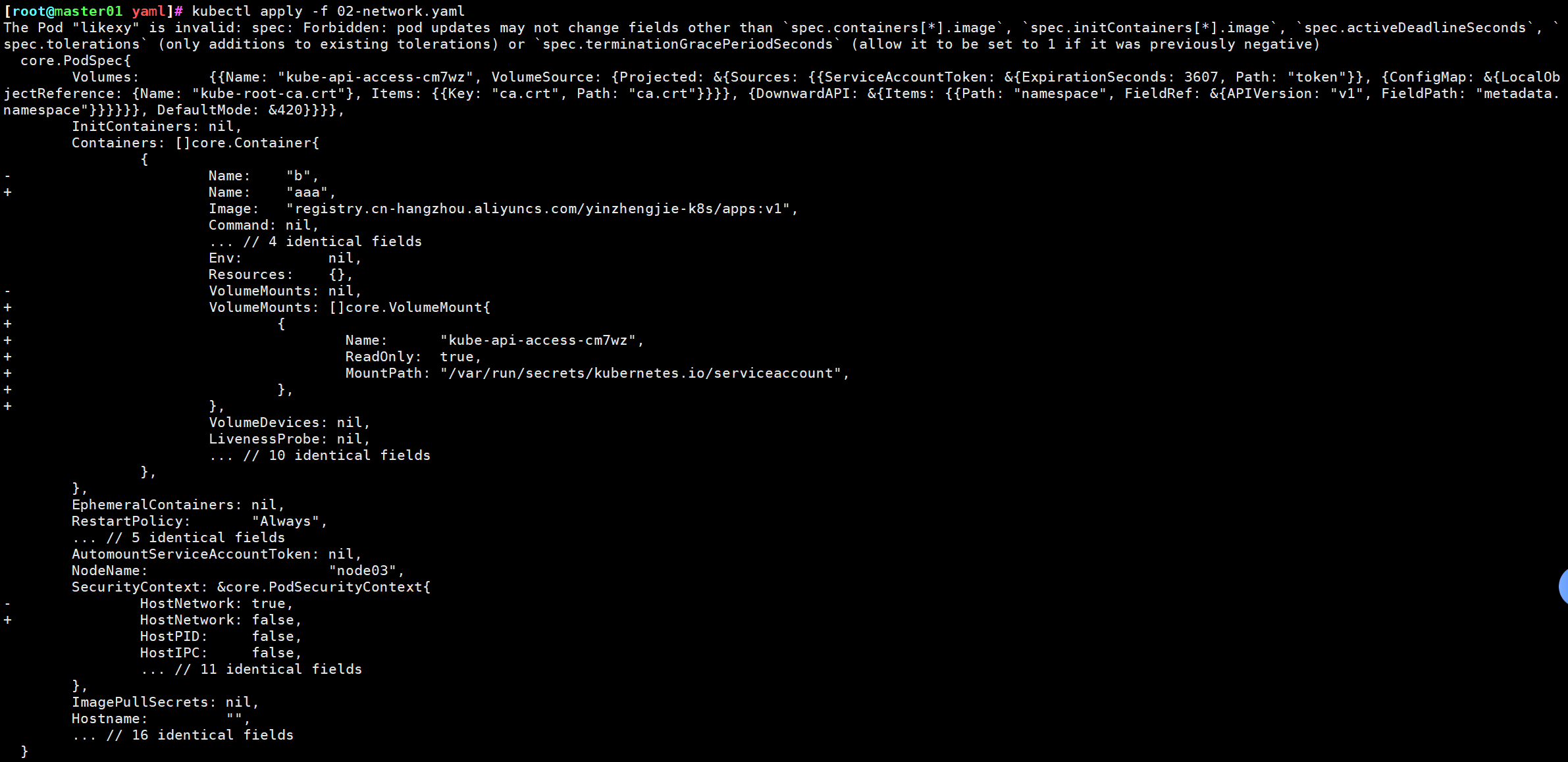
The Pod "likexy" is invalid: spec: Forbidden: pod updates may not change fields other than `spec.containers[*].image`, `spec.initContainers[*].image`, `spec.activeDeadlineSeconds`, `spec.tolerations` (only additions to existing tolerations) or `spec.terminationGracePeriodSeconds` (allow it to be set to 1 if it was previously negative)
  core.PodSpec{
  	Volumes:        {{Name: "kube-api-access-cm7wz", VolumeSource: {Projected: &{Sources: {{ServiceAccountToken: &{ExpirationSeconds: 3607, Path: "token"}}, {ConfigMap: &{LocalObjectReference: {Name: "kube-root-ca.crt"}, Items: {{Key: "ca.crt", Path: "ca.crt"}}}}, {DownwardAPI: &{Items: {{Path: "namespace", FieldRef: &{APIVersion: "v1", FieldPath: "metadata.namespace"}}}}}}, DefaultMode: &420}}}},
  	InitContainers: nil,
  	Containers: []core.Container{
  		{
- 			Name:    "b",
+ 			Name:    "aaa",
  			Image:   "registry.cn-hangzhou.aliyuncs.com/yinzhengjie-k8s/apps:v1",
  			Command: nil,
  			... // 4 identical fields
  			Env:          nil,
  			Resources:    {},
- 			VolumeMounts: nil,
+ 			VolumeMounts: []core.VolumeMount{
+ 				{
+ 					Name:      "kube-api-access-cm7wz",
+ 					ReadOnly:  true,
+ 					MountPath: "/var/run/secrets/kubernetes.io/serviceaccount",
+ 				},
+ 			},
  			VolumeDevices: nil,
  			LivenessProbe: nil,
  			... // 10 identical fields
  		},
  	},
  	EphemeralContainers: nil,
  	RestartPolicy:       "Always",
  	... // 5 identical fields
  	AutomountServiceAccountToken: nil,
  	NodeName:                     "node03",
  	SecurityContext: &core.PodSecurityContext{
- 		HostNetwork: true,
+ 		HostNetwork: false,
  		HostPID:     false,
  		HostIPC:     false,
  		... // 11 identical fields
  	},
  	ImagePullSecrets: nil,
  	Hostname:         "",
  	... // 16 identical fields
  }
![image-20250520155341241]()
图2 重复创建名字为likexy的报错
# 解决方案
	# 删除并重新创建 Pod
	# 修改Yaml文件
03 容器的镜像名字错误
[root@master01 yaml]# cat 02-network.yaml
apiVersion: v1
kind: Pod
metadata:
  name: likeixy
spec:
  hostNetwork: true
  containers:
  - name: b
    # image: registry.cn-hangzhou.aliyuncs.com/yinzhengjie-k8s/apps:v1
    image: registry.cn-hangzhou.aliyuncs.com/yinzhengjie-k8s/apps:v100
[root@master01 yaml]# kubectl apply -f 02-network.yaml
pod/likeixy configured
[root@master01 yaml]# kubectl get pods -o wide
NAME      READY   STATUS             RESTARTS      AGE     IP            NODE     NOMINATED NODE   READINESS GATES
likeixy   0/1     ImagePullBackOff   0 (20s ago)   8m43s   172.2.25.52   node01   <none>           <none>
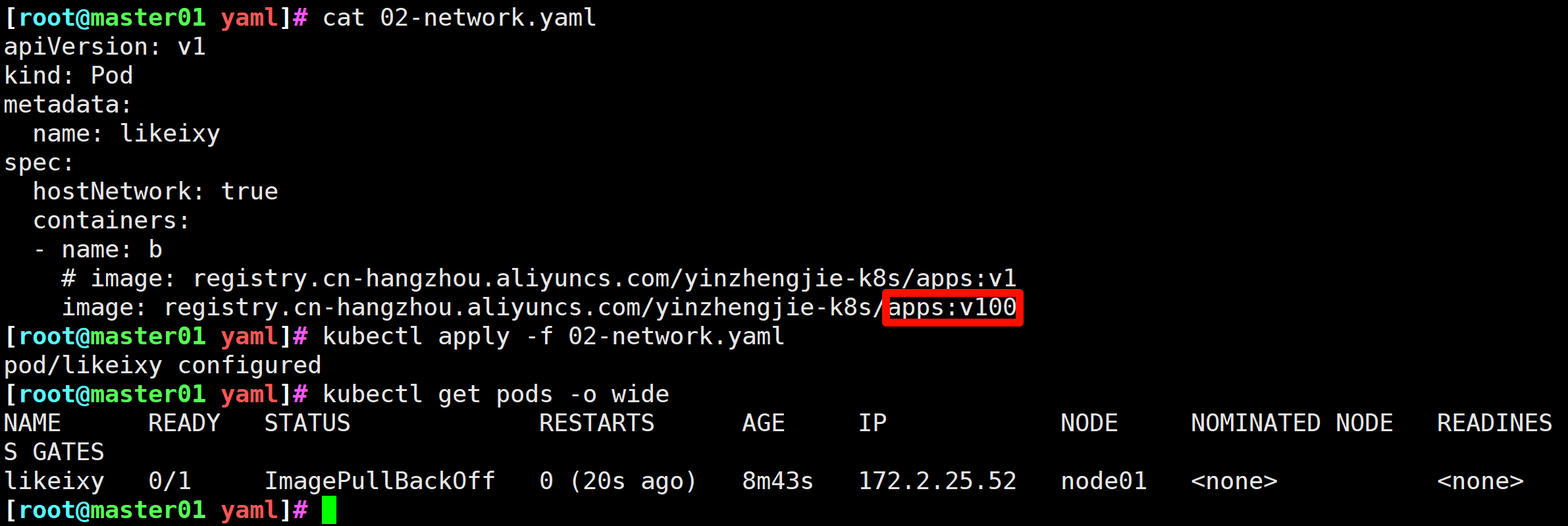
# 镜像名字错误,导致状态为ImagePullBackOff:镜像拉取失败
![image-20250520160931991]()
图3 镜像名写错了
[root@master01 yaml]# kubectl describe pod likeixy
Name:         likeixy
Namespace:    default
Priority:     0
Node:         node01/172.2.25.52
Start Time:   Tue, 20 May 2025 16:00:31 +0800
Labels:       <none>
Annotations:  <none>
Status:       Running
IP:           172.2.25.52
IPs:
  IP:  172.2.25.52
Containers:
  b:
    Container ID:   docker://390c2930bab1c54b8275a7889226a73267951fefb78ade253b07cd32f93e1ad9
    Image:          registry.cn-hangzhou.aliyuncs.com/yinzhengjie-k8s/apps:v100
    Image ID:       docker-pullable://registry.cn-hangzhou.aliyuncs.com/yinzhengjie-k8s/apps@sha256:3bee216f250cfd2dbda1744d6849e27118845b8f4d55dda3ca3c6c1227cc2e5c
    Port:           <none>
    Host Port:      <none>
    State:          Waiting
      Reason:       ImagePullBackOff
    Last State:     Terminated
      Reason:       Completed
      Exit Code:    0
      Started:      Tue, 20 May 2025 16:00:32 +0800
      Finished:     Tue, 20 May 2025 16:08:54 +0800
    Ready:          False
    Restart Count:  0
    Environment:    <none>
    Mounts:
      /var/run/secrets/kubernetes.io/serviceaccount from kube-api-access-k6xv2 (ro)
Conditions:
  Type              Status
  Initialized       True
  Ready             False
  ContainersReady   False
  PodScheduled      True
Volumes:
  kube-api-access-k6xv2:
    Type:                    Projected (a volume that contains injected data from multiple sources)
    TokenExpirationSeconds:  3607
    ConfigMapName:           kube-root-ca.crt
    ConfigMapOptional:       <nil>
    DownwardAPI:             true
QoS Class:                   BestEffort
Node-Selectors:              <none>
Tolerations:                 node.kubernetes.io/not-ready:NoExecute op=Exists for 300s
                             node.kubernetes.io/unreachable:NoExecute op=Exists for 300s
Events:
  Type     Reason     Age                    From               Message
  ----     ------     ----                   ----               -------
  Normal   Scheduled  14m                    default-scheduler  Successfully assigned default/likeixy to node01
  Normal   Pulled     14m                    kubelet            Container image "registry.cn-hangzhou.aliyuncs.com/yinzhengjie-k8s/apps:v1" already present on machine
  Normal   Created    14m                    kubelet            Created container b
  Normal   Started    14m                    kubelet            Started container b
  Normal   Killing    5m53s                  kubelet            Container b definition changed, will be restarted
  Normal   BackOff    5m24s (x2 over 5m52s)  kubelet            Back-off pulling image "registry.cn-hangzhou.aliyuncs.com/yinzhengjie-k8s/apps:v100"
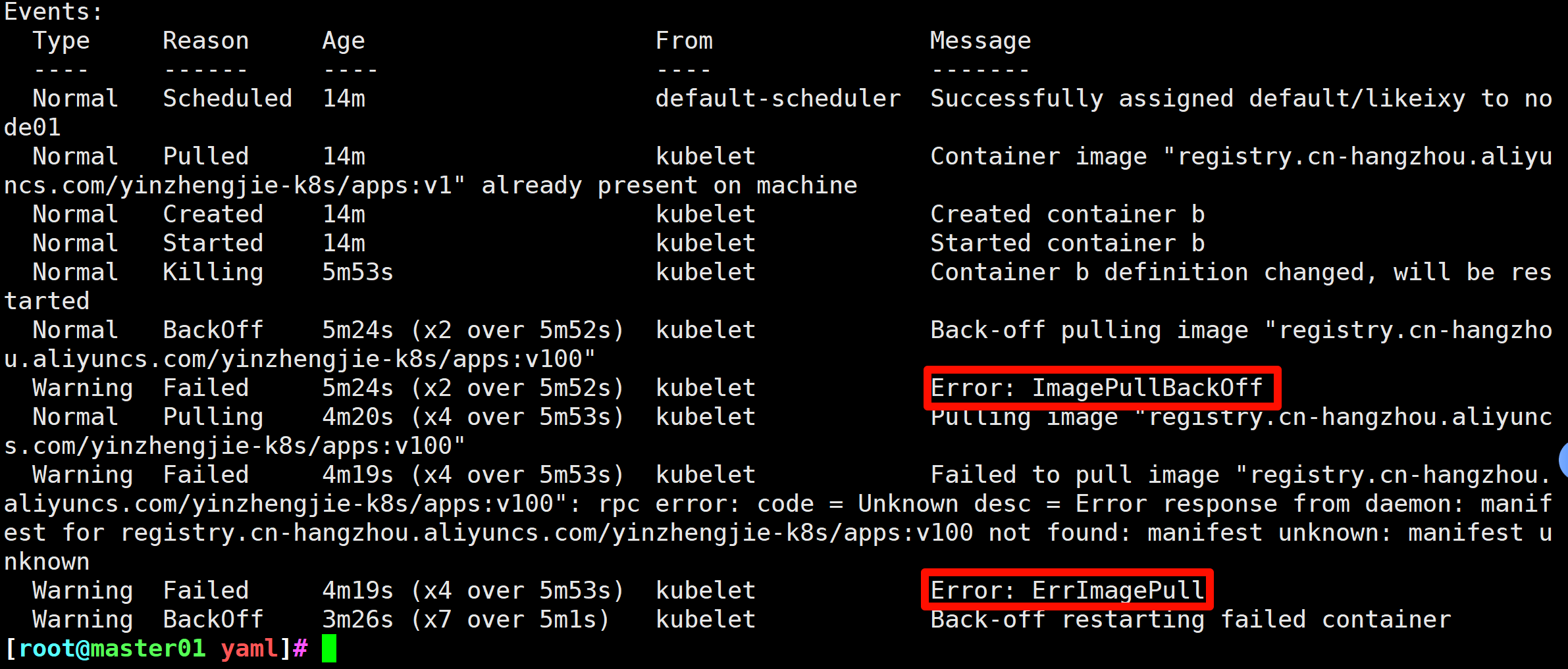
  Warning  Failed     5m24s (x2 over 5m52s)  kubelet            Error: ImagePullBackOff
  Normal   Pulling    4m20s (x4 over 5m53s)  kubelet            Pulling image "registry.cn-hangzhou.aliyuncs.com/yinzhengjie-k8s/apps:v100"
  Warning  Failed     4m19s (x4 over 5m53s)  kubelet            Failed to pull image "registry.cn-hangzhou.aliyuncs.com/yinzhengjie-k8s/apps:v100": rpc error: code = Unknown desc = Error response from daemon: manifest for registry.cn-hangzhou.aliyuncs.com/yinzhengjie-k8s/apps:v100 not found: manifest unknown: manifest unknown
  Warning  Failed     4m19s (x4 over 5m53s)  kubelet            Error: ErrImagePull
  Warning  BackOff    3m26s (x7 over 5m1s)   kubelet            Back-off restarting failed container
![image-20250520161525465]()
图4 提示镜像拉取失败
04 镜像名字格式不正确
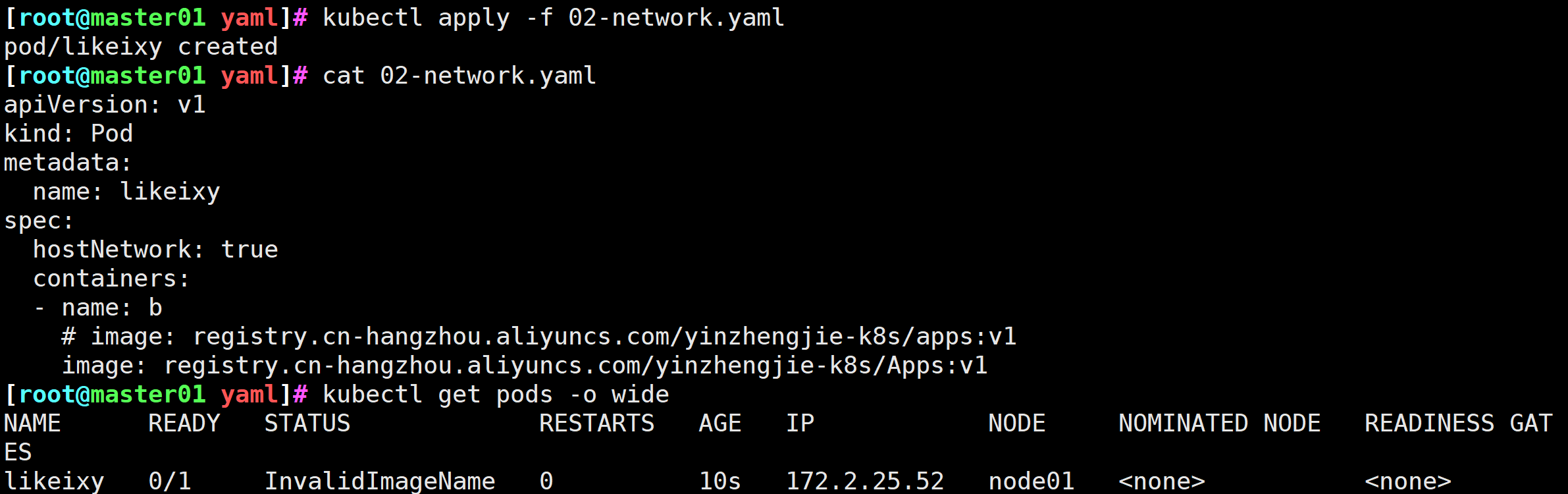
# 这个也是镜像拉取失败,因为定义镜像名称是含有大写字母,所以报错
![image-20250520163045672]()
图5 错误提示,提示图像命名不合法
[root@master01 yaml]# kubectl describe pod likeixy
Name:         likeixy
Namespace:    default
Priority:     0
Node:         node01/172.2.25.52
Start Time:   Tue, 20 May 2025 16:30:25 +0800
Labels:       <none>
Annotations:  <none>
Status:       Pending
IP:           172.2.25.52
IPs:
  IP:  172.2.25.52
Containers:
  b:
    Container ID:
    Image:          registry.cn-hangzhou.aliyuncs.com/yinzhengjie-k8s/Apps:v1
    Image ID:
    Port:           <none>
    Host Port:      <none>
    State:          Waiting
      Reason:       InvalidImageName
    Ready:          False
    Restart Count:  0
    Environment:    <none>
    Mounts:
      /var/run/secrets/kubernetes.io/serviceaccount from kube-api-access-dvhcl (ro)
Conditions:
  Type              Status
  Initialized       True
  Ready             False
  ContainersReady   False
  PodScheduled      True
Volumes:
  kube-api-access-dvhcl:
    Type:                    Projected (a volume that contains injected data from multiple sources)
    TokenExpirationSeconds:  3607
    ConfigMapName:           kube-root-ca.crt
    ConfigMapOptional:       <nil>
    DownwardAPI:             true
QoS Class:                   BestEffort
Node-Selectors:              <none>
Tolerations:                 node.kubernetes.io/not-ready:NoExecute op=Exists for 300s
                             node.kubernetes.io/unreachable:NoExecute op=Exists for 300s
Events:
  Type     Reason         Age               From               Message
  ----     ------         ----              ----               -------
  Normal   Scheduled      72s               default-scheduler  Successfully assigned default/likeixy to node01
  Warning  InspectFailed  5s (x7 over 71s)  kubelet            Failed to apply default image tag "registry.cn-hangzhou.aliyuncs.com/yinzhengjie-k8s/Apps:v1": couldn't parse image reference "registry.cn-hangzhou.aliyuncs.com/yinzhengjie-k8s/Apps:v1": invalid reference format: repository name must be lowercase
  Warning  Failed         5s (x7 over 71s)  kubelet            Error: InvalidImageName
![image-20250520163223926]()
图6 提示名字必须是小写字母
05 休眠
[root@master01 yaml]# cat 02-network.yaml
apiVersion: v1
kind: Pod
metadata:
  name: oldboyedu-xiuxian-command
spec:
  hostNetwork: true
  containers:
  - name: c1
    image: registry.cn-hangzhou.aliyuncs.com/yinzhengjie-k8s/apps:v1
    # 修改容器的启动命令,相当于替换了Dockerfile的ENTRYPOINT指令
    command: ["sleep","3600"]
[root@master01 yaml]# kubectl apply -f 02-network.yaml
pod/oldboyedu-xiuxian-command created
[root@master01 yaml]# kubectl get pods -o wide
NAME                        READY   STATUS    RESTARTS   AGE   IP            NODE     NOMINATED NODE   READINESS GATES
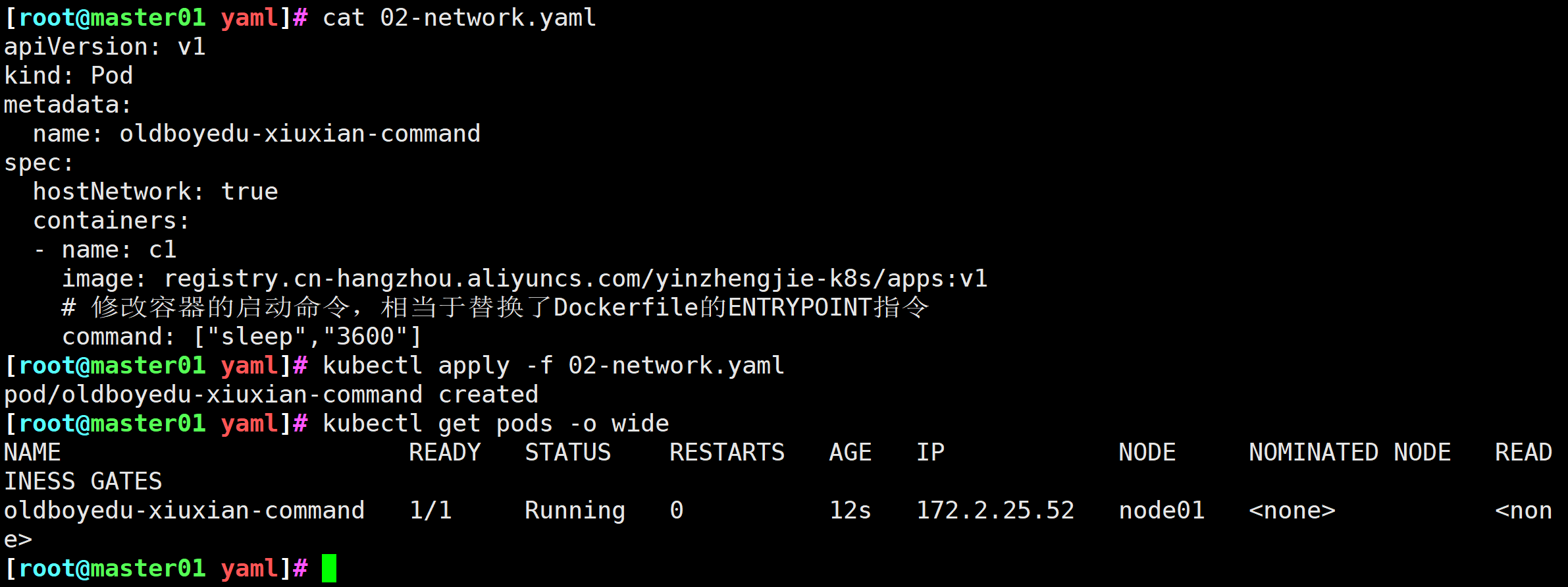
oldboyedu-xiuxian-command   1/1     Running   0          12s   172.2.25.52   node01   <none>           <none>
![image-20250520163741597]()
图7 表面上容器是正常运行的
![image-20250520163833958]()
图8 使用Curl命令是拒绝连接的
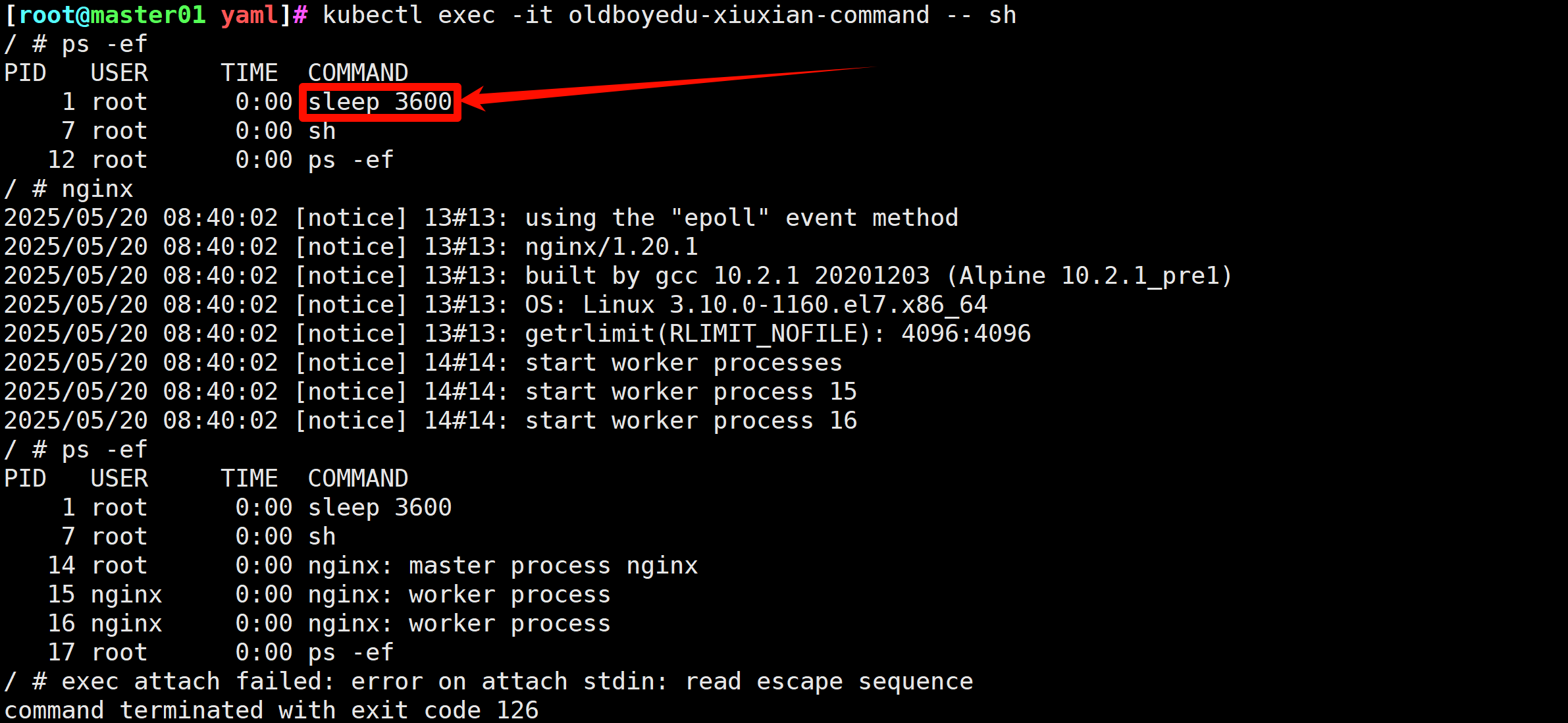
[root@master01 yaml]# kubectl exec -it oldboyedu-xiuxian-command -- sh
/ # ps -ef
PID   USER     TIME  COMMAND
    1 root      0:00 sleep 3600
    7 root      0:00 sh
   12 root      0:00 ps -ef
/ # nginx
2025/05/20 08:40:02 [notice] 13#13: using the "epoll" event method
2025/05/20 08:40:02 [notice] 13#13: nginx/1.20.1
2025/05/20 08:40:02 [notice] 13#13: built by gcc 10.2.1 20201203 (Alpine 10.2.1_pre1)
2025/05/20 08:40:02 [notice] 13#13: OS: Linux 3.10.0-1160.el7.x86_64
2025/05/20 08:40:02 [notice] 13#13: getrlimit(RLIMIT_NOFILE): 4096:4096
2025/05/20 08:40:02 [notice] 14#14: start worker processes
2025/05/20 08:40:02 [notice] 14#14: start worker process 15
2025/05/20 08:40:02 [notice] 14#14: start worker process 16
/ # ps -ef
PID   USER     TIME  COMMAND
    1 root      0:00 sleep 3600
    7 root      0:00 sh
   14 root      0:00 nginx: master process nginx
   15 nginx     0:00 nginx: worker process
   16 nginx     0:00 nginx: worker process
   17 root      0:00 ps -ef
![image-20250520164105088]()
图9 进入容器发现有睡眠一小时的启动命令,手动启动Nginx
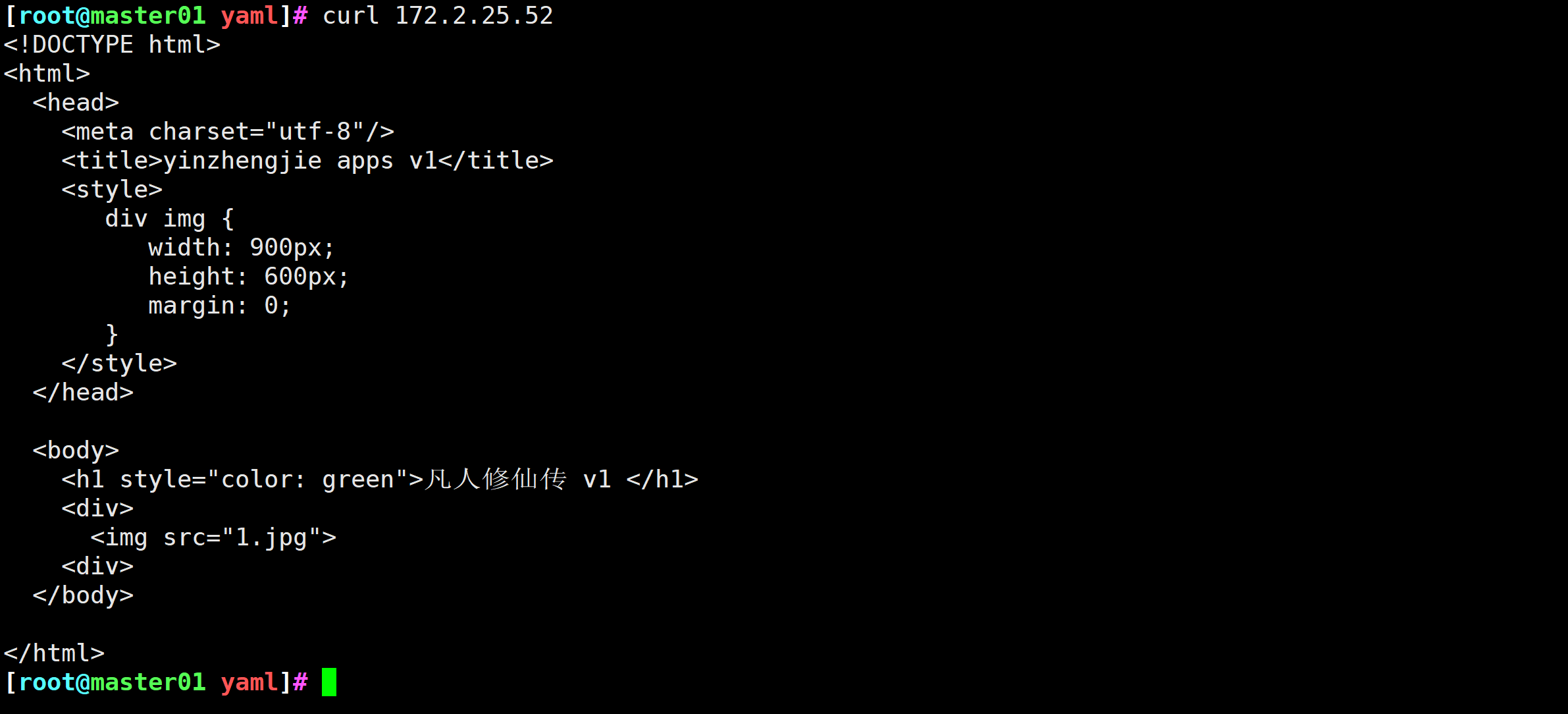
![image-20250520164243937]()
图10 这回是能够Curl通的





 浙公网安备 33010602011771号