unicodes
From here, quotes:
Ever wonder about that mysterious Content-Type tag? You know, the one you’re supposed to put in HTML and you never quite know what it should be?
Did you ever get an email from your friends in Bulgaria with the subject line “???? ?????? ??? ????”?
I’ve been dismayed to discover just how many software developers aren’t really completely up to speed on the mysterious world of character sets, encodings, Unicode, all that stuff. A couple of years ago, a beta tester for FogBUGZ was wondering whether it could handle incoming email in Japanese. Japanese? They have email in Japanese? I had no idea. When I looked closely at the commercial ActiveX control we were using to parse MIME email messages, we discovered it was doing exactly the wrong thing with character sets, so we actually had to write heroic code to undo the wrong conversion it had done and redo it correctly. When I looked into another commercial library, it, too, had a completely broken character code implementation. I corresponded with the developer of that package and he sort of thought they “couldn’t do anything about it.” Like many programmers, he just wished it would all blow over somehow.
But it won’t. When I discovered that the popular web development tool PHP has almost complete ignorance of character encoding issues, blithely using 8 bits for characters, making it darn near impossible to develop good international web applications, I thought, enough is enough.
So I have an announcement to make: if you are a programmer working in 2003 and you don’t know the basics of characters, character sets, encodings, and Unicode, and I catch you, I’m going to punish you by making you peel onions for 6 months in a submarine. I swear I will.
And one more thing:
IT’S NOT THAT HARD.
In this article I’ll fill you in on exactly what every working programmershould know. All that stuff about “plain text = ascii = characters are 8 bits” is not only wrong, it’s hopelessly wrong, and if you’re still programming that way, you’re not much better than a medical doctor who doesn’t believe in germs. Please do not write another line of code until you finish reading this article.
Before I get started, I should warn you that if you are one of those rare people who knows about internationalization, you are going to find my entire discussion a little bit oversimplified. I’m really just trying to set a minimum bar here so that everyone can understand what’s going on and can write code that has a hope of working with text in any language other than the subset of English that doesn’t include words with accents. And I should warn you that character handling is only a tiny portion of what it takes to create software that works internationally, but I can only write about one thing at a time so today it’s character sets.
A Historical Perspective
The easiest way to understand this stuff is to go chronologically.
You probably think I’m going to talk about very old character sets like EBCDIC here. Well, I won’t. EBCDIC is not relevant to your life. We don’t have to go that far back in time.
Back in the semi-olden days, when Unix was being invented and K&R were writing The C Programming Language, everything was very simple. EBCDIC was on its way out. The only characters that mattered were good old unaccented English letters, and we had a code for them called ASCII which was able to represent every character using a number between 32 and 127. Space was 32, the letter “A” was 65, etc. This could conveniently be stored in 7 bits. Most computers in those days were using 8-bit bytes, so not only could you store every possible ASCII character, but you had a whole bit to spare, which, if you were wicked, you could use for your own devious purposes: the dim bulbs at WordStar actually turned on the high bit to indicate the last letter in a word, condemning WordStar to English text only. Codes below 32 were called unprintable and were used for cussing. Just kidding. They were used for control characters, like 7 which made your computer beep and 12 which caused the current page of paper to go flying out of the printer and a new one to be fed in.
And all was good, assuming you were an English speaker.
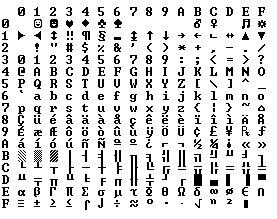
Because bytes have room for up to eight bits, lots of people got to thinking, “gosh, we can use the codes 128-255 for our own purposes.” The trouble was, lots of people had this idea at the same time, and they had their own ideas of what should go where in the space from 128 to 255. The IBM-PC had something that came to be known as the OEM character set which provided some accented characters for European languages and a bunch of line drawing characters… horizontal bars, vertical bars, horizontal bars with little dingle-dangles dangling off the right side, etc., and you could use these line drawing characters to make spiffy boxes and lines on the screen, which you can still see running on the 8088 computer at your dry cleaners’. In fact as soon as people started buying PCs outside of America all kinds of different OEM character sets were dreamed up, which all used the top 128 characters for their own purposes. For example on some PCs the character code 130 would display as é, but on computers sold in Israel it was the Hebrew letter Gimel (
), so when Americans would send their résumés to Israel they would arrive as r
sum
s. In many cases, such as Russian, there were lots of different ideas of what to do with the upper-128 characters, so you couldn’t even reliably interchange Russian documents.
Eventually this OEM free-for-all got codified in the ANSI standard. In the ANSI standard, everybody agreed on what to do below 128, which was pretty much the same as ASCII, but there were lots of different ways to handle the characters from 128 and on up, depending on where you lived. These different systems were called code pages. So for example in Israel DOS used a code page called 862, while Greek users used 737. They were the same below 128 but different from 128 up, where all the funny letters resided. The national versions of MS-DOS had dozens of these code pages, handling everything from English to Icelandic and they even had a few “multilingual” code pages that could do Esperanto and Galician on the same computer! Wow! But getting, say, Hebrew and Greek on the same computer was a complete impossibility unless you wrote your own custom program that displayed everything using bitmapped graphics, because Hebrew and Greek required different code pages with different interpretations of the high numbers.
Meanwhile, in Asia, even more crazy things were going on to take into account the fact that Asian alphabets have thousands of letters, which were never going to fit into 8 bits. This was usually solved by the messy system called DBCS, the “double byte character set” in which someletters were stored in one byte and others took two. It was easy to move forward in a string, but dang near impossible to move backwards. Programmers were encouraged not to use s++ and s– to move backwards and forwards, but instead to call functions such as Windows’ AnsiNext and AnsiPrev which knew how to deal with the whole mess.
But still, most people just pretended that a byte was a character and a character was 8 bits and as long as you never moved a string from one computer to another, or spoke more than one language, it would sort of always work. But of course, as soon as the Internet happened, it became quite commonplace to move strings from one computer to another, and the whole mess came tumbling down. Luckily, Unicode had been invented.
Unicode
Unicode was a brave effort to create a single character set that included every reasonable writing system on the planet and some make-believe ones like Klingon, too. Some people are under the misconception that Unicode is simply a 16-bit code where each character takes 16 bits and therefore there are 65,536 possible characters. This is not, actually, correct. It is the single most common myth about Unicode, so if you thought that, don’t feel bad.
In fact, Unicode has a different way of thinking about characters, and you have to understand the Unicode way of thinking of things or nothing will make sense.
Until now, we’ve assumed that a letter maps to some bits which you can store on disk or in memory:
A -> 0100 0001
In Unicode, a letter maps to something called a code point which is still just a theoretical concept. How that code point is represented in memory or on disk is a whole nuther story.
In Unicode, the letter A is a platonic ideal. It’s just floating in heaven:
A
This platonic A is different than B, and different from a, but the same as A and A and A. The idea that A in a Times New Roman font is the same character as the A in a Helvetica font, but different from “a” in lower case, does not seem very controversial, but in some languages just figuring out what a letter is can cause controversy. Is the German letter ß a real letter or just a fancy way of writing ss? If a letter’s shape changes at the end of the word, is that a different letter? Hebrew says yes, Arabic says no. Anyway, the smart people at the Unicode consortium have been figuring this out for the last decade or so, accompanied by a great deal of highly political debate, and you don’t have to worry about it. They’ve figured it all out already.
Every platonic letter in every alphabet is assigned a magic number by the Unicode consortium which is written like this: U+0639. This magic number is called a code point. The U+ means “Unicode” and the numbers are hexadecimal. U+0639 is the Arabic letter Ain. The English letter A would be U+0041. You can find them all using the charmaputility on Windows 2000/XP or visiting the Unicode web site.
There is no real limit on the number of letters that Unicode can define and in fact they have gone beyond 65,536 so not every unicode letter can really be squeezed into two bytes, but that was a myth anyway.
OK, so say we have a string:
Hello
which, in Unicode, corresponds to these five code points:
U+0048 U+0065 U+006C U+006C U+006F.
Just a bunch of code points. Numbers, really. We haven’t yet said anything about how to store this in memory or represent it in an email message.
Encodings
That’s where encodings come in.
The earliest idea for Unicode encoding, which led to the myth about the two bytes, was, hey, let’s just store those numbers in two bytes each. So Hello becomes
00 48 00 65 00 6C 00 6C 00 6F
Right? Not so fast! Couldn’t it also be:
48 00 65 00 6C 00 6C 00 6F 00 ?
Well, technically, yes, I do believe it could, and, in fact, early implementors wanted to be able to store their Unicode code points in high-endian or low-endian mode, whichever their particular CPU was fastest at, and lo, it was evening and it was morning and there were already two ways to store Unicode. So the people were forced to come up with the bizarre convention of storing a FE FF at the beginning of every Unicode string; this is called a Unicode Byte Order Mark and if you are swapping your high and low bytes it will look like a FF FE and the person reading your string will know that they have to swap every other byte. Phew. Not every Unicode string in the wild has a byte order mark at the beginning.
For a while it seemed like that might be good enough, but programmers were complaining. “Look at all those zeros!” they said, since they were Americans and they were looking at English text which rarely used code points above U+00FF. Also they were liberal hippies in California who wanted to conserve (sneer). If they were Texans they wouldn’t have minded guzzling twice the number of bytes. But those Californian wimps couldn’t bear the idea of doubling the amount of storage it took for strings, and anyway, there were already all these doggone documents out there using various ANSI and DBCS character sets and who’s going to convert them all? Moi? For this reason alone most people decided to ignore Unicode for several years and in the meantime things got worse.
Thus was invented the brilliant concept of UTF-8. UTF-8 was another system for storing your string of Unicode code points, those magic U+ numbers, in memory using 8 bit bytes. In UTF-8, every code point from 0-127 is stored in a single byte. Only code points 128 and above are stored using 2, 3, in fact, up to 6 bytes.
This has the neat side effect that English text looks exactly the same in UTF-8 as it did in ASCII, so Americans don’t even notice anything wrong. Only the rest of the world has to jump through hoops. Specifically, Hello, which was U+0048 U+0065 U+006C U+006C U+006F, will be stored as 48 65 6C 6C 6F, which, behold! is the same as it was stored in ASCII, and ANSI, and every OEM character set on the planet. Now, if you are so bold as to use accented letters or Greek letters or Klingon letters, you’ll have to use several bytes to store a single code point, but the Americans will never notice. (UTF-8 also has the nice property that ignorant old string-processing code that wants to use a single 0 byte as the null-terminator will not truncate strings).
So far I’ve told you three ways of encoding Unicode. The traditional store-it-in-two-byte methods are called UCS-2 (because it has two bytes) or UTF-16 (because it has 16 bits), and you still have to figure out if it’s high-endian UCS-2 or low-endian UCS-2. And there’s the popular new UTF-8 standard which has the nice property of also working respectably if you have the happy coincidence of English text and braindead programs that are completely unaware that there is anything other than ASCII.
There are actually a bunch of other ways of encoding Unicode. There’s something called UTF-7, which is a lot like UTF-8 but guarantees that the high bit will always be zero, so that if you have to pass Unicode through some kind of draconian police-state email system that thinks 7 bits are quite enough, thank you it can still squeeze through unscathed. There’s UCS-4, which stores each code point in 4 bytes, which has the nice property that every single code point can be stored in the same number of bytes, but, golly, even the Texans wouldn’t be so bold as to waste that much memory.
And in fact now that you’re thinking of things in terms of platonic ideal letters which are represented by Unicode code points, those unicode code points can be encoded in any old-school encoding scheme, too! For example, you could encode the Unicode string for Hello (U+0048 U+0065 U+006C U+006C U+006F) in ASCII, or the old OEM Greek Encoding, or the Hebrew ANSI Encoding, or any of several hundred encodings that have been invented so far, with one catch: some of the letters might not show up! If there’s no equivalent for the Unicode code point you’re trying to represent in the encoding you’re trying to represent it in, you usually get a little question mark: ? or, if you’re reallygood, a box. Which did you get? -> �
There are hundreds of traditional encodings which can only store somecode points correctly and change all the other code points into question marks. Some popular encodings of English text are Windows-1252 (the Windows 9x standard for Western European languages) and ISO-8859-1, aka Latin-1 (also useful for any Western European language). But try to store Russian or Hebrew letters in these encodings and you get a bunch of question marks. UTF 7, 8, 16, and 32 all have the nice property of being able to store any code point correctly.
The Single Most Important Fact About Encodings
If you completely forget everything I just explained, please remember one extremely important fact. It does not make sense to have a string without knowing what encoding it uses. You can no longer stick your head in the sand and pretend that “plain” text is ASCII.
There Ain’t No Such Thing As Plain Text.
If you have a string, in memory, in a file, or in an email message, you have to know what encoding it is in or you cannot interpret it or display it to users correctly.
Almost every stupid “my website looks like gibberish” or “she can’t read my emails when I use accents” problem comes down to one naive programmer who didn’t understand the simple fact that if you don’t tell me whether a particular string is encoded using UTF-8 or ASCII or ISO 8859-1 (Latin 1) or Windows 1252 (Western European), you simply cannot display it correctly or even figure out where it ends. There are over a hundred encodings and above code point 127, all bets are off.
How do we preserve this information about what encoding a string uses? Well, there are standard ways to do this. For an email message, you are expected to have a string in the header of the form
Content-Type: text/plain; charset="UTF-8"
For a web page, the original idea was that the web server would return a similar Content-Type http header along with the web page itself — not in the HTML itself, but as one of the response headers that are sent before the HTML page.
This causes problems. Suppose you have a big web server with lots of sites and hundreds of pages contributed by lots of people in lots of different languages and all using whatever encoding their copy of Microsoft FrontPage saw fit to generate. The web server itself wouldn’t really know what encoding each file was written in, so it couldn’t send the Content-Type header.
It would be convenient if you could put the Content-Type of the HTML file right in the HTML file itself, using some kind of special tag. Of course this drove purists crazy… how can you read the HTML file until you know what encoding it’s in?! Luckily, almost every encoding in common use does the same thing with characters between 32 and 127, so you can always get this far on the HTML page without starting to use funny letters:
<html>
<head>
<meta http-equiv="Content-Type" content="text/html; charset=utf-8">But that meta tag really has to be the very first thing in the <head> section because as soon as the web browser sees this tag it’s going to stop parsing the page and start over after reinterpreting the whole page using the encoding you specified.
What do web browsers do if they don’t find any Content-Type, either in the http headers or the meta tag? Internet Explorer actually does something quite interesting: it tries to guess, based on the frequency in which various bytes appear in typical text in typical encodings of various languages, what language and encoding was used. Because the various old 8 bit code pages tended to put their national letters in different ranges between 128 and 255, and because every human language has a different characteristic histogram of letter usage, this actually has a chance of working. It’s truly weird, but it does seem to work often enough that naïve web-page writers who never knew they needed a Content-Type header look at their page in a web browser and it looks ok, until one day, they write something that doesn’t exactly conform to the letter-frequency-distribution of their native language, and Internet Explorer decides it’s Korean and displays it thusly, proving, I think, the point that Postel’s Law about being “conservative in what you emit and liberal in what you accept” is quite frankly not a good engineering principle. Anyway, what does the poor reader of this website, which was written in Bulgarian but appears to be Korean (and not even cohesive Korean), do? He uses the View | Encoding menu and tries a bunch of different encodings (there are at least a dozen for Eastern European languages) until the picture comes in clearer. If he knew to do that, which most people don’t.
For the latest version of CityDesk, the web site management software published by my company, we decided to do everything internally in UCS-2 (two byte) Unicode, which is what Visual Basic, COM, and Windows NT/2000/XP use as their native string type. In C++ code we just declare strings as wchar_t (“wide char”) instead of char and use the wcs functions instead of the str functions (for example wcscat and wcslen instead of strcat and strlen). To create a literal UCS-2 string in C code you just put an L before it as so: L"Hello".
When CityDesk publishes the web page, it converts it to UTF-8 encoding, which has been well supported by web browsers for many years. That’s the way all 29 language versions of Joel on Software are encoded and I have not yet heard a single person who has had any trouble viewing them.
This article is getting rather long, and I can’t possibly cover everything there is to know about character encodings and Unicode, but I hope that if you’ve read this far, you know enough to go back to programming, using antibiotics instead of leeches and spells, a task to which I will leave you now.
 I’ve been dismayed to discover just how many software developers aren’t really completely up to speed on the mysterious world of character sets, encodings, Unicode, all that stuff. A couple of years ago, a beta tester for
  Back in the semi-olden days, when Unix was being invented and K&R were writing
  Because bytes have room for up to eight bits, lots of people got to thinking, “gosh, we can use the codes 128-255 for our own purposes.” The trouble was, lots of people had this idea at the same time, and they had their own ideas of what should go where in the space from 128 to 255. The IBM-PC had something that came to be known as the OEM character set which provided some accented characters for European languages and
  ), so when Americans would send their résumés to Israel they would arrive as r


Again, from here, quotes:
If you are dealing with text in a computer, you need to know about encodings. Period. Yes, even if you are just sending emails. Even if you are just receiving emails. You don't need to understand every last detail, but you must at least know what this whole "encoding" thing is about. And the good news first: while the topic can get messy and confusing, the basic idea is really, really simple.
This article is about encodings and character sets. An article by Joel Spolsky entitled The Absolute Minimum Every Software Developer Absolutely, Positively Must Know About Unicode and Character Sets (No Excuses!) is a nice introduction to the topic and I greatly enjoy reading it every once in a while. I hesitate to refer people to it who have trouble understanding encoding problems though since, while entertaining, it is pretty light on actual technical details. I hope this article can shed some more light on what exactly an encoding is and just why all your text screws up when you least need it. This article is aimed at developers (with a focus on PHP), but any computer user should be able to benefit from it.
Getting The Basics Straight
Everybody is aware of this at some level, but somehow this knowledge seems to suddenly disappear in a discussion about text, so let's get it out first: A computer cannot store "letters", "numbers", "pictures" or anything else. The only thing it can store and work with are bits. A bit can only have two values:
yesorno,trueorfalse,1or0or whatever else you want to call these two values. Since a computer works with electricity, an "actual" bit is a blip of electricity that either is or isn't there. For humans, this is usually represented using1and0and I'll stick with this convention throughout this article.To use bits to represent anything at all besides bits, we need rules. We need to convert a sequence of bits into something like letters, numbers and pictures using an encoding scheme, or encoding for short. Like this:
01100010 01101001 01110100 01110011
b        i        t        s
In this encoding,
01100010stands for the letter "b",01101001for the letter "i",01110100stands for "t" and01110011for "s". A certain sequence of bits stands for a letter and a letter stands for a certain sequence of bits. If you can keep this in your head for 26 letters or are really fast with looking stuff up in a table, you could read bits like a book.The above encoding scheme happens to be ASCII. A string of
1s and0s is broken down into parts of eight bit each (a byte for short). The ASCII encoding specifies a table translating bytes into human readable letters. Here's a short excerpt of that table:
bits character 01000001A 01000010B 01000011C 01000100D 01000101E 01000110F There are 95 human readable characters specified in the ASCII table, including the letters A through Z both in upper and lower case, the numbers 0 through 9, a handful of punctuation marks and characters like the dollar symbol, the ampersand and a few others. It also includes 33 values for things like space, line feed, tab, backspace and so on. These are not printable per se, but still visible in some form and useful to humans directly. A number of values are only useful to a computer, like codes to signify the start or end of a text. In total there are 128 characters defined in the ASCII encoding, which is a nice round number (for people dealing with computers), since it uses all possible combinations of 7 bits (
0000000,0000001,0000010through1111111).1And there you have it, the way to represent human-readable text using only
1s and0s.01001000 01100101 01101100 01101100 01101111 00100000 01010111 01101111 01110010 01101100 01100100"Hello World"
Important Terms
To encode something in ASCII, follow the table from right to left, substituting letters for bits. To decode a string of bits into human readable characters, follow the table from left to right, substituting bits for letters.
encode |enˈkōd|
verb [ with obj. ]
convert into a coded formcode |kōd|
noun
a system of words, letters, figures, or other symbols substituted for other words, letters, etc.To encode means to use something to represent something else. An encoding is the set of rules with which to convert something from one representation to another.
Other terms which deserve clarification in this context:
- character set, charset
- The set of characters that can be encoded. "The ASCII encoding encompasses a character set of 128 characters." Essentially synonymous to "encoding".
- code page
- A "page" of codes that map a character to a number or bit sequence. A.k.a. "the table". Essentially synonymous to "encoding".
- string
- A string is a bunch of items strung together. A bit string is a bunch of bits, like
01010011. A character string is a bunch of characters,like this. Synonymous to "sequence".Binary, Octal, Decimal, Hex
There are many ways to write numbers. 10011111 in binary is 237 in octal is 159 in decimal is 9F in hexadecimal. They all represent the same value, but hexadecimal is shorter and easier to read than binary. I will stick with binary throughout this article to get the point across better and spare the reader one layer of abstraction. Do not be alarmed to see character codes referred to in other notations elsewhere, it's all the same thing.
Excusez-Moi?
Now that we know what we're talking about, let's just say it: 95 characters really isn't a lot when it comes to languages. It covers the basics of English, but what about writing a risqué letter in French? A Straßenübergangsänderungsgesetz in German? An invitation to a smörgåsbord in Swedish? Well, you couldn't. Not in ASCII. There's no specification on how to represent any of the letters é, ß, ü, ä, ö or å in ASCII, so you can't use them.
"But look at it," the Europeans said, "in a common computer with 8 bits to the byte, ASCII is wasting an entire bit which is always set to
0! We can use that bit to squeeze a whole 'nother 128 values into that table!" And so they did. But even so, there are more than 128 ways to stroke, slice, slash and dot a vowel. Not all variations of letters and squiggles used in all European languages can be represented in the same table with a maximum of 256 values. So what the world ended up with is a wealth of encoding schemes, standards, de-facto standards and half-standards that all cover a different subset of characters. Somebody needed to write a document about Swedish in Czech, found that no encoding covered both languages and invented one. Or so I imagine it went countless times over.And not to forget about Russian, Hindi, Arabic, Hebrew, Korean and all the other languages currently in active use on this planet. Not to mention the ones not in use anymore. Once you have solved the problem of how to write mixed language documents in all of these languages, try yourself on Chinese. Or Japanese. Both contain tens of thousands of characters. You have 256 possible values to a byte consisting of 8 bit. Go!
Multi-Byte Encodings
To create a table that maps characters to letters for a language that uses more than 256 characters, one byte simply isn't enough. Using two bytes (16 bits), it's possible to encode 65,536 distinct values. BIG-5 is such a double-byte encoding. Instead of breaking a string of bits into blocks of eight, it breaks it into blocks of 16 and has a big (I mean, BIG) table that specifies which character each combination of bits maps to. BIG-5 in its basic form covers mostly Traditional Chinese characters. GB18030 is another encoding which essentially does the same thing, but includes both Traditional and Simplified Chinese characters. And before you ask, yes, there are encodings which cover only Simplified Chinese. Can't just have one encoding now, can we?
Here a small excerpt from the GB18030 table:
bits character 10000001 01000000丂 10000001 01000001丄 10000001 01000010丅 10000001 01000011丆 10000001 01000100丏 GB18030 covers quite a range of characters (including a large part of latin characters), but in the end is yet another specialized encoding format among many.
Unicode To The Confusion
Finally somebody had enough of the mess and set out to forge a ring to bind them all create one encoding standard to unify all encoding standards. This standard is Unicode. It basically defines a ginormous table of 1,114,112 code points that can be used for all sorts of letters and symbols. That's plenty to encode all European, Middle-Eastern, Far-Eastern, Southern, Northern, Western, pre-historian and future characters mankind knows about.2 Using Unicode, you can write a document containing virtually any language using any character you can type into a computer. This was either impossible or very very hard to get right before Unicode came along. There's even an unofficial section for Klingon in Unicode. Indeed, Unicode is big enough to allow for unofficial, private-use areas.
So, how many bits does Unicode use to encode all these characters? None. Because Unicode is not an encoding.
Confused? Many people seem to be. Unicode first and foremost defines a table of code points for characters. That's a fancy way of saying "65 stands for A, 66 stands for B and 9,731 stands for ☃"(seriously, it does). How these code points are actually encoded into bits is a different topic. To represent 1,114,112 different values, two bytes aren't enough. Three bytes are, but three bytes are often awkward to work with, so four bytes would be the comfortable minimum. But, unless you're actually using Chinese or some of the other characters with big numbers that take a lot of bits to encode, you're never going to use a huge chunk of those four bytes. If the letter "A" was always encoded to
00000000 00000000 00000000 01000001, "B" always to00000000 00000000 00000000 01000010and so on, any document would bloat to four times the necessary size.To optimize this, there are several ways to encode Unicode code points into bits. UTF-32 is such an encoding that encodes all Unicode code points using 32 bits. That is, four bytes per character. It's very simple, but often wastes a lot of space. UTF-16 and UTF-8 are variable-length encodings. If a character can be represented using a single byte (because its code point is a very small number), UTF-8 will encode it with a single byte. If it requires two bytes, it will use two bytes and so on. It has elaborate ways to use the highest bits in a byte to signal how many bytes a character consists of. This can save space, but may also waste space if these signal bits need to be used often. UTF-16 is in the middle, using at least two bytes, growing to up to four bytes as necessary.
character encoding bits A UTF-8 01000001A UTF-16 00000000 01000001A UTF-32 00000000 00000000 00000000 01000001あ UTF-8 11100011 10000001 10000010あ UTF-16 00110000 01000010あ UTF-32 00000000 00000000 00110000 01000010And that's all there is to it. Unicode is a large table mapping characters to numbers and the different UTF encodings specify how these numbers are encoded as bits. Overall, Unicode is yet another encoding scheme. There's nothing special about it, it's just trying to cover everything while still being efficient. And that's A Good Thing.™
Code Points
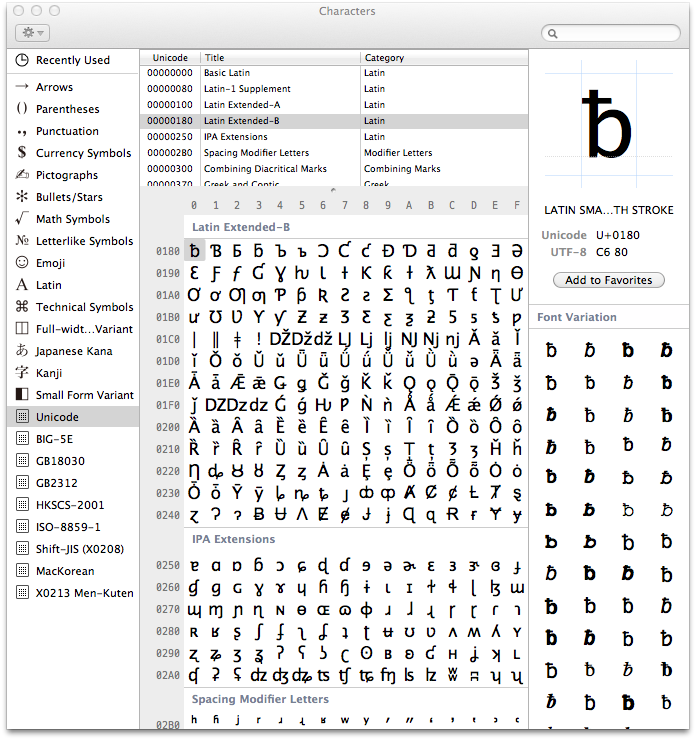
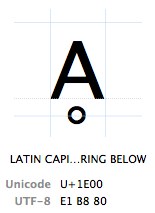
Characters are referred to by their "Unicode code point". Unicode code points are written in hexadecimal (to keep the numbers shorter), preceded by a "U+" (that's just what they do, it has no other meaning than "this is a Unicode code point"). The character Ḁ has the Unicode code point U+1E00. In other (decimal) words, it is the 7680th character of the Unicode table. It is officially called "LATIN CAPITAL LETTER A WITH RING BELOW".
TL;DR
A summary of all the above: Any character can be encoded in many different bit sequences and any particular bit sequence can represent many different characters, depending on which encoding is used to read or write them. The reason is simply because different encodings use different numbers of bits per characters and different values to represent different characters.
bits encoding characters 11000100 01000010Windows Latin 1 ÄB 11000100 01000010Mac Roman ƒB 11000100 01000010GB18030 腂
characters encoding bits Føö Windows Latin 1 01000110 11111000 11110110Føö Mac Roman 01000110 10111111 10011010Føö UTF-8 01000110 11000011 10111000 11000011 10110110Misconceptions, Confusions And Problems
Having said all that, we come to the actual problems experienced by many users and programmers every day, how those problems relate to all of the above and what their solution is. The biggest problem of all is:
Why In God's Name Are My Characters Garbled?!
ÉGÉìÉRÅ[ÉfÉBÉìÉOÇÕìÔǵÇ≠ǻǢIf you open a document and it looks like this, there's one and only one reason for it: Your text editor, browser, word processor or whatever else that's trying to read the document is assuming the wrong encoding. That's all. The document is not broken (well, unless it is, see below), there's no magic you need to perform, you simply need to select the right encoding to display the document.
The hypothetical document above contains this sequence of bits:
10000011 01000111 10000011 10010011 10000011 01010010 10000001 01011011
10000011 01100110 10000011 01000010 10000011 10010011 10000011 01001111
10000010 11001101 10010011 11101111 10000010 10110101 10000010 10101101
10000010 11001000 10000010 10100010
Now, quick, what encoding is that? If you just shrugged, you'd be correct. Who knows, right‽
Well, let's try to interpret this as ASCII. Hmm, most of these bytes start3 with a
1bit. If you remember correctly, ASCII doesn't use that bit. So it's not ASCII. What about UTF-8? Hmm, no, most of these sequences are not valid UTF-8.4 So UTF-8 is out, too. Let's try "Mac Roman" (yet another encoding scheme for them Europeans). Hey, all those bytes are valid in Mac Roman.10000011maps to "É",01000111to "G" and so on. If you read this bit sequence using the Mac Roman encoding, the result is "ÉGÉìÉRÅ[ÉfÉBÉìÉOÇÕìÔǵÇ≠ǻǢ". That looks like a valid string, no? Yes? Maybe? Well, how's the computer to know? Maybe somebody meant to write "ÉGÉìÉRÅ[ÉfÉBÉìÉOÇÕìÔǵÇ≠ǻǢ". For all I know that could be a DNA sequence.5 Unless you have a better suggestion, let's declare this to be a DNA sequence, say this document was encoded in Mac Roman and call it a day.
Of course, that unfortunately is complete nonsense. The correct answer is that this text is encoded in the Japanese Shift-JIS encoding and was supposed to read "エンコーディングは難しくない". Well, who'd've thunk?
The primary cause of garbled text is: Somebody is trying to read a byte sequence using the wrong encoding. The computer always needs to be told what encoding some text is in. Otherwise it can't know. There are different ways how different kinds of documents can specify what encoding they're in and these ways should be used. A raw bit sequence is always a mystery box and could mean anything.
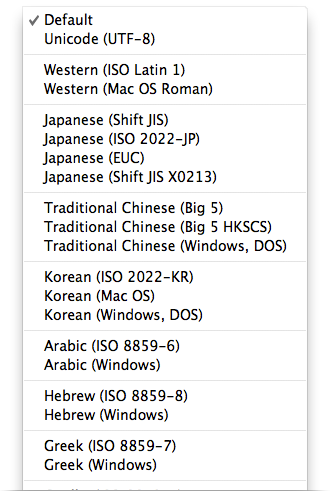
Most browsers allow the selection of a different encoding in the View menu under the menu option "Text Encoding", which causes the browser to reinterpret the current page using the selected encoding. Other programs may offer something like "Reopen using encoding…" in the File menu, or possibly an "Import…" option which allows the user to manually select an encoding.
My Document Doesn't Make Sense In Any Encoding!
If a sequence of bits doesn't make sense (to a human) in any encoding, the document has mostly likely been converted incorrectly at some point. Say we took the above text "ÉGÉìÉRÅ[ÉfÉBÉìÉOÇÕìÔǵÇ≠ǻǢ" because we didn't know any better and saved it as UTF-8. The text editor assumed it correctly read a Mac Roman encoded text and you now want to save this text in a different encoding. All of these characters are valid Unicode characters after all. That is to say, there's a code point in Unicode that can represent "É", one that can represent "G" and so on. So we can happily save this text as UTF-8:
11000011 10001001 01000111 11000011 10001001 11000011 10101100 11000011
10001001 01010010 11000011 10000101 01011011 11000011 10001001 01100110
11000011 10001001 01000010 11000011 10001001 11000011 10101100 11000011
10001001 01001111 11000011 10000111 11000011 10010101 11000011 10101100
11000011 10010100 11000011 10000111 11000010 10110101 11000011 10000111
11100010 10001001 10100000 11000011 10000111 11000010 10111011 11000011
10000111 11000010 10100010
This is now the UTF-8 bit sequence representing the text "ÉGÉìÉRÅ[ÉfÉBÉìÉOÇÕìÔǵÇ≠ǻǢ". This bit sequence has absolutely nothing to do with our original document. Whatever encoding we try to open it in, we won't ever get the text "エンコーディングは難しくない" from it. It is completely lost. It would be possible to recover the original text from it if we knew that a Shift-JIS document was misinterpreted as Mac Roman and then accidentally saved as UTF-8 and reversed this chain of missteps. But that would be a lucky fluke.
Many times certain bit sequences are invalid in a particular encoding. If we tried to open the original document using ASCII, some bytes would be valid in ASCII and map to a real character and others wouldn't. The program you're opening it with may decide to silently discard any bytes that aren't valid in the chosen encoding, or possibly replace them with
?. There's also the "Unicode replacement character" � (U+FFFD) which a program may decide to insert for any character it couldn't decode correctly when trying to handle Unicode. If a document is saved with some characters gone or replaced, then those characters are really gone for good with no way to reverse-engineer them.If a document has been misinterpreted and converted to a different encoding, it's broken. Trying to "repair" it may or may not be successful, usually it isn't. Any manual bit-shifting or other encoding voodoo is mostly that, voodoo. It's trying to fix the symptoms after the patient has already died.
So How To Handle Encodings Correctly?
It's really simple: Know what encoding a certain piece of text, that is, a certain byte sequence, is in, then interpret it with that encoding. That's all you need to do. If you're writing an app that allows the user to input some text, specify what encoding you accept from the user. For any sort of text field, the programmer can usually decide its encoding. For any sort of file a user may upload or import into a program, there needs to be a specification what encoding that file should be in. Alternatively, the user needs some way to tell the program what encoding the file is in. This information may be part of the file format itself, or it may be a selection the user has make (not that most users would usually know, unless they have read this article).
If you need to convert from one encoding to another, do so cleanly using tools that are specialized for that. Converting between encodings is the tedious task of comparing two code pages and deciding that character 152 in encoding A is the same as character 4122 in encoding B, then changing the bits accordingly. This particular wheel does not need reinventing and any mainstream programming language includes some way of converting text from one encoding to another without needing to think about code points, pages or bits at all.
Say, your app must accept files uploaded in GB18030, but internally you are handling all data in UTF-32. A tool like
iconvcan cleanly convert the uploaded file with a one-liner likeiconv('GB18030', 'UTF-32', $string). That is, it will preserve the characters while changing the underlying bits:
character GB18030 encoding UTF-32 encoding 縧 10111111 0110110000000000 00000000 01111110 00100111That's all there is to it. The content of the string, that is, the human readable characters, didn't change, but it's now a valid UTF-32 string. If you keep treating it as UTF-32, there's no problem with garbled characters. As discussed at the very beginning though, not all encoding schemes can represent all characters. It's not possible to encode the character "縧" in any encoding scheme designed for European languages. Something Bad™ would happen if you tried to.
Unicode All The Way
Precisely because of that, there's virtually no excuse in this day and age not to be using Unicode all the way. Some specialized encodings may be more efficient than the Unicode encodings for certain languages. But unless you're storing terabytes and terabytes of very specialized text (and that's a lot of text), there's usually no reason to worry about it. Problems stemming from incompatible encoding schemes are much worse than a wasted gigabyte or two these days. And this will become even truer as storage and bandwidth keeps growing larger and cheaper.
If your system needs to work with other encodings, convert them to Unicode upon input and convert them back to other encodings on output as necessary. Otherwise, be very aware of what encodings you're dealing with at which point and convert as necessary, if that's possible without losing any information.
Flukes
I have this website talking to a database. My app handles everything as UTF-8 and stores it as such in the database and everything works fine, but when I look at my database admin interface my text is garbled.-- Anonymous code monkey
There are situations where encodings are handled incorrectly but things still work. An often-encountered situation is a database that's set to
latin-1and an app that works with UTF-8 (or any other encoding). Pretty much any combination of1s and0s is valid in the single-bytelatin-1encoding scheme. If the database receives text from an application that looks like11100111 10111000 10100111, it'll happily store it, thinking the app meant to store the three latin characters "縧". After all, why not? It then later returns this bit sequence back to the app, which will happily accept it as the UTF-8 sequence for "縧", which it originally stored. The database admin interface automatically figures out that the database is set tolatin-1though and interprets any text aslatin-1, so all values look garbled only in the admin interface.That's a case of fool's luck where things happen to work when they actually aren't. Any sort of operation on the text in the database may or may not work as intended, since the database is not interpreting the text correctly. In a worst case scenario, the database inadvertently destroys all text during some random operation two years after the system went into production because it was operating on text assuming the wrong encoding.6
UTF-8 And ASCII
The ingenious thing about UTF-8 is that it's binary compatible with ASCII, which is the de-facto baseline for all encodings. All characters available in the ASCII encoding only take up a single byte in UTF-8 and they're the exact same bytes as are used in ASCII. In other words, ASCII maps 1:1 unto UTF-8. Any character not in ASCII takes up two or more bytes in UTF-8. For most programming languages that expect to parse ASCII, this means you can include UTF-8 text directly in your programs:
$string = "漢字";Saving this as UTF-8 results in this bit sequence:
00100100 01110011 01110100 01110010 01101001 01101110 01100111 00100000
00111101 00100000 00100010 11100110 10111100 10100010 11100101 10101101
10010111 00100010 00111011
Only bytes 12 through 17 (the ones starting with
1) are UTF-8 characters (two characters with three bytes each). All the surrounding characters are perfectly good ASCII. A parser would read this as follows:$string = "11100110 10111100 10100010 11100101 10101101 10010111";To the parser, anything following a quotation mark is just a byte sequence which it will take as-is until it encounters another quotation mark. If you simply output this byte sequence, you're outputting UTF-8 text. No need to do anything else. The parser does not need to specifically support UTF-8, it just needs to take strings literally. Naive parsers can support Unicode this way without actually supporting Unicode. Many modern languages are explicitly Unicode-aware though.
Encodings And PHP
This last section deals with issues surrounding Unicode and PHP. Some portions of it are applicable to programming languages in general while others are PHP specific. Nothing new will be revealed about encodings, but concepts described above will be rehashed in the light of practical application.
PHP doesn't natively support Unicode. Except it actually supports it quite well. The previous section shows how UTF-8 characters can be embedded in any program directly without problems, since UTF-8 is backwards compatible with ASCII, which is all PHP needs. The statement "PHP doesn't natively support Unicode" is true though and it seems to cause a lot of confusion in the PHP community.
False Promises
One specific pet-peeve of mine are the functions
utf8_encodeandutf8_decode. I often see nonsense along the lines of "To use Unicode in PHP you need toutf8_encodeyour text on input andutf8_decodeon output". These two functions seem to promise some sort of automagic conversion of text to UTF-8 which is "necessary" since "PHP doesn't support Unicode". If you've been following this article at all though, you should know by now that
- there's nothing special about UTF-8 and
- you cannot encode text to UTF-8 after the fact
To clarify that second point: All text is already encoded in some encoding. When you type it into the source code, it has some encoding. Specifically, whatever you saved it as in your text editor. If you get it from a database, it's already in some encoding. If you read it from a file, it's already in someencoding.
Text is either encoded in UTF-8 or it's not. If it's not, it's encoded in ASCII, ISO-8859-1, UTF-16 or some other encoding. If it's not encoded in UTF-8 but is supposed to contain "UTF-8 characters",7then you have a case of cognitive dissonance. If it does contain actual characters encoded in UTF-8, then it's actually UTF-8 encoded. Text can't contain Unicode characters without being encoded in one of the Unicode encodings.
So what in the world does
utf8_encodedo then?"Encodes an ISO-8859-1 string to UTF-8"8
Aha! So what the author actually wanted to say is that it converts the encoding of text from ISO-8859-1 to UTF-8. That's all there is to it.
utf8_encodemust have been named by some European without any foresight and is a horrible, horrible misnomer. The same goes forutf8_decode. These functions are useless for any purpose other than converting between ISO-8859-1 and UTF-8. If you need to convert a string from any other encoding to any other encoding, look no further thaniconv.
utf8_encodeis not a magic wand that needs to be swung over any and all text because "PHP doesn't support Unicode". Rather, it seems to cause more encoding problems than it solves thanks to terrible naming and unknowing developers.Native-Schmative
So what does it mean for a language to natively support or not support Unicode? It basically refers to whether the language assumes that one character equals one byte or not. For example, PHP allows direct access to the characters of a string using array notation:
echo $string[0];If that
$stringwas in a single-byte encoding, this would give us the first character. But only because "character" coincides with "byte" in a single-byte encoding. PHP simply gives us the first bytewithout thinking about "characters". Strings are byte sequences to PHP, nothing more, nothing less. All this "readable character" stuff is a human thing and PHP doesn't care about it.01000100 01101111 01101110 00100111 01110100 D o n ' t 01100011 01100001 01110010 01100101 00100001 c a r e !The same goes for many standard functions such as
substr,strpos,trimand so on. The non-support arises if there's a discrepancy between the length of a byte and a character.11100110 10111100 10100010 11100101 10101101 10010111 漢 字
Using
$string[0]on the above string will, again, give us the first byte, which is11100110. In other words, a third of the three-byte character "漢".11100110is, by itself, an invalid UTF-8 sequence, so the string is now broken. If you felt like it, you could try to interpret that in some other encoding where11100110represents a valid character, which will result in some random character. Have fun, but don't use it in production.And that's actually all there is to it. "PHP doesn't natively support Unicode" simply means that most PHP functions assume one byte = one character, which may lead to it chopping multi-byte characters in half or calculating the length of strings incorrectly if you're naively using non-multi-byte-aware functions on multi-byte strings. It does not mean that you can't use Unicode in PHP or that every Unicode string needs to be blessed by
utf8_encodeor other such nonsense.Luckily, there's the Multibyte String extension, which replicates all important string functions in a multi-byte aware fashion. Using
mb_substr($string, 0, 1, 'UTF-8')on the above string correctly returns11100110 10111100 10100010, which is the whole "漢" character. Because themb_functions now have to actually think about what they're doing, they need to know what encoding they're working on. Therefore everymb_function accepts an$encodingparameter as well. Alternatively, this can be set globally for allmb_functions usingmb_internal_encoding.Using And Abusing PHP's Handling Of Encodings
The whole issue of PHP's (non-)support for Unicode is that it just doesn't care. Strings are byte sequences to PHP. What bytes in particular doesn't matter. PHP doesn't do anything with strings except keeping them stored in memory. PHP simply doesn't have any concept of either characters or encodings. And unless it tries to manipulate strings, it doesn't need to either; it just holds onto bytes that may or may not eventually be interpreted as characters by somebody else. The only requirementPHP has of encodings is that PHP source code needs to be saved in an ASCII compatible encoding. The PHP parser is looking for certain characters that tell it what to do.
$(00100100) signals the start of a variable,=(00111101) an assignment,"(00100010) the start and end of a string and so on. Anything else that doesn't have any special significance to the parser is just taken as a literal byte sequence. That includes anything between quotes, as discussed above. This means the following:
You can't save PHP source code in an ASCII-incompatible encoding. For example, in UTF-16 a
"is encoded as00000000 00100010. To PHP, which tries to read everything as ASCII, that's aNULbyte followed by a". PHP will probably get a hiccup if every other character it finds is aNULbyte.You can save PHP source code in any ASCII-compatible encoding. If the first 128 code points of an encoding are identical to ASCII, PHP can parse it. All characters that are in any way significant to PHP are within the 128 code points defined by ASCII. If string literals contain any code points beyond that, PHP doesn't care. You can save PHP source code in ISO-8859-1, Mac Roman, UTF-8 or any other ASCII-compatible encoding. The string literals in your script will have whatever encoding you saved your source code as.
Any external file you process with PHP can be in whatever encoding you like. If PHP doesn't need to parse it, there are no requirements to meet to keep the PHP parser happy.
$foo = file_get_contents('bar.txt');The above will simply read the bits in
bar.txtinto the variable$foo. PHP doesn't try to interpret, convert, encode or otherwise fiddle with the contents. The file can even contain binary data such as an image, PHP doesn't care.If internal and external encodings have to match, they have to match. A common case is localization, where the source code contains something like
echo localize('Foobar')and an external localization file contains something along the lines of this:msgid "Foobar" msgstr "フーバー"Both "Foobar" strings need to have an identical bit representation if you want to find the correct localization. If the source code was saved in ASCII but the localization file in UTF-16, the strings wouldn't match. Either some sort of encoding conversion would be necessary or the use of an encoding-aware string matching function.
The astute reader might ask at this point whether it's possible to save a, say, UTF-16 byte sequence inside a string literal of an ASCII encoded source code file, to which the answer would be: absolutely.
echo "UTF-16";If you can bring your text editor to save the
echo "and";parts in ASCII and onlyUTF-16in UTF-16, this will work just fine. The necessary binary representation for that looks like this:01100101 01100011 01101000 01101111 00100000 00100010 e c h o " 11111110 11111111 00000000 01010101 00000000 01010100 (UTF-16 marker) U T 00000000 01000110 00000000 00101101 00000000 00110001 F - 1 00000000 00110110 00100010 00111011 6 " ;The first line and the last two bytes are ASCII. The rest is UTF-16 with two bytes per character. The leading
11111110 11111111on line 2 is a marker required at the start of UTF-16 encoded text (required by the UTF-16 standard, PHP doesn't give a damn). This PHP script will happily output the string "UTF-16" encoded in UTF-16, because it simple outputs the bytes between the two double quotes, which happens to represent the text "UTF-16" encoded in UTF-16. The source code file is neither completely valid ASCII nor UTF-16 though, so working with it in a text editor won't be much fun.Bottom Line
PHP supports Unicode, or in fact any encoding, just fine, as long as certain requirements are met to keep the parser happy and the programmer knows what he's doing. You really only need to be careful when manipulating strings, which includes slicing, trimming, counting and other operations that need to happen on a character level rather than a byte level. If you're not "doing anything" with your strings besides reading and outputting them, you will hardly have any problems with PHP's support of encodings that you wouldn't have in any other language as well.
Encoding-Aware Languages
What does it mean for a language to support Unicode then? Javascript for example supports Unicode. In fact, any string in Javascript is UTF-16 encoded. In fact, it's the only thing Javascript deals with. You cannot have a string in Javascript that is not UTF-16 encoded. Javascript worships Unicode to the extent that there's no facility to deal with any other encoding in the core language. Since Javascript is most often run in a browser that's not a problem, since the browser can handle the mundane logistics of encoding and decoding input and output.
Other languages are simply encoding-aware. Internally they store strings in a particular encoding, often UTF-16. In turn they need to be told or try to detect the encoding of everything that has to do with text. They need to know what encoding the source code is saved in, what encoding a file they're supposed to read is in, what encoding you want to output text in; and they convert encodings on the fly as needed with some manifestation of Unicode as the middleman. They're doing the same thing you can/should/need to do in PHP semi-automatically behind the scenes. That's neither better nor worse than PHP, just different. The nice thing about it is that standard language functions that deal with strings Just Work™, while in PHP one needs to spare some attention to whether a string may contain multi-byte characters or not and choose string manipulation functions accordingly.
The Depths Of Unicode
Since Unicode deals with many different scripts and many different problems, it has a lot of depth to it. For example, the Unicode standard contains information for such problems as CJK ideograph unification. That means, information that two or more Chinese/Japanese/Korean characters actually represent the same character in slightly different writing methods. Or rules about converting from lower case to upper case, vice-versa and round-trip, which is not always as straight forward in all scripts as it is in most Western European Latin-derived scripts. Some characters can also be represented using different code points. The letter "ö" for example can be represented using the code point U+00F6 ("LATIN SMALL LETTER O WITH DIAERESIS") or as the two code points U+006F ("LATIN SMALL LETTER O") and U+0308 ("COMBINING DIAERESIS"), that is the letter "o" combined with "¨". In UTF-8 that's either the double-byte sequence
11000011 10110110or the three-byte sequence01101111 11001100 10001000, both representing the same human readable character. As such, there are rules governing Normalization within the Unicode standard, i.e. how either of these forms can be converted into the other. This and a lot more is outside the scope of this article, but one should be aware of it.Final TL;DR
- Text is always a sequence of bits which needs to be translated into human readable text using lookup tables. If the wrong lookup table is used, the wrong character is used.
- You're never actually directly dealing with "characters" or "text", you're always dealing with bitsas seen through several layers of abstractions. Incorrect results are a sign of one of the abstraction layers failing.
- If two systems are talking to each other, they always need to specify what encoding they want to talk to each other in. The simplest example of this is this website telling your browser that it's encoded in UTF-8.
- In this day and age, the standard encoding is UTF-8 since it can encode virtually any character of interest, is backwards compatible with the de-facto baseline ASCII and is relatively space efficient for the majority of use cases nonetheless.
- Other encodings still occasionally have their uses, but you should have a concrete reason for wanting to deal with the headaches associated with character sets that can only encode a subset of Unicode.
- The days of one byte = one character are over and both programmers and programs need to catch up on this.
Now you should really have no excuse anymore the next time you garble some text.
Yes, that means ASCII can be stored and transferred using only 7 bits and it often is. No, this is not within the scope of this article and for the sake of argument we'll assume the highest bit is "wasted" in ASCII. ↩
And if it isn't, it will be extended. It already has been several times. ↩
Please note that when I'm using the term "starting" together with "byte", I mean it from the human-readable point of view. ↩
Peruse the UTF-8 specification if you want to follow this with pen and paper. ↩
Hey, I'm a programmer, not a biologist. ↩
And of course there'll be no recent backup. ↩
A "Unicode character" is a code point in the Unicode table. "あ" is not a Unicode character, it's the Hiragana letter あ. There is a Unicode code point for it, but that doesn't make the letter itself a Unicode character. A "UTF-8 character" is an oxymoron, but may be stretched to mean what's technically called a "UTF-8 sequence", which is a byte sequence of one, two, three or four bytes representing one Unicode character. Both terms are often used in the sense of "any letter that ain't part of my keyboard" though, which means absolutely nothing. ↩



 浙公网安备 33010602011771号