
SublimeText配置Python3运行环境
1.查看python3安装路径which python3

2.打开sublime text 3,点击上部菜单栏Tools->Build System->new Build System
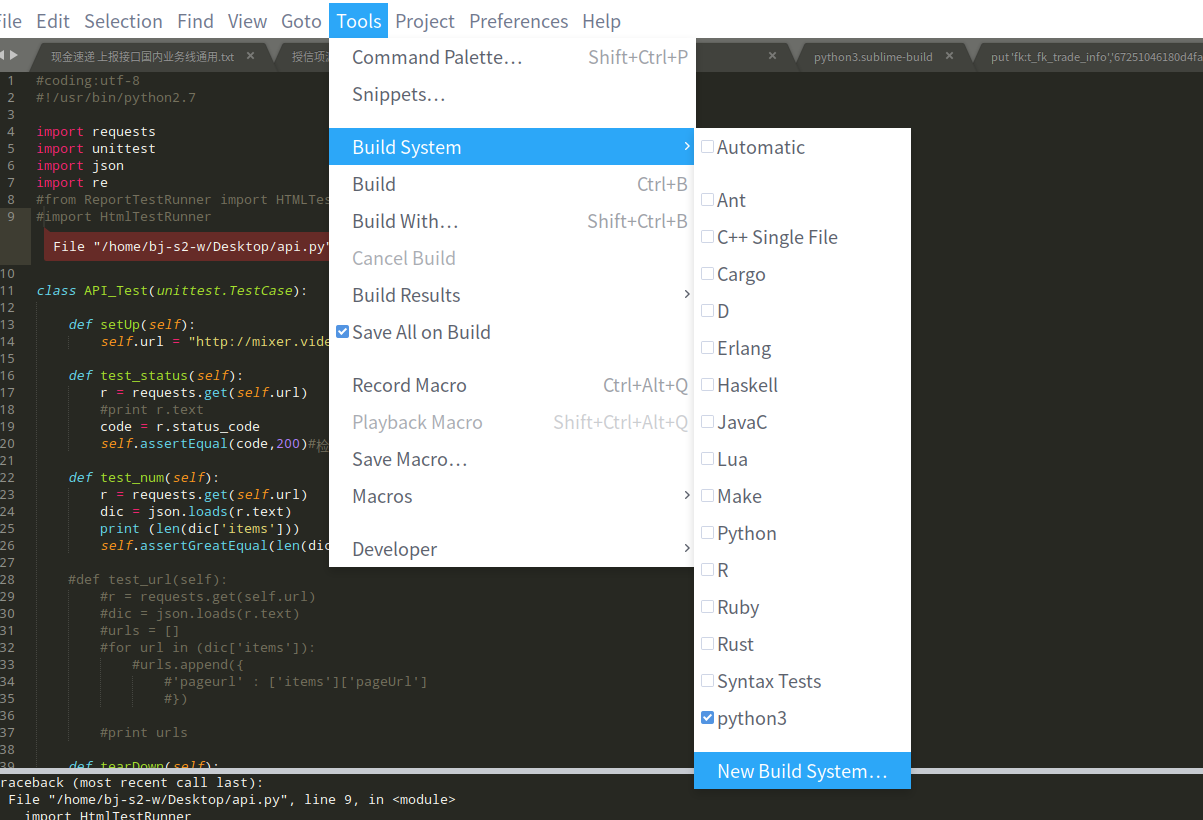
3.复制以下内容
{ "cmd": ["/usr/bin/python3", "-u", "$file"], "file_regex": "^[ ]*File \"(...*?)\", line ([0-9]*)", "selector": "source.python" }
4.保存为python3.sublime-build,保存路径/home/bj-s2-w/.config/sublime-text-3/Packages/User
5.ctrl+B,试运行

 浙公网安备 33010602011771号