

WPF Polygon ViewBox用法
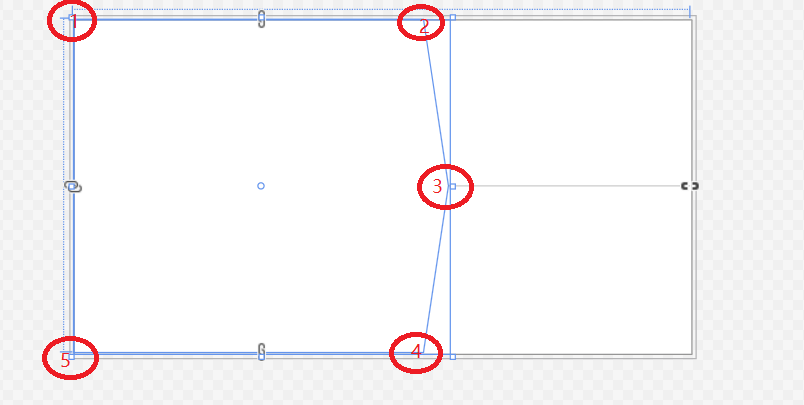
        <Polygon Points="0 0, 420 0, 450 200, 420 400, 0 400" HorizontalAlignment="Left">
        </Polygon>
用WPF自带的Polygo元素绘制闭合形状,上图为一个五边形,坐标为0 0, 420 0, 450 200, 420 400, 0 400。该元素将各个点按照顺序进行直线连接
viewBox属性的值是一个包含4个参数的列表 min-x, min-y, width and height ,默认值为(0,0,width ,height(默认为1));个人理解当height为默认值1,width < 1 ,如下图红色标注1所示。当width> 1时,红色标注2所示。可以主要调节width参数来显示图片的目标部分。
Viewbox控件介绍:The position and dimensions of the System.Windows.Media.TileBrush content. The default value is a rectangle (System.Windows.Rect) that has a System.Windows.Rect.TopLeft of (0,0), and a System.Windows.Rect.Width and System.Windows.Rect.Height of 1


 浙公网安备 33010602011771号