
SpringBoot配置热部署
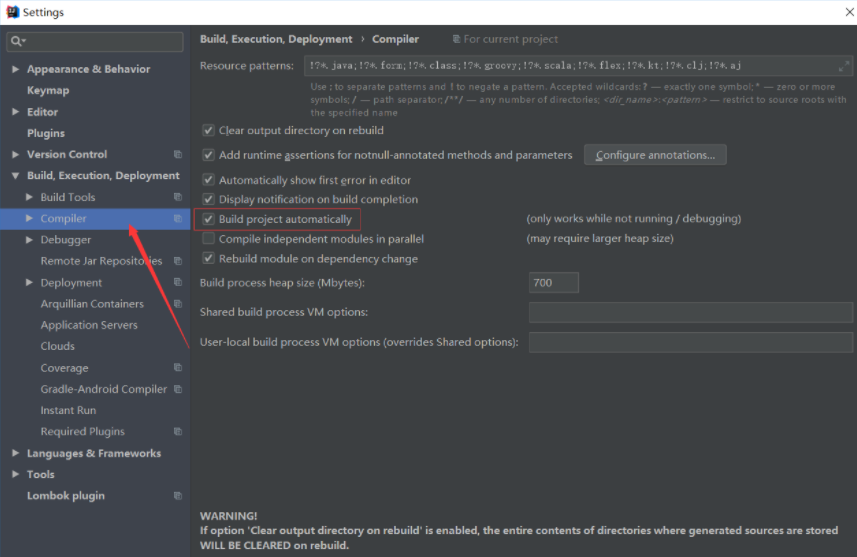
1.setting — compiler 将 Build project automatically 勾选上:
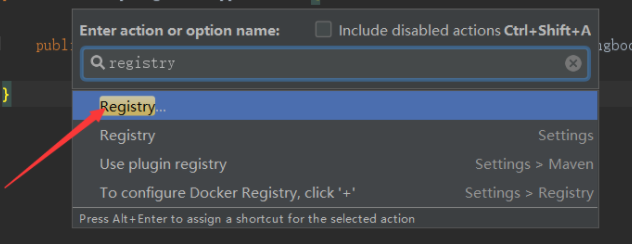
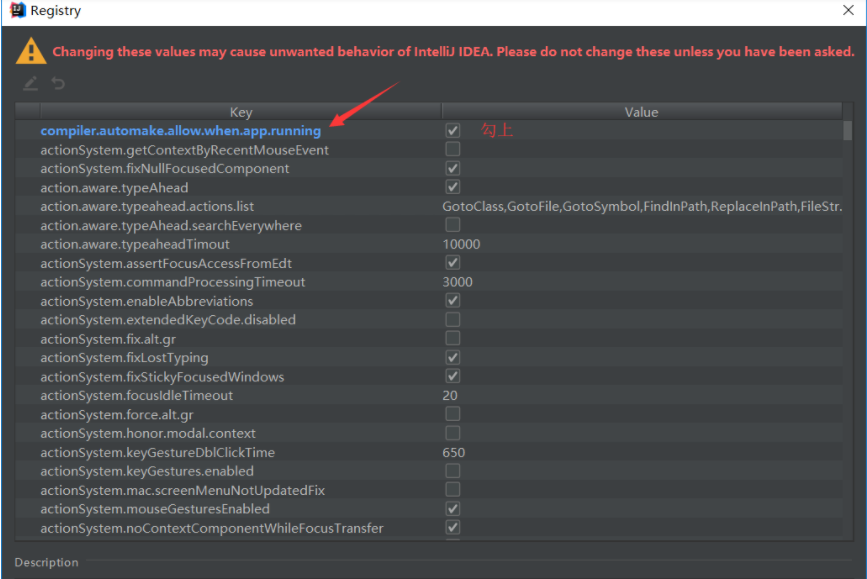
ctrl + Alt + Shift + /,选中 Registry,将 compiler.automake.allow.when.app.running 勾上:
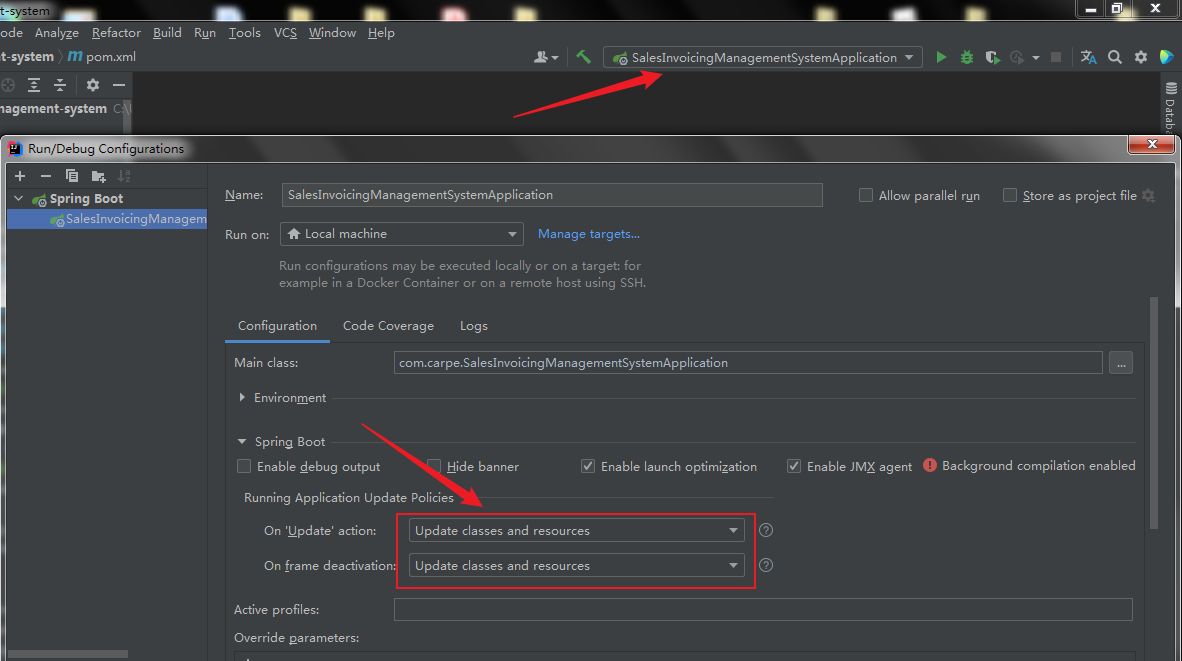
配置Run/Debug Update classed and resources
导入pom.xml
<!--devtools热部署-->
<dependency>
    <groupId>org.springframework.boot</groupId>
    <artifactId>spring-boot-devtools</artifactId>
    <scope>runtime</scope>
</dependency>
<!--可选:支持jsp-->
<dependency>
    <groupId>org.apache.tomcat.embed</groupId>
    <artifactId>tomcat-embed-jasper</artifactId>
    <version>10.0.10</version>
</dependency>
pom文件添加插件:
    <build>
        <plugins>
            <plugin>
                <groupId>org.springframework.boot</groupId>
                <artifactId>spring-boot-maven-plugin</artifactId>
                <configuration>
                    <fork>true</fork>
                    <addResources>true</addResources>
                </configuration>
            </plugin>
        </plugins>
    </build>
①application.yml配置热部署
spring:
  devtools:
    restart:
      enabled: true #设置开启热部署
      additional-paths: src/main/java #重启目录
      exclude: WEB-INF/** #不配置热部署地址
  freemarker:
    cache: false #页面不加载缓存,修改即时生效
②application.properties配置热部署
#设置开启热部署
spring.devtools.restart.enabled=true
#重启目录
spring.devtools.restart.additional-paths=src/main/java
#页面不加载缓存,修改即时生效
spring.freemarker.cache=false
#不配置热部署的地址
#spring.devtools.restart.exclude=一个路径

 浙公网安备 33010602011771号