
Deploy to ECS and Automation
Xshell连接阿里云服务器详细: https://blog.csdn.net/weixin_43122090/article/details/103548798
修改Aliyun安全策略, enable port : https://developer.aliyun.com/article/767328
虚拟机桥接方式却无法连通:firewall
#查看firewall状态
systemctl status firewalld.service

#停止firewall
systemctl stop firewalld.service

#禁止firewall开机启动
systemctl disable firewalld.service
1. automate: public ip:5000 -> trigger deploy.sh -> pull the latest code and start ./webserver
- deplpy-level dir to manage auto deployment process
- business-level dir for business
deploy.sh
#! /bin/sh
kill -9 $(pgrep webserver)
cd $(pwd)/newweb/
git pull git@github.com:sabertobihwy/newweb.git
cd webserver/
chmod +x webserver  -- this is error! this will cause local changes -> unable to git pull again!!!
                    -- instead we use  `git add --chmod=+x webserver/webserver`
./webserver &
deployServer.go: launch deploy.sh
func relaunch() {
    cmd := exec.Command("sh", "./deploy.sh")
    err := cmd.Start()
    if err != nil {
        log.Fatal(err)
    }
    err = cmd.Wait() // release resources
}

func firstPage(w http.ResponseWriter, r *http.Request) {
    io.WriteString(w, "<h1>Automatically!</h1>")
    relaunch()
}
--deploy.sh (by using cp newweb/deploy.sh deploy.sh )
--deploywebServer ( cp newweb/deploywebServer/deploywebServer deploywebServer )
--newweb/
---deploy.sh
---deploywenServer/
---webserver/
attention!! when committing the .exe, remember to --chmod=+x
2. using webhook on github : local push -> trigger invoking public ip:5000 -> trigger deploy,sh
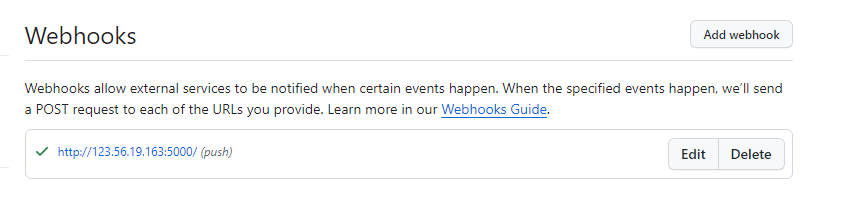
in this case the ip must be open to public, not local ip

 浙公网安备 33010602011771号