
Heroku-Github: 从本地project到部署至平台
一、普通单端运行
以nodejs为例
1,本地proj => github; 确保root directory下有package.json
terminal cd 到目标文件下
git init
git branch -M main
git remote add origin https://github.com/pear2020/hekorutest_2.git
git add *
git commit -m "add all"
git push -u origin main
如果先create了readme.md需要先merge: git pull origin main --allow-unrelated-histories
如果已经bind了其他git url,需要先reset: git remote set-url origin [url]
如果需要password:
(1)github -> setting -> developer setting -> personal access Token -> generate, take "XXXXXXXXXXXX" as your password
(2)添加到windows凭据(credentials): 控制面板\用户帐户\凭据管理器 -> windows凭据 -> 添加普通凭据,输入username+password(Token)

2, heroku
https://dashboard.heroku.com/apps/test02-8110/deploy/github
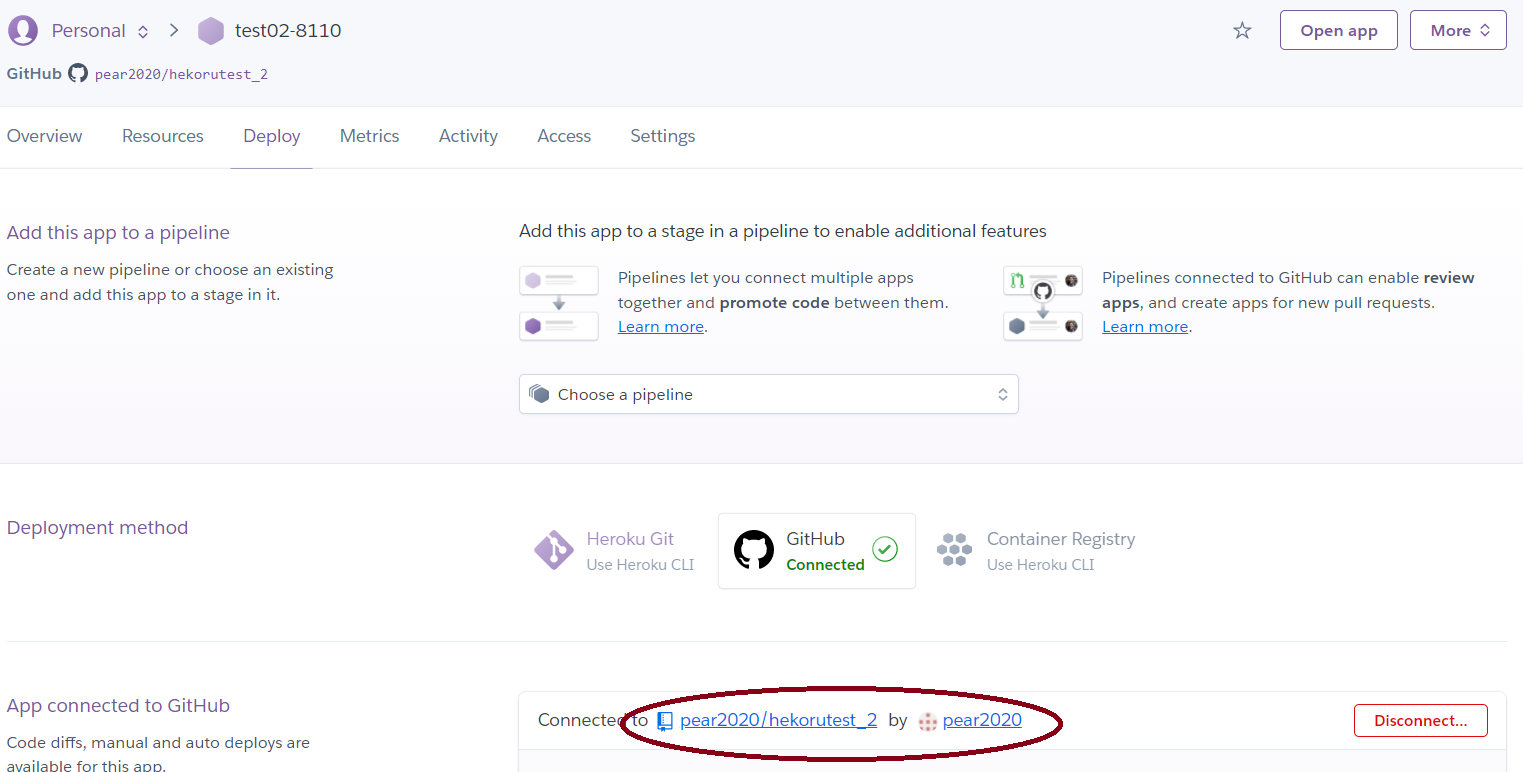
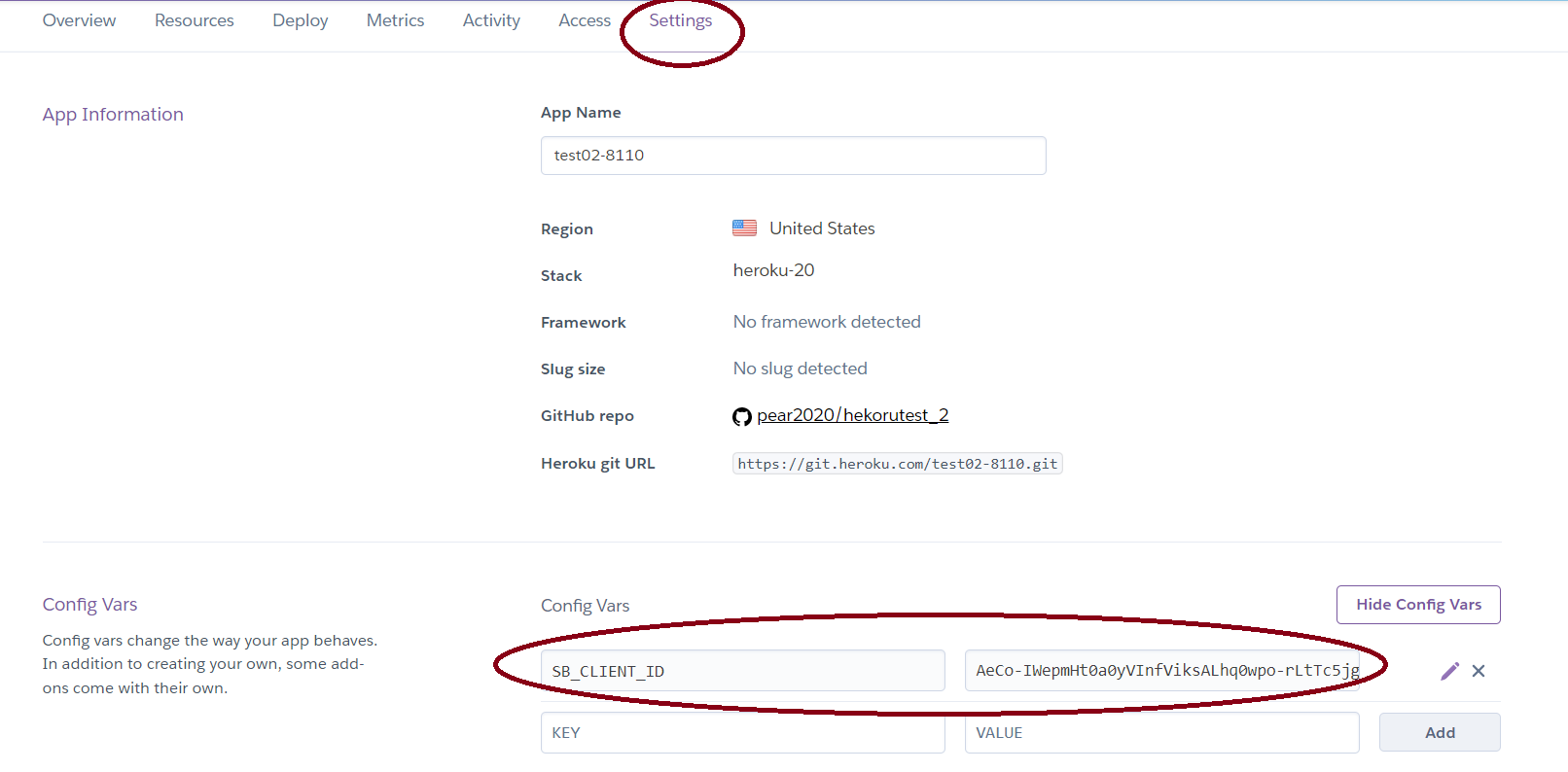
对应代码中: const sClientID = process.env.SB_CLIENT_ID

3、 deploy 成功
二、前后端运行
git push heroku HEAD:master
heroku logs -t
redeployment:
git commit --allow-empty -m "Trigger Heroku deploy after enabling collectstatic" git push heroku master
不行就HEAD:master
Firefox
Type about:config in the Firefox address bar and find security.csp.enable and set it to false.

 浙公网安备 33010602011771号