
自动化爬取京东数据-selenium
# 配置环境
Chrome 驱动链接:https://chromedriver.storage.googleapis.com/index.html
代码
import time
import pandas as pd
from selenium import webdriver
from selenium.webdriver.common.by import By
from selenium.webdriver.common.keys import Keys

if __name__ == '__main__':
    word = input('please your keyword:')
    page_num = int(input('please your page:'))
    # 创建一个浏览器去驱动对象
    driver = webdriver.Chrome()
    driver.get('https://www.jd.com/')
    # 找到搜索框
    input_box = driver.find_element(By.ID, 'key')
    input_box.send_keys(word)
    input_box.send_keys(Keys.ENTER)
    prices, titles, commits, shops = [], [], [], []
    for i in range(page_num):
        driver.execute_script('window.scrollTo(0,document.body.scrollHeight)')
        time.sleep(3)
        items = driver.find_elements(By.XPATH, '//*[@id="J_goodsList"]/ul/li')
        for item in items:
            price = item.find_element(By.CLASS_NAME, 'p-price').text
            title = item.find_element(By.CLASS_NAME, 'p-name').text
            commit = item.find_element(By.CLASS_NAME, 'p-commit').text
            shop = item.find_element(By.CLASS_NAME, 'p-shop').text
            prices.append(price)
            titles.append(title)
            commits.append(commit)
            shops.append(shop)
            # print(price, title, commit, shop)
        driver.find_element(By.CLASS_NAME, 'pn-next').click()
        time.sleep(3)

    df = pd.DataFrame({
        '价格': prices,
        '商品': titles,
        '评论': commits,
        '店铺': shops
    })
    # 存为excel
    df.to_excel('2.xlsx')
    # df.to_csv('1.csv')
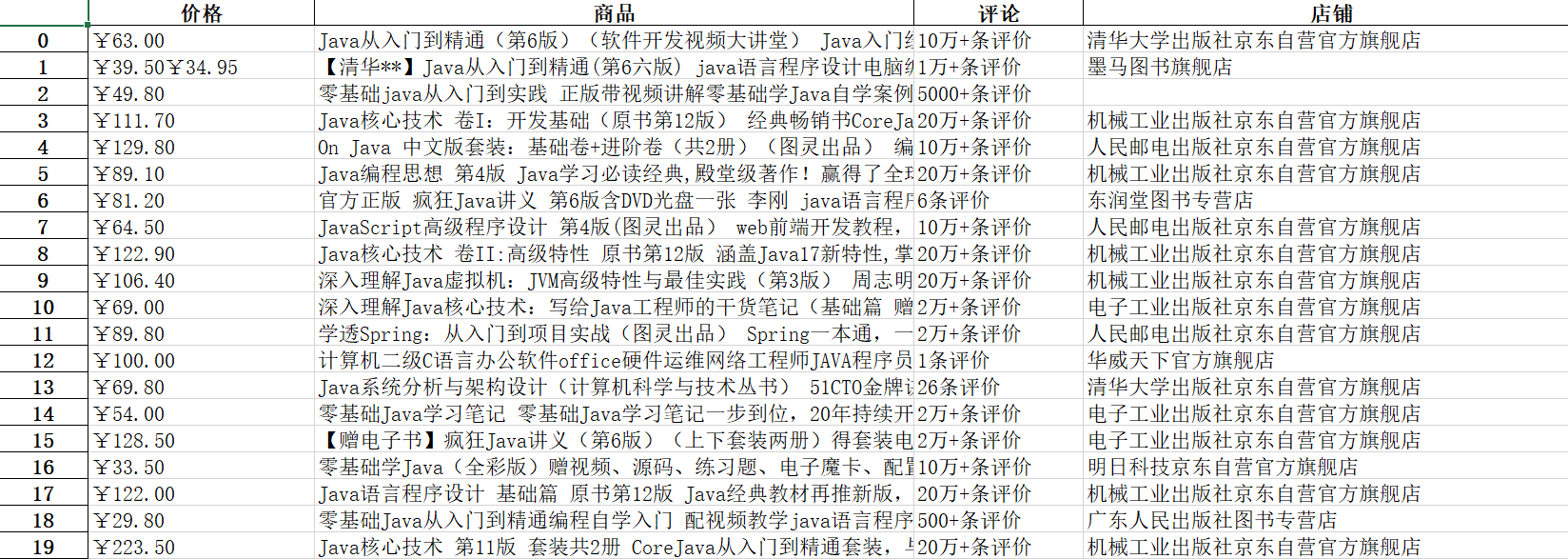
结果

 浙公网安备 33010602011771号