

郑重声明,如果您会了或者认为这就是垃圾的话,请哈哈大笑之后轻蔑的关闭此页。如果您认为有价值的,就默默的往下看吧。
打小语文就不好,表达不好,尽量上图,可能这样对我来说更直观。
Sharepoint下的几种验证。
1. Windows Identity
2. LDAP
3. Active Directory
4. Form Authentication
这里面要说明的是LDAP下的验证,WSS 3.0是不支持LDAP验证的。因为它要读取GAC下的Microsoft.Office.Server.dll, 这个在WSS 3.0的GAC下是不存在的 (MOSS下的dll)。WSS 2.0的时候是可以通过直接部署 Microsoft.Office.Server到GAC下,然后使用LDAP的,貌似微软发现了这个问题,在WSS 3.0的时候就封死了这个方法。
前三个验证就略过,基本上通过配置web.config就能连接MOSS.
MOSS 2007或者WSS 2007下表单验证的例子很多,最普遍的就是用ASP.NET下定义好的Membership Provider来进行验证。我想分三部分进行介绍
1. ASP.NET 默认Membership Provider, Role Provider 与Sharepoint 2007 整合
2. 自定义Membership Provider 与Sharepoint的整合
3. 自定义Sharepoint下的PeoplePicker
首先我们先看第一个ASP.NET默认下的Membership Provider, Role Provider 与Sharepoint的整合.
1. 运行aspnet_regsql

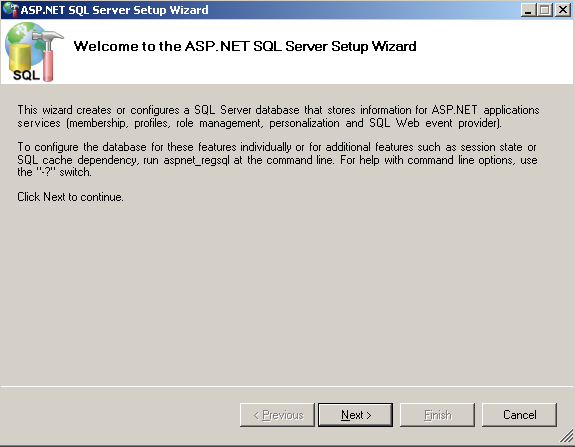
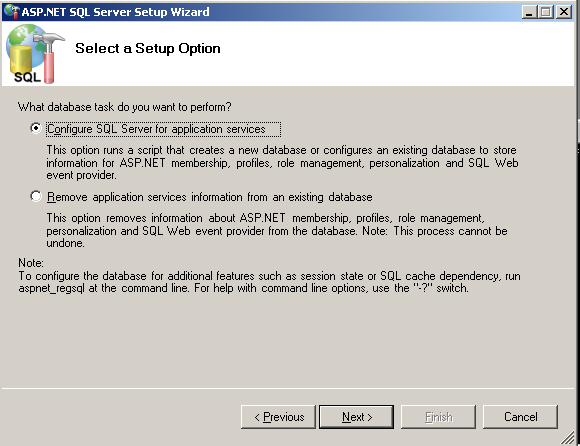
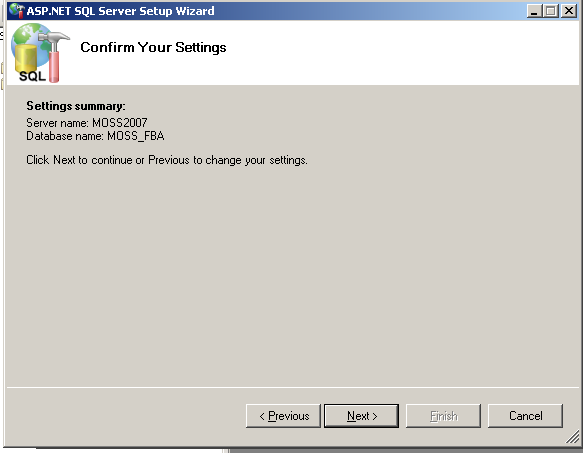
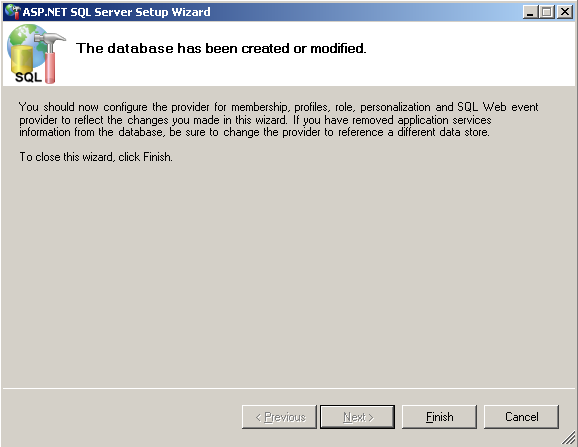
SQL配置完成。
Database建立后,请给予适当的User Credential.我用的是moss_fba_user,密码是password
新建一个ASP.NET Web Application.
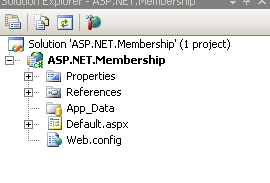
打开web.config
<connectionStrings>

<add name="moss_fba" connectionString="Data Source=moss2007;Initial Catalog=MOSS_FBA;Integrated Security=SSPI;User ID=moss_fba_user;Password=password;"/>

</connectionStrings>

Membership Provider的Config 文件

<membership defaultProvider="AspNetSqlProvider">

<providers>

<clear/>

<add name="AspNetSqlProvider"

type="System.Web.Security.SqlMembershipProvider"

connectionStringName="moss_fba"

enablePasswordRetrieval="true"

enablePasswordReset="true"

requiresQuestionAndAnswer="false"

passwordFormat="Encrypted"

requiresUniqueEmail="true"

minRequiredNonalphanumericCharacters="0"

applicationName="/ASP.NET.Membership" />

</providers>

</membership>
这个Membership是一个没有提问回答,但是要求单一email地址的config.
这里要注意的是,passwordFormat=”Encrypted”,它是需要machinekey的,所以打开你的WSS或者MOSS的站点的config,复制粘贴那里web.config的machinekey到我们ASP.NET的程序.
比如我的C:\Inetpub\wwwroot\wss\VirtualDirectories\80下的web.config的key是
<machineKey validationKey="0B3571E625D0ACA939BEA607380821F1170EC60F91A3EFA5" decryptionKey="82E1CF3C245329051E35DCD2C1CC2312D8796FCE779826B9" validation="SHA1" />
把这行粘贴到你ASP.NET web Application下的web.config
同时呢,我们启动Role Provider
<roleManager enabled="true">

<providers>

<clear />

<add name="AspNetSqlRoleProvider"

connectionStringName="moss_fba"

applicationName="/ASP.NET.Membership"

type="System.Web.Security.SqlRoleProvider, System.Web, Version=2.0.0.0, Culture=neutral, PublicKeyToken=b03f5f7f11d50a3a" />

</providers>

</roleManager>
启动ASP.NET Configuration进行测试。
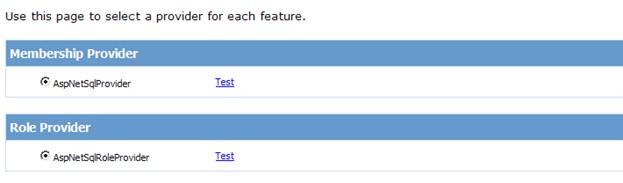
如果失败了,请自行调整你的配置直至测试成功。不成功的话请不要继续一下的内容。
如果你测试成功了,请继续下面的内容。
成功后,请建立2个Role,一个叫Administrators,一个叫Users,名字请根据个人爱好随便起。

然后建立两个User,一个是Admin,一个是user1

在这里,我们使用一个已经建立好的MOSS的网站,http://moss2007,默认端口是80。
打开Sharepoint 2007 Central Administration->Application Management->Application Security->Authentication Providers
抱歉,没有中文的MOSS..
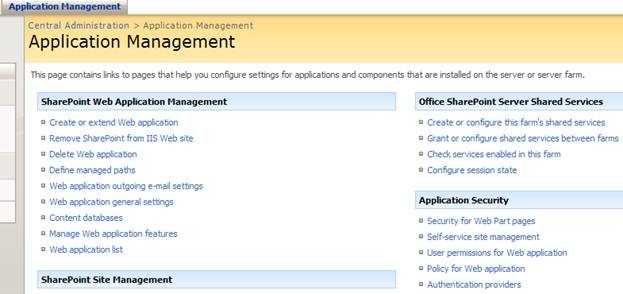
选中你要修改的Site,我的是默认的80端口

点击Default
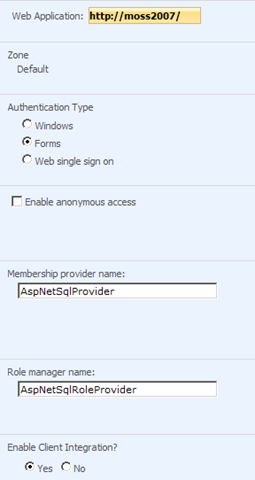
请选择Enable Client Integration.
下面打开
C:\Inetpub\wwwroot\wss\VirtualDirectories\80的Web.config文件
添加如下的内容
<connectionStrings>

<add name="moss_fba" connectionString="Data Source=moss2007;Initial Catalog=MOSS_FBA;Integrated Security=SSPI;User ID=moss_fba_user;Password=password;"/>

</connectionStrings>

<authentication mode="Forms">

<forms loginUrl="/_layouts/login.aspx" />

</authentication>

<membership defaultProvider="AspNetSqlProvider">

<providers>

<clear/>

<add name="AspNetSqlProvider"

type="System.Web.Security.SqlMembershipProvider"

connectionStringName="moss_fba"

enablePasswordRetrieval="true"

enablePasswordReset="true"

requiresQuestionAndAnswer="false"

passwordFormat="Encrypted"

requiresUniqueEmail="true"

minRequiredNonalphanumericCharacters="0"

applicationName="/ASP.NET.Membership" />

</providers>

</membership>

<roleManager enabled="true">

<providers>

<clear />

<add name="AspNetSqlRoleProvider"

connectionStringName="moss_fba"

applicationName="/ASP.NET.Membership"

type="System.Web.Security.SqlRoleProvider, System.Web, Version=2.0.0.0, Culture=neutral, PublicKeyToken=b03f5f7f11d50a3a" />

</providers>

</roleManager>
并修改
<PeoplePickerWildcards>

<clear />

<add key="AspNetSqlProvider" value="%" />

</PeoplePickerWildcards>
这个key=”AspNetSqlProvider”是跟membership provider的名字AspNetSqlProvider一一对应的。
然后再打开Central Admin的web.config,个人端口是不一样的,请选择自己Central Admin的端口。
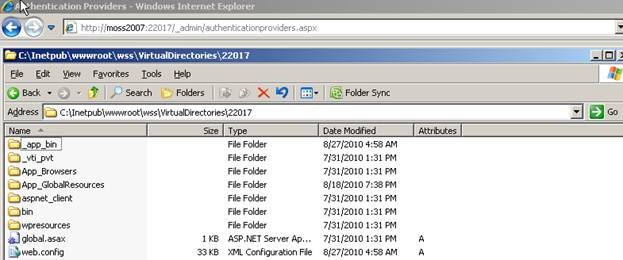
同样添加上面和修改上面的内容,但是一定要Disable Role Provider,不然你会进不去Central Admin的Operation Management 的页面。不要修改<authentication mode="Windows">这个项。
<connectionStrings>

<add name="moss_fba" connectionString="Data Source=moss2007;Initial Catalog=MOSS_FBA;Integrated Security=SSPI;User ID=moss_fba_user;Password=password;"/>

</connectionStrings>

<membership defaultProvider="AspNetSqlProvider">

<providers>

<clear/>

<add name="AspNetSqlProvider"

type="System.Web.Security.SqlMembershipProvider"

connectionStringName="moss_fba"

enablePasswordRetrieval="true"

enablePasswordReset="true"

requiresQuestionAndAnswer="false"

passwordFormat="Encrypted"

requiresUniqueEmail="true"

minRequiredNonalphanumericCharacters="0"

applicationName="/ASP.NET.Membership" />

</providers>

</membership>

<roleManager enabled="false">

<providers>

<clear />

<add name="AspNetSqlRoleProvider"

connectionStringName="moss_fba"

applicationName="/ASP.NET.Membership"

type="System.Web.Security.SqlRoleProvider, System.Web, Version=2.0.0.0, Culture=neutral, PublicKeyToken=b03f5f7f11d50a3a" />

</providers>

</roleManager>

<PeoplePickerWildcards>

<clear />

<add key="AspNetSqlProvider" value="%" />

</PeoplePickerWildcards>
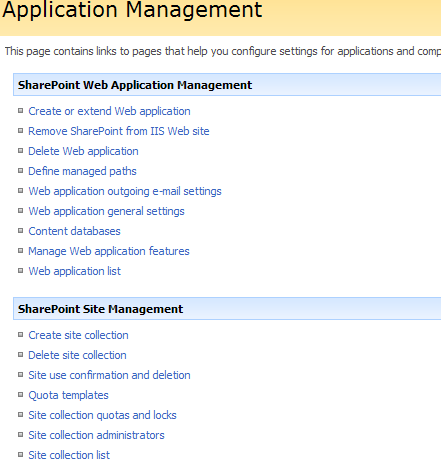
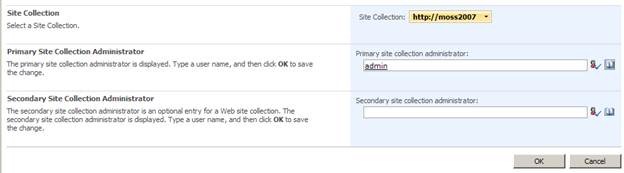
修改后,Application Management->Sharepoint Site Management->Site collection Administrators
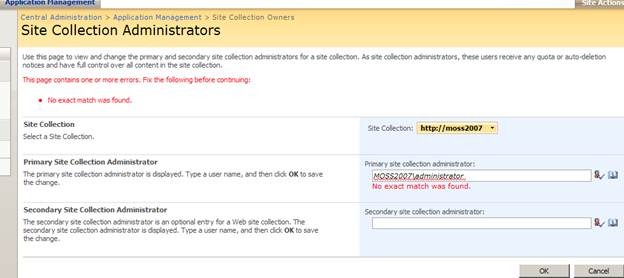
选中你的Site,我的是http://moss2007:80,你会看到这个,主要的Site Admin那个选项提示你是错的,不要慌张,不要迷茫,你快成功了。
所搜Admin
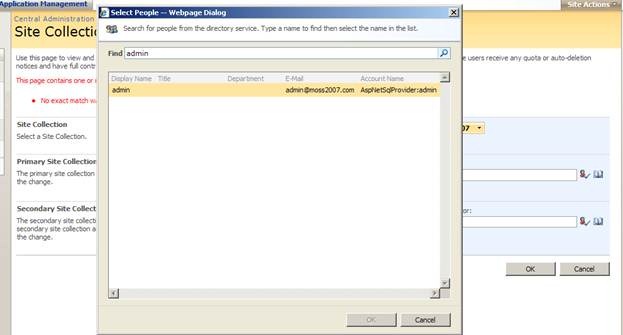
点击OK,完成。
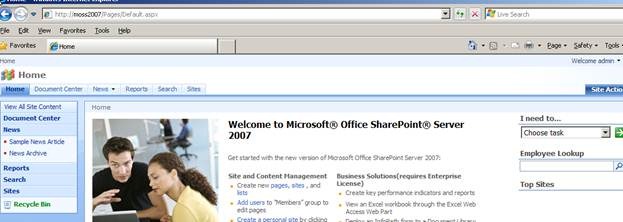
然后我们回到http://moss2007/
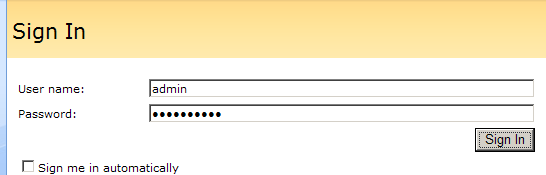
使用admin和密码登陆。O了。
再次郑重声明,如果您会了或者认为这就是垃圾的话,请哈哈大笑之后轻蔑的关闭此页。如果您认为有价值的,就默默的看吧。

 浙公网安备 33010602011771号