
Vue自定义插件弹窗
弹窗,提示框随处可见的,一般要么调用UI组件库,要么手写,话不多说,先看效果
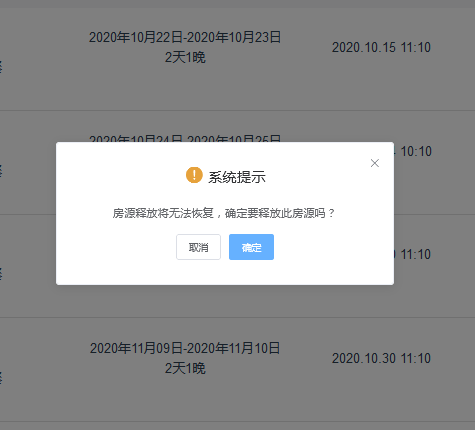
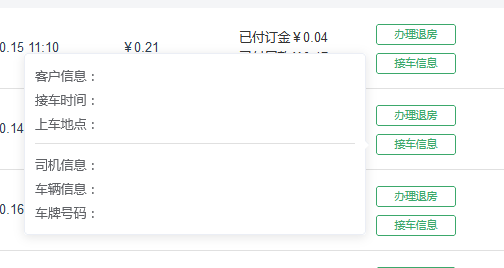
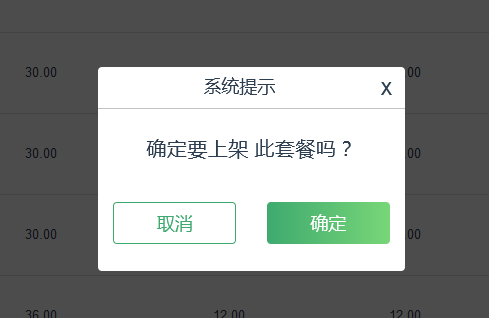
1、自定义弹窗代码
<div class="tips" v-show="clickShow==1">
          <div class="tips_copntent">
            <p>系统提示<i @click="close">x</i></p>
            <div>
              <p>确定要<span v-show="food_status==0">上架</span>
              <span v-show="food_status==1">下架</span>此套餐吗?</p>
              <div class="btns">
                  <button @click="close">取消</button>
                  <button @click="confirm">确定</button>
              </div>

            </div>
          </div>
        </div>
.tips{
    position: fixed;
    top: 0;
    left: 0;
    right: 0;
    bottom: 0;
    background: rgba(0, 0, 0, 0.7);
}
.tips_copntent{

    width: 24rem;
    height: 16rem;
    background: #fff;
    border-radius: 5px;
    position: absolute;
    left: 50%;
    top: 50%;
    margin-left: -12rem;
    margin-top: -8rem;
}
.tips_copntent>p{
    line-height: 3.2rem;
    border-bottom: 1px solid rgb(194, 194, 194);
    font-size: 1.4rem;
}
.tips_copntent i{
    float: right;
    margin-right: 1rem;
    font-size: 1.8rem;
    cursor: pointer;
}
.tips_copntent div{
    margin-top: 2rem;
    font-size: 1.6rem;
}
.btns{
    display: flex;
    justify-content: space-around;
}
.btns button{
    background: #fff;
    border-radius: 5px;
    outline: none;
    border: 1px solid #3EAA6F;
    color: #3EAA6F;
    width: 40%;
    line-height: 3rem;
    font-size: 1.4rem;
    margin-top: 1.2rem;
    cursor: pointer;

}
.btns button:last-child{
    background: linear-gradient(to left,#78D678,#3EAA6F);
    border: none;
    color: #fff;
}
2、UI组件弹窗
this.$confirm('您确定退房吗?', '系统提示', {
     confirmButtonText: '确定',
     cancelButtonText: '取消',
     type: 'warning',
     center: true
  }).then(() => {
     this.loading = this.$loading({
        lock: true,
        text: 'Loading',
        spinner: 'el-icon-loading',
        background: 'rgba(0, 0, 0, 0.7)'
     });
     this.$axios.post(outHouseApi,{
         idt_order:id
        }).then((res)=>{
         this.loading.close()
         if(parseInt(res.data.errCode)>=0){
            this.getListData()
            this.$message({
            showClose: true,
            message: '退房成功',
            type: 'success'
          });
        }
        else{
           this.$message({
             showClose: true,
             message: res.data.message,
             type: 'info'
            });
         }
      }).catch((err)=>{
          console.log(err)
         })
   }).catch(() => {
     this.$message({
        type: 'info',
        message: '已取消'
  });
});

 浙公网安备 33010602011771号