
10 前后端分离
前后端结合的话有以下问题:
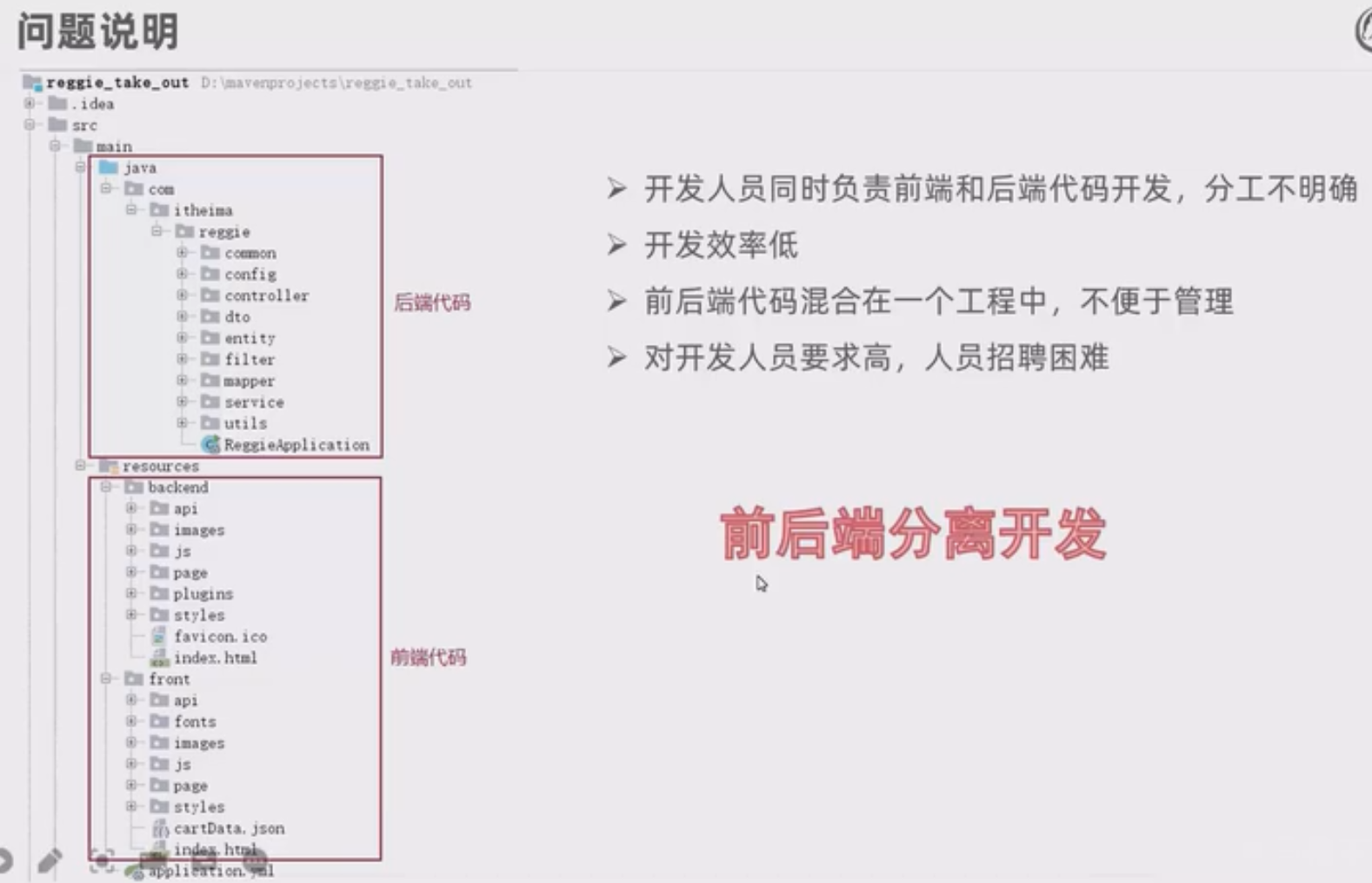
前后端分离开发
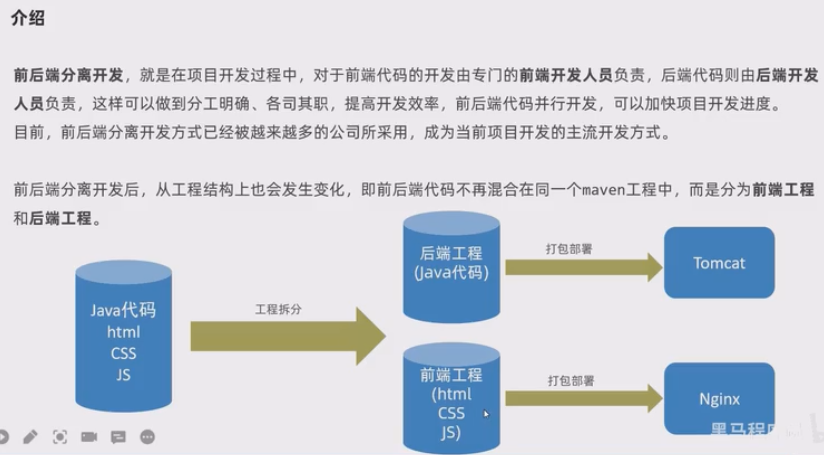
介绍
开发流程
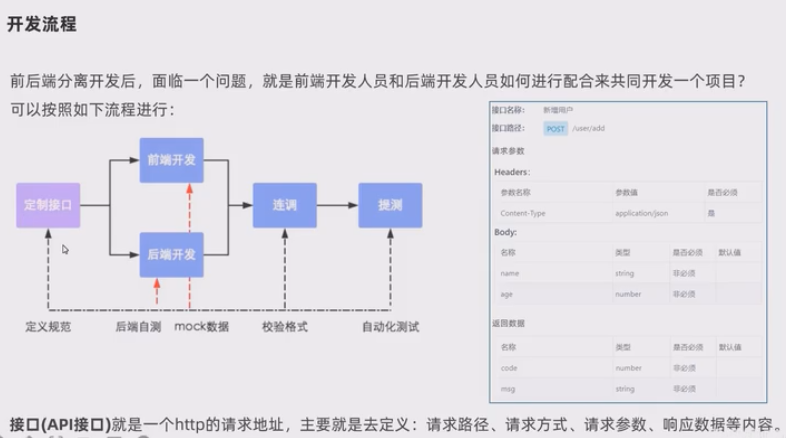
mock数据是模拟数据。
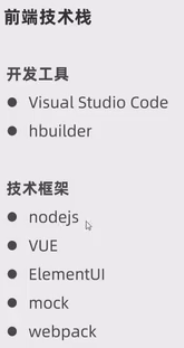
技术栈
yapi
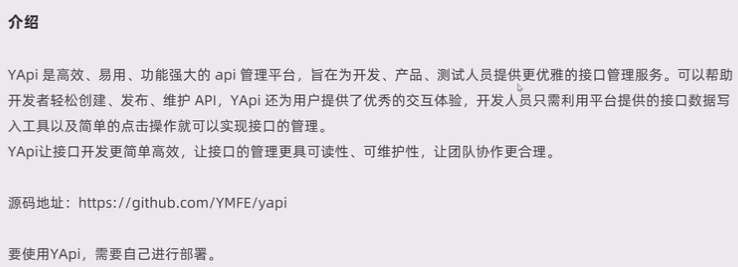
介绍
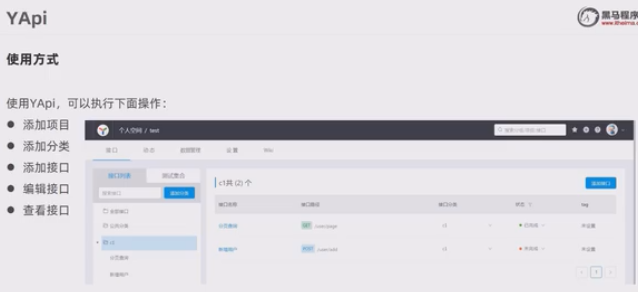
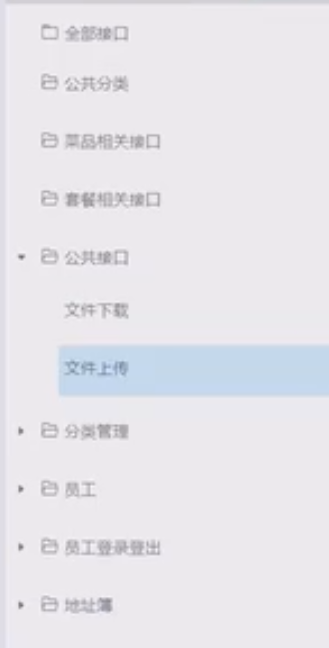
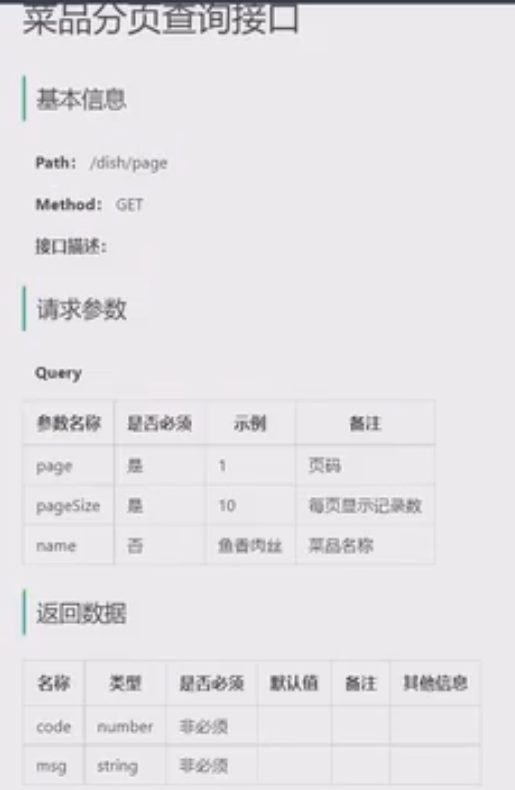
使用
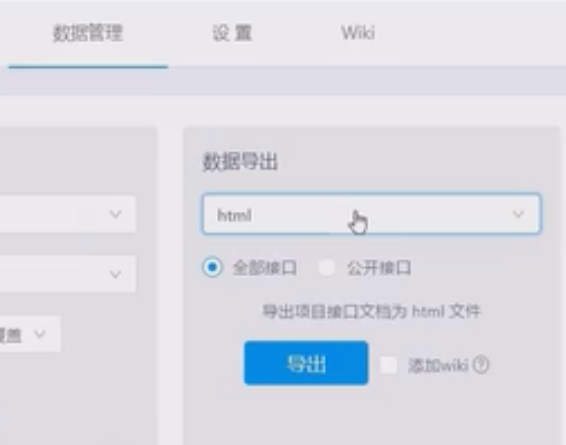
导出接口:
swagger
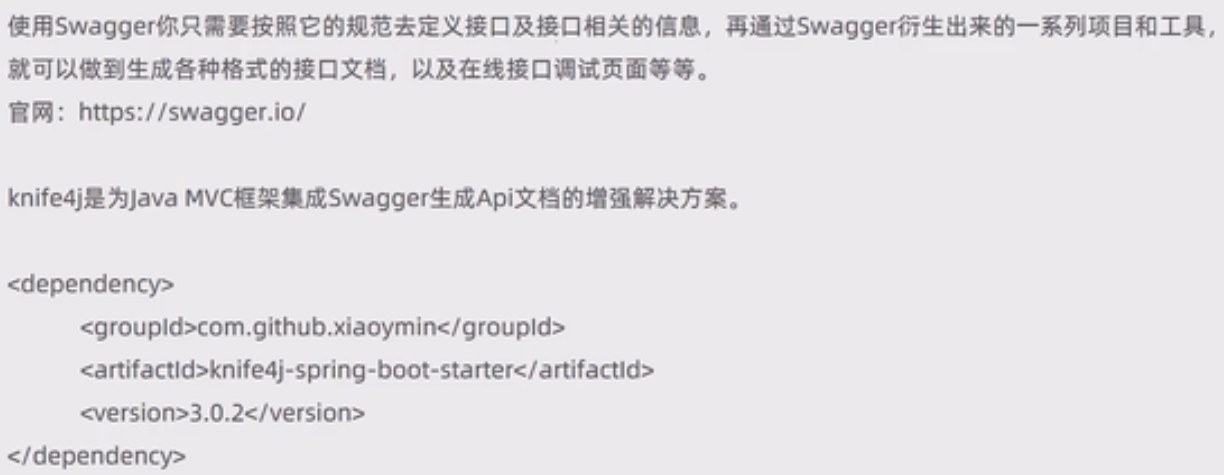
介绍
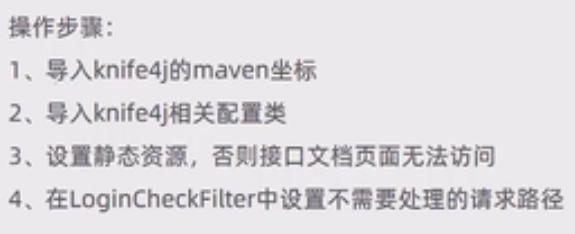
使用方式
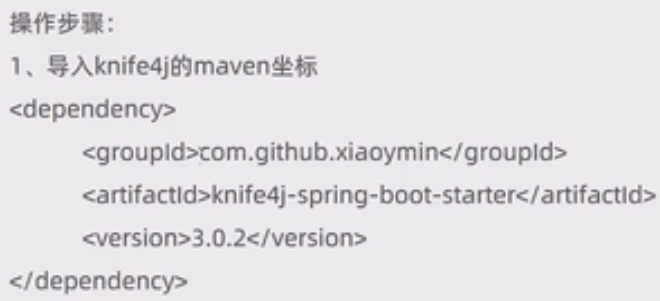
        <dependency>
            <groupId>com.github.xiaoymin</groupId>
            <artifactId>knife4j-spring-boot-starter</artifactId>
            <version>3.0.2</version>
        </dependency>
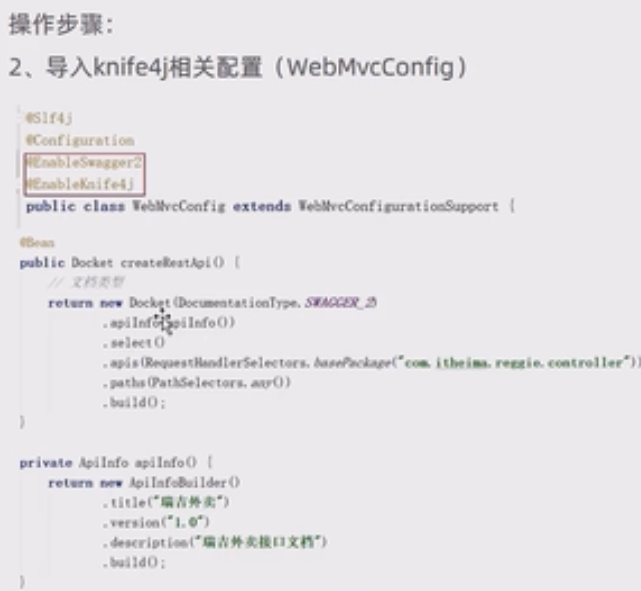
在WebMvcConfig类加上注解:
@EnableSwagger2
@EnableKnife4j
再加上这两个方法:
    @Bean
    public Docket createRestApi() {
        // 文档类型
        return new Docket(DocumentationType.SWAGGER_2)
                .apiInfo(apiInfo())
                .select()
                .apis(RequestHandlerSelectors.basePackage("com.itheima.reggie.controller"))
                .paths(PathSelectors.any())
                .build();
    }

    private ApiInfo apiInfo() {
        return new ApiInfoBuilder()
                .title("瑞吉外卖")
                .version("1.0")
                .description("瑞吉外卖接口文档")
                .build();
    }

        registry.addResourceHandler("doc.html").addResourceLocations("classpath:/META-INF/resources/");
        registry.addResourceHandler("/webjars/**").addResourceLocations("classpath:/META-INF/resources/webjars/");
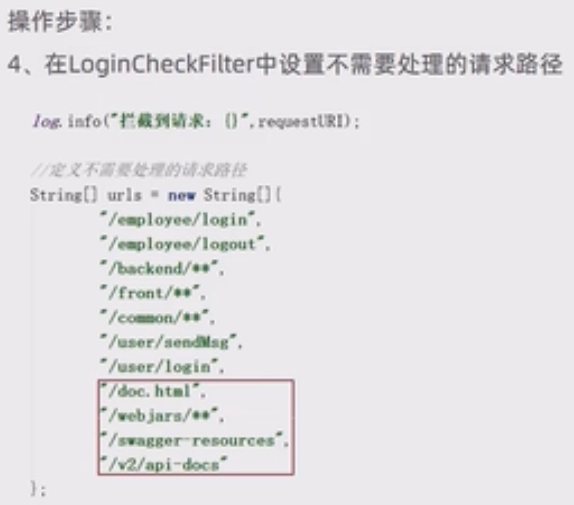
                "/doc.html",
                "/webjars/**",
                "/swagger-resources",
                "/v2/api-docs"
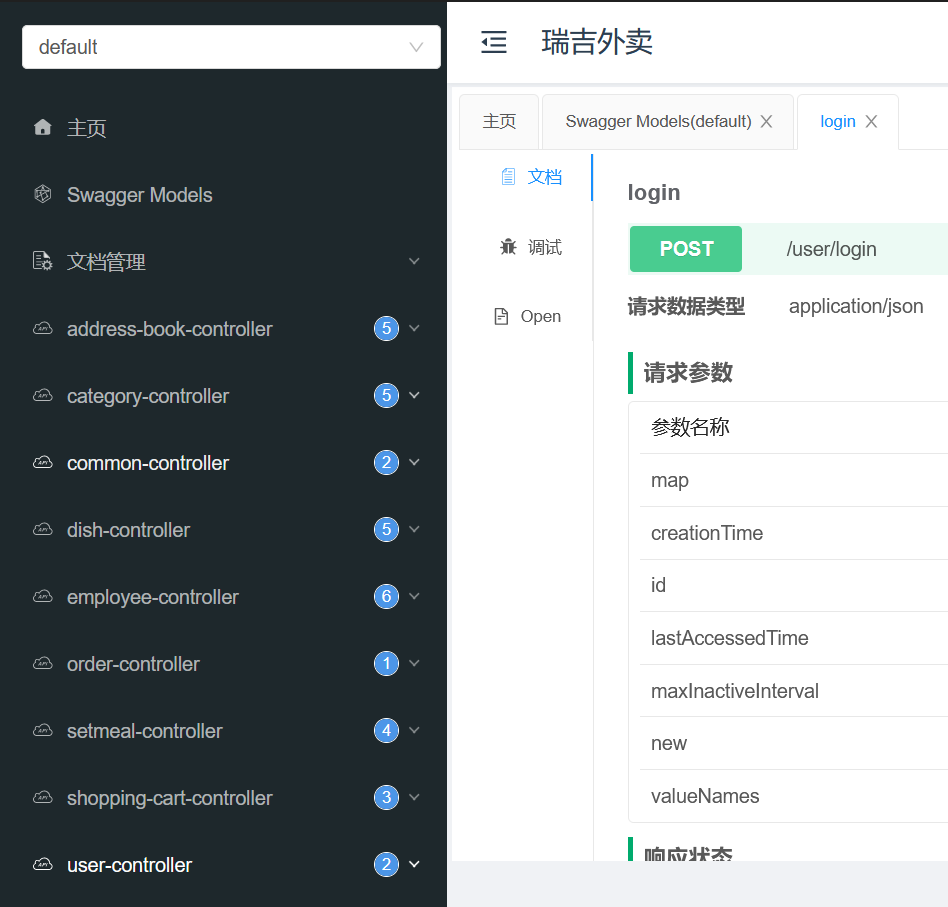
进入http://localhost:8080/doc.html网站就可以看到生成的接口。
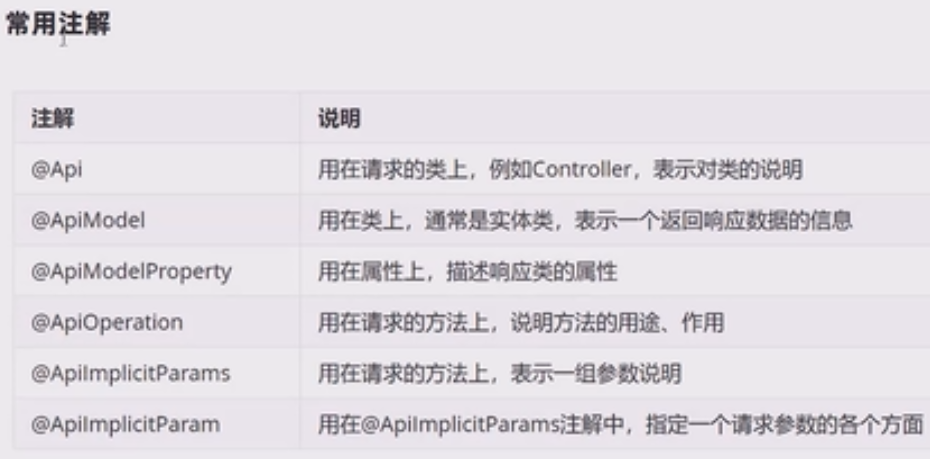
常用注解
项目部署
部署架构
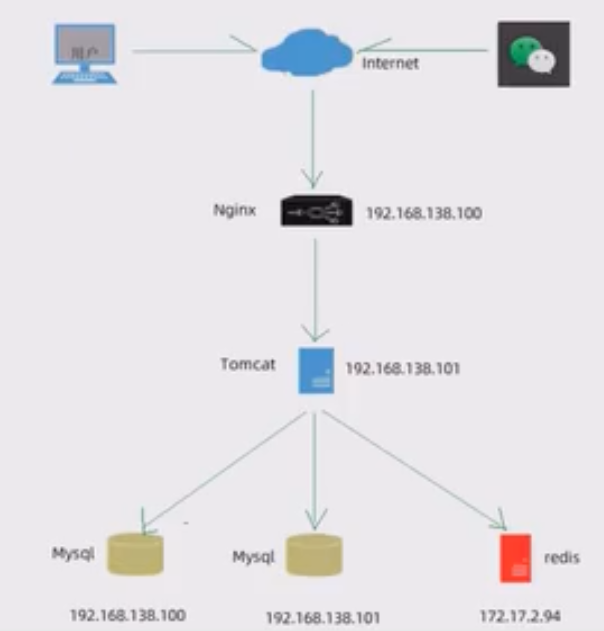
部署环境说明
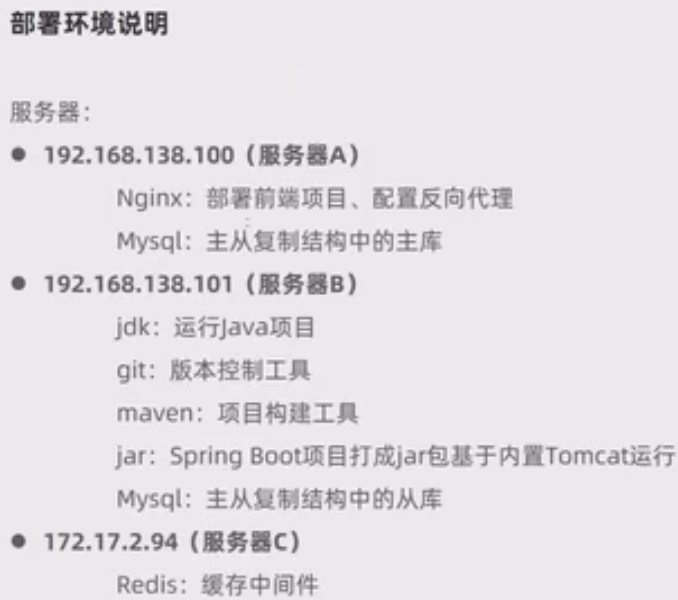
192.168.100.128:
- 主库
- nginx
192.168.100.100:
- 从库
部署前端项目
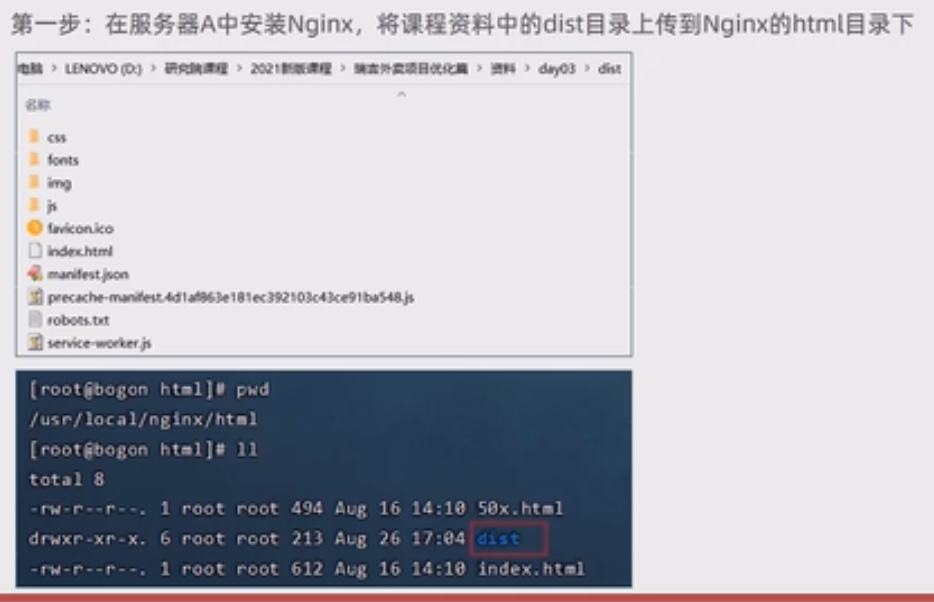
dist是前端webpack打包好的。
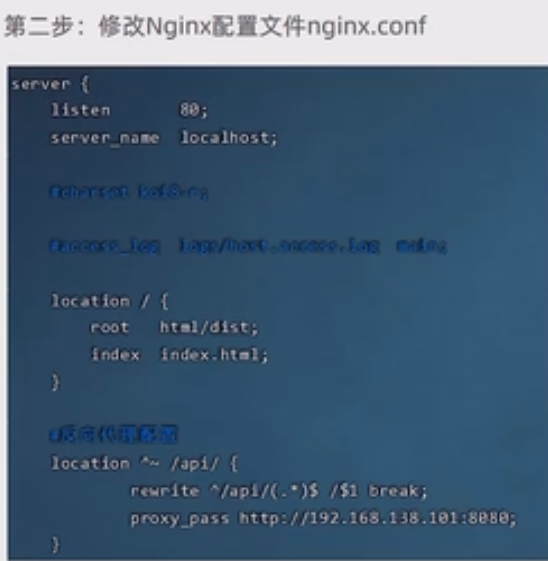
    server {
        listen       80;
        server_name  localhost;

        #charset koi8-r;

        #access_log  logs/host.access.log  main;

        location / {
            root   html/dist;
            index  index.html index.htm;
        }

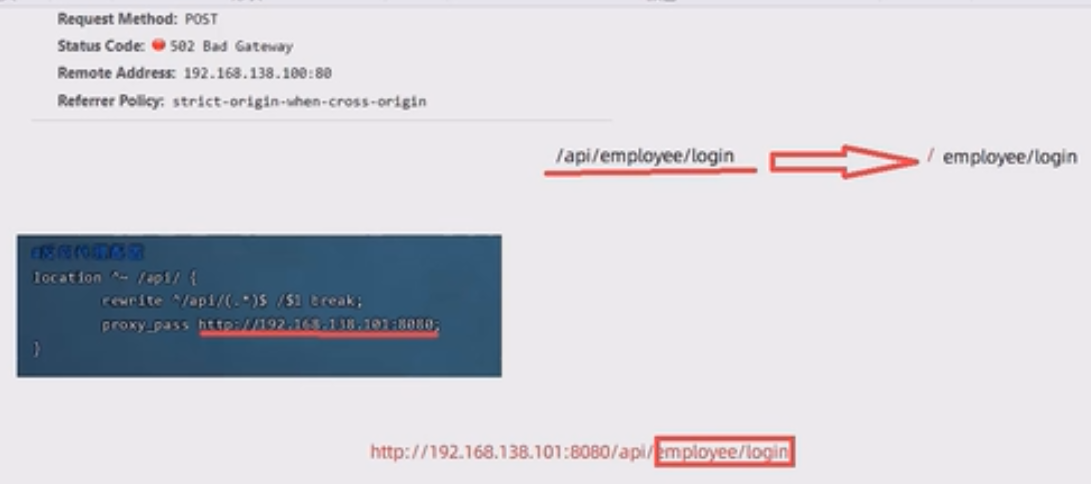
        location ^~ /api/ {
                rewrite ^/api/(.*)$ /$1 break;
                proxy_pass http://192.168.100.100:8080;
        }
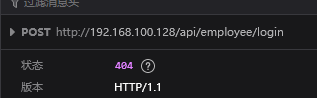 前端发送请求会多加一个api的前缀。
反向代理对这个url进行处理,保证后端能接收到正确的请求:
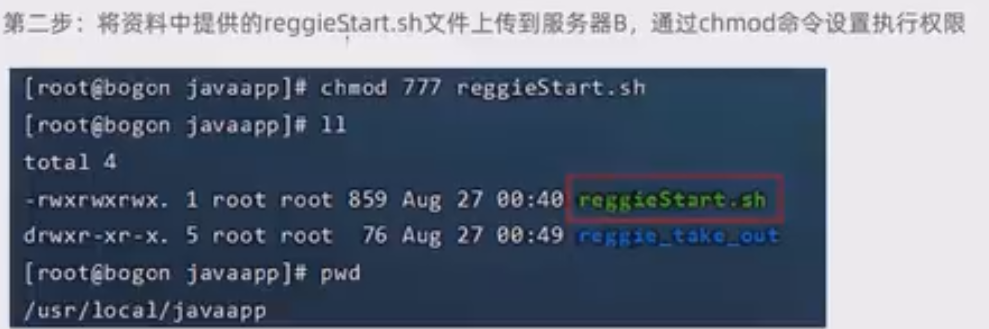
部署后端项目
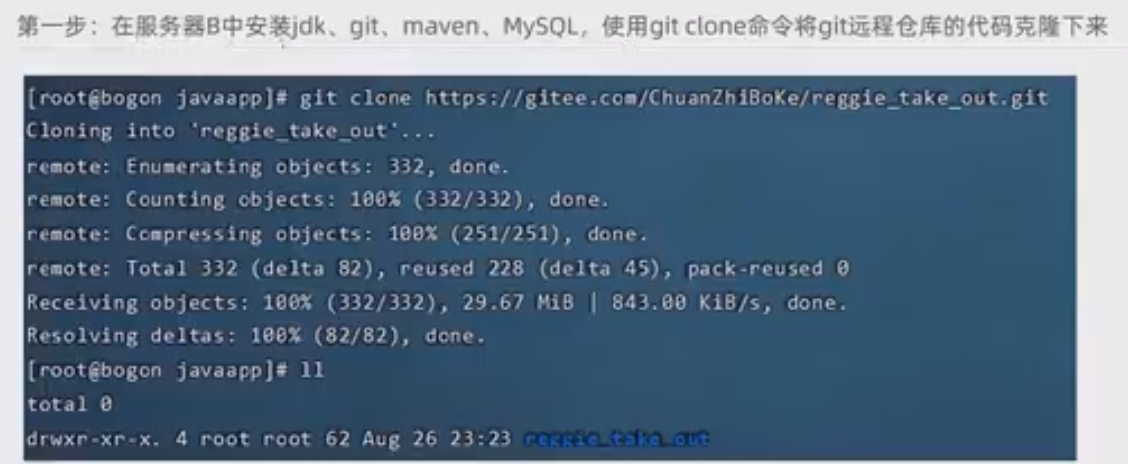
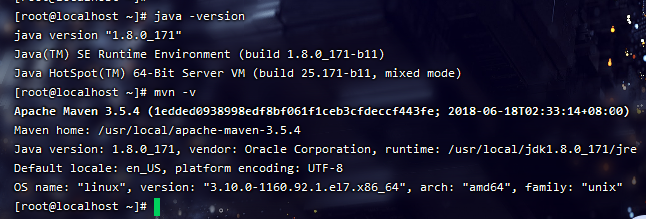
遇到一个小问题,记录一下:Git的使用-一个分支完全替换另一个分支

 浙公网安备 33010602011771号