
Python3 Oracle正常连接与ssh跳板连接
一、所需Python库
1.cx_Oracle(pip install cx_Oracle)
2.sshtunnel(pip install sshtunnel)
版本要求 python、cx_oracle 、instantclient_11_2均为64位版本
二、连接方式
1.安装Instant Client
Instant Client是运行cx_Oracle库所需,否则会报错
下载链接根据自己电脑系统选择进入下载页面,根据自己Oracle版本下载即可,博主是windows 64,oracle 11g r2,所以这样选择:
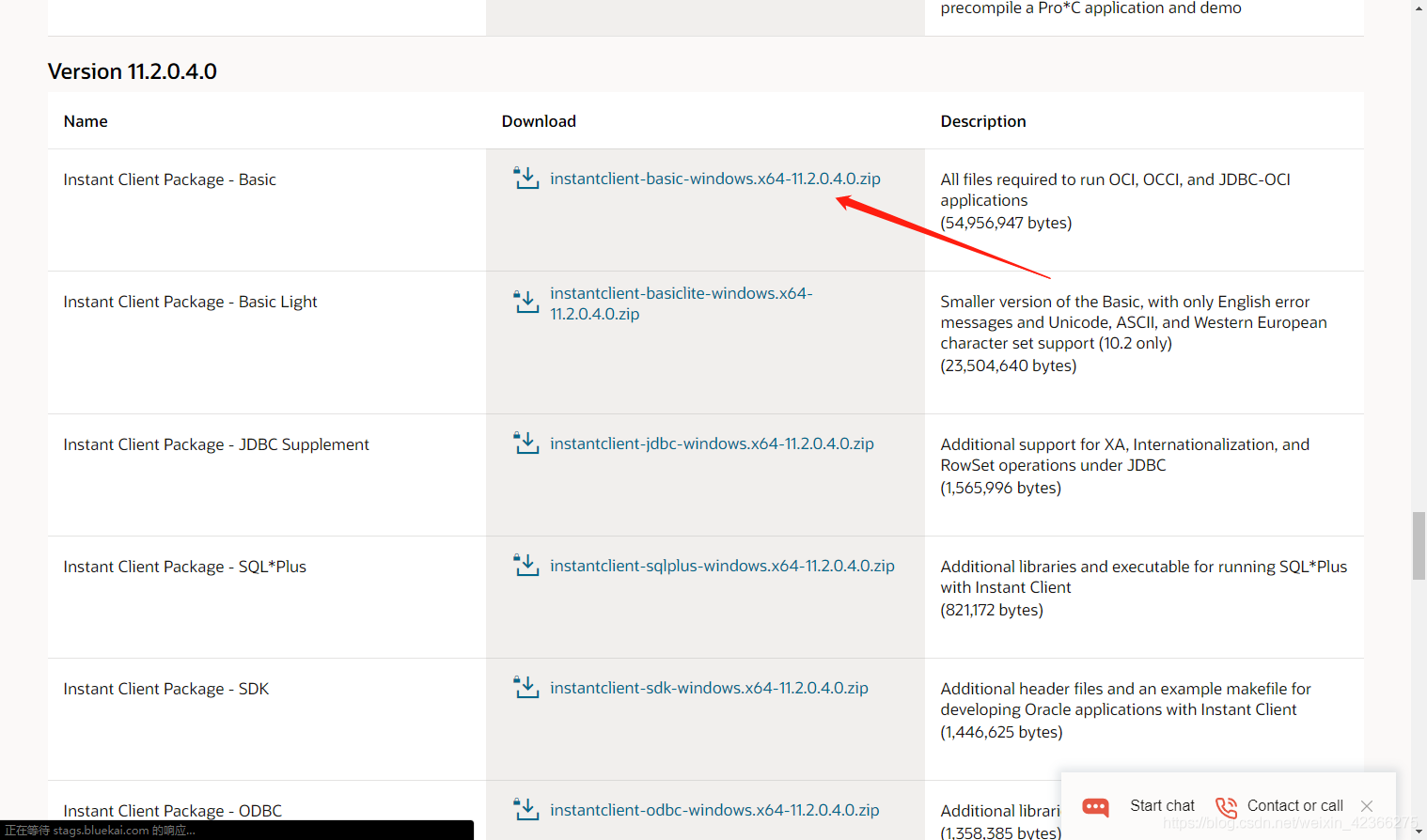
下载完解压,解压到python目录下:
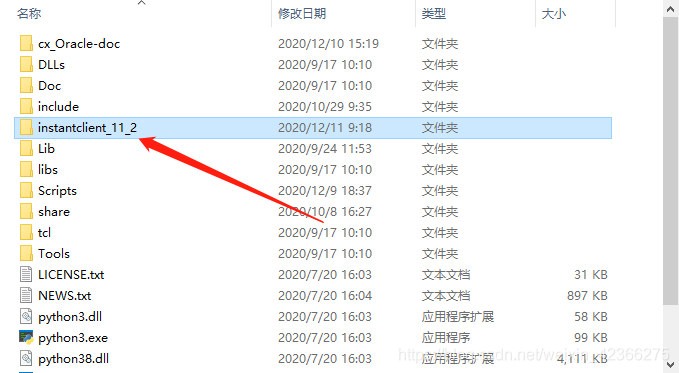
windows添加环境变量PATH:配置instantclient_11_2的环境变量到ADMIN目录下。
TNS_ADMIN = D:\instantclient_11_2\NETWORK\ADMIN

将instantclient_11_2目录下的oci.dll oraocci11.dll oraociei11.dll 放到python的Lib下的site-packages下
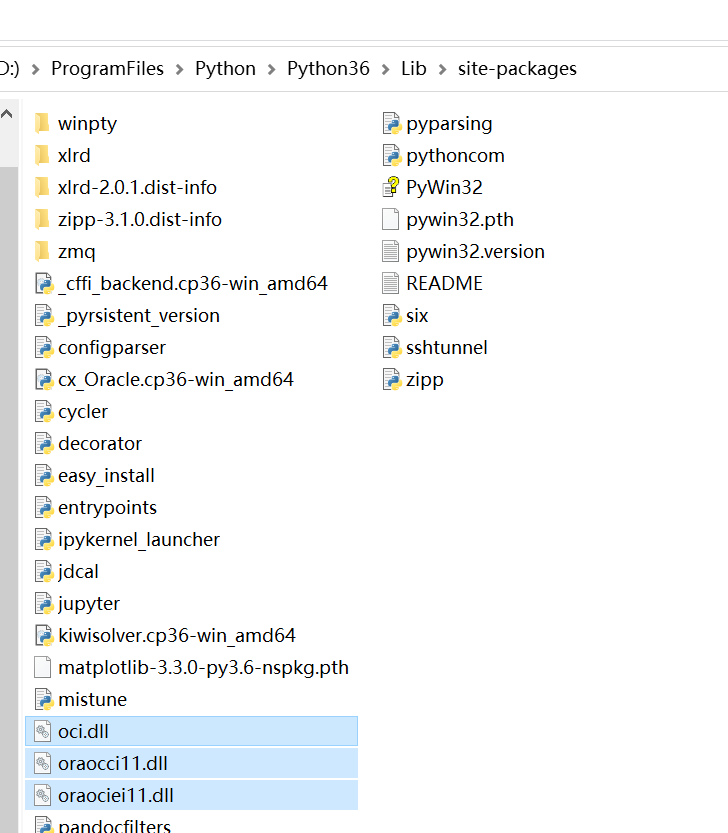
2.正常连接(oracle允许远程访问)
import cx_Oracle

conn = cx_Oracle.connect('数据库用户名', '数据库密码', 'ip:端口/SID')   # 连接

mycursor = conn.cursor() # 新建游标
mycursor.execute(sql)  # 执行sql语句

print("mycursor.fetchone()")  # sql查询输出方式一条,str
print("mycursor.fetchmany(4)")  # sql查询输出方式多条,参数为数量,list
print("mycursor.fetchall()")  # sql查询输出方式所有,list

conn.commit()   # sql修改提交保存
print(mycursor.rowcount, "条记录修改")  # 发生修改数量

mycursor.close()  # 游标关闭
conn.close()  # 数据库关闭,用完记得关闭,免得浪费资源,怕忘记关闭使用with语句也可以
2.ssh跳板连接(适用云数据库内网ip)
import cx_Oracle
from sshtunnel import SSHTunnelForwarder

LOCAL_PORT = 1521  # 指定映射出来的端口
with SSHTunnelForwarder(
        ('114.114.114.114', 22),  # 跳板服务器ip,ssh端口
        ssh_username="test",  # 跳板ssh用户名
        ssh_password="test",  # 跳板ssh密码
        # ssh_pkey=r"F:\test\test.pem",  # 跳板数据库密钥
        remote_bind_address=('192.168.1.1', 1521),  # 数据库ip,端口
        local_bind_address=("127.0.0.1",LOCAL_PORT)) as server:   # 映射,默认即可

    conn = cx_Oracle.connect("数据库用户名/数据库密码@localhost:%d/SID" % LOCAL_PORT)

    mycursor = conn.cursor() # 新建游标
    mycursor.execute(sql)  # 执行sql语句

    print("mycursor.fetchone()")  # sql查询输出方式一条,str
    print("mycursor.fetchmany(4)")  # sql查询输出方式多条,参数为数量,list
    print("mycursor.fetchall()")  # sql查询输出方式所有,list

    conn.commit()   # sql修改提交保存
    print(mycursor.rowcount, "条记录修改")  # 发生修改数量

    conn.close()  # 数据库连接关闭,不关闭无法退出
————————————————
版权声明:本文为CSDN博主「YjieWang」的原创文章,遵循CC 4.0 BY-SA版权协议,转载请附上原文出处链接及本声明。
原文链接:https://blog.csdn.net/weixin_42366275/article/details/111030871

 浙公网安备 33010602011771号