ubuntu搭建NTP服务器
问题:项目环境无外网访问权限,通信和前端服务器需要保持时间一致
环境:Ubuntu 20.04
服务器:10.10.23.26
客户机:10.10.23.22
服务端安装步骤:
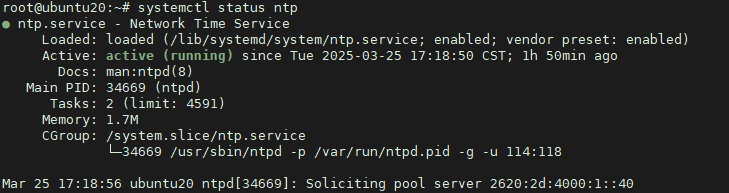
apt -y install ntp ntpdate
systemctl enable ntp --now

编辑配置文件:
vim /etc/ntp.conf
server 127.127.1.0 iburst #添加此行内容
systemctl restart ntp     #重启ntp服务
ntpq -p                   #查看是否同步
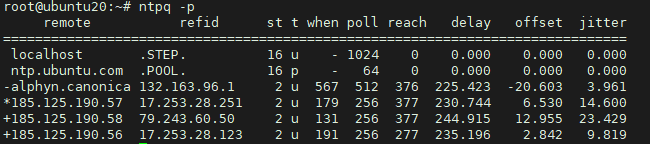
客户机配置:
apt -y install ntp ntpdate
systemctl enable ntp --now
编辑配置文件:
vim /etc/ntp.conf
去掉注释(:g/^#/d)
server 127.127.1.0 iburst     #当外部时间不可用时,使用本地时间
server 10.10.23.26              #增加ntp服务器IP
restrict 10.10.23.26 nomodify notrap noquery #禁止其他ip来更新时间
systemctl restart ntp
ntpq -p
验证配置:
客户机执行 date -s '2025-03-25 00:00:00' #修改系统时间
ntpdate 10.10.23.26
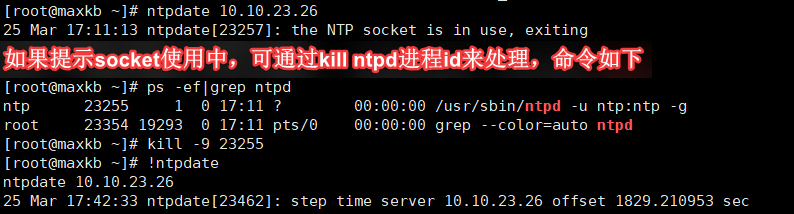
计划任务定期执行

征途漫漫,惟有奋斗!

 浙公网安备 33010602011771号