
【高可用HA】Apache (4) —— Mac下配置Apache Httpd负载均衡(Load Balancer)之mod_jk
Mac下配置Apache Httpd负载均衡(Load Balancer)之mod_jk
httpd版本: httpd-2.4.17
jk版本: tomcat-connectors-1.2.41
参考来源:
Apache (1) —— Mac下安装Apache Httpd到自定义路径(非/etc/apache2)
Apache (2) —— Mac 下安装多个Apache Tomcat实例
How to Compile Tomcat mod_jk connector on Mac OS X Mavericks
Installing mod_jk for Apache 2.2 on Mac OS X 10.5 Leopard
Apache配置反向代理、负载均衡和集群(mod_proxy方式)
准备
首先我们参照下面两篇文章配置好httpd和两个Tomcat实例
其中Tomcat的两个实例node-a和node-b分别存放与"./servers/cluster/tomcat/node-a"和"/servers/cluster/tomcat/node-b"下
对应的配置分别为:
- Server Port: 8015 与 8025
- Connector: 8081 与 8082
- AJP: 8019 与 8029
另分别为连个实例添加jvmRoute的配置
-
node-a
-
node-b
注意:不要忘记修改供测试的页面特征
配置httpd负载均衡(Load Balancer)
httpd负载均衡Tomcat的方式主要可以分为两类
- httpd自带的mod_proxy
- Tomcat提供了专门的JK插件来负责Tomcat和HTTP服务器的通信mod_jk
*注意 本篇文章主要关注第二类配置
首先编译
在Apache的网站上下载tomcat-connectors-1.2.41,然后解压。
运行命令编译
$ cd native
$ ./configure CFLAGS='-arch x86_64' APXSLDFLAGS='-arch x86_64' --with-apxs=/usr/sbin/apxs
$ make
$ sudo make install
*注意 --with-apxs需要指向目标节点的apxs
此处我本地的路径为
/Users/Richard/Documents/Dev/servers/cluster/httpd/node-a/bin/apxs
如果执行正常不出错,末尾几行的输出为
...
config.status: creating common/list.mk
config.status: creating common/jk_types.h
config.status: creating common/config.h
config.status: executing depfiles commands
config.status: executing libtool commands
然后"./native"下运行make
期间会出现warning,可以暂时忽略不影响
jk_lb_worker.c:1397:36: warning: address of array
'p->worker->session_cookie_path' will always evaluate to 'true'
[-Wpointer-bool-conversion]
if (p->worker->session_cookie_path && *p->worker->se...
~^
make执行正常的最后几行输出为
...
Making all in common
make[1]: Nothing to be done for all'. Making all in apache-2.0 make[1]: Nothing to be done for all'.
make install如果在非sudo状态下,最后会出现错误
...
install: /Users/Richard/Documents/Dev/servers/cluster/httpd/node-a/modules/mod_jk.so: Permission denied
apxs:Error: Command failed with rc=4653056
.
make[1]: *** [install_dynamic] Error 1
make: *** [install-recursive] Error 1
sudo运行make install
...
libtool: install: ranlib /Users/Richard/Documents/Dev/servers/cluster/httpd/node-a/modules/mod_jk.a
chmod 755 /Users/Richard/Documents/Dev/servers/cluster/httpd/node-a/modules/mod_jk.so
Please be sure to arrange /Users/Richard/Documents/Dev/servers/cluster/httpd/node-a/conf/httpd.conf...
make[2]: Nothing to be done for install-exec-am'. make[2]: Nothing to be done for install-data-am'.
配置mod_jk
在node-a下新建文件夹"other",并创建文件workers.properties
Define two status worker:
- jk-status for read-only use
- jk-manager for read/write use
worker.list=jk-status
worker.jk-status.type=status
worker.jk-status.read_only=true
worker.list=jk-manager
worker.jk-manager.type=status
We define a load balancer worker
with name "balancer"
worker.list=balancer
worker.balancer.type=lb
worker.balancer.error_escalation_time=0
worker.balancer.max_reply_timeouts=10
worker.balancer.sticky_session=true
worker.balancer.sticky_session_force=true
Now we add members to the load balancer First member is "tomcat1", most attributes are inherited from the template "worker.template".
worker.balancer.balance_workers=tomcat1
worker.tomcat1.reference=worker.template
worker.tomcat1.host=127.0.0.1
worker.tomcat1.port=8019
worker.tomcat1.activation=A
Second member is "tomcat2", most attributes are inherited from the template "worker.template".
worker.balancer.balance_workers=tomcat2
worker.tomcat2.reference=worker.template
worker.tomcat2.host=127.0.0.1
worker.tomcat2.port=8029
worker.tomcat2.activation=A
Finally we put the parameters
worker.template.type=ajp13
worker.template.socket_connect_timeout=5000
worker.template.socket_keepalive=true
worker.template.ping_mode=A
worker.template.ping_timeout=10000
worker.template.connection_pool_minsize=0
worker.template.connection_pool_timeout=600
worker.template.reply_timeout=300000
worker.template.recovery_options=3
*注意上面的host配置都是127.0.0.1,会影响我们下面的测试
并同时在"./node-a/other/"下创建文件uriworkermap.properties
/.do=balancer
/.jsp=balancer
/*.gif=balancer
/*.jpg=balancer
/*.png=balancer
/*.css=balancer
/*.js=balancer
/*.htm=balancer
/*.html=balancer
/*.txt=balancer
Optionally filter out all .jpeg files inside that context
For no mapping the url has to start with exclamation (!)
!/servlets-examples/*.jpeg=lb
Mount jkstatus to /jkmanager
For production servers you will need to
secure the access to the /jkmanager url
/jk-manager=jk-manager
/jk-status=jk-status
最后
为httpd.conf,添加配置
加载jk配置文件
Include conf/mod_jk.conf
测试
重新启动httpd,并用浏览器访问"localhost:81",提示"Service Unavailable"错误
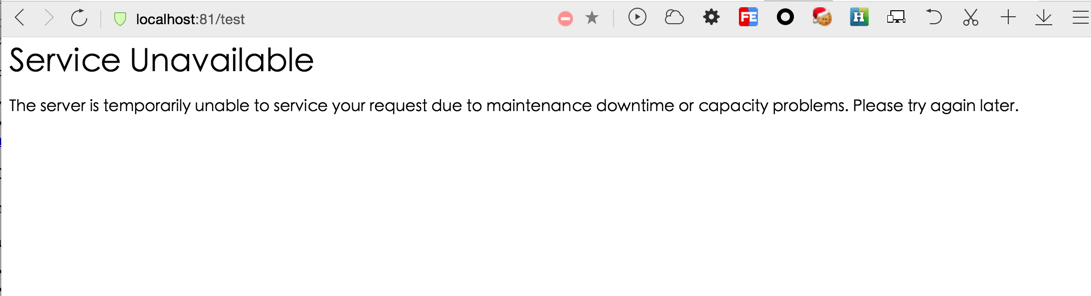
查看"./node-a/log"目录下"mod_jk.log"文件
[Wed Dec 09 15:00:31.403 2015] [13735:4417540096] [info] get_most_suitable_worker::jk_lb_worker.c (1119): all workers are in error state for session QUMQZVRPS1-4MX593EAOD71Y6YAFXUP1-U734UPHI-1
[Wed Dec 09 15:00:31.403 2015] [13735:4417540096] [info] service::jk_lb_worker.c (1664): All tomcat instances failed, no more workers left (attempt=1, retry=1)
[Wed Dec 09 15:00:31.403 2015] [13735:4417540096] [info] service::jk_lb_worker.c (1675): All tomcat instances are busy or in error state
[Wed Dec 09 15:00:31.403 2015] [13735:4417540096] [error] service::jk_lb_worker.c (1680): All tomcat instances failed, no more workers left
[Wed Dec 09 15:00:31.403 2015] [13735:4417540096] [info] jk_handler::mod_jk.c (2991): Service error=0 for worker=balancer
尝试访问
127.0.0.1:81
得到正常结果
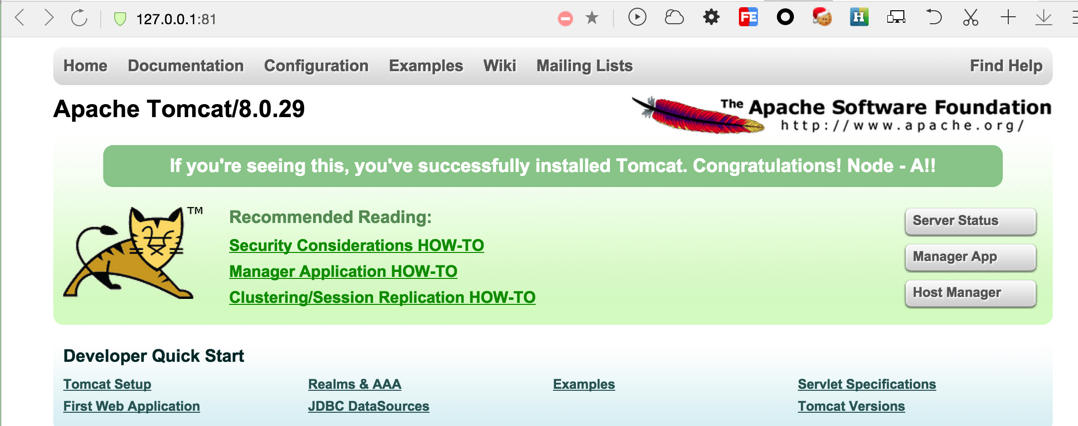
这样就完成一个以httpd单节点为负载均衡器分发到不同Tomcat的简单架构。
*扩展
- 如果将host改为"localhost"是否能正常访问?
- 与另一篇中用httpd自带lb的方式不同映射的路径("./test"),这里是根目录,需要如何配置达到相同效果?
- 这里测试结果可以正常显示样式和图片,是什么配置起的作用?

 浙公网安备 33010602011771号