Spring Cloud Zuul:API网关服务
摘要
Spring Cloud Zuul 是Spring Cloud Netflix 子项目的核心组件之一,可以作为微服务架构中的API网关使用,支持动态路由与过滤功能 。
Zuul简介
API网关为微服务架构中的服务提供了统一的访问入口,客户端通过API网关访问相关服务。API网关的定义类似于设计模式中的门面模式,它相当于整个微服务架构中的门面,所有客户端的访问都通过它来进行路由及过滤。它实现了请求路由、负载均衡、校验过滤、服务容错、服务聚合等功能。
创建一个zuul-proxy模块
pom.xml文件
<?xml version="1.0" encoding="UTF-8"?> <project xmlns="http://maven.apache.org/POM/4.0.0" xmlns:xsi="http://www.w3.org/2001/XMLSchema-instance" xsi:schemaLocation="http://maven.apache.org/POM/4.0.0 https://maven.apache.org/xsd/maven-4.0.0.xsd"> <modelVersion>4.0.0</modelVersion> <parent> <groupId>org.springframework.boot</groupId> <artifactId>spring-boot-starter-parent</artifactId> <version>2.2.2.RELEASE</version> <relativePath/> <!-- lookup parent from repository --> </parent> <groupId>com.reno</groupId> <artifactId>springcloud.zuul</artifactId> <version>1.0</version> <name>springcloud.zuul</name> <description>Demo project for Spring Boot</description> <properties> <project.build.sourceEncoding>UTF-8</project.build.sourceEncoding> <project.reporting.outputEncoding>UTF-8</project.reporting.outputEncoding> <java.version>1.8</java.version> <spring-cloud.version>Hoxton.RELEASE</spring-cloud.version> </properties> <dependencies> <dependency> <groupId>org.springframework.boot</groupId> <artifactId>spring-boot-starter</artifactId> </dependency> <dependency> <groupId>org.springframework.boot</groupId> <artifactId>spring-boot-starter-test</artifactId> <scope>test</scope> </dependency> <dependency> <groupId>org.springframework.boot</groupId> <artifactId>spring-boot-starter-web</artifactId> </dependency> <dependency> <groupId>org.springframework.cloud</groupId> <artifactId>spring-cloud-starter-netflix-eureka-client</artifactId> </dependency> <dependency> <groupId>org.springframework.cloud</groupId> <artifactId>spring-cloud-netflix-eureka-server</artifactId> <version>2.2.0.RELEASE</version> </dependency> <dependency> <groupId>org.springframework.cloud</groupId> <artifactId>spring-cloud-starter-netflix-hystrix</artifactId> </dependency> <dependency> <groupId>org.springframework.cloud</groupId> <artifactId>spring-cloud-starter-netflix-zuul</artifactId> </dependency> <dependency> <groupId>org.springframework.boot</groupId> <artifactId>spring-boot-starter-actuator</artifactId> </dependency> <dependency> <groupId>cn.hutool</groupId> <artifactId>hutool-all</artifactId> <version>4.6.3</version> </dependency> </dependencies> <dependencyManagement> <dependencies> <dependency> <groupId>org.springframework.cloud</groupId> <artifactId>spring-cloud-dependencies</artifactId> <version>${spring-cloud.version}</version> <type>pom</type> <scope>import</scope> </dependency> </dependencies> </dependencyManagement> <repositories> <repository> <id>spring-milestones</id> <name>Spring Milestones</name> <url>https://repo.spring.io/milestone</url> <snapshots> <enabled>false</enabled> </snapshots> </repository> </repositories> <build> <plugins> <plugin> <groupId>org.springframework.boot</groupId> <artifactId>spring-boot-maven-plugin</artifactId> </plugin> </plugins> </build> </project>
yml文件
server:
port: 38801
spring:
application:
name: zuul-proxy
eureka:
instance:
hostname: 192.16.10.208
#hostname: localhost
#设置是否将自己作为客户端注册到注册中心(缺省true)
#这里为不需要,查看@EnableEurekaServer注解的源码,会发现它间接用到了@EnableDiscoveryClient
instance-id: zuulService-${spring.cloud.client.ipaddress}-${server.port}
client:
register-with-eureka: true
fetch-registry: true
service-url:
defaultZone: http://192.16.10.208:38761/eureka/
registry-fetch-interval-seconds: 5
instance-info-replication-interval-seconds: 10
zuul:
routes: #给服务配置路由
demo-service:
path: /demoService/**
feign-service:
path: /feignService/**
# ignored-services: demo-service,feign-service #关闭默认路由配置
prefix: /proxy #给网关路由添加前缀
sensitive-headers: Cookie,Set-Cookie,Authorization #配置过滤敏感的请求头信息,设置为空就不会过滤
add-host-header: true #设置为true重定向是会添加host请求头
PreLogFilter:
pre:
disable: true #控制是否启用过滤器
management:
endpoints:
web:
exposure:
include: 'routes'
在启动类上添加@EnableZuulProxy注解来启用Zuul的API网关功能
启动相关服务
这里我们通过启动eureka-server,两个demo-service,feign-service和zuul-proxy来演示Zuul的常用功能
配置路由规则
-
我们可以通过修改application.yml中的配置来配置路由规则,这里我们将匹配
/demoService/**的请求路由到demo-service服务上去,匹配/feignService/**的请求路由到feign-service上去。
zuul:
  routes: #给服务配置路由
    demo-service:
      path: /demoService/**
    feign-service:
      path: /feignService/**
复制代码
-
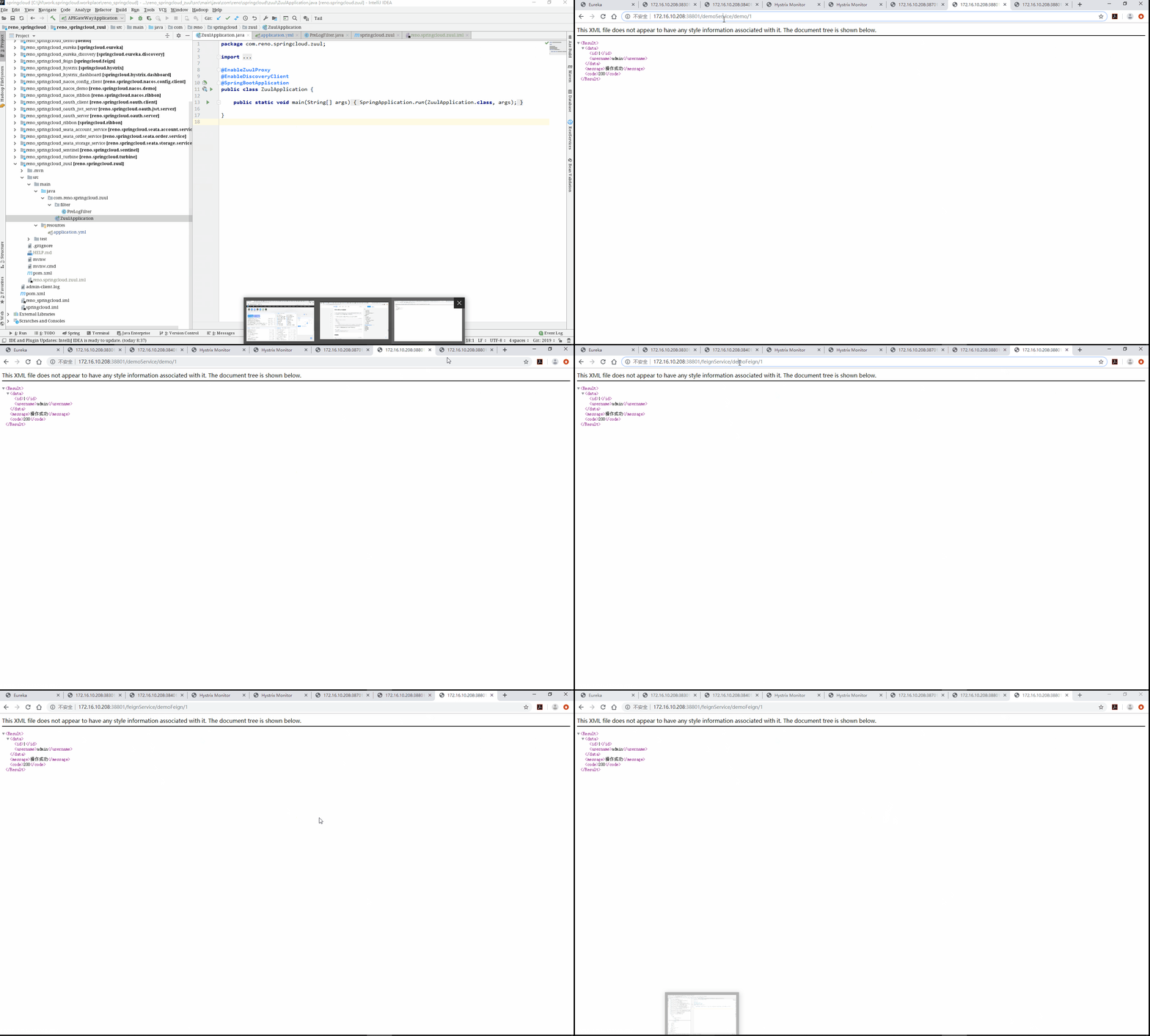
访问 http://192.16.10.208:38801/demoService/demo/1 可以发现请求路由到了demo-service上了;
-
访问 http://192.16.10.208:38801/feignService/demoFeign/1 可以发现请求路由到了feign-service上了。
过滤器
路由与过滤是Zuul的两大核心功能,路由功能负责将外部请求转发到具体的服务实例上去,是实现统一访问入口的基础,过滤功能负责对请求过程进行额外的处理,是请求校验过滤及服务聚合的基础。
过滤器类型
Zuul中有以下几种典型的过滤器类型。
-
pre:在请求被路由到目标服务前执行,比如权限校验、打印日志等功能;
-
routing:在请求被路由到目标服务时执行,这是使用Apache HttpClient或Netflix Ribbon构建和发送原始HTTP请求的地方;
-
post:在请求被路由到目标服务后执行,比如给目标服务的响应添加头信息,收集统计数据等功能;
-
error:请求在其他阶段发生错误时执行。
常用配置
zuul:
routes: #给服务配置路由
demo-service:
path: /demoService/**
feign-service:
path: /feignService/**
ignored-services: demo-service,feign-service #关闭默认路由配置
prefix: /proxy #给网关路由添加前缀
sensitive-headers: Cookie,Set-Cookie,Authorization #配置过滤敏感的请求头信息,设置为空就不会过滤
add-host-header: true #设置为true重定向是会添加host请求头
retryable: true # 关闭重试机制
PreLogFilter:
pre:
disable: false #控制是否启用过滤器
本文参考自MacroZheng链接 著作权归作者所有。商业转载请联系作者获得授权,非商业转载请注明出处。

 浙公网安备 33010602011771号