
Android Device Orientation
最近在处理相机拍照的方向问题,在Android Device的Orientation问题上有了些疑问,就顺便写个Demo了解下Android Device Orientation究竟是怎么个判断。
Android Device Orientation的使用场景其实最常见的就是视频播放软件了,它会随着你摆弄手机的方向,来调整一个最适合的画面旋转让用户观看。官方API文档里对Android Device Orientation有这么一句话:
public abstract void onOrientationChanged (int orientation)
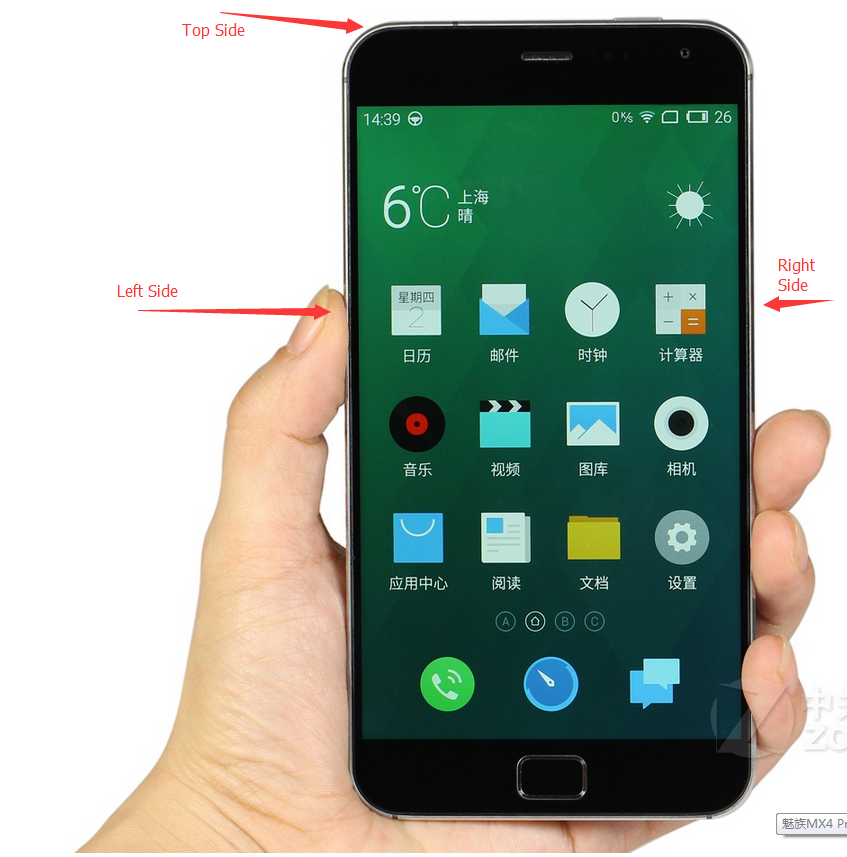
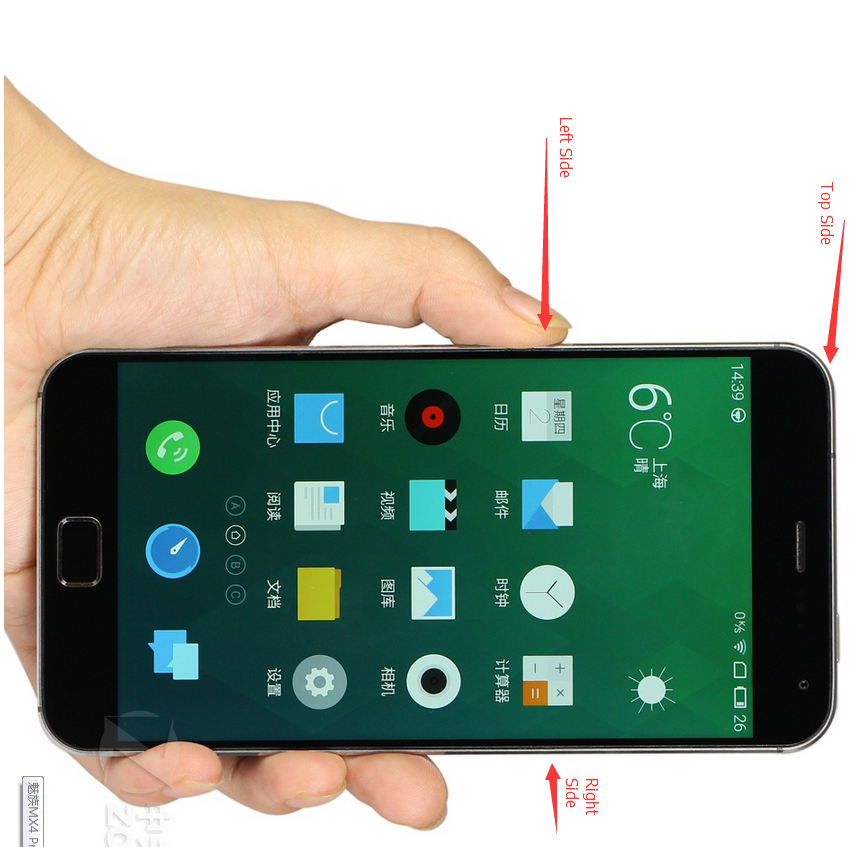
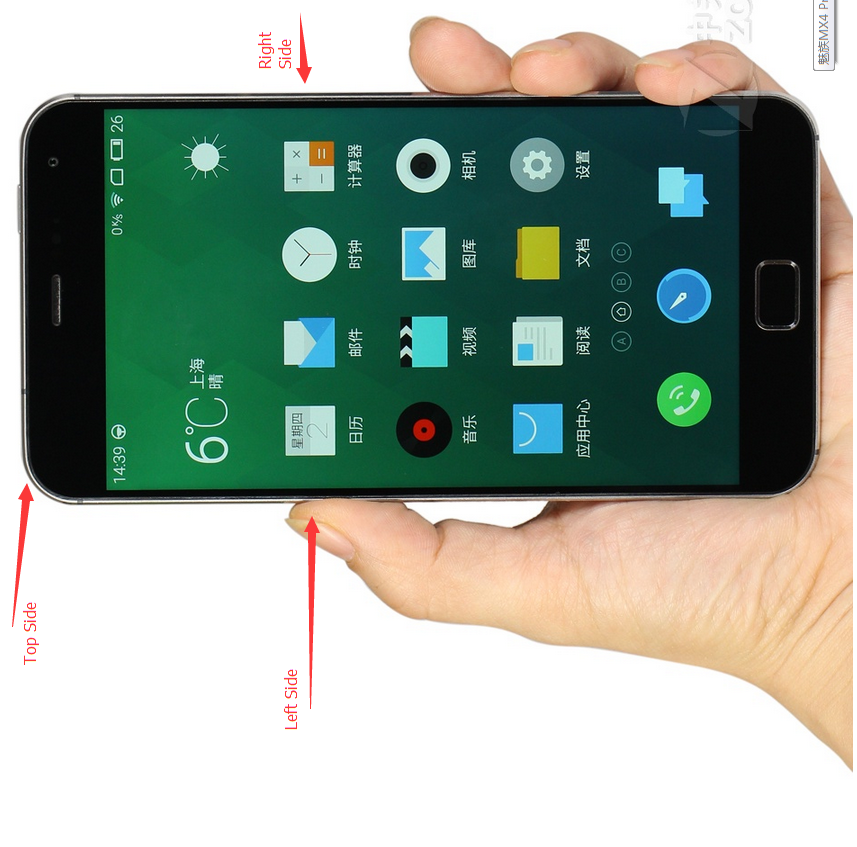
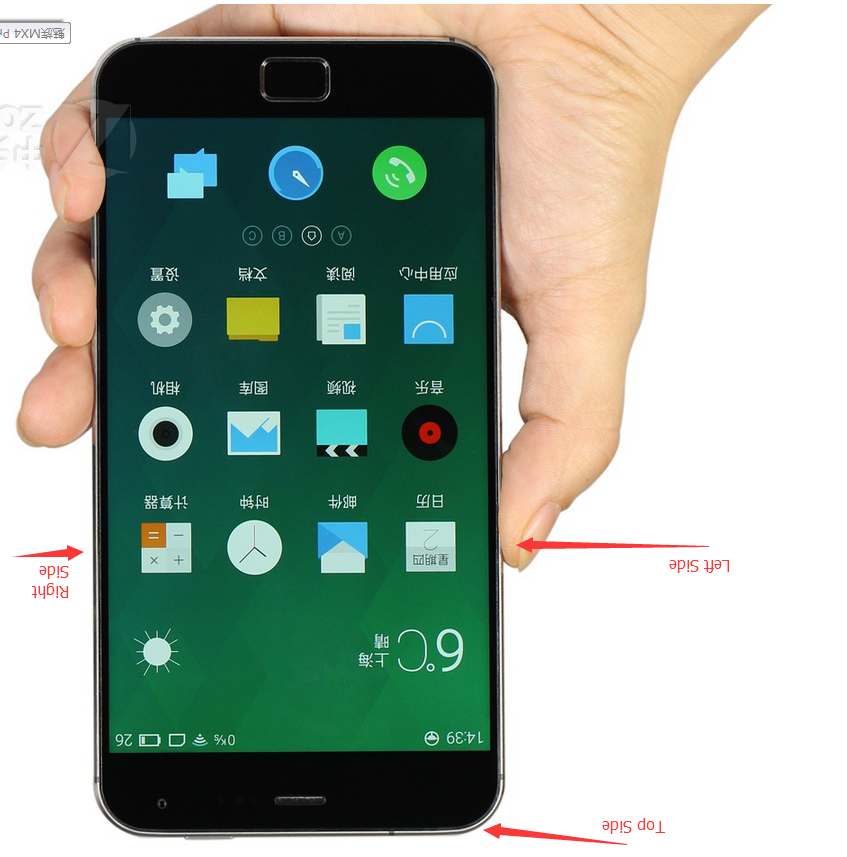
Called when the orientation of the device has changed. orientation parameter is in degrees, ranging from 0 to 359. orientation is 0 degrees when the device is oriented in its natural position, 90 degrees when its left side is at the top, 180 degrees when it is upside down, and 270 degrees when its right side is to the top. ORIENTATION_UNKNOWN is returned when the device is close to flat and the orientation cannot be determined.
对于这句话,有一点不理解的就是natural position到底是一个什么个position,其实就是我们正常用手机的摆放方向,如下图:Orientation为0
Left Side Top, Orientation为90:
Right Side Top, Orientation为270:
Top Side Down,Orientation为180
好了,差不多就是这样了。再放上一次我测试时用的代码:


 1 public class MainActivity extends ActionBarActivity {
 2
 3
 4     private TextView textView = null;
 5     private MyOrientationListener myOrientationListener = null;
 6     @Override
 7     protected void onCreate(Bundle savedInstanceState) {
 8         super.onCreate(savedInstanceState);
 9         setContentView(R.layout.activity_main);
10         textView = (TextView)findViewById(R.id.textview);
11         myOrientationListener = new MyOrientationListener(this, SensorManager.SENSOR_DELAY_NORMAL);
12         if( myOrientationListener.canDetectOrientation()){
13             myOrientationListener.enable();
14         }
15         else{
16             Toast.makeText(this, "Can't Detect Orientation", Toast.LENGTH_LONG).show();
17         }
18
19     }
20
21     @Override
22     public boolean onCreateOptionsMenu(Menu menu) {
23         // Inflate the menu; this adds items to the action bar if it is present.
24         getMenuInflater().inflate(R.menu.main, menu);
25         return true;
26     }
27
28     @Override
29     protected void onDestroy(){
30         super.onDestroy();
31         myOrientationListener.disable();
32     }
33
34     @Override
35     protected void onResume(){
36         super.onResume();
37         if( myOrientationListener.canDetectOrientation()){
38             myOrientationListener.enable();
39         }
40         else{
41             Toast.makeText(this, "Can't Detect Orientation", Toast.LENGTH_LONG).show();
42         }
43     }
44
45     @Override
46     public boolean onOptionsItemSelected(MenuItem item) {
47         // Handle action bar item clicks here. The action bar will
48         // automatically handle clicks on the Home/Up button, so long
49         // as you specify a parent activity in AndroidManifest.xml.
50         int id = item.getItemId();
51         if (id == R.id.action_settings) {
52             return true;
53         }
54         return super.onOptionsItemSelected(item);
55     }
56
57
58     private class MyOrientationListener extends OrientationEventListener{
59
60         public MyOrientationListener(Context context, int rate) {
61             super(context, rate);
62             // TODO Auto-generated constructor stub
63         }
64
65         @Override
66         public void onOrientationChanged(int orientation) {
67             // TODO Auto-generated method stub
68             textView.setText("" + orientation);
69         }
70
71
72
73     }
74 }

 浙公网安备 33010602011771号