emacs for everyday use
After nearly a month's use of emacs, I find myself deeply attracted by this cool editor.
Below are some useful short cuts during the daily use.
Section1:
(1)move:
C-a Move to beginning of line
M-m Move to the first non-whitespace character on the line
C-e Move to the end of line
C-f Move forward one character
M-f Move forward one word
M-b Move backward one word
C-s Regex search for text in the current buffer and move to it. Hit C-s again to move to the next match
C-r Same as above, but search in reverse
M-< Move to beginning of buffer
M-> Move to end of buffer
M-g g Go to line
(2)select some area
Mark the start of the area:C-spc(if the input short cut haven't had effect on it) or C-@
Your selecting area will expand as your curosr moves.
(3) replace
replace: M-x-replace-string
(4) emacs' "copy,cut,delete"
Emacs' has its own way of dealing with these traditional operations——killing and the killing ring
after selecting some area ,you can kill the area by C-w
you can copy what u just kill back by C-y
furthermore, by repeating M-y operations ,you can copy what you killed before back
Summary:
C-w: kill the region
C-y :Yank
M-w: copy killed region to the kill ring
M-y: cycle through kill ring after yanking
M-d: kill word
C-k: kill line
——Above are extracted from http://www.braveclojure.com/basic-emacs/
other resources:
http://www.masteringemacs.org/reading-guide/
http://www.ic.unicamp.br/~helio/disciplinas/MC102/Emacs_Reference_Card.pdf
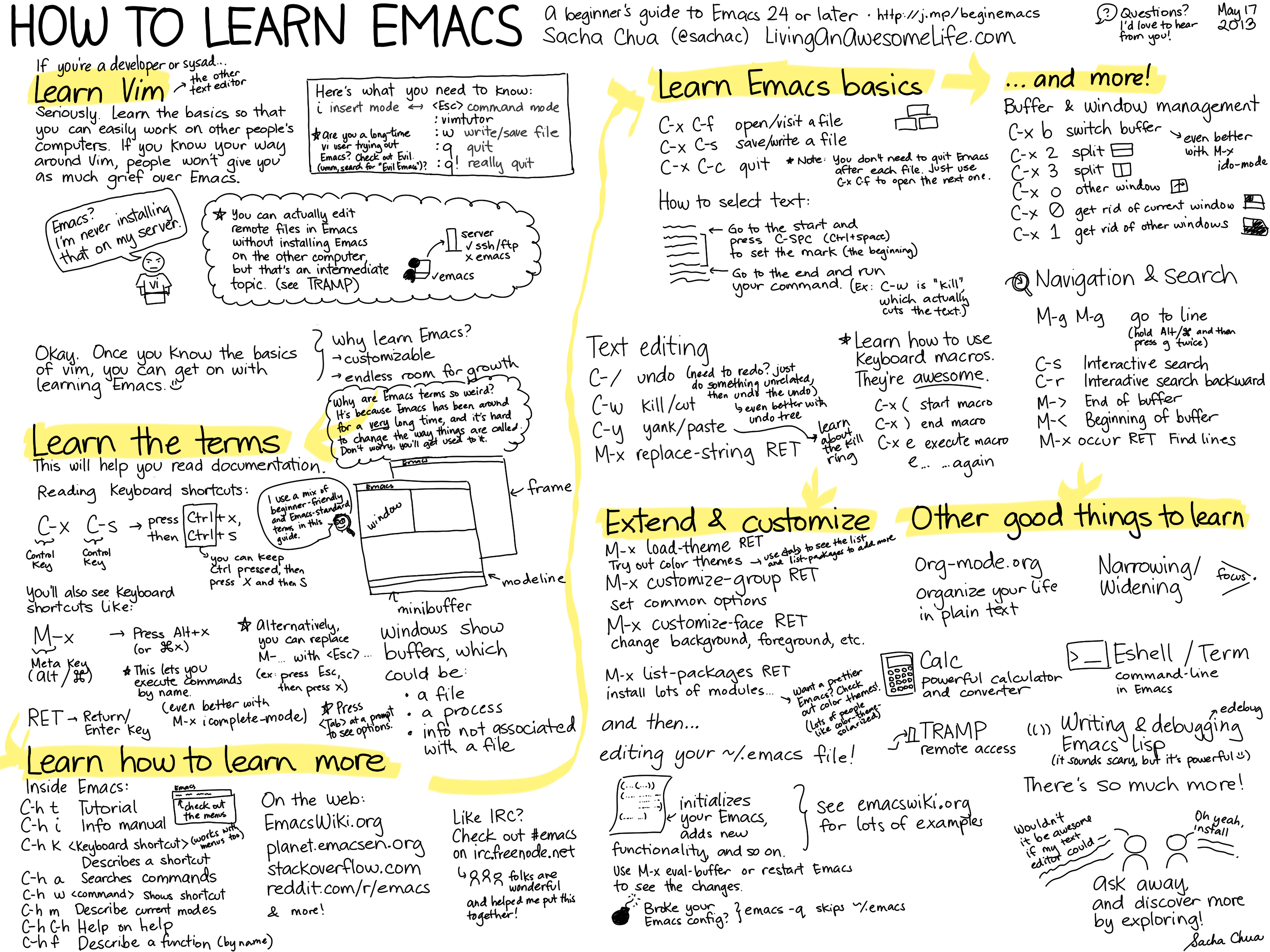
http://sachachua.com/blog/wp-content/uploads/2013/05/How-to-Learn-Emacs8.png(WOW! a cute picture about emacs)
Learning and using emacs,happy everyday!
Section2
some interesting inbuilt games and cool tricks:
(1) M-x tetris
(2) M-x gomoku
(3) M-x snake
(4) M-x mpuz
(5) M-x dunnet
(6) M-x zone (something like rolling screen)
try it~hah^ see more funny things by typing 'ls /usr/share/emacs/21.2/lisp/play' in your terminal
(continuing)
Section 3
(1) split window
C-x 2 horizontal split current window
C-x 3 vertical split current window
C-x 0 close current window
C-x 1 close other windows

 浙公网安备 33010602011771号