
部署Ruoyi-Vue的各种问题
一、安装基本环境
Java
下载jdk8的tar.gz文件,用指令安装即可
MySQL
注意,只能安装mysql8。虽然我自认为安装的就是mysql8,但是负责部署的人说安装的实际上是5.7,从而导致后续java项目无法启动。
Redis
apt安装即可
链接:https://blog.csdn.net/weixin_44757894/article/details/125710283
Nginx
安装
apt直接安装nginx即可
配置
位置:site-available和site-enabled
server {
	listen 80 default_server;
	listen [::]:80 default_server;

	listen 443 ssl;
        ssl_certificate    /etc/nginx/ssl/www.mcmarket.cc.pem;
        ssl_certificate_key /etc/nginx/ssl/www.mcmarket.cc.key;
        ssl_session_timeout 5m;
        ssl_ciphers ECDHE-RSA-AES128-GCM-SHA256:ECDHE:ECDH:AES:HIGH:!NULL:!aNULL:!MD5:!ADH:!RC4;
        ssl_protocols TLSv1 TLSv1.1 TLSv1.2;
        ssl_prefer_server_ciphers on;

	root /var/www/www;

	# Add index.php to the list if you are using PHP
	index index.html index.htm;

	server_name _;

	location / {
		try_files $uri /index.html;
	}
	location /prod-api/ {
			proxy_set_header Host $http_host;
			proxy_set_header X-Real-IP $remote_addr;
			proxy_set_header REMOTE-HOST $remote_addr;
			proxy_set_header X-Forwarded-For $proxy_add_x_forwarded_for;
			proxy_pass http://xxx.xxx.xxx.xxx:8080/;
		}

}
其中,xxx.xxx.xxx.xxx为服务器外网ip。
加载页面文件
location / {
	try_files $uri /index.html;
}
如果不修改这个配置项,会出现主页图片不显示、刷新页面404、菜单栏点击无效这三个问题。
二、其他问题
MySQL数据库连接失败
内容
The last packet sent successfully to the server was 0 milliseconds ago.

原因
SpringBoot中maven的mysql-connector版本与服务器上mysql版本不对应
解决方法
 <!-- Mysql驱动包 -->
        <dependency>
            <groupId>mysql</groupId>
            <artifactId>mysql-connector-java</artifactId>
            <version>8.0.11</version>
        </dependency>
MySQL数据库连接格式错误

原因
java项目中的mysql url写错了,删除"zeroDateTimeBehavior=convertToNull"即可
解决方法
将"url: jdbc:mysql://localhost:3306/ry?useUnicode=true&characterEncoding=utf8&zeroDateTimeBehavior=convertToNull&useSSL=true&serverTimezone=GMT%2B8"
改为"jdbc:mysql://服务器外网ip:3306/ry?useUnicode=true&characterEncoding=utf8&useSSL=false&serverTimezone=GMT%2B8"
Redis连接错误
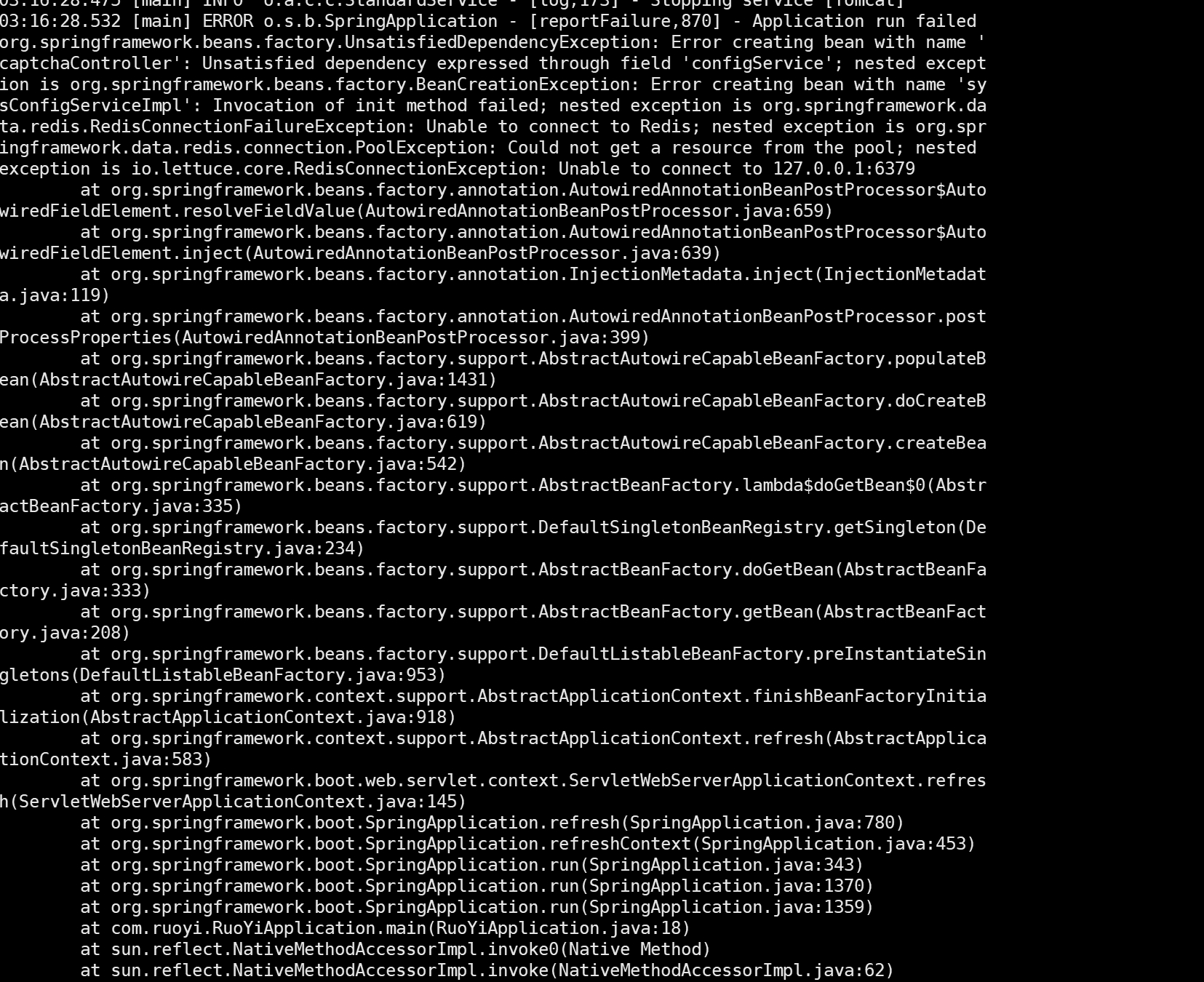
原因
java项目中的redis的host配置错误,不应使用localhost或127.0.0.1,应当使用服务器公网ip。
Redis报错:READONLY You can‘t write against a read only replica.
redis配置文件中,需要将replica-read-only no改为yes
报错:不操作时间过长
给redis配置密码即可
三、基本指令
Screen
screen -ls:列出当前所有screen
screen -S 名字:创建screen
screen -x 名字:进入screen
screen -S 名字 -X quit:关闭screen
Nginx
nginx -t:检查配置文件合法性
nginx -s reload:重载配置文件

 浙公网安备 33010602011771号