
Windows7下驱动开发与调试体系构建——5.实战反调试标记位(NtGlobalFlag)
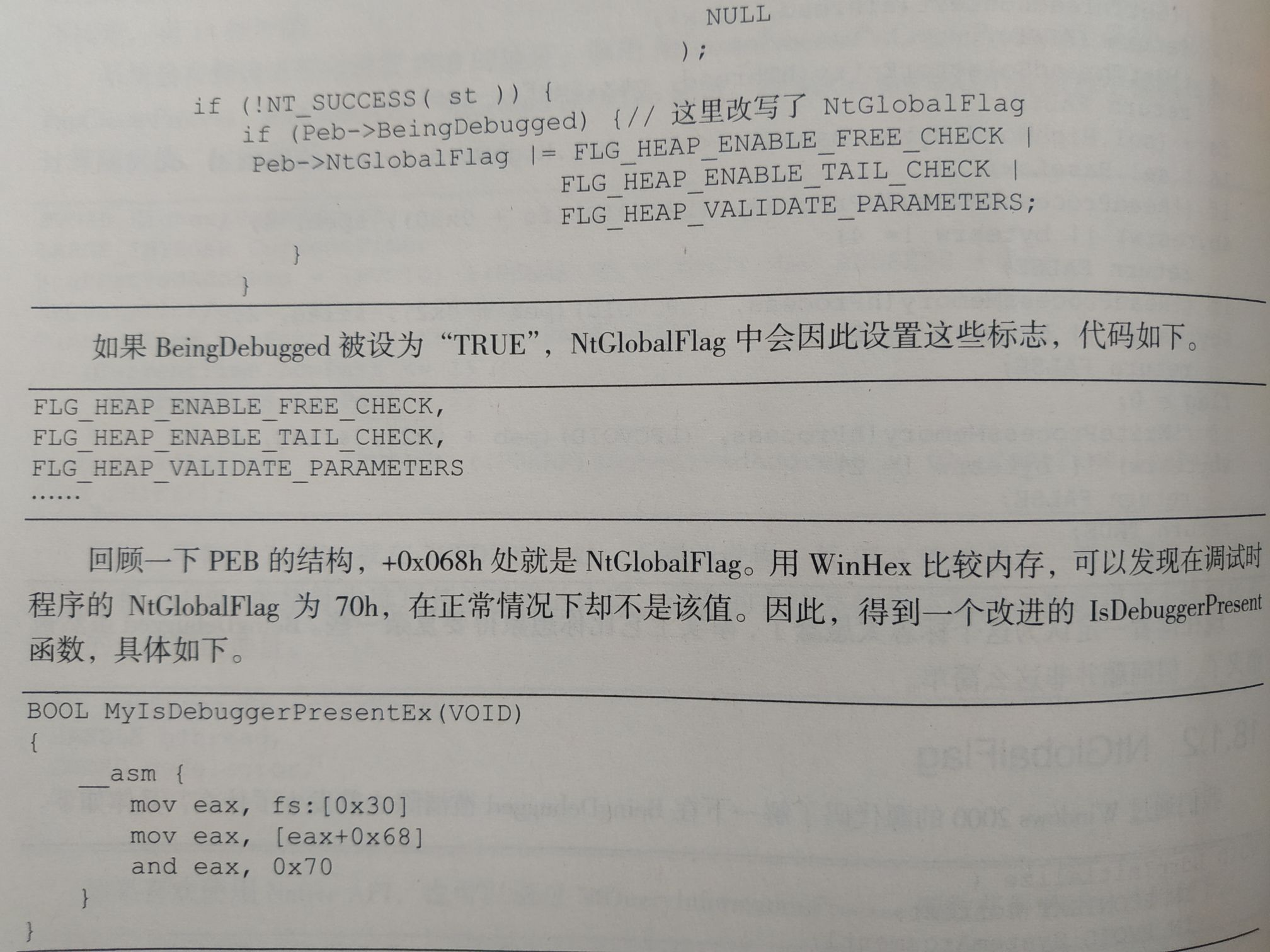
《加密与解密》P670中,介绍了检查程序是否被调试的第二种方法:查看进程PEB的NtGlobalFlag标记。
首先打开我们的win7x64虚拟机和windbg,第四节中制作了一个主动产生Int3的驱动程序,这次恰好可以用到(也可以使用windbg的Ctrl-Break快捷键,不过这个快捷键在笔记本键盘上不一定能用)
写一个检查IsDebuggerPresent()的程序,代码如下
DebugSeeker.cpp
#include<cstdio>
#include<iostream>
#include <Windows.h>

using namespace std;

extern "C" BOOL _stdcall isGlobal();

/*
* 查看BeingDebugged标志位
*/
bool isDebug_1() {
	return IsDebuggerPresent();
}

/*
* 查看NtGlobalFlag标志位
*/
BOOL isDebug_2() {
	return isGlobal();
}


bool isDebug = 0;
void outputInfomation() {
	if (isDebug) {
		cout << "Debuging" << endl;
	}
	else {
		cout << "no Debugger" << endl;
	}
}

int main() {
	cout << "使用帮助:" << endl;
	cout << "1:查看BeingDebugged标志位" << endl;
	cout << "2:查看NtGlobalFlag标志位" << endl;
	cout << "0:退出程序" << endl;
	cout << "" << endl;
	int testID;

	while (1) {
		isDebug = 0;
		cin >> testID;
		switch (testID) {
		case 1:
			isDebug = isDebug_1();
			outputInfomation();
			continue;
		case 2:
			isDebug = isDebug_2();
			outputInfomation();
			continue;
		case 0:
			return 0;
		default:continue;
		}
	}
	return 0;
}
x64.asm
.CODE
isGlobal PROC
mov rax, gs:[60h]
mov rax, [rax+0bch]
cmp rax, 70h
je  Yes
mov rax,0
ret
Yes:
mov rax,1
ret

isGlobal ENDP
END
如果到这一步有问题,请查看前几节的教程。
在虚拟机中运行,并使用CE附加,发现无论是否有调试器,都显示无调试器。
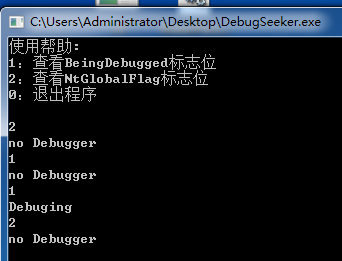
这真是让人无法理解!为了强行理解,我们可以使用windbg强大的"结构体查看"功能。
先用上一节的驱动制造Int3。
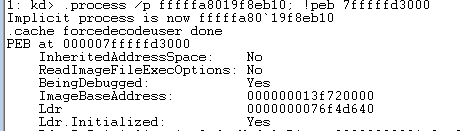
查看进程:!process 0 0
找到我们自己做的程序,查看peb。

不难发现,BeingDebugged标记位的确正常。
查看进程PEB:dt _PEB 7fffffd3000
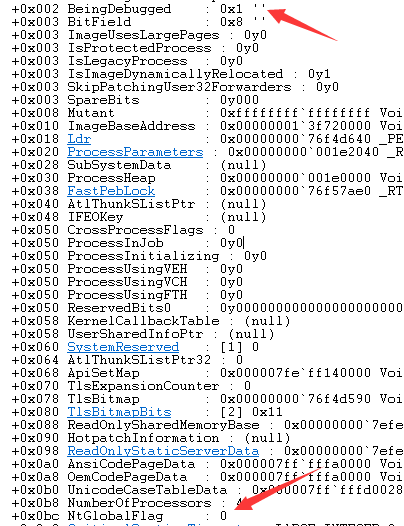
我们“惊喜”地发现,NtGlobalFlag根本没有被更改!

 浙公网安备 33010602011771号