
Linux常用指令
文件与目录管理
1.cd
切换目录
- cd xx 进入文件夹xx(可以写绝对路径)
- cd ..返回上一级目录
- cd ~ 返回用户主目录
- cd / 切换到文件系统的根目录
2.ls
列出目录内容

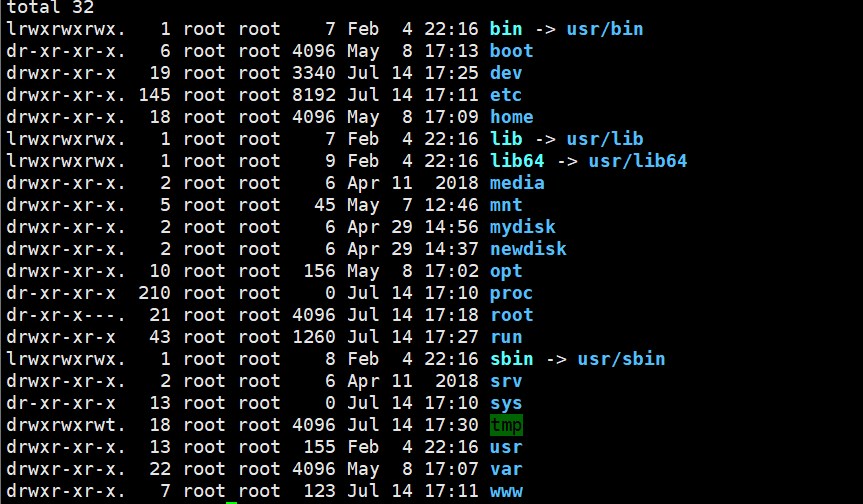
- -l :以长格式显示文件和目录的详细信息,包括权限、所有者、大小、修改时间等
ls -l
- -a:显示所有文件,包括以.开头的隐藏文件
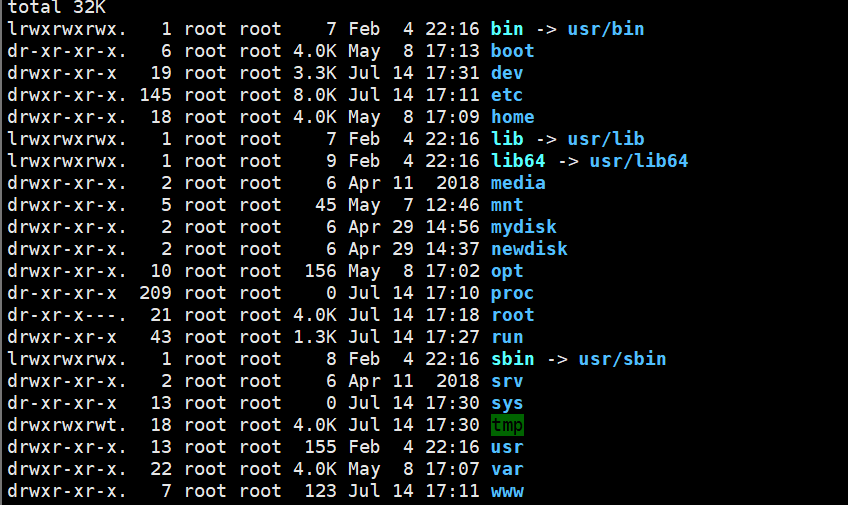
- -h:与-l结合使用,以人类可读的格式显示文件大小(如K、M、G)
-> ls -lh
3. help
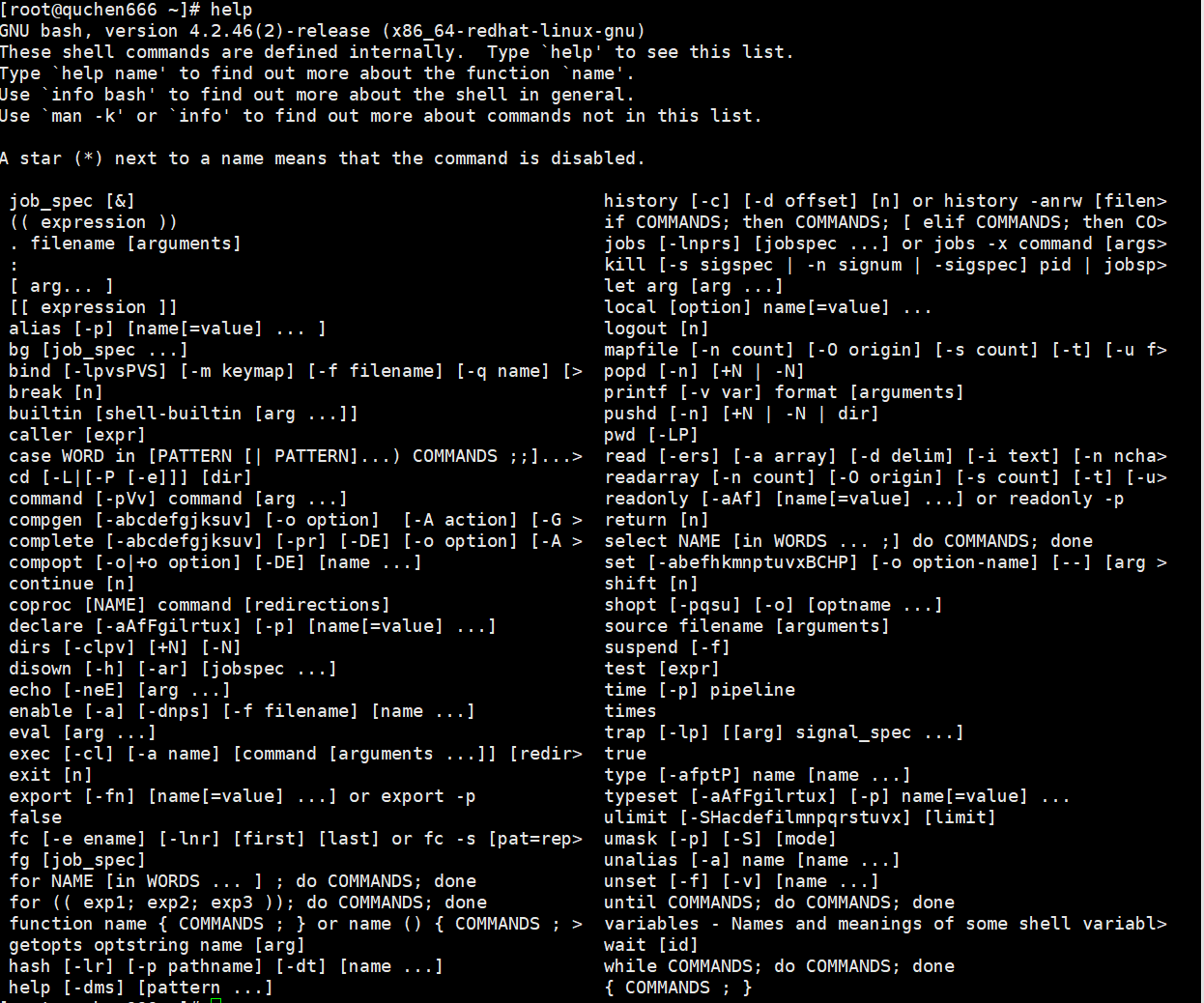
- -d:输出每个命令的简短描述
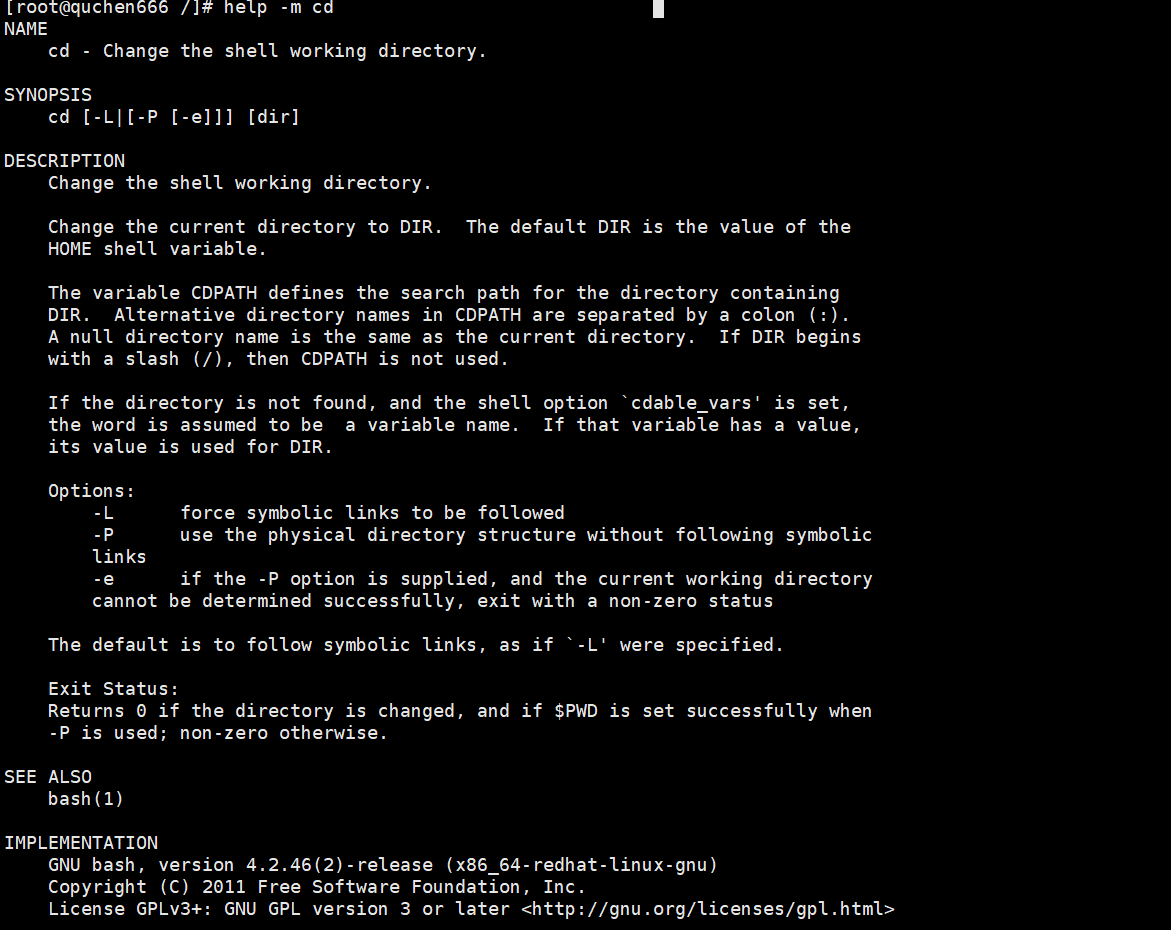
- -m:以类似于man手册的格式描述命令
- -s 仅显示命令的使用格式
以cd为例
help -d cd

help -m cd
help -s cd

查看help命令自身的帮助信息
help help
4.more/less
分页查看文件内容
more /var/log/dmesg
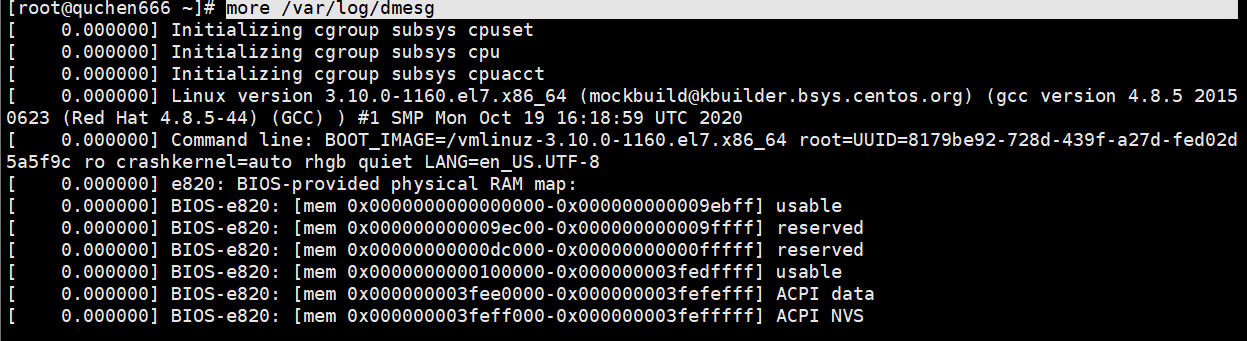
查看系统启动日志,空格键翻页,q退出
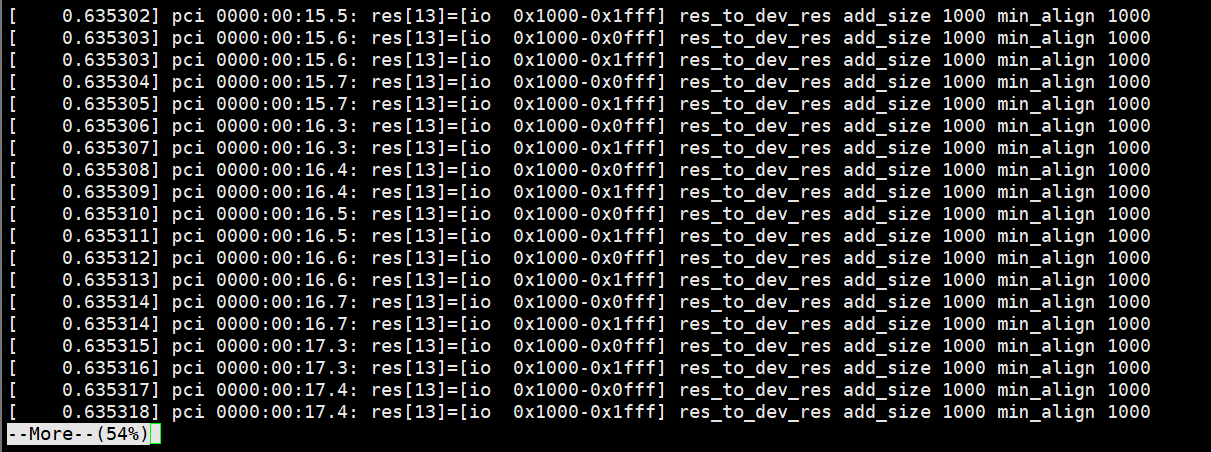
more +500 /var/log/dmesg
跳过前499行,直接从第500行开始显示
more -10 /etc/passwd
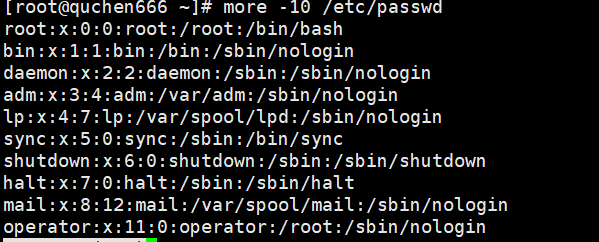
每页固定显示10页
more --help
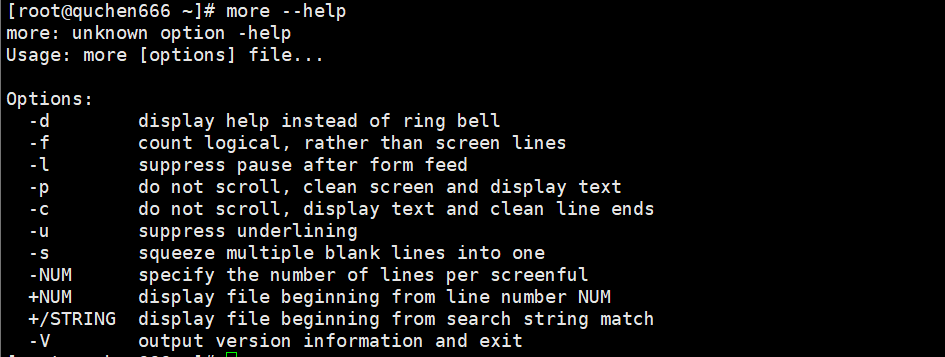
显示所有支持的参数列表
5.pwd
显示当前工作目录
pwd

6.mkdir
创建新目录
mkdir test
创建名为test的目录



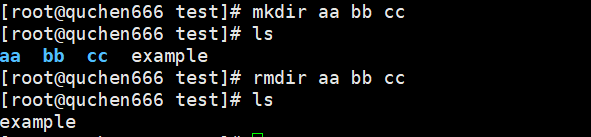
mkdir aa bb cc

*同时创建多个文件
7.rm
删除文件或目录

rm example.txt

删除单个文件
rm *.txt
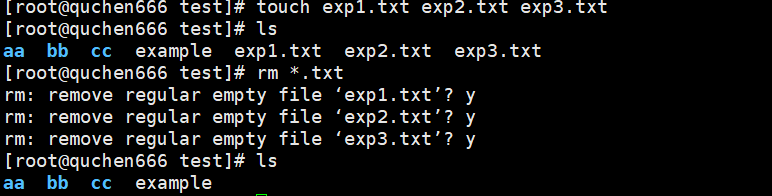
删除当前目录下所有以.txt结尾的文件
rm test1.txt test2.zip

rmdir aa/ bb/ cc/
8.cp
复制文件或目录
9.mv
移动或重命名文件或目录
10.touch
创建空文件或更新文件时间戳
touch example.txt

11.cat
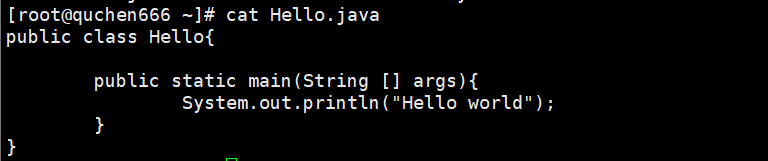
查看文件内容
先看看目录里的文件,假设我要看Hello.java文件

网络操作
1.ifconfig
查看当前网络配置
ifconfig

2.ping
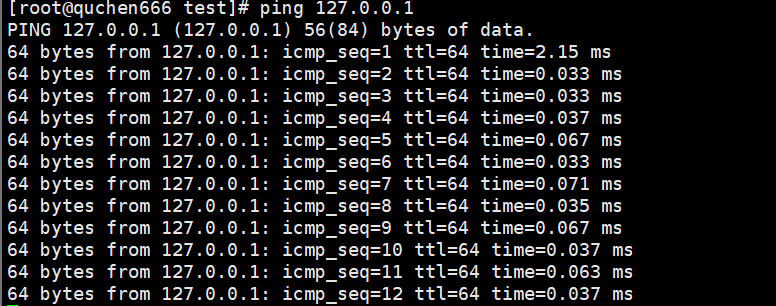
测试网络连通性
ping 127.0.0.1
3.ssh
安全远程登录
系统信息
1.uname
返回系统名字。

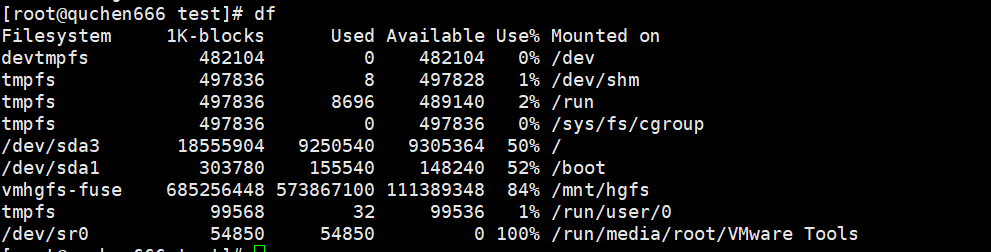
2.df
显示磁盘空间使用情况。
3.du
显示目录或文件的磁盘使用情况。
4.free
显示内存使用情况。

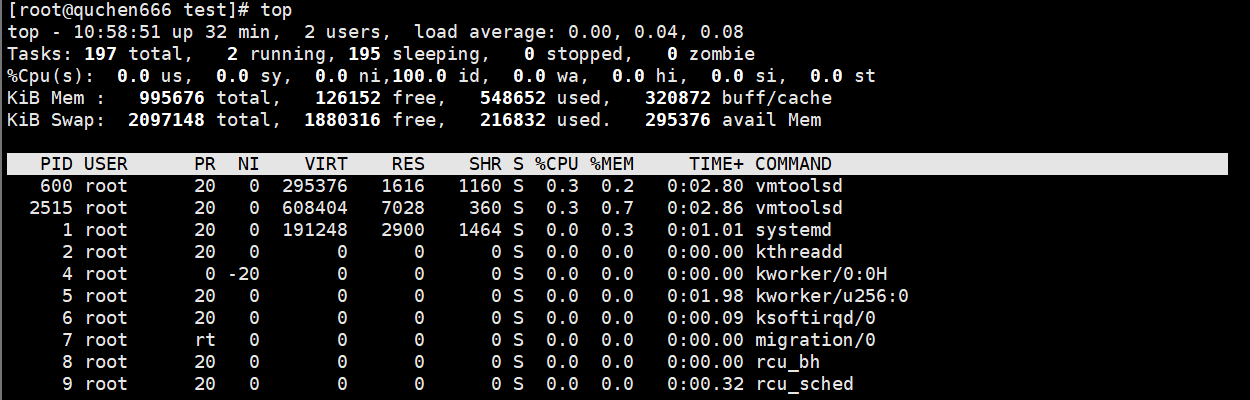
5.top/htop
显示系统资源占用情况。
压缩与解压
1.tar
打包和解压文件
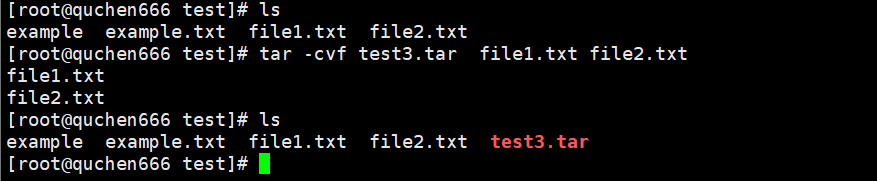
tar -cvf test3.tar file1.txt file2.txt
- -c:创建新的归档
- -v:显示每个文件的归档过程
- -f:指定归档的文件名为test3.tar
2.gzip/gunzip
压缩和解压文件
tar -zcvf test3.tar.gz file1.txt file2.txt
- -z 使用gzip压缩

进程管理
1.ps
显示当前进程状态

2.kill
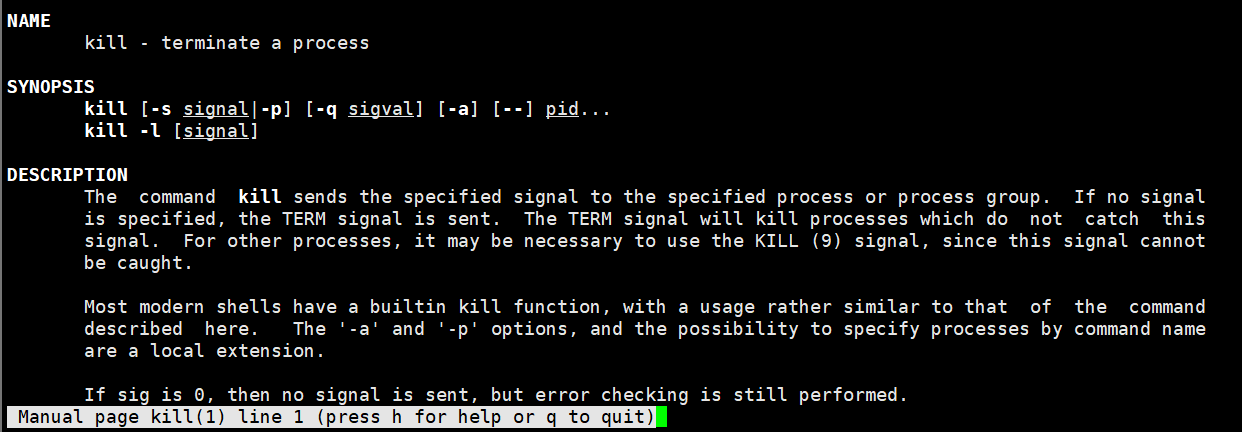
终止进程
man kill
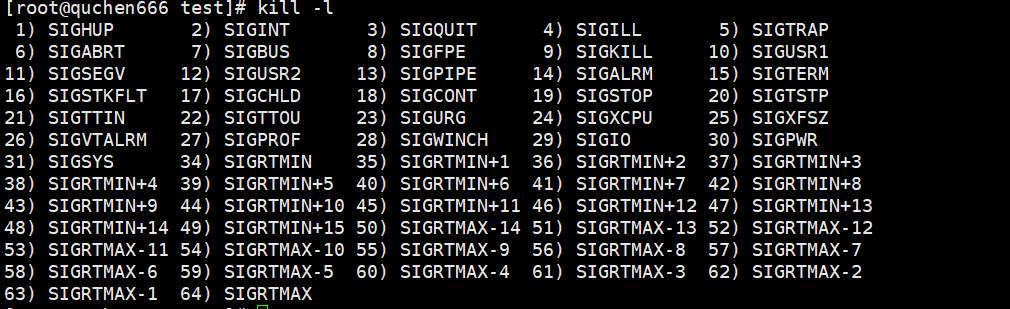
kill -l
列出所有信号的名称
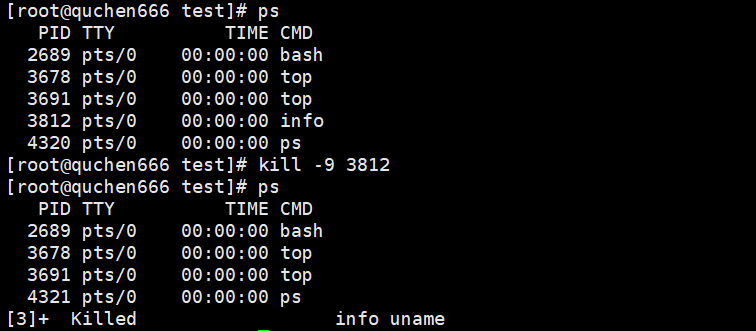
kill -9 3812
强制终止进程3812
文本处理
1.grep
在文件中搜索匹配的文本。
- -i, --ignore-case:忽略大小写。
- -v, --invert-match:反转匹配,显示不匹配的行。
- -r, --recursive:递归地搜索目录中的所有文件。
- -n, --line-number:显示匹配行的行号。
- -c, --count:统计匹配的行数。
- -l, --files-with-matches:仅列出包含匹配行的文件名。
- -L, --files-without-match:仅列出不包含匹配行的文件名。
- -w, --word-regexp:匹配整个单词。
- -E, --extended-regexp:使用扩展正则表达式。
- -F, --fixed-strings:将模式视为固定字符串,不解释为正则表达式。
- -H, --with-filename:即使只有一个文件也被显示文件名。
- -h, --no-filename:抑制文件名前缀输出。
- -o, --only-matching:仅显示匹配的部分。
- -A NUM, --after-context=NUM:显示匹配行及其后 NUM 行。
- -B NUM, --before-context=NUM:显示匹配行及其前 NUM 行。
- -C NUM, --context=NUM:显示匹配行及其前后 NUM 行。
--color=WHEN:高亮显示匹配部分(例如 always 或 auto)。
vim test1.txt

grep "hello" test1.txt

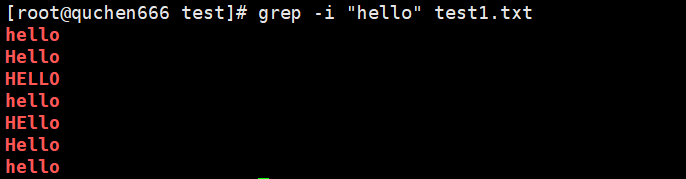
grep -i "hello" test1.txt
忽略大小写匹配
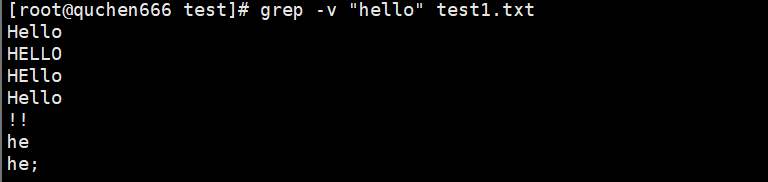
grep -v "hello" test1.txt
显示不包含hello的行
grep -c "hello" test1.txt
grep -vc "hello" test1.txt
显示包含-c和不包含-c的行数

grep -l "Hello" /root/test/*
列出 /root/test/中所有包含 hello 的文件名。

2.sed
流编辑器,用于文本替换和编辑。
3.awk:
强大的文本处理工具
权限管理
1.chmod
修改文件或目录的权限
2.chown
修改文件或目录的所有者
3.chgrp
修改文件或目录的所属组
其他
1.man
查看命令的帮助手册
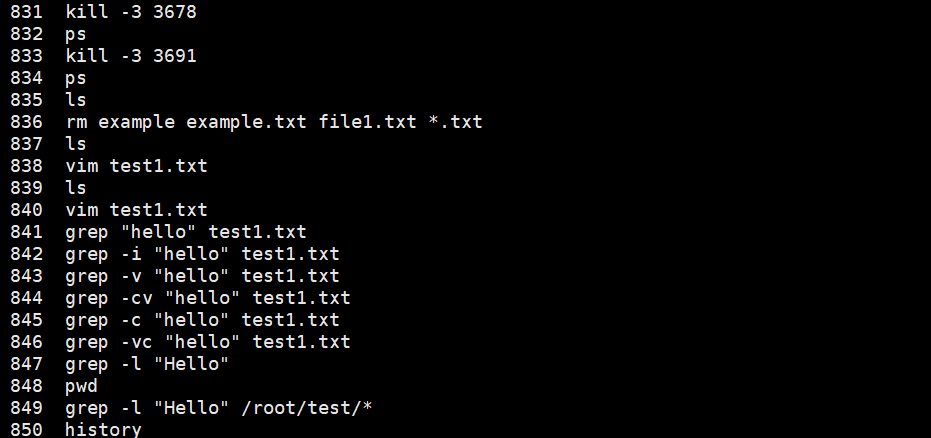
2.history
显示历史命令

 浙公网安备 33010602011771号