


伪静态配置
1. 引用UrlRewriter.dll组件(bin文件夹)
2.配置web.config
(1)在configuration节点下添加如下代码(死的):
<configSections>
    <section name="CustomConfiguration" type="URLRewriter.Config.UrlsSection, URLRewriter"/>
</configSections>
如图:
(2)配置URL规则(活的,供借鉴):
<CustomConfiguration>
<urls>
<add virtualUrl="([^-]+).html" destinationUrl="$1.aspx" /><!--没有参数-->
<add virtualUrl="([^-]+)-([^-]*).html" destinationUrl="$1.aspx?key1=$2" /><!--一个参数-->
<add virtualUrl="([^-]+)-([^-]*)-([^-]*).html" destinationUrl="$1.aspx?key1=$2&key2=$3" /><!--两个参数-->
<add virtualUrl="([^-]+)-([^-]*)-([^-]*)-([^-]*).html" destinationUrl="$1.aspx?key1=$2&key2=$3&key3=$4" /><!--三个参数-->
</urls>
</CustomConfiguration>如图: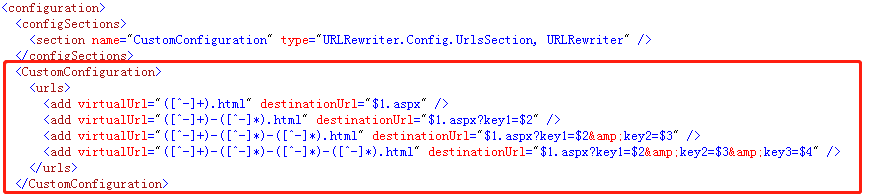
(3)在system.web下添加如下代码(死的):
 <httpModules>
      <add type="URLRewriter.RewriterModule, URLRewriter" name="RewriterModule" />
 </httpModules>
如图:
(4)system.webServer配置文件没有该节点的话之间添加(死的):
<system.webServer>
    <handlers>
      <add name="urlrewrite" path="*" verb="*" modules="IsapiModule" scriptProcessor="C:\Windows\Microsoft.NET\Framework64\v4.0.30319\aspnet_isapi.dll" resourceType="Unspecified" requireAccess="None" preCondition="classicMode,runtimeVersionv4.0,bitness64"/>
    </handlers>
 </system.webServer>
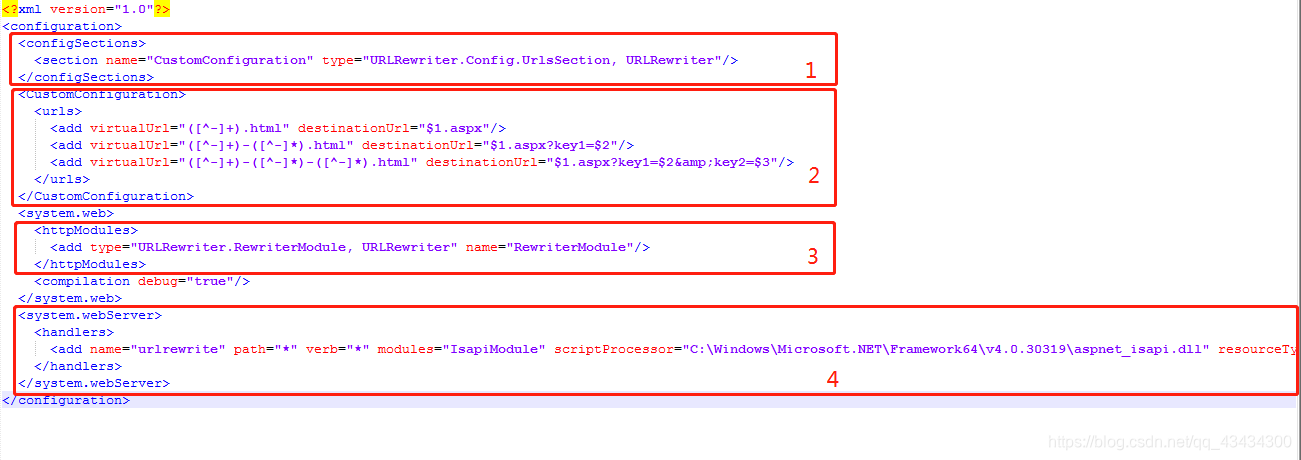
例:
3.测试:新建一个ceshi.aspx前台没有任何代码(俩参数的)
ceshi.aspx.cs代码如下:
using System;
using System.Collections.Generic;
using System.Web;
using System.Web.UI;
using System.Text.RegularExpressions;
using System.Text;
public partial class ceshi : System.Web.UI.Page
{
    protected void Page_Load(object sender, EventArgs e)
    {
        string key1 = Request.QueryString["key1"];
        string key2 = Request.QueryString["key2"];
        if (!string.IsNullOrEmpty(key1))
        {
            Response.Write("key1=" + key1);
        }
        if (!string.IsNullOrEmpty(key2))
        {
            Response.Write("<br>key2=" + key2);
        }
    }
}
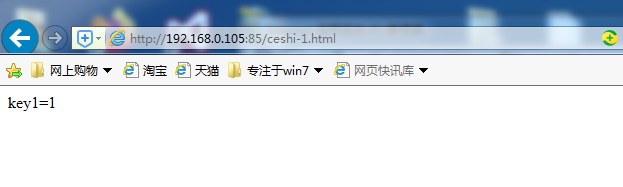
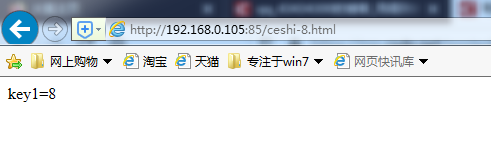
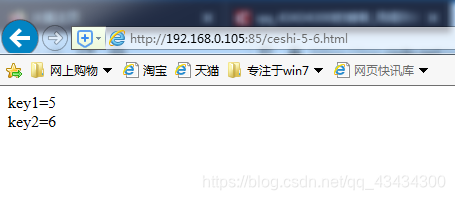
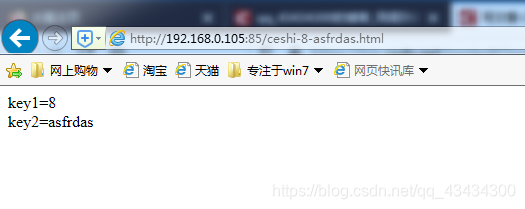
部署到IIS,默认文档设置ceshi.aspx:执行结果如图:
没有参数空白页面
一个参数:
俩参数:

 浙公网安备 33010602011771号