
uniapp小程序 uni.chooseImage生成临时地址转化为base64传递给后端
下插件 链接 https://ext.dcloud.net.cn/plugin?id=123
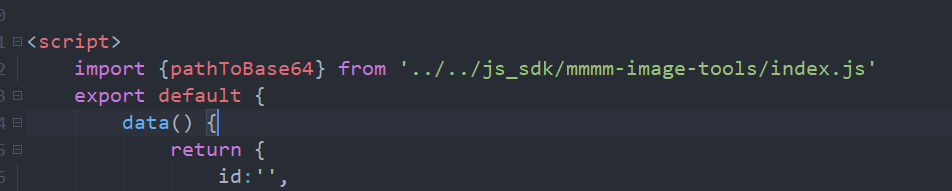
页面引入 import {pathToBase64} from '../../js_sdk/mmmm-image-tools/index.js'
1.html代码
<view class="picture" @click="upPhoto">
     <span v-if="imgUrl == ''">+</span>
     <image :src="imgUrl" style="width: 100%;height: 100%;" v-else></image>
</view>
2.js代码
      upPhoto(){
                uni.chooseImage({
                    count: 1,
                    sizeType: ['original', 'compressed'],
                    sourceType: ['album','camera'],
                    success: res => {
                        this.imgUrl = res.tempFilePaths[0]
                        uni.getImageInfo({
                            src: res.tempFilePaths[0],
                            success: (path) => {
                                pathToBase64(path.path).then(base64 => {
                                    this.imgUrl = base64
                                })
                                .catch(error => {
                                    console.error(error)
                                })
                            }
                        })
                    }
                });
      }
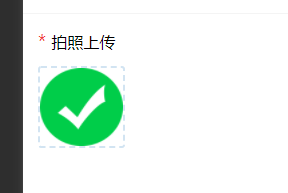
this.imgUrl = res.tempFilePaths[0]这句赋值是为了选中的图片在页面显示 如图
3.请求接口传给后台
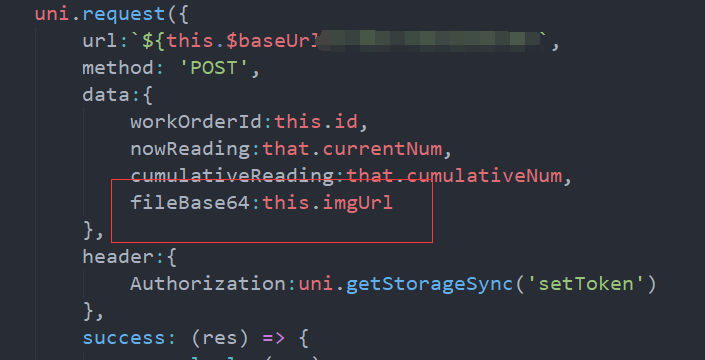
把地址给后台要的字段就可以了
打印出的base64地址是这样的 可以直接在浏览器打开
参考:https://blog.csdn.net/qq_43300979/article/details/124185460

 浙公网安备 33010602011771号