
idea中的项目提示No Python interpreter configured for the module
导入项目后,发现.py文件都提示“No Python interpreter configured for the module”
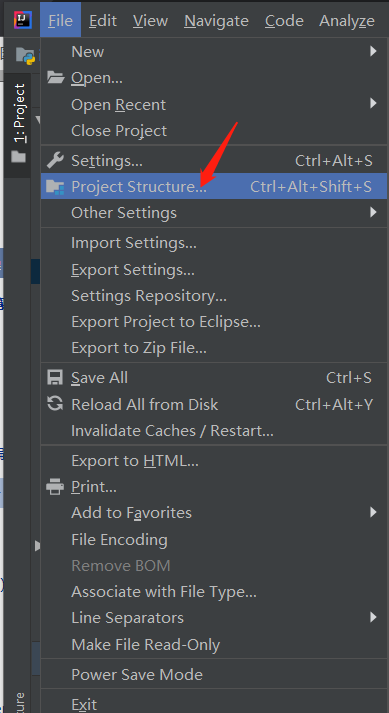
1、File --> Project Structure
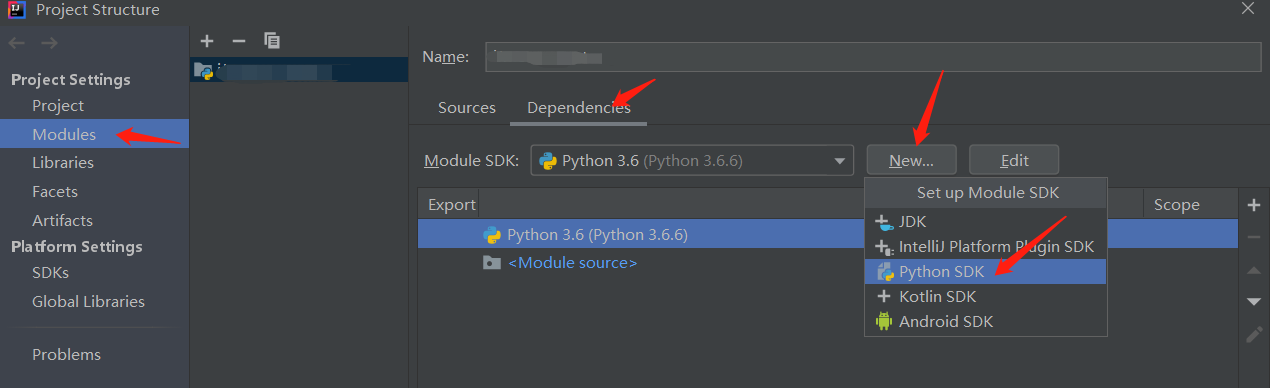
2、在Modules --> Dependencies --> New --> Python SDK
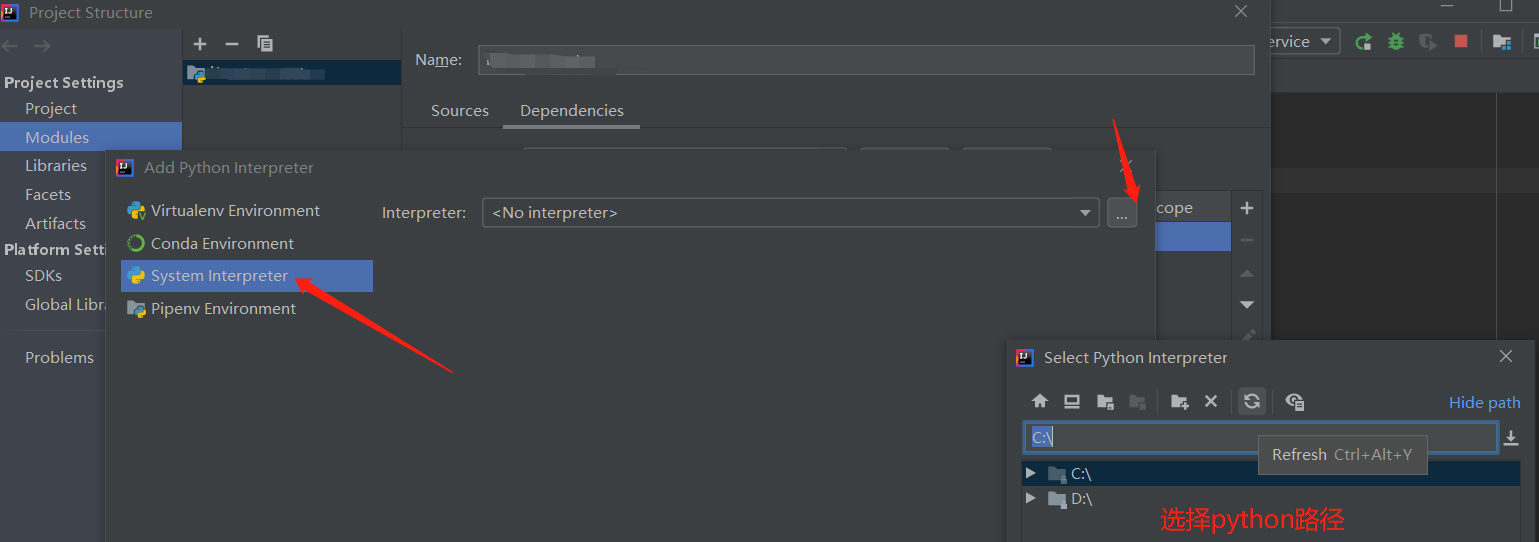
3、System Interpreter --> 点击Interpreter后的“...”图标选择python路径即可

 浙公网安备 33010602011771号