![]()
鼠标滑入切换图片,主要是学习鼠标进入时怎么知道方向问题。
<!DOCTYPE html>
<html lang="en">

<head>
    <meta charset="UTF-8">
    <meta http-equiv="X-UA-Compatible" content="IE=edge">
    <meta name="viewport" content="width=device-width, initial-scale=1.0">
    <title>Document</title>

    <style>
        * {
            margin: 0;
            padding: 0
        }

        .container .carousel {
            margin-top: 100px;
            margin-left: 500px;
            display: flex;
            position: relative;
            width: 500px;
            height: 300px;
        }

        .container .carousel .item img {
            height: 300px;
            width: 500px;
        }

        .hide {
            /* display: none; */
            opacity: 0%;
        }

        .container .item:nth-child(1) {
            position: absolute;
            left: -500px;
            top: 0px;
        }

        .container .item:nth-child(2) {
            position: absolute;
            left: 0;
            top: -300px;
        }

        .container .item:nth-child(4) {
            position: absolute;
            left: 500px;
            top: 0px;
        }

        .container .item:nth-child(5) {
            position: absolute;
            left: 0px;
            top: 300px;
        }

        @keyframes panoramic {

            50% {
                opacity: 90%;
            }

            100% {
                opacity: 100%;
            }
        }

        .left .item:nth-child(1) {
            z-index: 2;
            transform: translate(500px, 0px);
            transition: 2s;
            animation: panoramic 1s ease;
            animation-fill-mode: forwards;
        }

        .up .item:nth-child(2) {
            display: block;
            z-index: 2;
            transform: translate(0px, 300px);
            transition: 2s;
            animation: panoramic 1s ease;
            animation-fill-mode: forwards;
        }

        .right .item:nth-child(4) {
            display: block;
            z-index: 2;
            transform: translate(-500px, 0px);
            transition: 2s;
            animation: panoramic 1s ease;
            animation-fill-mode: forwards;
        }

        .down .item:nth-child(5) {
            display: block;
            z-index: 2;
            transform: translate(0px, -300px);
            transition: 2s;
            animation: panoramic 1s ease;
            animation-fill-mode: forwards;
        }
    </style>
</head>

<body>
    <div class="container">
        <div class="carousel">
            <div class="item hide"><img src="../vue/image/1087.jpg" alt=""></div>
            <div class="item hide"><img src="../vue/image/3046.jpg_wh300.jpg" alt=""></div>
            <div class="item" id="center"><img src="../vue/image/3247.jpg_wh300.jpg" alt=""></div>
            <div class="item hide"><img src="../vue/image/1091.jpg" alt=""></div>
            <div class="item hide"><img src="../vue/image/5041.jpg_wh300.jpg" alt=""></div>
        </div>
    </div>

    <script type="text/javascript">
        var _center = document.getElementById('center');
        let carousel = document.querySelector('.carousel');

        // 盒子的宽度
        // style.width 获取的是元素自身的宽度,不包括内边距,边框和外边距
        // clientWidth 获取的是元素自身的宽度+内边距, 但不包括边框和外边距

        var _width = _center.clientWidth;
        var _height = _center.clientHeight;

        // 元素的信息
        // console.log(_center.getBoundingClientRect());

        let rect = _center.getBoundingClientRect();

        // 夹角
        let theta = Math.atan(rect.height / rect.width);
        console.log(theta);

        _center.onmouseover = function (e) {
            // console.log(_width);
            // console.log(_height);
            // 正切,数学术语,在Rt△ABC(直角三角形)中,∠C=90°,AB是∠C的对边c,BC是∠A的对边a,AC是∠B的对边b,正切函数就是tanB=b/a,即tanB=AC/BC。

            //获取鼠标位置
            // var x = e.clientX;
            // var y = e.clientY;

            var x = e.offsetX;
            var y = e.offsetY;

            console.log('x=' + x);
            console.log('y=' + y);

            x = x - _width / 2;
            y = _height / 2 - y;

            // 反正切的夹角
            let d = Math.atan2(y, x);

            let dire;
            if (d < theta && d >= -theta) {
                console.log('我从右边进入了');
                dire = 'right';
            } else if (d >= theta && d < Math.PI - theta) {
                console.log('我从上面进入了');
                dire = 'up';
            } else if (d < -theta && d >= -(Math.PI - theta)) {
                console.log('我从下面进入了');
                dire = 'down';
            } else {
                console.log('我从左边进入了');
                dire = 'left';
            }

            carousel.classList.add(dire);
        }

        _center.onmouseout = function (event) {
            console.log('我移除了');
        };

        carousel.addEventListener('mouseleave', () => {
            carousel.className = 'carousel';
        })
    </script>
</body>

</html>


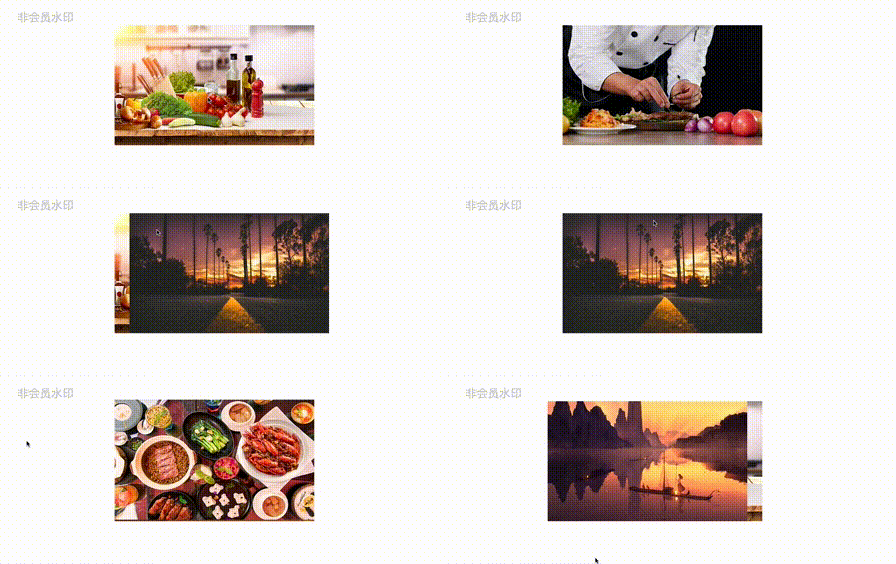 鼠标滑入切换图片,主要是学习鼠标进入时怎么知道方向问题。
 浙公网安备 33010602011771号