学号20242428《Python程序设计》实验四报告
课程:《Python程序设计》
班级: 2424
姓名: 虎岳
学号:20242428
实验教师:王志强
实验日期:2025年6月3日
必修/选修: 公选课
1.实验内容
本次结课大作业选择了编写爬虫的方向,用python程序实现从天气网站https://www.weather.com.cn/weather/101010100.shtml上爬取天气数据并且根据天气数据推测当天是否跑操。
本程序会爬取天气网站的数据如:气温,天气,空气污染指数以及是否有发布的天气预警。
再分析这些数据,得出是否跑操的结论。
- 实验过程及结果
本实验有两大难点,一是怎样应对网站的反爬虫机制,二是怎样将获取的网站数据进行提取并分析评估,从而得出是否跑操的正确结果,下面是敲写代码并运行的过程:
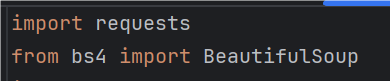
首先从最基本的爬虫爬取网站数据开始,安装request库用于发送http请求。
随后安装BeautifulSoup库用于解析HTML文档。
![]()
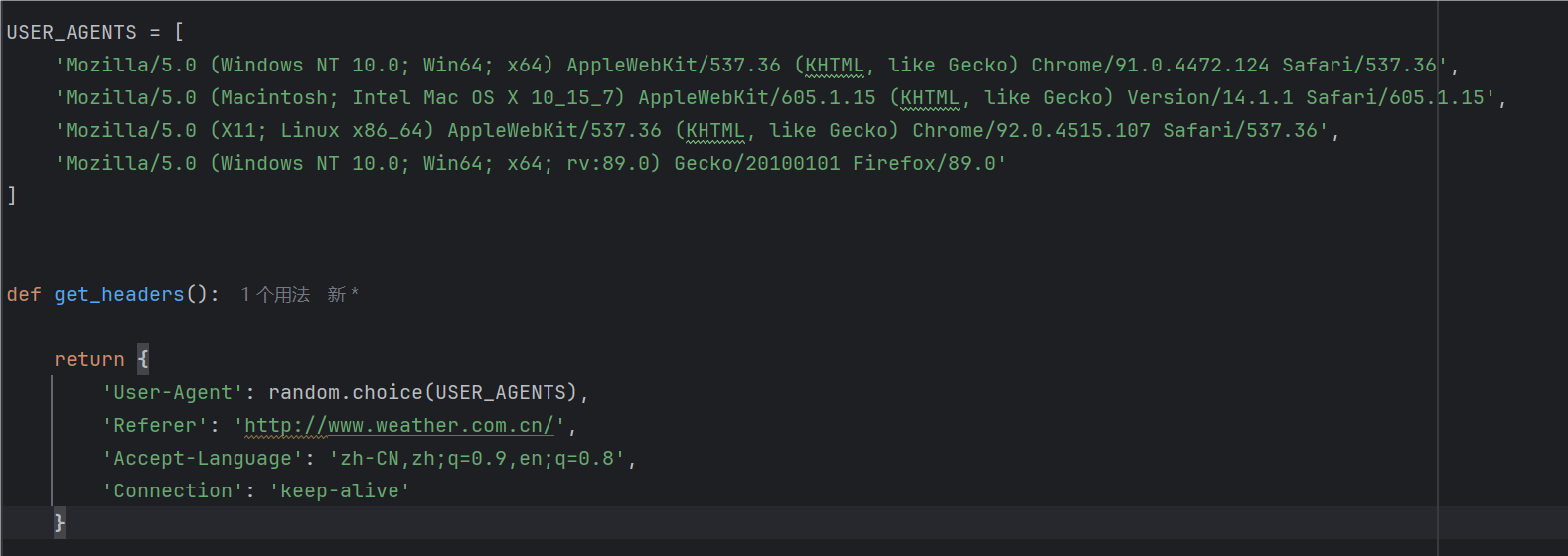
但是单纯的爬取常常会导致爬取失败,于是我询问ai,ai告诉我可以使用user agent进行处理,即模拟不同的操作系统和浏览器来达到以假乱真的效果,每次请求都选择随机User-Agent,同时用Referer:设置来源页面,模拟正常浏览行为,Accept-Language来指定接受的语言为中文,Connection来保持连接,提高效率。
至于对天气的数据提取分析,我询问ai,ai告诉我可以使用正则表达式来进行匹配,这样可以过滤掉我们不想要的信息,并且只提取出与关键词相匹配的元素来。
https://www.runoob.com/python/python-reg-expressions.html
在这个程序中,我查询了中国天气网对天气属性的命名规则并进行相应匹配,后面又对‘北京’进行关键词匹配,从而精确提取到我想要城市的天气数据,因此需要引用正则表达式库。
在完成这些后,我苦于如何检错,遂询问ai,进行报错检查相关代码的添加。
接下来是爬取函数的代码:
try:
headers = get_headers()
1. 获取天气预报数据
weather_url = "http://www.weather.com.cn/weather/101010100.shtml"
response = requests.get(weather_url, headers=headers, timeout=15)
response.raise_for_status() # 检查HTTP错误
response.encoding = 'utf-8'
soup = BeautifulSoup(response.text, 'html.parser')
解析当天天气数据
today_weather = soup.find('li', class_=re.compile(r'sky.skyid.lv'))
if not today_weather:
return "无法获取天气数据,网站结构可能已更新"
提取天气信息
weather_condition = today_weather.find('p', class_='wea').get_text().strip()
temperature = today_weather.find('p', class_='tem').get_text().strip()
2. 获取空气质量数据
aqi_url = "http://m.86pm25.com/city/beijing.html"
aqi_response = requests.get(aqi_url, headers=headers, timeout=15)
aqi_response.encoding = 'utf-8'
aqi_soup = BeautifulSoup(aqi_response.text, 'html.parser')
解析空气质量数据
aqi_element = aqi_soup.find('div', class_='aqivalue')
aqi = int(aqi_element.get_text().strip()) if aqi_element and aqi_element.get_text().strip().isdigit() else None
3. 获取天气预警信息
warning_url = "http://www.weather.com.cn/alarm/warninglist.shtml"
warning_response = requests.get(warning_url, headers=headers, timeout=15)
warning_response.encoding = 'utf-8'
warning_soup = BeautifulSoup(warning_response.text, 'html.parser')
检查北京地区预警
beijing_warnings = warning_soup.find_all('td', text=re.compile('北京'))
has_warning = len(beijing_warnings) > 0
4. 判断跑操条件
result = f"【{datetime.now().strftime('%Y-%m-%d %H:%M')} 北京天气】{weather_condition},气温: {temperature}"
if aqi is not None:
result += f",空气质量指数(AQI): {aqi}"
skip_reasons = []
检查天气状况
if any(keyword in weather_condition for keyword in ['雨', '雪', '雷', '雹', '雾', '霾']):
skip_reasons.append(f"天气不佳 ({weather_condition})")
检查空气质量
if aqi and aqi > 100:
skip_reasons.append(f"空气污染 (AQI: {aqi})")
检查天气预警
if has_warning:
warning_text = beijing_warnings[0].find_next('a').get_text().strip()
skip_reasons.append(f"天气预警: {warning_text}")
if skip_reasons:
result += "\n\n❌ 今日【不用跑操】原因:\n" + "\n".join(f"• {reason}" for reason in skip_reasons)
else:
result += "\n\n✅ 今日适合跑操,天气状况良好"
return result
except requests.exceptions.RequestException as e:
return f"网络请求错误: {str(e)}"
except Exception as e:
return f"处理天气数据时出错: {str(e)}"
为了增加爬取成功的概率,我在主程序中加入了重试机制,并递增每次重试的等待时间防止被网站识别。
if name == 'main':
max_retries = 3
result = None
for attempt in range(max_retries):
try:
result = get_beijing_weather()
print("\n" + "=" * 60)
print(result)
print("=" * 60)
break
except Exception as e:
if attempt < max_retries - 1:
wait_time = 5 * (attempt + 1)
time.sleep(wait_time)
if not result:
print("⚠️ 无法获取天气数据")
接下来是完整的代码:
import requests
from bs4 import BeautifulSoup
import re
from datetime import datetime
import random
USER_AGENTS = [
'Mozilla/5.0 (Windows NT 10.0; Win64; x64) AppleWebKit/537.36 (KHTML, like Gecko) Chrome/91.0.4472.124 Safari/537.36',
'Mozilla/5.0 (Macintosh; Intel Mac OS X 10_15_7) AppleWebKit/605.1.15 (KHTML, like Gecko) Version/14.1.1 Safari/605.1.15',
'Mozilla/5.0 (X11; Linux x86_64) AppleWebKit/537.36 (KHTML, like Gecko) Chrome/92.0.4515.107 Safari/537.36',
'Mozilla/5.0 (Windows NT 10.0; Win64; x64; rv:89.0) Gecko/20100101 Firefox/89.0'
]
def get_headers():
return {
'User-Agent': random.choice(USER_AGENTS),
'Referer': 'http://www.weather.com.cn/',
'Accept-Language': 'zh-CN,zh;q=0.9,en;q=0.8',
'Connection': 'keep-alive'
}
def get_beijing_weather():
"""获取北京天气数据并进行分析"""
try:
headers = get_headers()
1. 获取天气预报数据
weather_url = "http://www.weather.com.cn/weather/101010100.shtml"
response = requests.get(weather_url, headers=headers, timeout=15)
response.raise_for_status() # 检查HTTP错误
response.encoding = 'utf-8'
soup = BeautifulSoup(response.text, 'html.parser')
解析当天天气数据
today_weather = soup.find('li', class_=re.compile(r'sky.skyid.lv'))
if not today_weather:
return "无法获取天气数据,网站结构可能已更新"
提取天气信息
weather_condition = today_weather.find('p', class_='wea').get_text().strip()
temperature = today_weather.find('p', class_='tem').get_text().strip()
2. 获取空气质量数据
aqi_url = "http://m.86pm25.com/city/beijing.html"
aqi_response = requests.get(aqi_url, headers=headers, timeout=15)
aqi_response.encoding = 'utf-8'
aqi_soup = BeautifulSoup(aqi_response.text, 'html.parser')
解析空气质量数据
aqi_element = aqi_soup.find('div', class_='aqivalue')
aqi = int(aqi_element.get_text().strip()) if aqi_element and aqi_element.get_text().strip().isdigit() else None
3. 获取天气预警信息
warning_url = "http://www.weather.com.cn/alarm/warninglist.shtml"
warning_response = requests.get(warning_url, headers=headers, timeout=15)
warning_response.encoding = 'utf-8'
warning_soup = BeautifulSoup(warning_response.text, 'html.parser')
检查北京地区预警
beijing_warnings = warning_soup.find_all('td', text=re.compile('北京'))
has_warning = len(beijing_warnings) > 0
4. 判断跑操条件
result = f"【{datetime.now().strftime('%Y-%m-%d %H:%M')} 北京天气】{weather_condition},气温: {temperature}"
if aqi is not None:
result += f",空气质量指数(AQI): {aqi}"
skip_reasons = []
检查天气状况
if any(keyword in weather_condition for keyword in ['雨', '雪', '雷', '雹', '雾', '霾']):
skip_reasons.append(f"天气不佳 ({weather_condition})")
检查空气质量
if aqi and aqi > 100:
skip_reasons.append(f"空气污染 (AQI: {aqi})")
检查天气预警
if has_warning:
warning_text = beijing_warnings[0].find_next('a').get_text().strip()
skip_reasons.append(f"天气预警: {warning_text}")
if skip_reasons:
result += "\n\n❌ 今日【不用跑操】原因:\n" + "\n".join(f"• {reason}" for reason in skip_reasons)
else:
result += "\n\n✅ 今日适合跑操,天气状况良好"
return result
except requests.exceptions.RequestException as e:
return f"网络请求错误: {str(e)}"
except Exception as e:
return f"处理天气数据时出错: {str(e)}"
if name == 'main':
max_retries = 3
result = None
for attempt in range(max_retries):
try:
result = get_beijing_weather()
print("\n" + "=" * 60)
print(result)
print("=" * 60)
break
except Exception as e:
if attempt < max_retries - 1:
wait_time = 5 * (attempt + 1)
time.sleep(wait_time)
if not result:
print("⚠️ 无法获取天气数据")
(2)运行调试结果如下:
关于本程序的使用演示过程,本人使用obs进行了录制,并将视频文件放在了百度网盘里,在报告中仅上传结果截图。

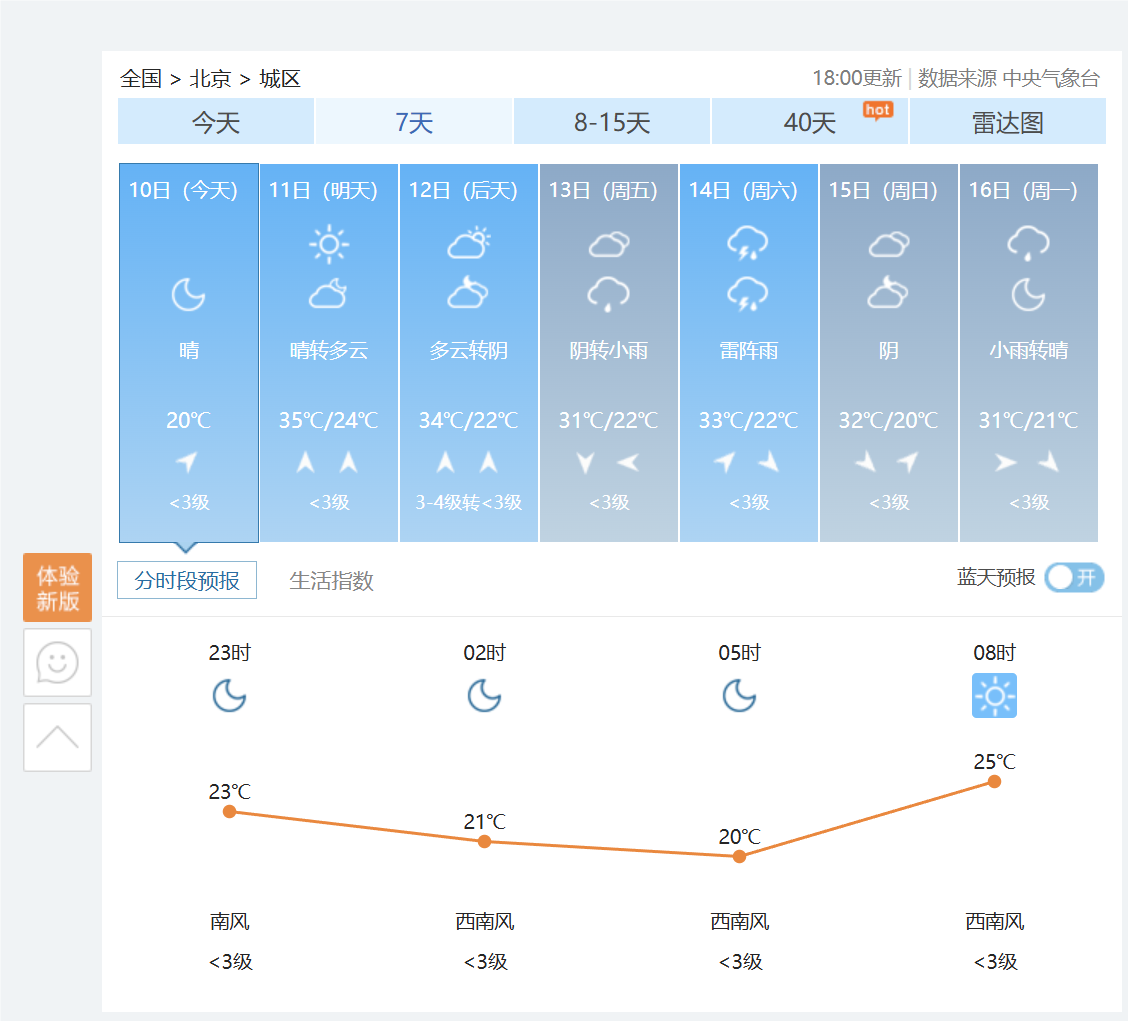
这是此时在网站上的截图,与结果相同:
视频百度网盘链接如下:
通过网盘分享的文件:2025-06-11 02-04-22.mp4
链接: https://pan.baidu.com/s/15-H3T-6kusnUnsl1dCQx5g?pwd=1111 提取码: 1111
(3)将代码托管到码云
https://gitee.com/Q1uShan233/qiushan/commit/9181eaa2edfea09a0b88b3a0da865f88eed0e5e8
3、课程感悟
当初报这门课的初衷是看着网络上有很多为爱发电的人写出了很多为爱发电的程序供人免费试用,以一己之力打破了各种收费软件的垄断,也让年幼的我触碰到新世界的大门,于是我也想要成为这种为爱发电的人,恰好看到选修课程中有python这门课,再一看老师,尽然是活泼可爱帅气阳光的王老师,于是满心欢喜地抢了这门课。但是课程后,我发现python并没有我想的那么有意思,原来那些网络英雄也经历了各种学习的枯燥,再加上有时必修课的压力较大,而我属于那种又笨又菜又懒的人,有时便不好好听讲,但是上课不停的惩罚每次都在写实验报告时精准砸在了我头上,我也很想遂便找个同学抄袭实验报告或者交给ai一了百了,但是我的内心告诉我这不行,如果是这样的话我报这门课便没有了意义,于是我就想,一定要学点什么,不然抢了这课不学还不如让想学但是没抢到的同学来上,于是我便花时间补上课上没听的东西,问ai,问同学,问会为止,严重的拖延症有时也让我叫苦不迭,甚至忘记实验报告的提交时间,就像这次一样,但是我真的想好好完成每一次实验报告。这门课结课了,虽然学的不好,让我写程序一时半会也写不出个所以然,但是这门课让我认识了一种强大的语言,让我发现了那些神奇的网络上的技术并没有那么神秘,更教会了我一种思维习惯,思维模式,平常编程中对于各种库的调用也让我明白了智慧的请求他人帮助,使用前人铺好的垫脚石往往能事半功倍。
参考文献:王老师的python课ppt
https://blog.csdn.net/qq_21933615/article/details/81171951
https://blog.csdn.net/weixin_43347550/article/details/105158003
https://docs.pingcode.com/ask/1021123.html

 浙公网安备 33010602011771号