Linux环境下更换镜像源的方法【CentOS7】
1、先安装wget 执行命令 yum install -y wget
|
[root@localhost ~]# yum install -y wget |
2、查询国内镜像源 —— 打开阿里镜像http://mirrors.aliyun.com/ —— 找到当前Linux系统对应的版本
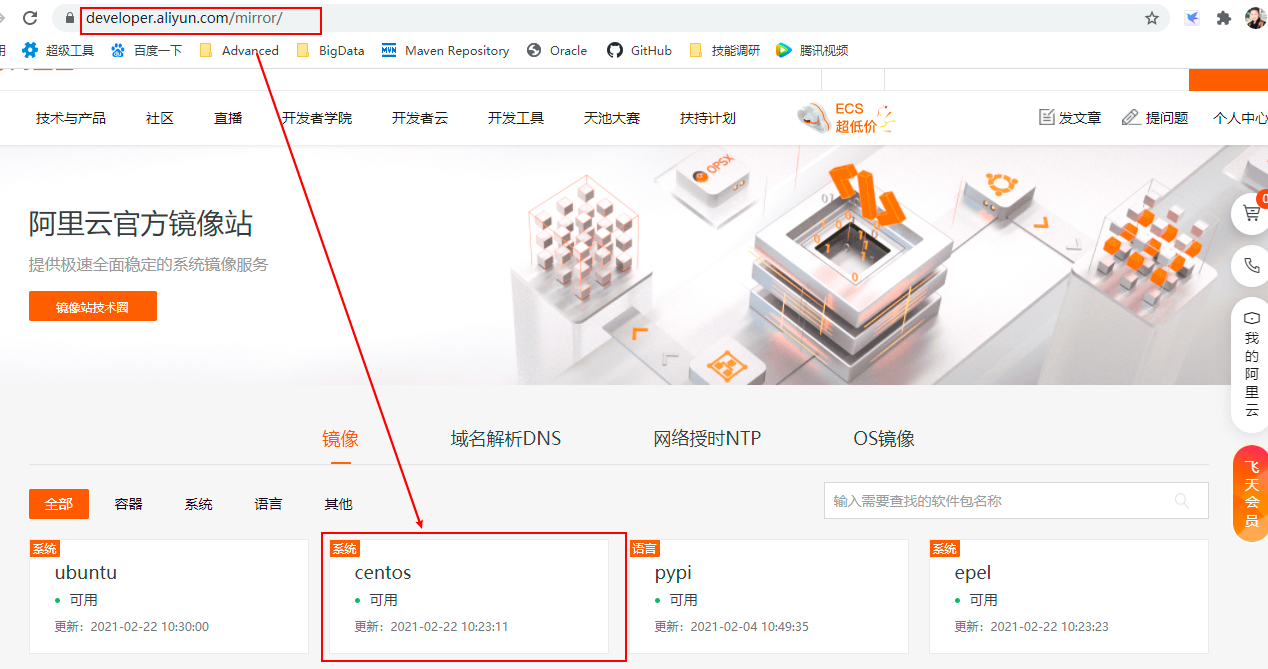
3、找到当前CentOS的版本
https://developer.aliyun.com/mirror/centos?spm=a2c6h.13651102.0.0.3e221b117C03OM
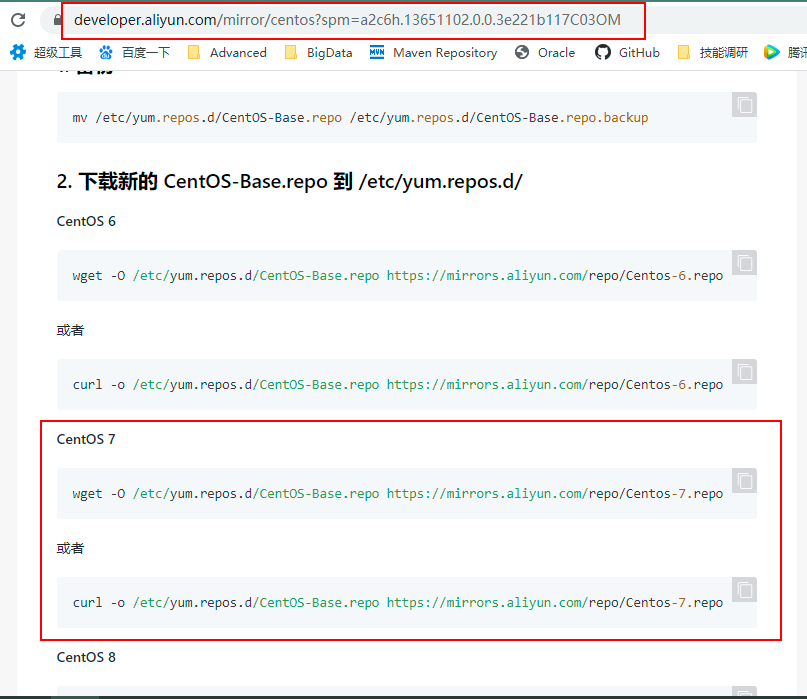
4、下载CentOS 7的repo文件
|
wget -O /etc/yum.repos.d/CentOS-Base.repo http://mirrors.aliyun.com/repo/Centos-7.repo |
5、更新镜像源
|
#清除缓存 |
6、启动EPEL软件源
|
7、至此结束!!!

 浙公网安备 33010602011771号