Vue3快速上手
- 参考网址:
https://blog.csdn.net/m0_61990598/article/details/147904319
- 首先更新
Node.js版本
# 查看已安装的版本
nvm list
# 查看可用的版本
nvm list available

nvm install 22.12.0
nvm use 22.12.0
- npm install
- App.vue: 项目根组件 // 展示项目启动页面
- Main.js: 项目入口文件
- 其他结构看文档
// src.components.Demo.vue

<script>
export default {
  name: "Demo",
  data(){
    return {
      greeting: "Hello,Demo!",
      count:0
    }
  },
  methods:{
    changeGreeting(){
      this.count++
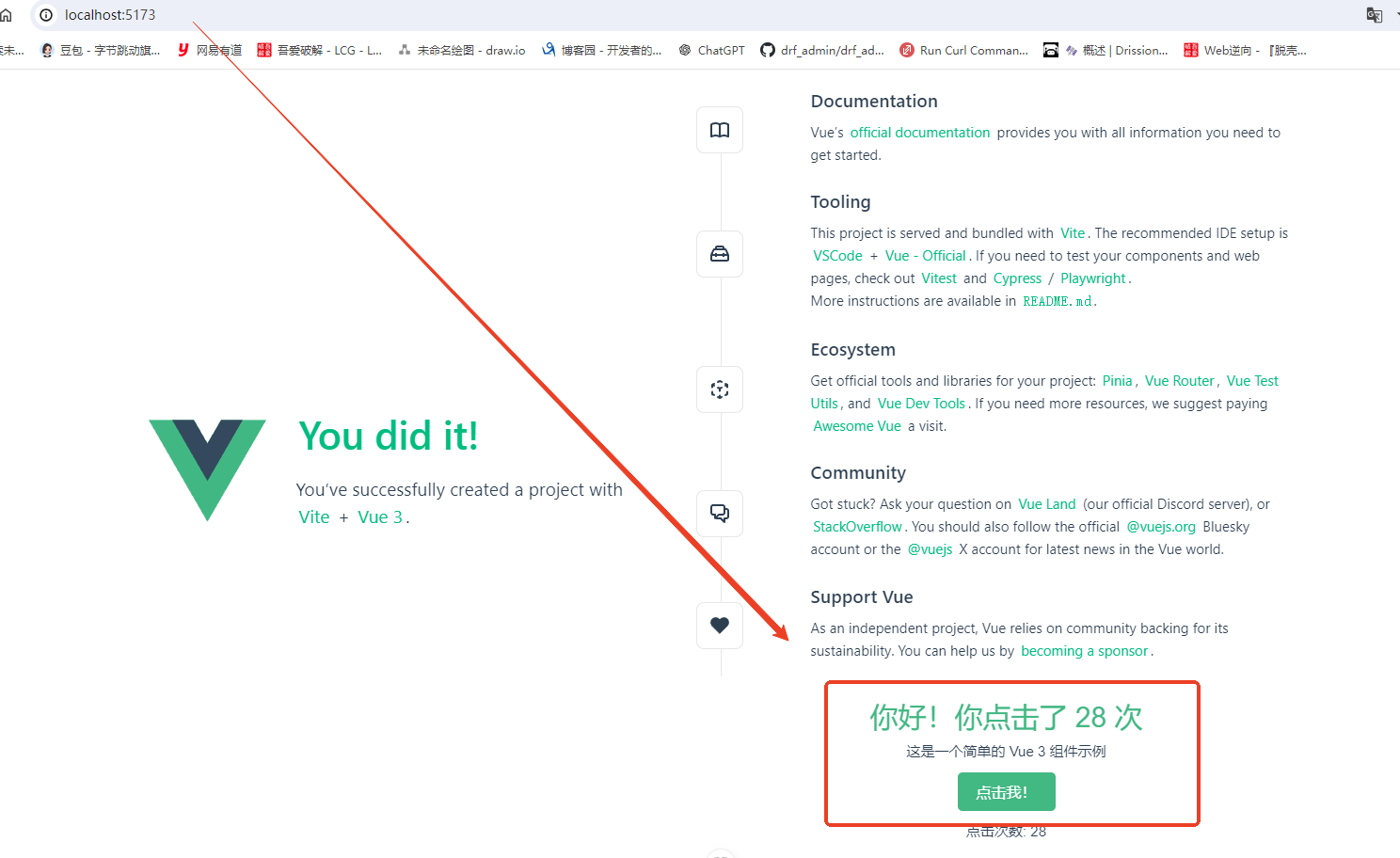
      this.greeting = `你好!你点击了 ${this.count} 次`
    }

  }
}
</script>

<template>
  <div class="hello">
    <h1>{{ greeting }}</h1>
    <p>这是一个简单的 Vue 3 组件示例</p>
    <button @click="changeGreeting">点击我!</button>
    <p>点击次数: {{ count }}</p>
  </div>
</template>

<style scoped>
.hello {
  text-align: center;
  padding: 20px;
  font-family: Arial, sans-serif;
}

h1 {
  color: #42b883;
}

button {
  background-color: #42b883;
  color: white;
  border: none;
  padding: 10px 20px;
  border-radius: 5px;
  cursor: pointer;
  font-size: 16px;
  margin: 10px;
}

button:hover {
  background-color: #369870;
}
</style>


// App.vue挂载该组件

<script setup>
import HelloWorld from './components/HelloWorld.vue'
import TheWelcome from './components/TheWelcome.vue'
import Demo from './components/Demo.vue' // 引入该组件
</script>

<template>
  <header>
    ......
  </header>

  <main>
    <TheWelcome />
    <Demo /> <!--挂载-->
  </main>
</template>

<style scoped>
......
</style>


 浙公网安备 33010602011771号