
UGUI父物体根据子物体大小改变
起源于下图这个三角叹号:

解决方法:
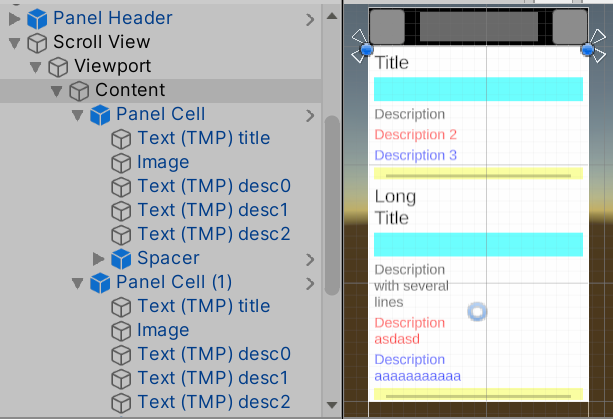
Scroll View
--Viewport
----Content
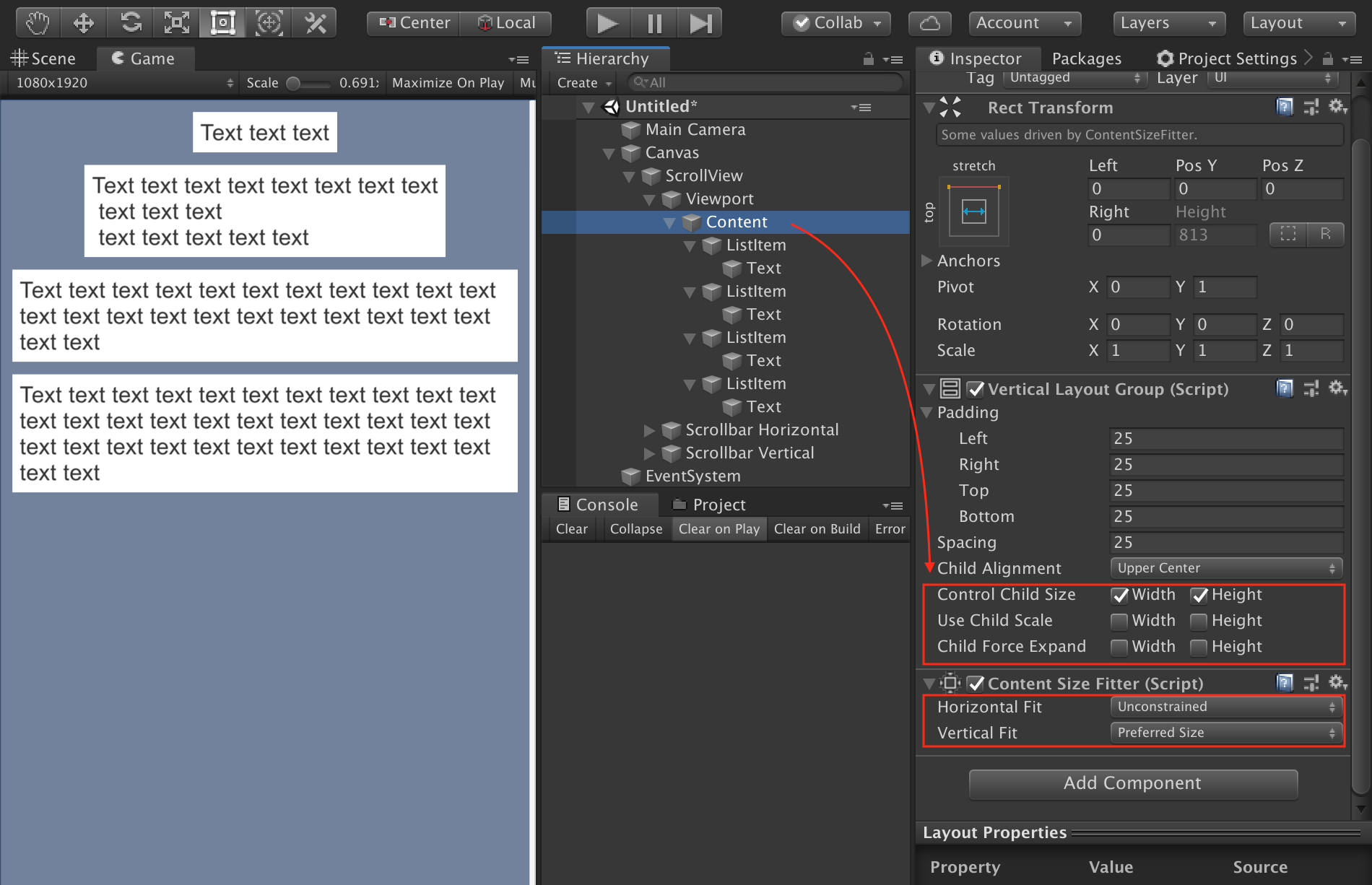
    [Content Size Fitter]
      Vertical Fit: Preferred Size
    [Vertical Layout Group]
      Control Child Size: W/H
      Child Force Expand: W/H
------Prefab
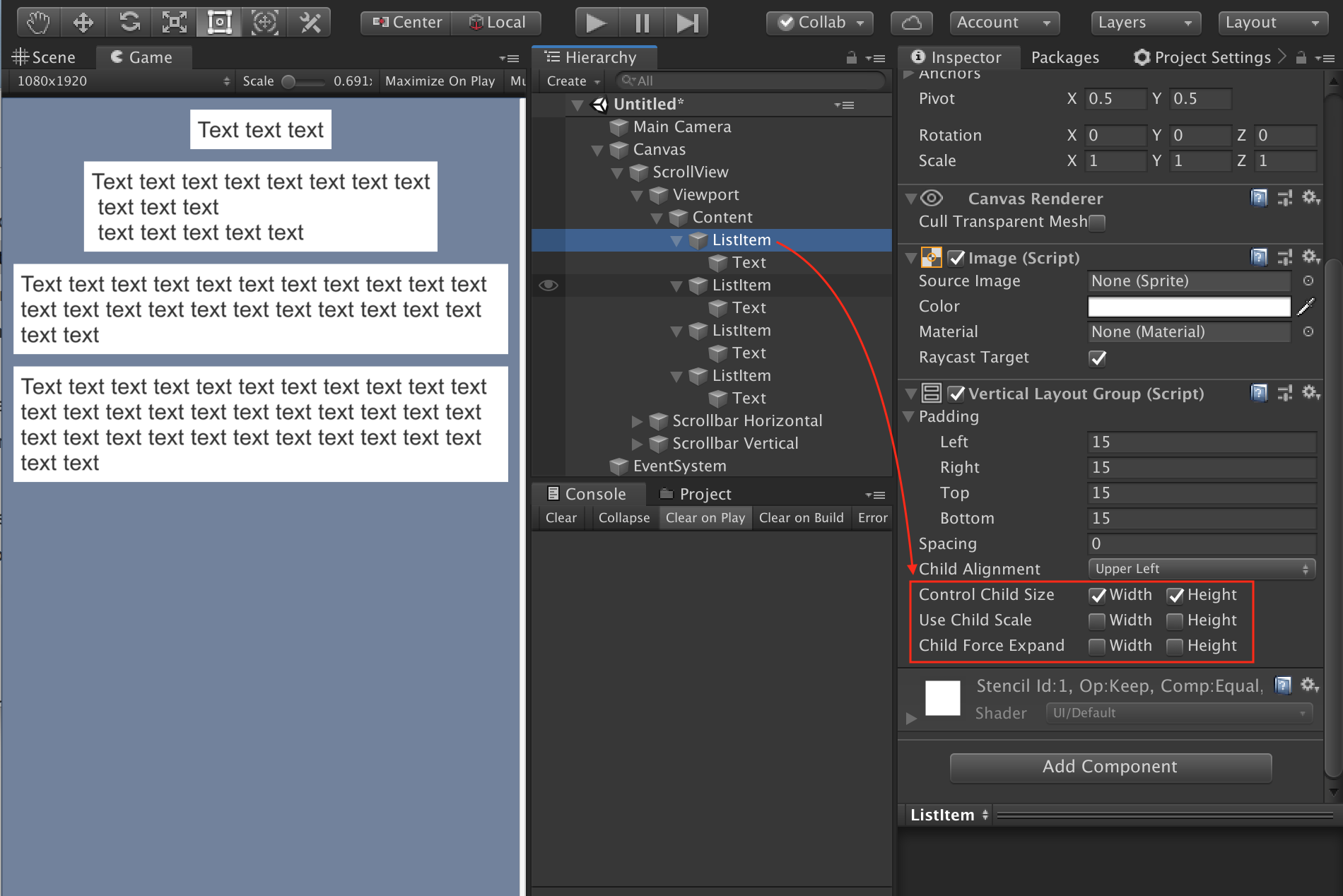
      [Vertical Layout Group]
        Control Child Size: W/H
        Child Force Expand: W/H
--------TMP
--------Image
          [Layout Element]
            Min Height:20
--------TMP
--------TMP
--------TMP
来源于链接25楼:https://forum.unity.com/threads/layout-group-and-contentsizefitter-in-child.343082/
Making UI elements fit the size of their content | Unity UI | 2.0.0 (unity3d.com)
实现max width: https://forum.unity.com/threads/solved-help-with-layout-element-constraint.671068/
1. On the "Content" object, on Vertical Layout Group, select Control Child Size: Width and Height, leave everything else un-selected. On the Content Size Fitter, set horizontal to un-constrained and vertical to preferred size:
2. On each list item (MsgPrefab in your case) add a Vertical Layout Group and set it to the same as the Content object (Control Child Size: Width and Height):
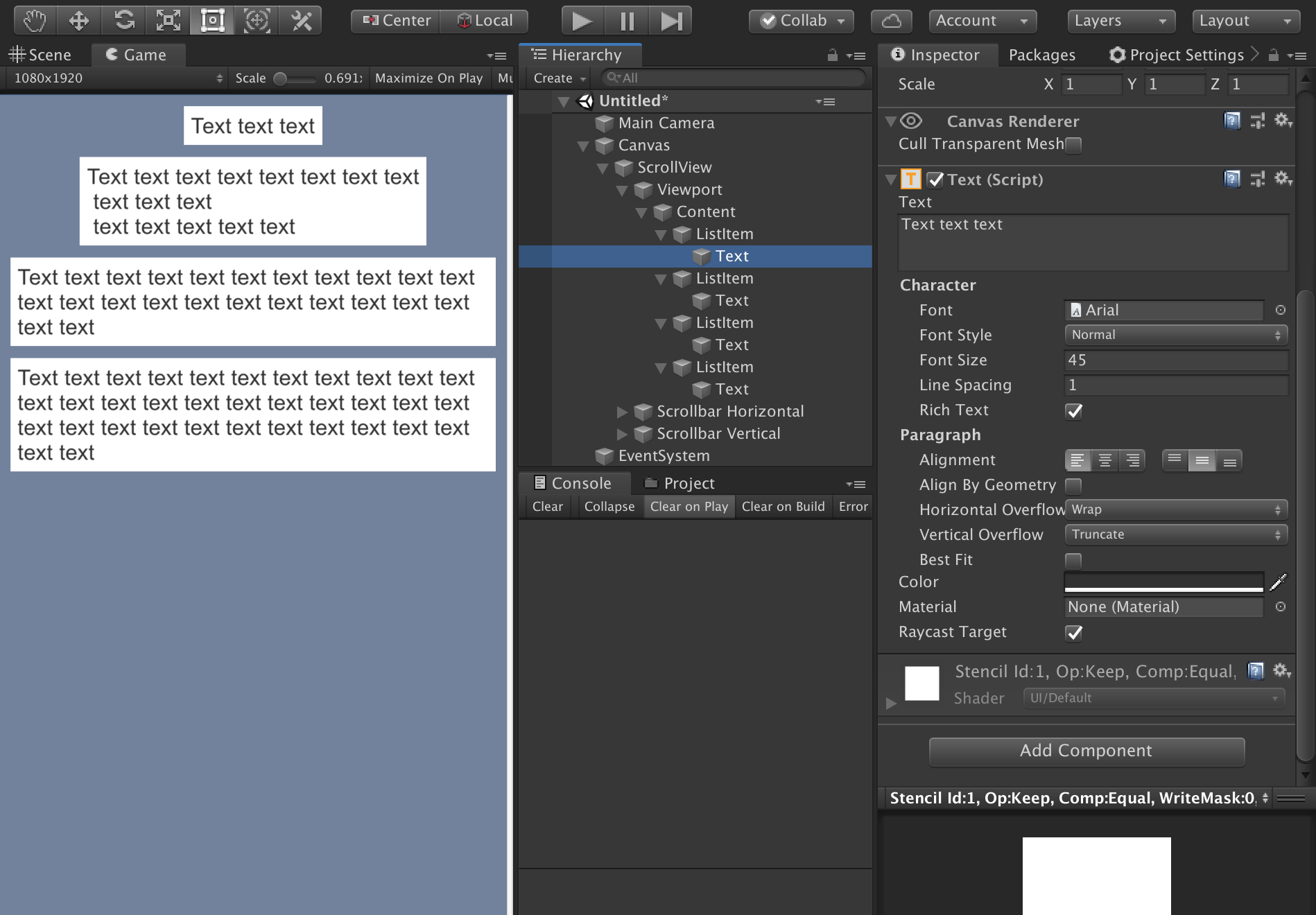
3. Remove any layout components from the Text object:

 浙公网安备 33010602011771号