

本地启用server
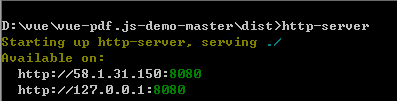
在开发测试过程中, 有时候需要本地打开已经打包的前端文件, 可以使用http-server.
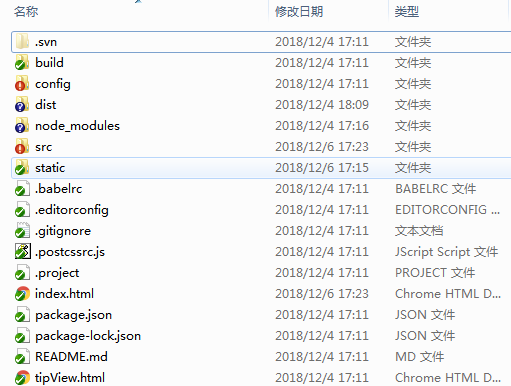
我这里使用wepack+vue项目, 打开打包后dist文件.
1. 管理员身份全局安装: npm install http-server -g
2. 找到你的文件夹,在当前文件夹下打开命令行,输入http-server,默认启动8080端口.
如果是要运行rentalhousing文件夹中的index.html, 则打开rentalhousing, 命令窗口运行http-server.
启用成功:
注意: npm run build如果写死的路径, 例如:
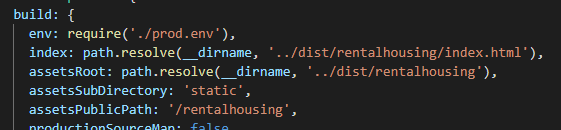
则需要在外层文件夹运行:
 ,
,
如果以上操作不能打开, 请尝试一下操作:
1. 管理员权限安装http-server:

2.在http://**.*.**.**:8080后面加/index.html
报错解决:
[Fri Mar 18 2022 10:53:56 GMT+0800 (GMT+08:00)] "GET /" "Mozilla/5.0 (Windows NT 6.1; Win64; x64) AppleWebKit/537.36 (KHTML, like Gecko) Chrome/99.0.4844.51 Safari/537.36"
C:\Users\Mia\AppData\Roaming\nvm\v10.15.3\node_modules\http-server\lib\core\index.js:246
stream = Readable.from(bytes)
^
TypeError: Readable.from is not a function
at serve (C:\Users\Mia\AppData\Roaming\nvm\v10.15.3\node_modules\http-server
\lib\core\index.js:246:29)
at fs.stat (C:\Users\Mia\AppData\Roaming\nvm\v10.15.3\node_modules\http-serv
er\lib\core\index.js:419:13)
at FSReqWrap.oncomplete (fs.js:154:5)
因为http-serve为最新版本(14.1.0),本来安装的node版本不匹配,我使用了nvm切换了node版本(13.9.0),就可以了

 浙公网安备 33010602011771号