


odoo 向qweb report中传递上下文context
在打印报表的时候发现没法将context传入到qweb模板中,有时候又需要用到临时的变量来做判断:
调整js代码如下:
    /**
     * Generates an object containing the report's urls (as value) for every
     * qweb-type we support (as key). It's convenient because we may want to use
     * another report's type at some point (for example, when `qweb-pdf` is not
     * available).
     *
     * @param {Object} action
     * @returns {Object}
     */
    _makeReportUrls: function (action) {
        var reportUrls = {
            html: '/report/html/' + action.report_name,
            pdf: '/report/pdf/' + action.report_name,
            text: '/report/text/' + action.report_name,
        };
        // We may have to build a query string with `action.data`. It's the place
        // were report's using a wizard to customize the output traditionally put
        // their options.
        if (_.isUndefined(action.data) || _.isNull(action.data) ||
            (_.isObject(action.data) && _.isEmpty(action.data))) {
            if (action.context.active_ids) {
			//我改了这里
                var activeIDsPath = '/' + action.context.active_ids.join(',')+'?context='+encodeURIComponent(JSON.stringify(action.context));
                reportUrls = _.mapObject(reportUrls, function (value) {
                    return value += activeIDsPath;
                });
            }
        } else {
            var serializedOptionsPath = '?options=' + encodeURIComponent(JSON.stringify(action.data));
            serializedOptionsPath += '&context=' + encodeURIComponent(JSON.stringify(action.context));
            reportUrls = _.mapObject(reportUrls, function (value) {
                return value += serializedOptionsPath;
            });
        }
        return reportUrls;
    },
改了这部分js 之后,就可以直接使用context里边的值了
比如我的context为:
{"lang":"en_US","tz":"Canada/Pacific","uid":232,"params":{"id":22677,"action":545,"model":"res.partner","view_type":"form","menu_id":366},"active_model":"res.partner","search_disable_custom_filters":true,"active_id":22677,"active_ids":[22677],"date_end":"2021-10-04"}
那么要在qweb中获取date_end 的值:
<span t-esc="date_end"/>
效果:


另外:
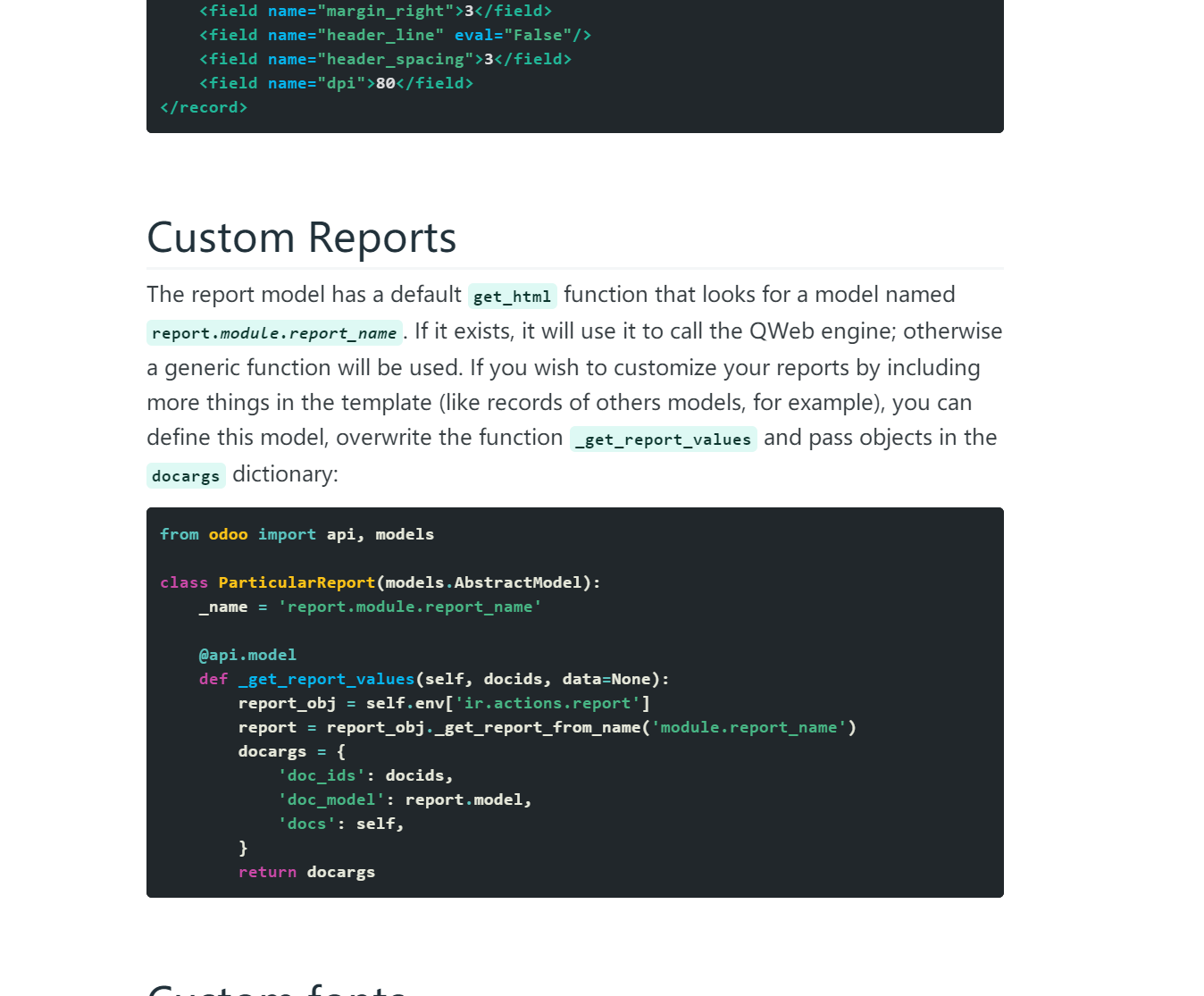
在odoo 的源码中可以看出,odoo 还有另一种方式来生成报表,只要在report_action方法中传入data参数,请求的地址就会发生改变,并且会回传context 和option参数到后端,可以参考产品路线的报表,这种方式比较复杂,需要设置一个report开头的瞬态模型.官方也有解释:
更新一下:
pdf打印的上下文要从context中获取,即context.get('date_end')
本文来自博客园,作者:那时一个人,转载请注明原文链接:https://www.cnblogs.com/qianxunman/p/15380752.html

 浙公网安备 33010602011771号