
springboot +vue2.x实现音乐网站
1 pom文件
<?xml version="1.0" encoding="UTF-8"?>
<project xmlns="http://maven.apache.org/POM/4.0.0" xmlns:xsi="http://www.w3.org/2001/XMLSchema-instance"
         xsi:schemaLocation="http://maven.apache.org/POM/4.0.0 https://maven.apache.org/xsd/maven-4.0.0.xsd">
    <modelVersion>4.0.0</modelVersion>
    <parent>
        <groupId>org.springframework.boot</groupId>
        <artifactId>spring-boot-starter-parent</artifactId>
        <version>2.7.10</version>
        <relativePath/> <!-- lookup parent from repository -->
    </parent>
    <groupId>com.example</groupId>
    <artifactId>music</artifactId>
    <version>0.0.1-SNAPSHOT</version>
    <name>music</name>
    <description>Demo project for Spring Boot</description>
    <properties>
        <java.version>8</java.version>
    </properties>
    <dependencies>
        <dependency>
            <groupId>org.springframework.boot</groupId>
            <artifactId>spring-boot-starter-web</artifactId>
        </dependency>
        <dependency>
            <groupId>org.springframework.boot</groupId>
            <artifactId>spring-boot-starter-jdbc</artifactId>
        </dependency>
        <dependency>
            <groupId>org.apache.commons</groupId>
            <artifactId>commons-lang3</artifactId>
        </dependency>
        <!-- https://mvnrepository.com/artifact/com.alibaba/fastjson -->
        <dependency>
            <groupId>com.alibaba</groupId>
            <artifactId>fastjson</artifactId>
            <version>2.0.23</version>
        </dependency>

        <dependency>
            <groupId>org.mybatis.spring.boot</groupId>
            <artifactId>mybatis-spring-boot-starter</artifactId>
            <version>3.0.0</version>
        </dependency>
        <dependency>
            <groupId>com.alibaba</groupId>
            <artifactId>druid</artifactId>
            <version>1.1.24</version>
        </dependency>
        <dependency>
            <groupId>org.springframework.boot</groupId>
            <artifactId>spring-boot-devtools</artifactId>
            <scope>runtime</scope>
            <optional>true</optional>
        </dependency>
        <dependency>
            <groupId>com.mysql</groupId>
            <artifactId>mysql-connector-j</artifactId>
            <scope>runtime</scope>
        </dependency>
        <dependency>
            <groupId>org.projectlombok</groupId>
            <artifactId>lombok</artifactId>
            <optional>true</optional>
        </dependency>
        <dependency>
            <groupId>org.springframework.boot</groupId>
            <artifactId>spring-boot-starter-test</artifactId>
            <scope>test</scope>
        </dependency>
    </dependencies>

    <build>
        <plugins>
            <plugin>
                <groupId>org.springframework.boot</groupId>
                <artifactId>spring-boot-maven-plugin</artifactId>
                <configuration>
                    <executable>true</executable>
                    <fork>true</fork>
                    <excludes>
                        <exclude>
                            <groupId>org.projectlombok</groupId>
                            <artifactId>lombok</artifactId>
                        </exclude>
                    </excludes>
                </configuration>
            </plugin>
        </plugins>
    </build>

</project>
2 application.properties
server.port=8888
spring.datasource.driver-class-name=com.mysql.cj.jdbc.Driver
spring.datasource.url=jdbc:mysql://localhost:3306/user?serverTimezone=GMT%2B8&useSSL=false&useUnicode=true&characterEncoding=UTF-8
spring.datasource.username=root
spring.datasource.password="131412"
spring.datasource.type=com.alibaba.druid.pool.DruidDataSource
spring.profiles.active=dev  #配置当前环境为开发环境
3 前端设置

分别执行
npm i --save
npm run dev
游览器能正常打开页面便成功
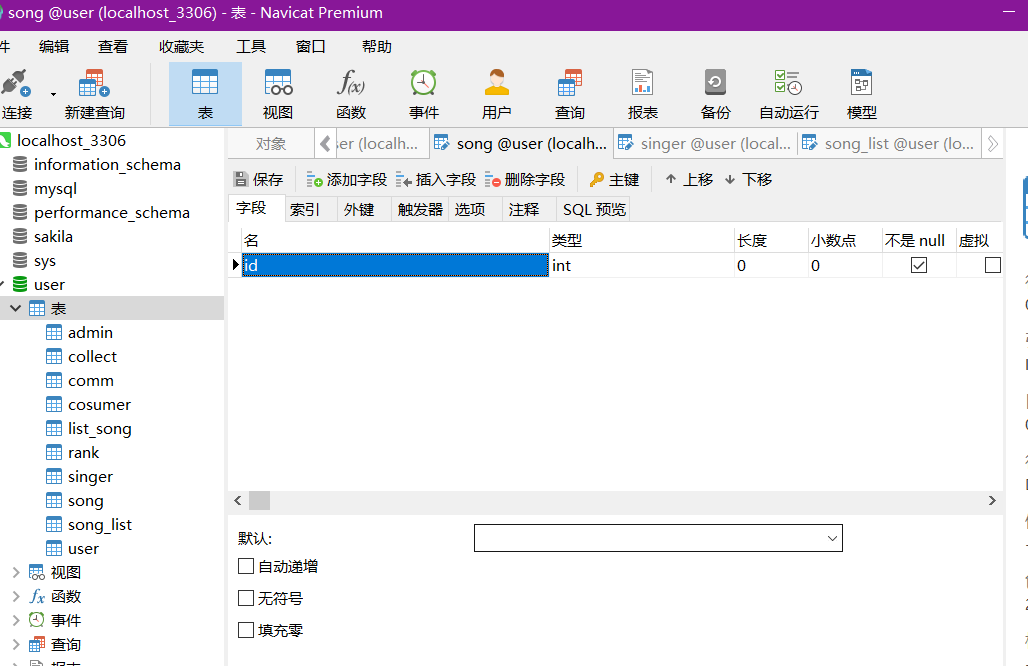
4创建表
5解决跨域问题
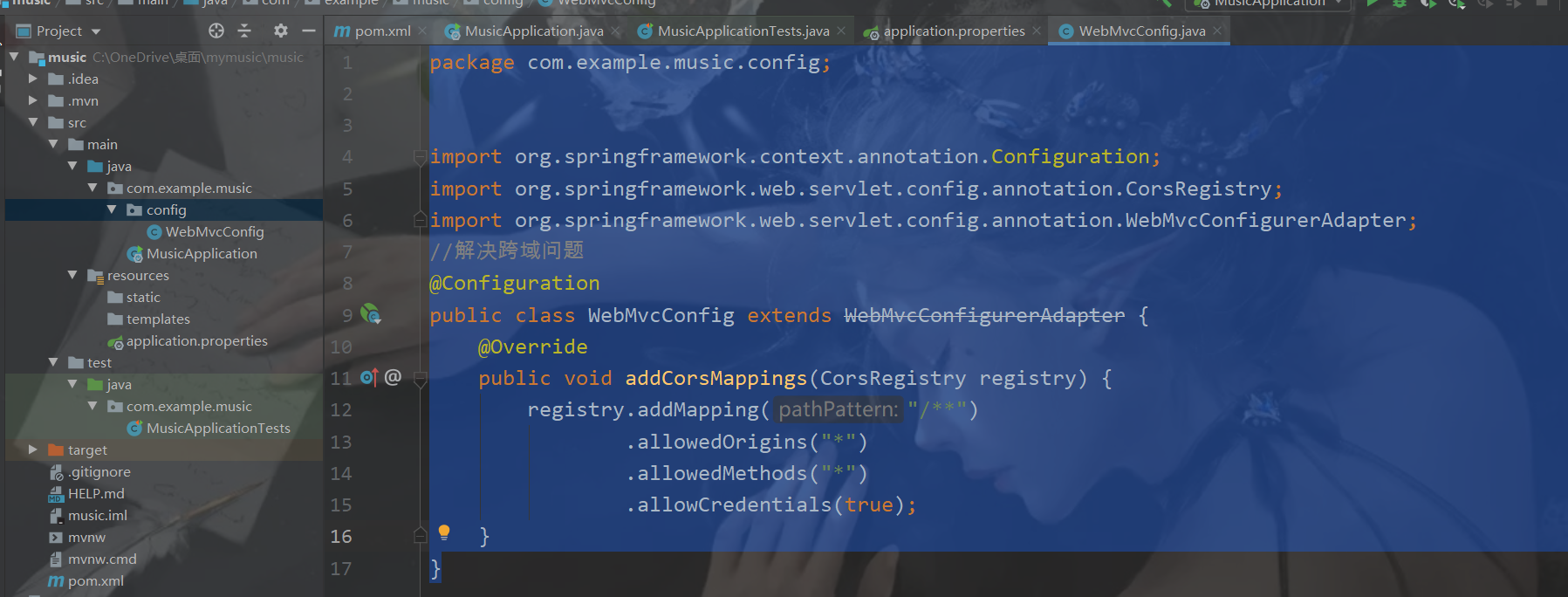
package com.example.music.config;


import org.springframework.context.annotation.Configuration;
import org.springframework.web.servlet.config.annotation.CorsRegistry;
import org.springframework.web.servlet.config.annotation.WebMvcConfigurerAdapter;
//解决跨域问题
@Configuration
public class WebMvcConfig extends WebMvcConfigurerAdapter {
    @Override
    public void addCorsMappings(CorsRegistry registry) {
        registry.addMapping("/**")
                .allowedOrigins("*")
                .allowedMethods("*")
                .allowCredentials(true);
    }
}
6 后端 用户登录adminlogin
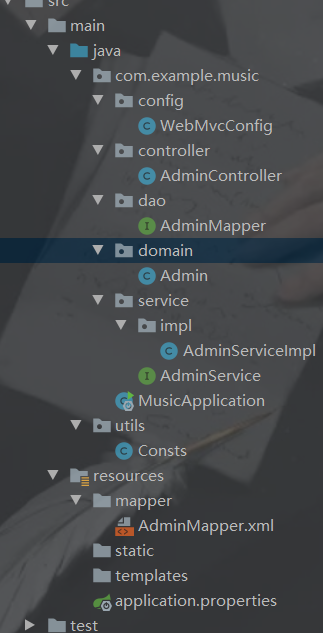
1 目录结构
2 domain
package com.example.music.domain;


import lombok.Data;
@Data
public class Admin {
    private Integer id;
    private String name;
    private String password;

}
3dao层
package com.example.music.dao;

        import com.example.music.domain.Admin;
        import org.springframework.stereotype.Repository;

@Repository
@Mapper
public interface AdminMapper { int deleteByPrimaryKey(Integer id); int insert(Admin record); int insertSelective(Admin record); Admin selectByPrimaryKey(Integer id); int updateByPrimaryKeySelective(Admin record); int updateByPrimaryKey(Admin record); int verifyPassword(String username, String password); }
4service
package com.example.music.service;

public interface AdminService {
   public boolean veritypasswd(String name, String password);
}
service.impl
package com.example.music.service.impl;

import com.example.music.dao.AdminMapper;
import com.example.music.service.AdminService;
import org.springframework.beans.factory.annotation.Autowired;
import org.springframework.stereotype.Service;

@Service
public class AdminServiceImpl implements AdminService {

    @Autowired
    private AdminMapper adminMapper;

    @Override
    public boolean veritypasswd(String name, String password) {

        return adminMapper.verifyPassword(name, password)>0?true:false;
    }
}
5Controller
package com.example.music.controller;
import com.alibaba.fastjson.JSONObject;
import com.example.music.service.impl.AdminServiceImpl;
import org.springframework.beans.factory.annotation.Autowired;
import org.springframework.stereotype.Controller;
import org.springframework.web.bind.annotation.RequestMapping;
import org.springframework.web.bind.annotation.RequestMethod;
import org.springframework.web.bind.annotation.ResponseBody;
import org.springframework.web.bind.annotation.RestController;
import utils.Consts;

import javax.servlet.http.HttpServletRequest;
import javax.servlet.http.HttpSession;

@RestController
@Controller
public class AdminController {
    @Autowired
    private AdminServiceImpl adminService;
    //    判断是否登录成功
    @ResponseBody
    @RequestMapping(value = "/admin/login/status", method = RequestMethod.POST)
    public Object loginStatus(HttpServletRequest req, HttpSession session){
        JSONObject jsonObject = new JSONObject();
        String name = req.getParameter("name");
        String password = req.getParameter("password");
        boolean res = adminService.veritypasswd(name, password);
        if (res) {
            jsonObject.put(Consts.CODE, 1);
            jsonObject.put(Consts.MSG, "登录成功");
            session.setAttribute(Consts.NAME, name);
            return jsonObject;
        } else {
            jsonObject.put(Consts.CODE, 0);
            jsonObject.put(Consts.MSG, "用户名或密码错误");
            return jsonObject;
        }

    }
}
6resources.mapper.AdminMapper.xml
<?xml version="1.0" encoding="UTF-8"?>
<!DOCTYPE mapper PUBLIC "-//mybatis.org//DTD Mapper 3.0//EN" "http://mybatis.org/dtd/mybatis-3-mapper.dtd">
<mapper namespace="com.example.music.dao.AdminMapper">
    <resultMap id="BaseResultMap" type="com.example.music.domain.Admin">
<!--property是domain中的参数        -->
        <id column="id" jdbcType="INTEGER" property="id" />
        <result column="name" jdbcType="VARCHAR" property="name" />
        <result column="password" jdbcType="VARCHAR" property="password" />
    </resultMap>
    <sql id="Base_Column_List">
        id, name, password
    </sql>
<!--写一个查询 resultType是返回值类型 #{0}是第一个参数 #{1} 是第二个参数-->
    <select id="verifyPassword" resultType="java.lang.Integer">
    SELECT count(*) FROM admin where name = #{0} and password = #{1} ;
  </select>
</mapper>
7工具类
package utils;
//常量
public class Consts {
//    登录名
    public static  final  String NAME="name";
//返回码
    public static  final  String CODE="code";
//    返回信息
public static  final  String MSG="msg";
}
8一个大坑
前后端启动后前端8080端口访问后端8888端口
报错: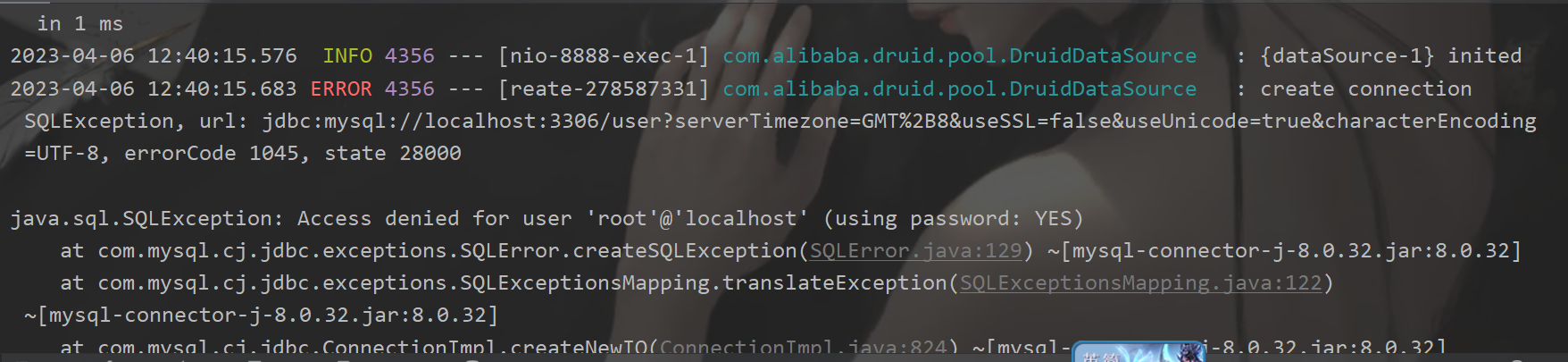
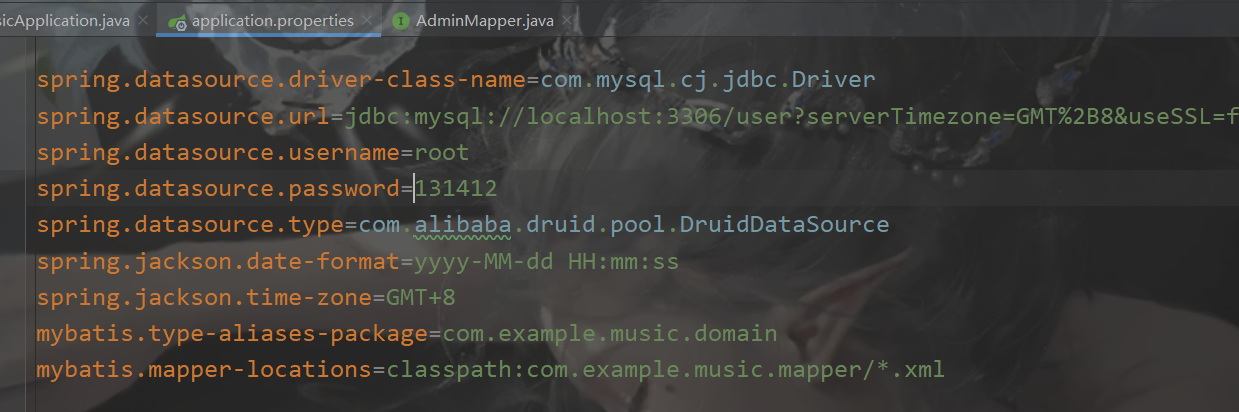
原因:数据库配置文件中密码加了单引号或者双引号 如:"131412" '131412'
解决:去掉引号即可
9 坑
一般是xml文件配置有问题
报错:
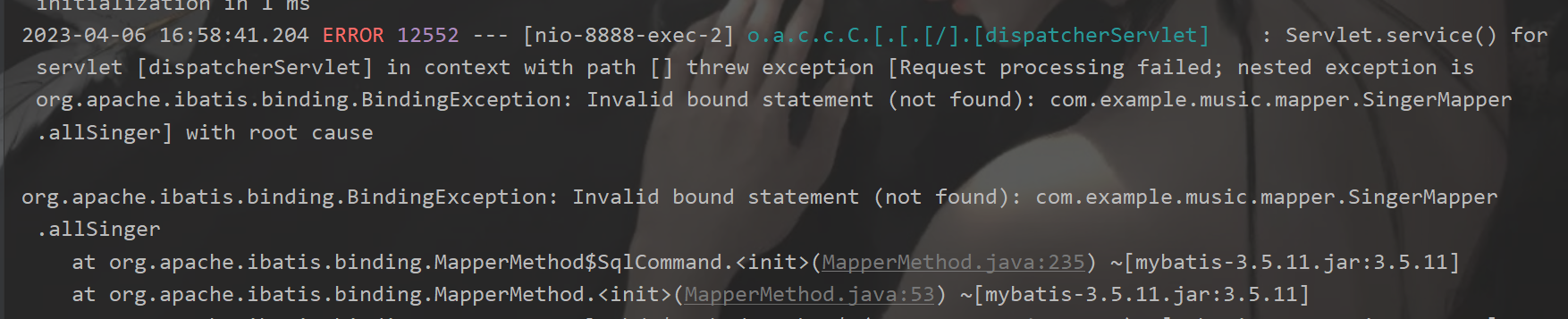
原因:找不到正确的xml文件配置
解决:
1
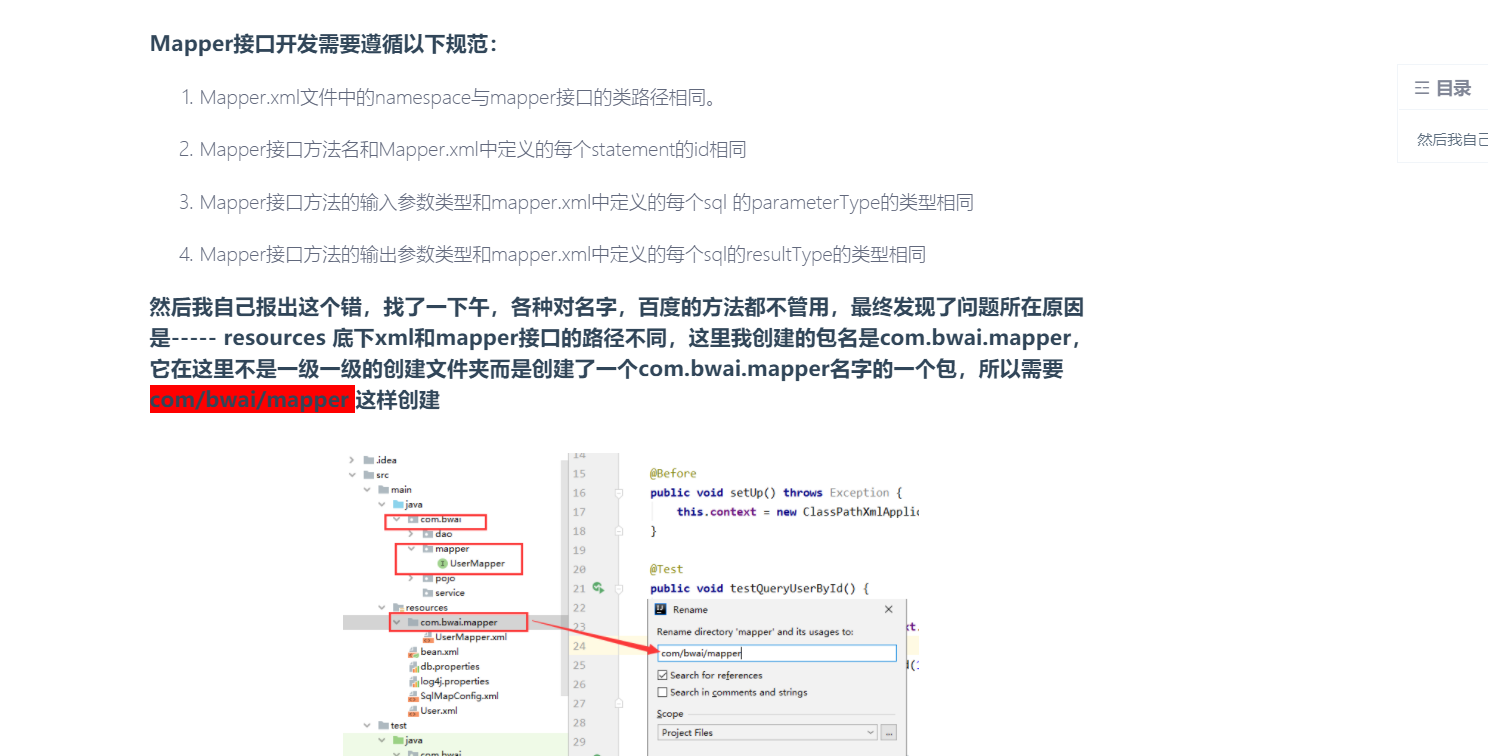
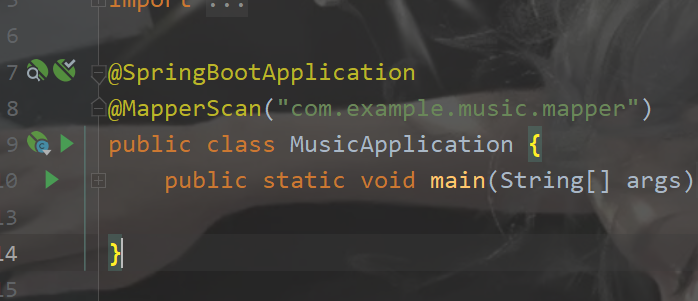
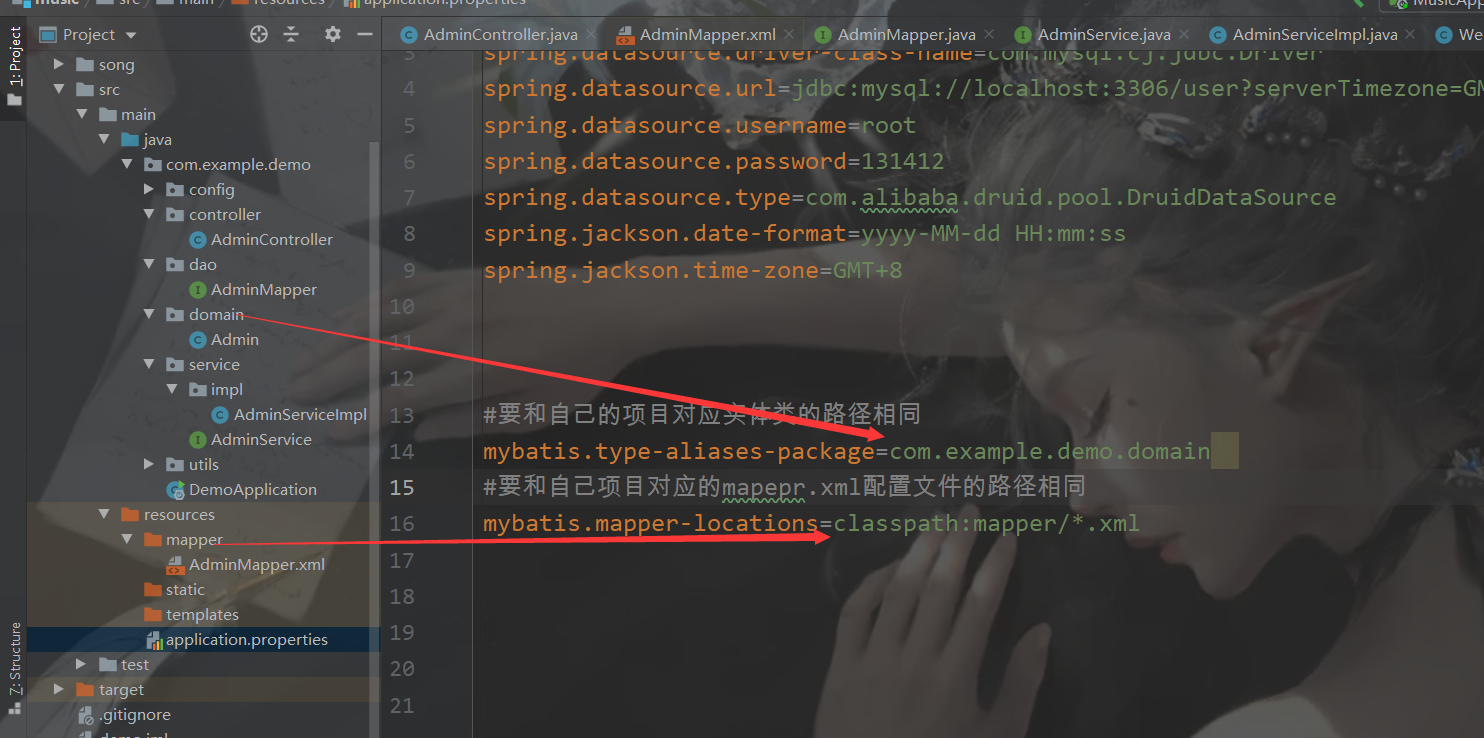
如果mapper和resoures中mapper包名和层级不一样,那么需要在主启动类扫描mapper包,
2 application.properties配置有问题,如下为正确
10 坑

解决:1去掉@Param
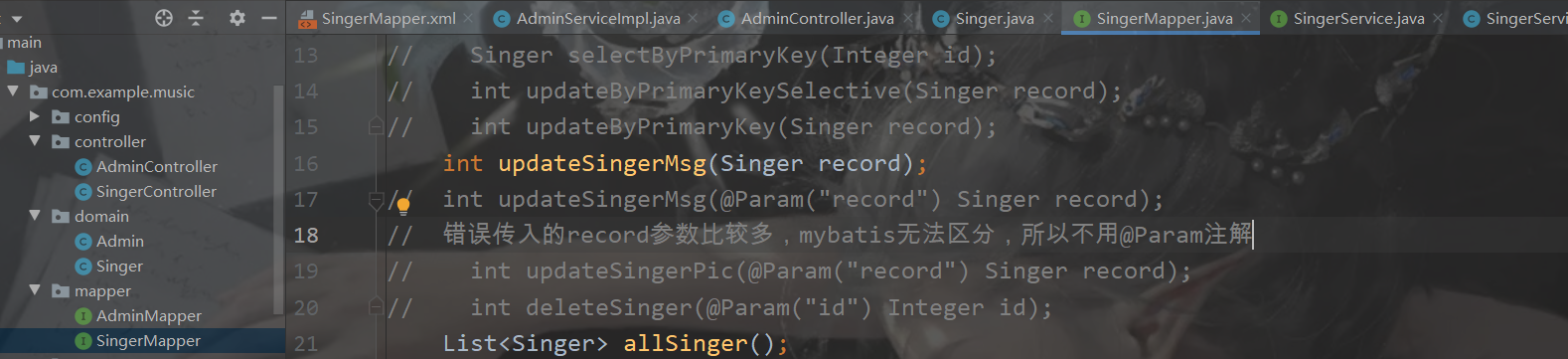
2 对应mapper.XML配置有问题
<?xml version="1.0" encoding="UTF-8"?>
<!DOCTYPE mapper PUBLIC "-//mybatis.org//DTD Mapper 3.0//EN" "http://mybatis.org/dtd/mybatis-3-mapper.dtd">
<mapper namespace="com.example.demo.dao.AdminMapper">
  <resultMap id="BaseResultMap" type="com.example.demo.domain.Admin">
    <!--property是domain中的参数        -->
    <id column="id" jdbcType="INTEGER" property="id" />
    <result column="name" jdbcType="VARCHAR" property="name" />
    <result column="password" jdbcType="VARCHAR" property="password" />
  </resultMap>
  <sql id="Base_Column_List">
        id, name, password
    </sql>
  <!--写一个查询 resultType是返回值类型 #{0}是第一个参数 #{1} 是第二个参数这是错的-->
<!--需要改成 #{username}是第一个参数 #{password} 是第二个参数  username和password是dao层中对应接口中的 参数-->
<!-- 以下对应这里的参数 int verifyPassword(@Param("username")String username, @Param("password")String password);-->
  <select id="verifyPassword" resultType="java.lang.Integer">
    SELECT count(*) FROM admin where name = #{username} and password = #{password} ;
  </select>
</mapper>
11坑
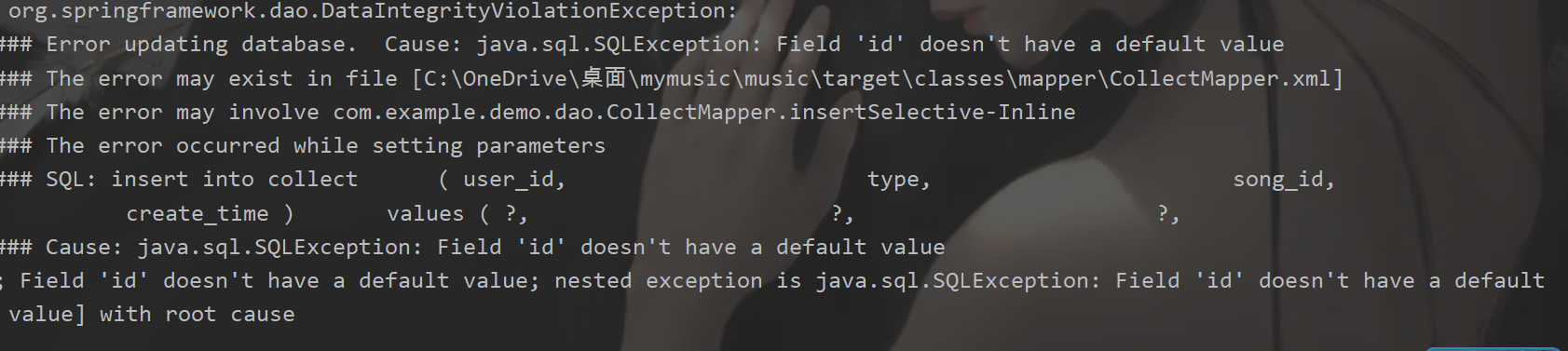
解决:对应表的主键设置成自动递增即可
12坑

解决:到controller层中删除对应的trim()即可
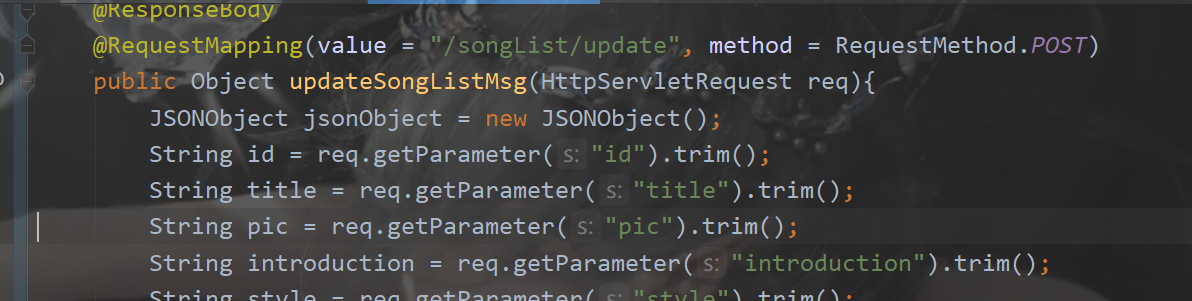
修改后

 浙公网安备 33010602011771号