<!DOCTYPE html>
<html lang="en">
<head>
  <meta charset="UTF-8">
  <meta http-equiv="X-UA-Compatible" content="IE=edge">
  <meta name="viewport" content="width=device-width, initial-scale=1.0">
  <title>Demo</title>
  <!-- 引入 css -->
  <link href="https://cdn.jsdelivr.net/npm/@wangeditor/editor@latest/dist/css/style.css" rel="stylesheet">
  <!-- 引入 js -->
  <script src="https://cdn.jsdelivr.net/npm/@wangeditor/editor@latest/dist/index.min.js"></script>
  <script src="https://cdn.jsdelivr.net/npm/richtext-parse-to-unity-egret"></script>
</head>
<body style="padding: 60px">
  <div style="z-index:999">
    <div id="div2"></div>
    <div id="div1" style="height: 500px;"></div>
  </div>


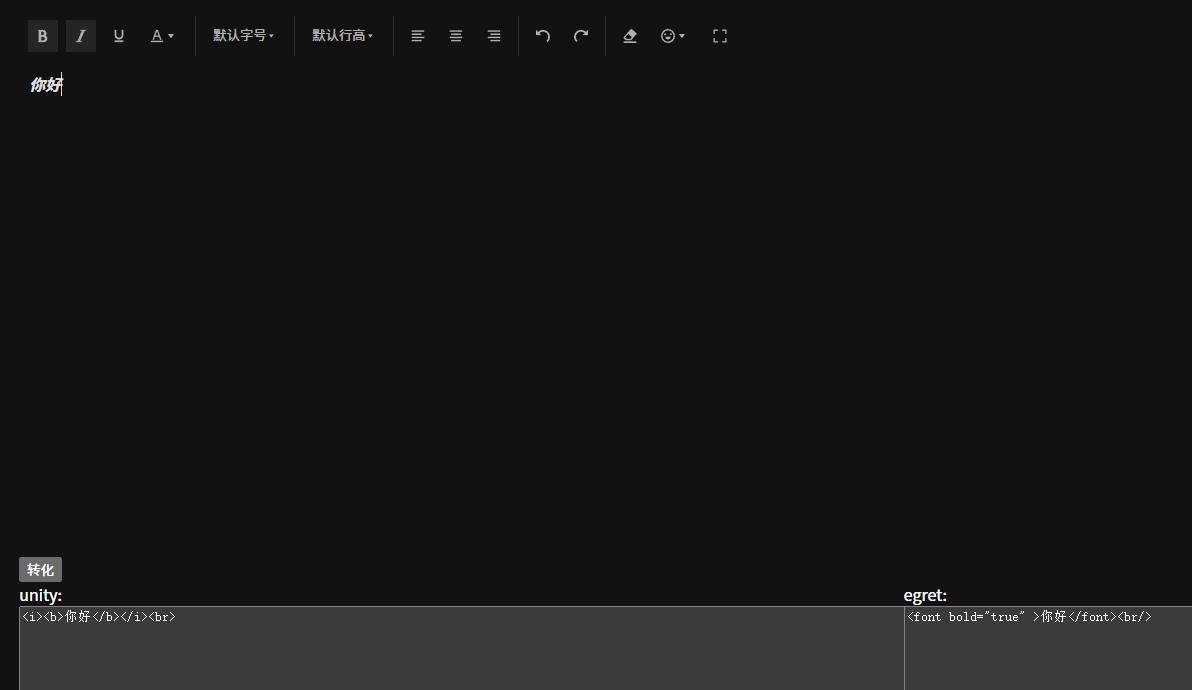
  <button id="transfer">转化</button>

  <div style="display: flex;">
    <div style="flex:1">
      unity:
      <textarea style="width: 100%; height: 300px;" id="unity"></textarea>
    </div>
    <div style="flex:1">
      egret:
      <textarea style="width: 100%; height: 300px;" id="egret"></textarea>
    </div>
  </div>

  <script>
    const E = window.wangEditor

    const editor = E.createEditor({
      selector: '#div1',
      config: {
        MENU_CONF: {},
        placeholder: '请输入内容',
      },
      mode: 'simple'
    })

    const toolbar = E.createToolbar({
      editor,
      selector: '#div2',
      config: {
        toolbarKeys: [
          'bold',
          'italic',
          'underline',
          'color',
          '|',
          'fontSize',
          '|',
          'lineHeight',
          '|',
          'justifyLeft',
          'justifyCenter',
          'justifyRight',
          '|',
          'undo',
          'redo',
          '|',
          'clearStyle',
          'emotion',
          'fullScreen',
        ],
      }
    })


    document.getElementById('transfer').addEventListener('click', function() {
      const htmlStr = editor.getHtml()
	  console.log(htmlStr)
      const { parseEgret, parseUnity } = window['richtext-parse-to-unity-egret']
      const set = {
        sizeMap: {
          1: 36,
          2: 28,
          3: 24,
          4: 20,
          5: 16,
          6: 14,
          7: 12,
        }
      }
      document.getElementById('unity').value = parseUnity(htmlStr, set)
      document.getElementById('egret').value = parseEgret(htmlStr, set)
    })

  </script>
</body>
</html>
![image]()



 浙公网安备 33010602011771号