
使用.NET Framework创建WebSocket实例
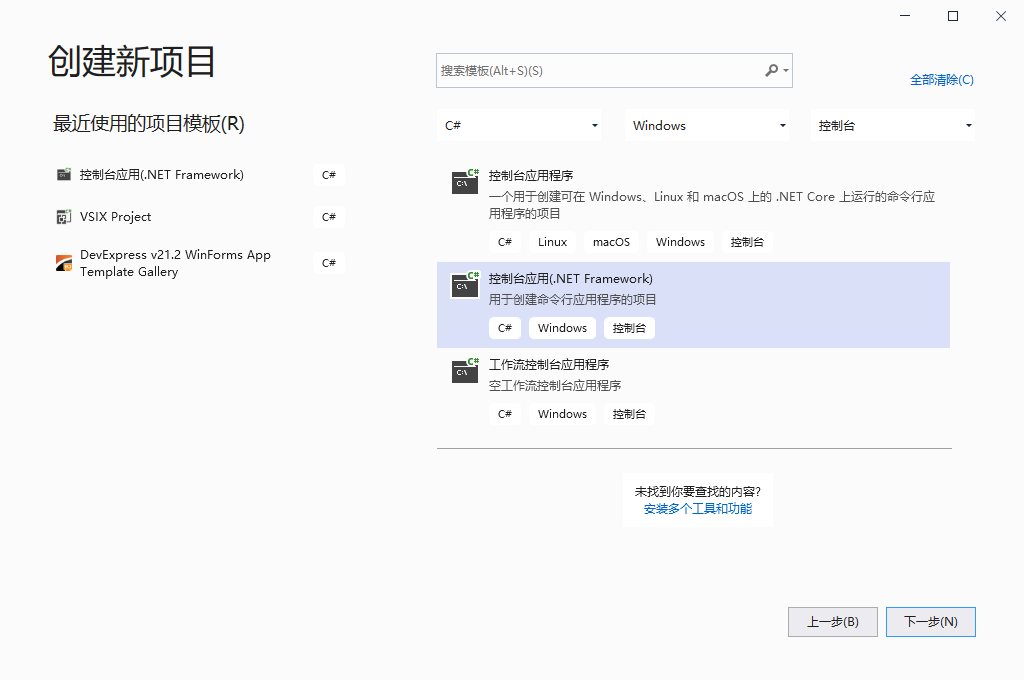
1、使用VS2019创建控制台程序
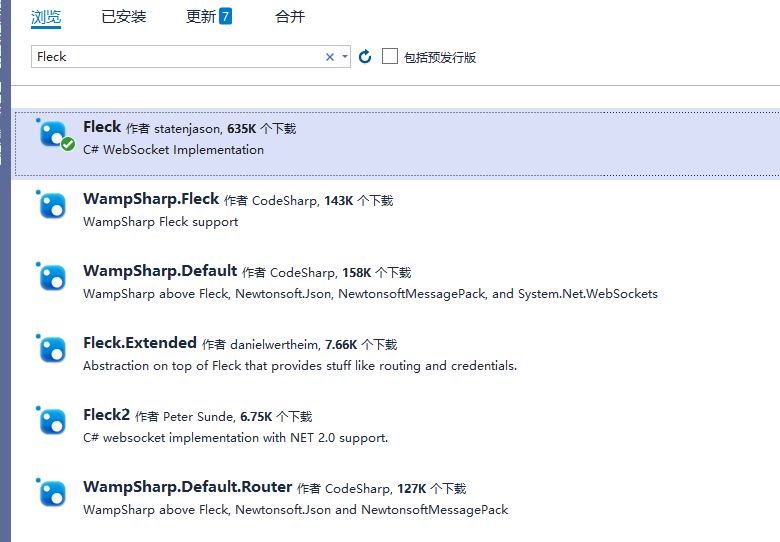
2、使用nuget包管理工具,引用Fleck
3、在Program中写入以下方法
 1 class Program
 2     {
 3         static void Main(string[] args)
 4         {
 5             //客户端url以及其对应的Socket对象字典
 6             IDictionary<string, IWebSocketConnection> dic_Sockets = new Dictionary<string, IWebSocketConnection>();
 7             //创建
 8
 9             WebSocketServer server = new WebSocketServer("ws://你的ip:50000");//监听本机的地址(此处更换成你自己的IP和端口,此处要和客户端保持一致)
10             //出错后进行重启
11             server.RestartAfterListenError = true;
12
13             //开始监听
14             server.Start(socket =>
15             {
16                 socket.OnOpen = () =>   //连接建立事件
17                 {
18                     //获取客户端网页的url
19                     string clientUrl = socket.ConnectionInfo.ClientIpAddress + ":" + socket.ConnectionInfo.ClientPort;
20                     dic_Sockets.Add(clientUrl, socket);
21                     Console.WriteLine(DateTime.Now.ToString() + "|服务器:和客户端网页:" + clientUrl + " 建立WebSock连接!");
22                 };
23                 socket.OnClose = () =>  //连接关闭事件
24                 {
25                     string clientUrl = socket.ConnectionInfo.ClientIpAddress + ":" + socket.ConnectionInfo.ClientPort;
26                     //如果存在这个客户端,那么对这个socket进行移除
27                     if (dic_Sockets.ContainsKey(clientUrl))
28                     {
29                         //注:Fleck中有释放
30                         //关闭对象连接
31                         //if (dic_Sockets[clientUrl] != null)
32                         //{
33                         //dic_Sockets[clientUrl].Close();
34                         //}
35                         dic_Sockets.Remove(clientUrl);
36                     }
37                     Console.WriteLine(DateTime.Now.ToString() + "|服务器:和客户端网页:" + clientUrl + " 断开WebSock连接!");
38                 };
39                 socket.OnMessage = message =>  //接受客户端网页消息事件
40                 {
41                     string clientUrl = socket.ConnectionInfo.ClientIpAddress + ":" + socket.ConnectionInfo.ClientPort;
42                     Console.WriteLine(DateTime.Now.ToString() + "|服务器:【收到】来客户端网页:" + clientUrl + "的信息:\n" + message);
43                     dic_Sockets.ToList().ForEach(s => s.Value.Send("Echo: " + message));
44                 };
45             });
46
47             Console.ReadKey();
48             foreach (var item in dic_Sockets.Values)
49             {
50                 if (item.IsAvailable == true)
51                 {
52                     item.Send("服务器消息:" + DateTime.Now.ToString());
53                 }
54             }
55             Console.ReadKey();
56
57             //关闭与客户端的所有的连接
58             foreach (var item in dic_Sockets.Values)
59             {
60                 if (item != null)
61                 {
62                     item.Close();
63                 }
64             }
65
66             Console.ReadKey();
67         }
68     }
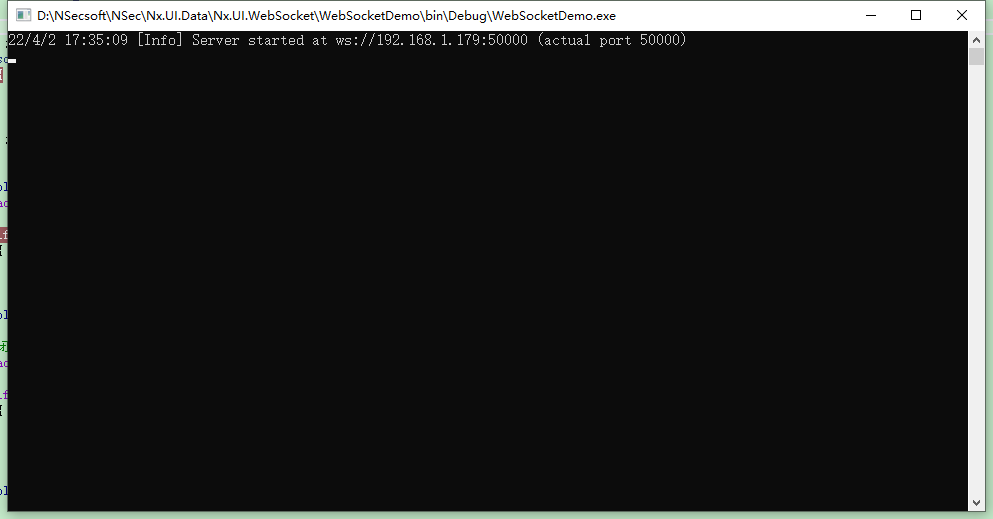
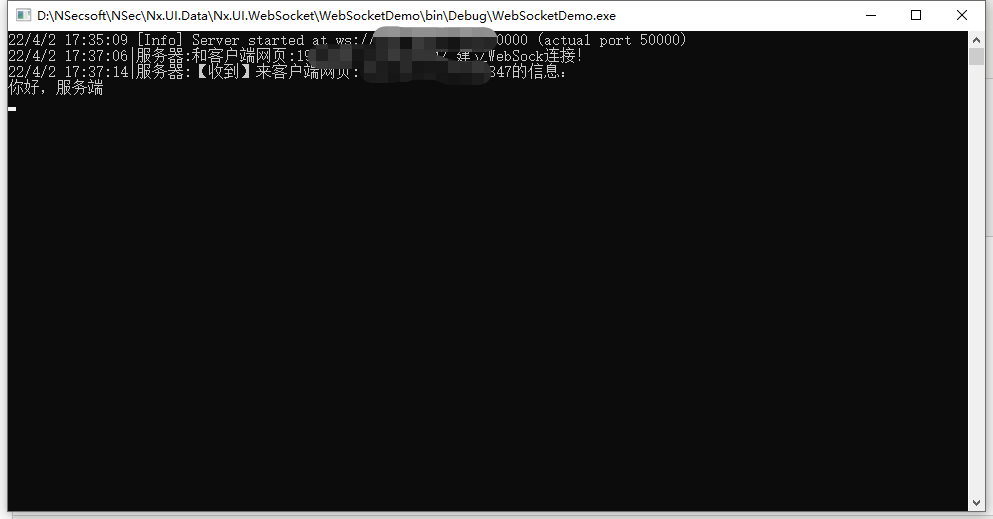
4、运行启动,查看效果,可以看到websocket服务端已经启动,接下来是客户端
5、创建websocket.html文件,并复制下面代码
 1 <!DOCTYPE HTML PUBLIC "-//W3C//DTD HTML 4.0 Transitional//EN">
 2 <html>
 3 <head>
 4     <title>websocket client</title>
 5     <script type="text/javascript">
 6         var start = function () {
 7             var inc = document.getElementById('incomming');
 8             var wsImpl = window.WebSocket || window.MozWebSocket;
 9             var form = document.getElementById('sendForm');
10             var input = document.getElementById('sendText');
11
12             inc.innerHTML += "connecting to server ..<br/>";
13
14             // create a new websocket and connect
15             window.ws = new wsImpl('ws://你的IP:50000/');
16
17             // when data is comming from the server, this metod is called
18             ws.onmessage = function (evt) {
19                 inc.innerHTML += evt.data + '<br/>';
20             };
21
22             // when the connection is established, this method is called
23             ws.onopen = function () {
24                 inc.innerHTML += '.. connection open<br/>';
25             };
26
27             // when the connection is closed, this method is called
28             ws.onclose = function () {
29                 inc.innerHTML += '.. connection closed<br/>';
30             }
31
32             form.addEventListener('submit', function (e) {
33                 e.preventDefault();
34                 var val = input.value;
35                 ws.send(val);
36                 input.value = "";
37             });
38
39         }
40         window.onload = start;
41     </script>
42 </head>
43 <body>
44     <form id="sendForm">
45         <input id="sendText" placeholder="Text to send" />
46     </form>
47     <pre id="incomming"></pre>
48 </body>
49 </html>
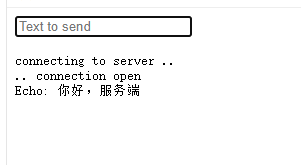
6、启动打开客户端网页并发送文字,可以看到服务端接收到了客户端发送来的消息,并将消息返回给所有的客户端,一个简单的websocket例子就完成了。

 浙公网安备 33010602011771号