
vue vxe-gantt 甘特图自定义任务条样式模板 table 自定义插槽模板
vue vxe-gantt 甘特图自定义任务条样式模板 table 自定义插槽模板
当需要渲染自定义内容模板是,就可以通过插槽来实现,非常灵活
查看官网:https://vxeui.com
Github:https://github.com/x-extends/vxe-gantt
Gitee:https://gitee.com/x-extends/vxe-gantt
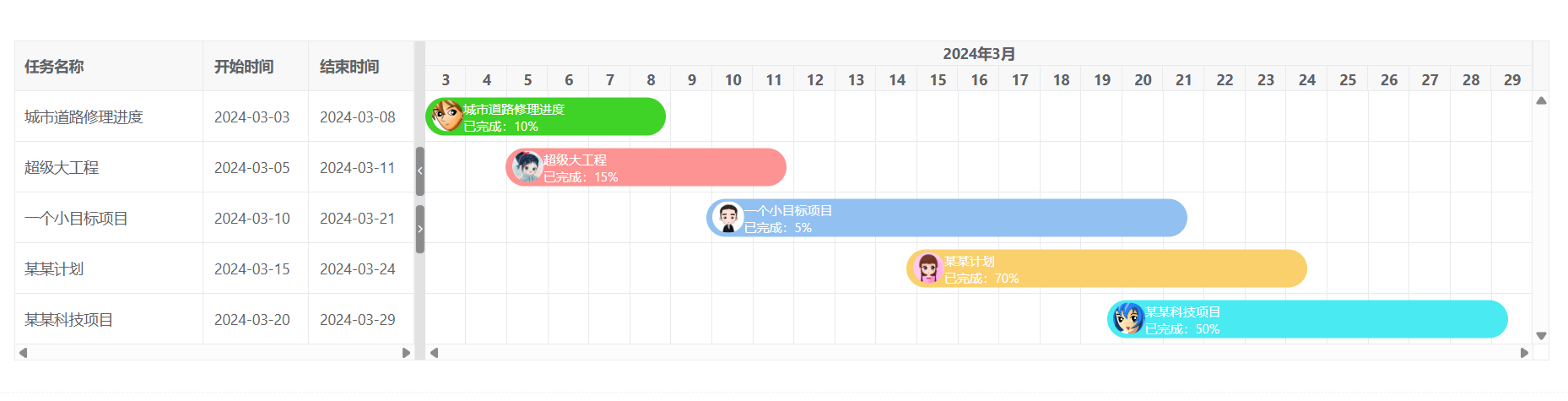
代码
通过自定义插槽 task-bar 来实现
<template>
  <div>
    <vxe-gantt v-bind="ganttOptions">
      <template #task-bar="{ row }">
        <div class="custom-task-bar" :style="{ backgroundColor: row.bgColor }">
          <div>
            <vxe-image :src="row.imgUrl" height="30" circle></vxe-image>
          </div>
          <div>
            <div>{{ row.title }}</div>
            <div>已完成:{{ row.progress }}%</div>
          </div>
        </div>
      </template>
    </vxe-gantt>
  </div>
</template>

<script setup>
import { reactive } from 'vue'

const ganttOptions = reactive({
  border: true,
  taskViewConfig: {
    tableStyle: {
      width: 380
    }
  },
  taskBarConfig: {
    barStyle: {
      round: true
    }
  },
  columns: [
    { field: 'title', title: '任务名称' },
    { field: 'start', title: '开始时间', width: 100 },
    { field: 'end', title: '结束时间', width: 100 }
  ],
  data: [
    { id: 10002, title: '城市道路修理进度', start: '2024-03-03', end: '2024-03-08', progress: 10, bgColor: '#3fd227', imgUrl: 'https://vxeui.com/resource/avatarImg/avatar7.jpeg' },
    { id: 10004, title: '超级大工程', start: '2024-03-05', end: '2024-03-11', progress: 15, bgColor: '#fd9393', imgUrl: 'https://vxeui.com/resource/avatarImg/avatar1.jpeg' },
    { id: 10006, title: '一个小目标项目', start: '2024-03-10', end: '2024-03-21', progress: 5, bgColor: '#92c1f1', imgUrl: 'https://vxeui.com/resource/avatarImg/avatar6.jpeg' },
    { id: 10007, title: '某某计划', start: '2024-03-15', end: '2024-03-24', progress: 70, bgColor: '#fad06c', imgUrl: 'https://vxeui.com/resource/avatarImg/avatar8.jpeg' },
    { id: 10008, title: '某某科技项目', start: '2024-03-20', end: '2024-03-29', progress: 50, bgColor: '#4aeaf2', imgUrl: 'https://vxeui.com/resource/avatarImg/avatar4.jpeg' }
  ]
})
</script>

<style lang="scss" scoped>
.custom-task-bar {
  display: flex;
  flex-direction: row;
  padding: 2px 6px;
  width: 100%;
  font-size: 12px;
}
</style>

 浙公网安备 33010602011771号