


github上传文件
1.下载git:https://git-scm.com/downloads
2.然后进行如下操作
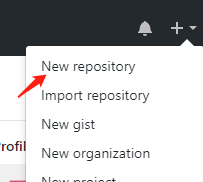
3.填写Repository name,并勾选initial this repository with readme
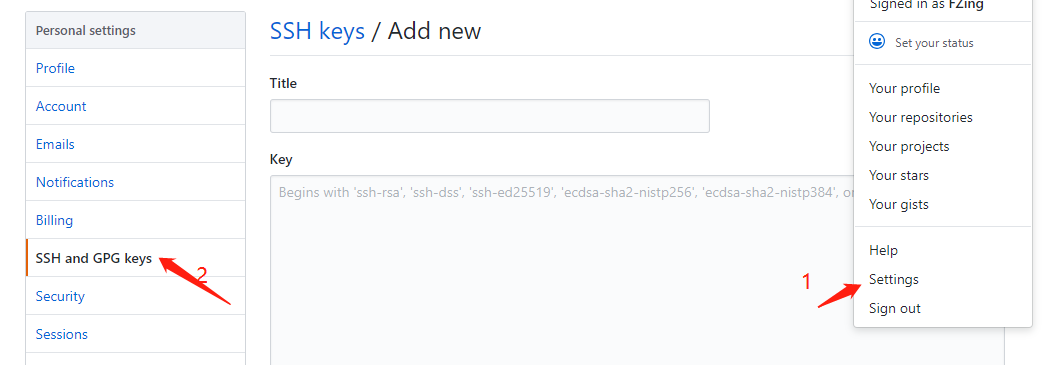
4.打开Git bash 设置本地ssh key: ssh-keygen -t rsa -C "邮箱"
5.
6.git clone + 你的github页面地址
然后找到你在本地件的文件夹,在该文件目录下右键点击git bash
进行如下一系列操作
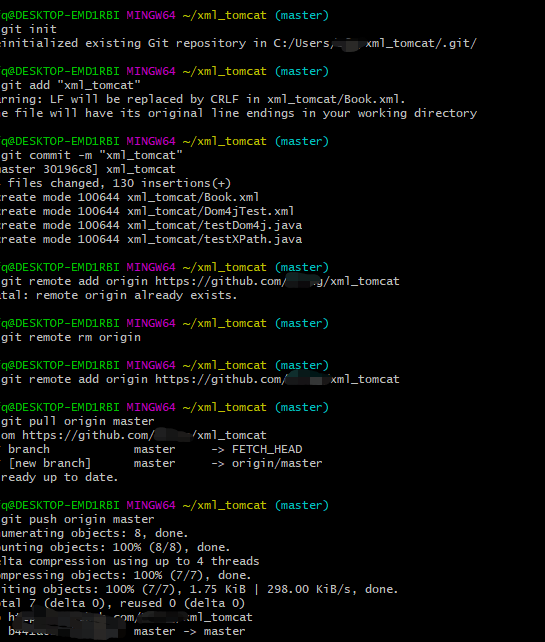
本人在上传github文件时,参考了:https://blog.csdn.net/zhangsiyao11/article/details/77007684非常感谢

 浙公网安备 33010602011771号