
字节流写数据的异常处理演示示例
首先使用try...catch来处理
public class FileOutputStreamDemo03 {
    public static void main(String[] args) {
        try {
        //创建文件输出流以指定的名称写入文件
        FileOutputStream fos = new FileOutputStream("myFile\\fos.txt");
        //写数据
        fos.write("hello".getBytes());
        //释放资源
        fos.close();
        } catch (IOException e){
            e.printStackTrace();
        }
    }
}
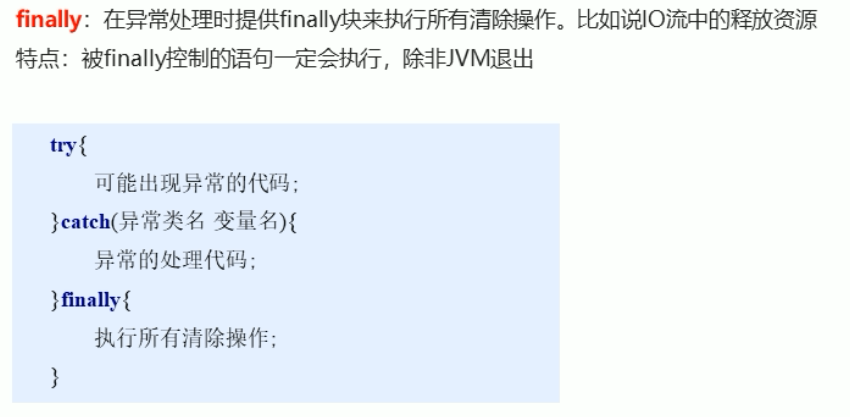
IO中最重要的步骤就是释放资源,上述代码中,假如在执行释放资源前遇到了异常,就会直接进入catch中,而无法执行到close方法,所以必须要有方法来强制执行close方法。finally
public class FileOutputStreamDemo03 {
    public static void main(String[] args) {
//        try {
//        //创建文件输出流以指定的名称写入文件
//        FileOutputStream fos = new FileOutputStream("myFile\\fos.txt");
//        //写数据
//        fos.write("hello".getBytes());
//        //释放资源
//        fos.close();
//        } catch (IOException e){
//            e.printStackTrace();
//        }
        FileOutputStream fos = null;
        try {
            //创建文件输出流以指定的名称写入文件
            fos = new FileOutputStream("myFile\\fos.txt");
            //写数据
            fos.write("hello".getBytes());
            //释放资源
            fos.close();
        } catch (IOException e) {
            e.printStackTrace();
        } finally {
            if (fos != null) {
                try {
                    fos.close();
                } catch (IOException e) {
                    e.printStackTrace();
                }
            }
        }
    }
}
学习的博客多用于在笔记中,防止笔记过于臃肿,所以将样例及运行结果放在博客中,后以超链接的形式记录在笔记中,所以有些博文过于单薄。如果有小伙伴遇到问题欢迎评论,看到就会回复,学渣一枚,加油努力。

 浙公网安备 33010602011771号