Windows环境下使用Flutter开发鸿蒙应用(2)-应用创建
1、创建一个鸿蒙应用
打开控制台,进入自己新建的工程目录
执行:flutter create --platforms ohos <应用名称>
示例:flutter create --platforms ohos myfirst
执行结果
Flutter assets will be downloaded from https://storage.flutter-io.cn. Make sure you trust this source!
Creating project myfirst...
Resolving dependencies in `myfirst`... (1.5s)
Downloading packages...
Got dependencies in `myfirst`.
Wrote 45 files.
All done!
You can find general documentation for Flutter at: https://docs.flutter.dev/
Detailed API documentation is available at: https://api.flutter.dev/
If you prefer video documentation, consider: https://www.youtube.com/c/flutterdev
In order to run your application, type:
$ cd myfirst
$ flutter run
Your application code is in myfirst\lib\main.dart.
2、控制台进入创建好的项目根目录
执行: flutter build hap
默认会提示如下:
start hap build...
Running Hvigor task assembleHap... 30.0s
请通过DevEco Studio打开ohos工程后配置调试签名(File -> Project Structure -> Signing Configs 勾选Automatically generate signature)
红色字体部分需要进入DevEco Studio开发环境进行相关配置,主要是签名问题
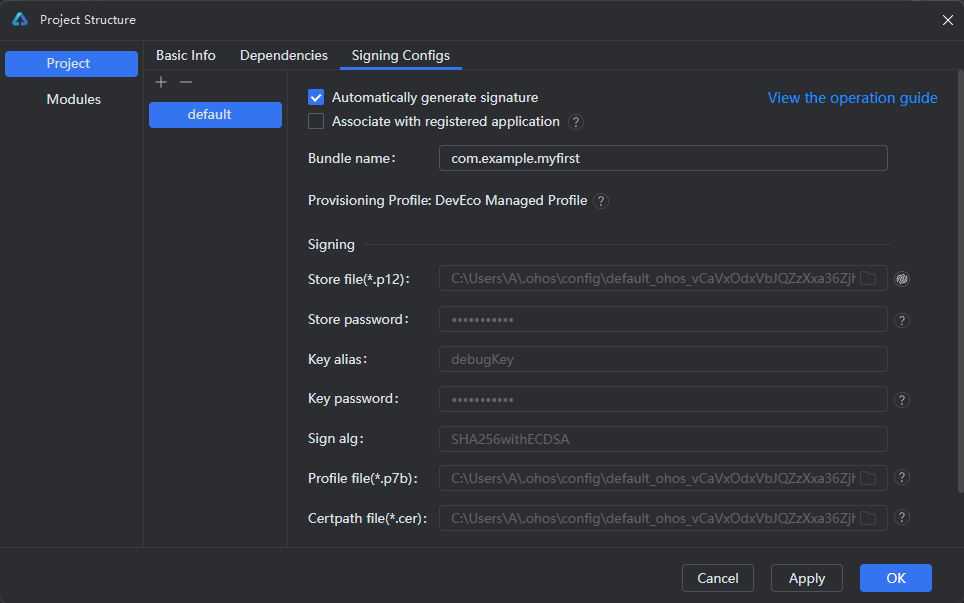
打开DevEco Studio开发环境,开发环境下打开项目目录下的ohos文件夹,然后按红色提示部分进行配置就可以了,这里有个小坑,就是鸿蒙SDK的版本,默认创建的工程SDK版本是不被支持的
所以开发环境下打开ohos文件夹时自动弹出提示:
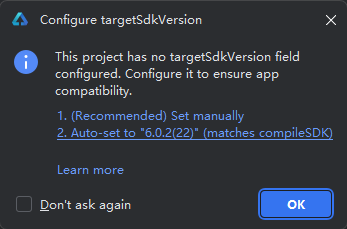
直接点2就可以了,系统自动选择,这里的版本可能每个人都不一样,选择后,IDE编辑器会自动打开build-profile.json5,文件,执行编辑器顶部的“Sync Now”(这个和Android studio差不多)
3、创建鸿蒙模拟器
这个不描述了,创建成功后并运行后,控制台执行:flutter devices,结果如下:
Flutter assets will be downloaded from https://storage.flutter-io.cn. Make sure you trust this source!
Found 4 connected devices:

我电脑可供调试运行的设备共有4个,一行一个,其中第二项可以理解为Id
4、调试运行至指定的模拟器id中
控制台切换到项目根目录,执行:flutter run --debug -d 127.0.0.1:5555
我这里执行的结果:
Flutter assets will be downloaded from https://storage.flutter-io.cn. Make sure you trust this source!
Launching lib\main.dart on 127.0.0.1:5555 in debug mode...
start hap build...
Running Hvigor task assembleHap... 17.8s
√ Built build\ohos\hap\entry-default-signed.hap.
installing hap. bundleName: com.example.myfirst
waiting for a debug connection: http://127.0.0.1:55763/nH30i4LSjc0=/
Syncing files to device 127.0.0.1:5555... 72ms
Flutter run key commands.
r Hot reload.
R Hot restart.
h List all available interactive commands.
d Detach (terminate "flutter run" but leave application running).
c Clear the screen
q Quit (terminate the application on the device).
A Dart VM Service on 127.0.0.1:5555 is available at: http://127.0.0.1:51566/_fefccxC1UE=/
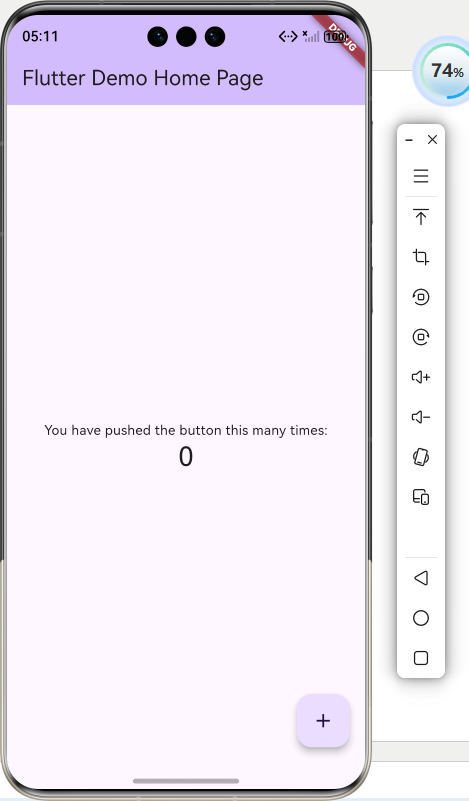
在模拟器中查看到的效果:
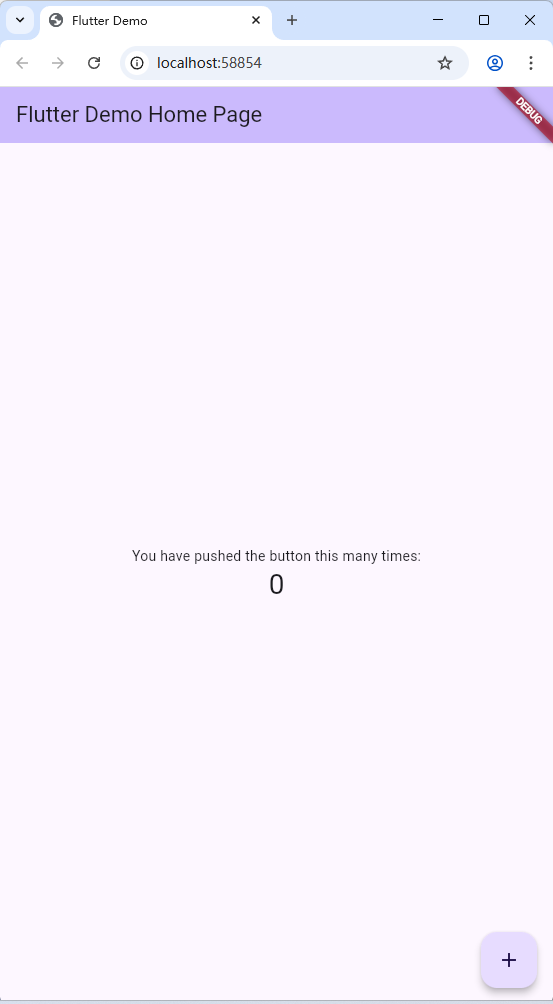
Chrome中看到的效果

 浙公网安备 33010602011771号