
你真的了解getBoundingClientRect()?
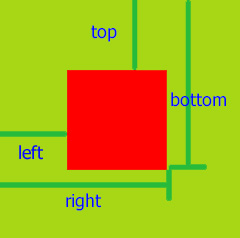
理解:getBoundingClientRect用于获取某个元素相对于视窗的位置集合。集合中有top, right, bottom, left等属性。
1.语法:这个方法没有参数。
rectObject = object.getBoundingClientRect();
2.返回值类型:
rectObject.top:元素上边到视窗上边的距离;
rectObject.right:元素右边到视窗左边的距离;
rectObject.bottom:元素下边到视窗上边的距离;
rectObject.left:元素左边到视窗左边的距离;
3.能做什么? 这个效果相信大家在 支付宝 淘宝 京东商城里面看的特别多。
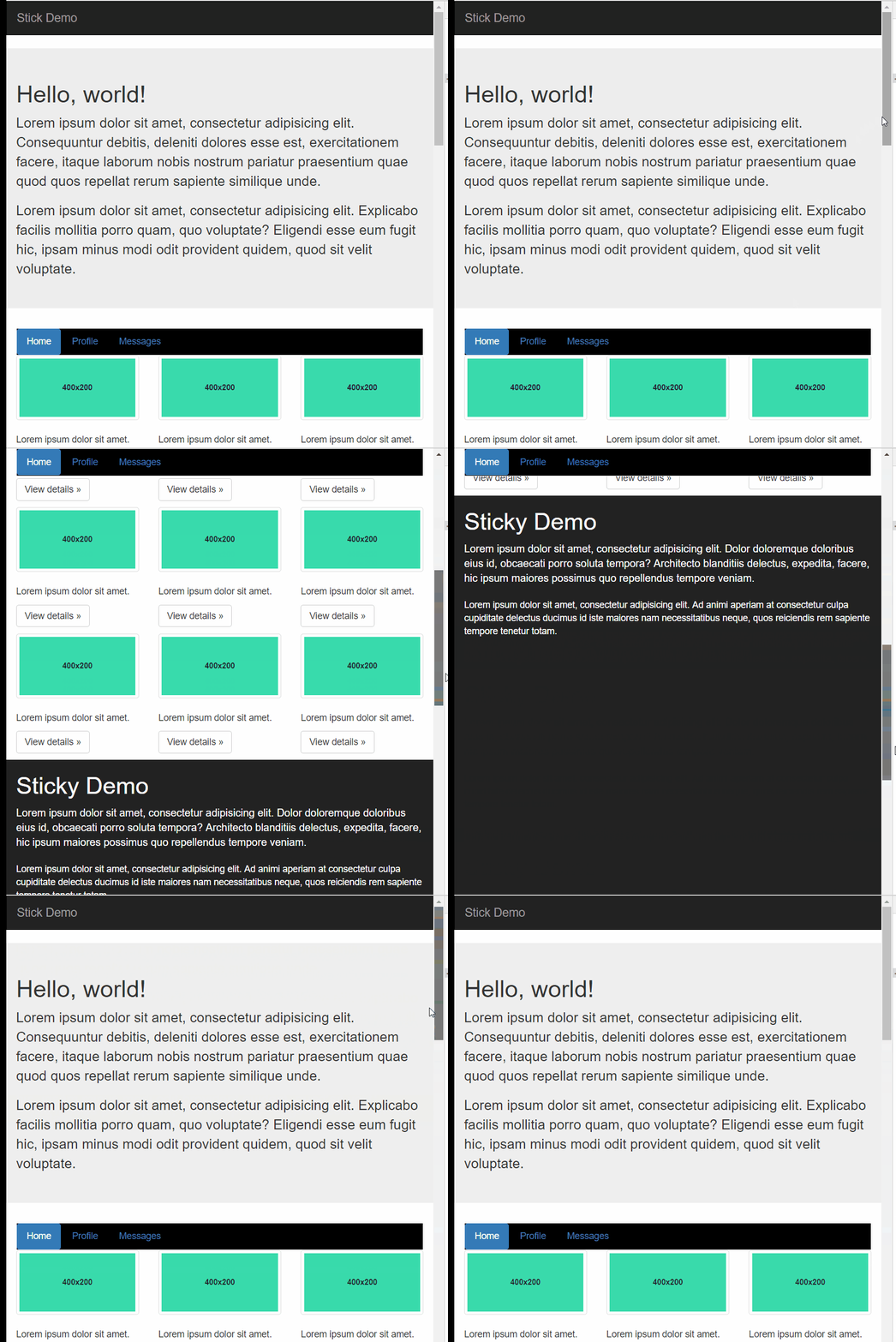
- 下面 我们来看看如何实现的:就是监听滚动条找到二个临界点。
![]()
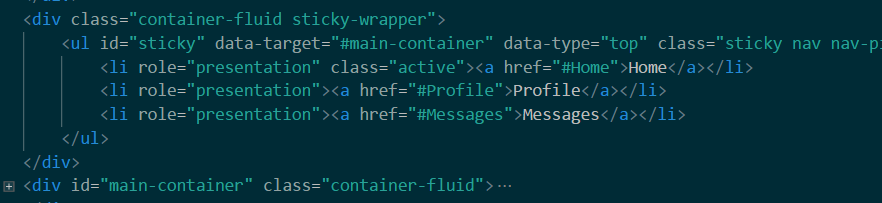
6.逻辑:
(function ($) {
    'use strict';

    function myScroll(element, option) {

        this.element = element;

        this.setting = $.extend({}, option, myScroll.defaults)


        this.init();


    }

    myScroll.defaults = {

        fixed: {
            "position": "fixed",
            "top": 0,
            "z-index": 1000,

        },

        none: {
            "position": "relative",
            "z-index": 0
        }
    }

    myScroll.prototype = {
        init: function () {

            var target = this.setting.target;
            var fixed = this.setting.fixed;
            var none = this.setting.none;
            var element = this.element;

            $(window).scroll(function () {
                var obj = document.getElementById(target.slice(1)).getBoundingClientRect();

                if (obj.top - $(this.element).height() < 0 && obj.bottom - $(this.element).height() > 0) {

                    $(element).css(fixed)

                    $(element).css("width",$(element).parent().width()+"px")


                } else {

                    $(element).css(none)

                }
            });
        },


    }
    function myPlugin(option) {

        return this.each(function () {
            var that = $(this)
            var data = that.data('bs')
            var options = typeof option == 'object' && option

            that.data('bs', new myScroll(this, options))

        })
    }

    $.fn.myScroll = myPlugin
    $.fn.myScroll.Constructor = myScroll


    $(window).on('load', function () {
        $('[data-type="top"]').each(function () {

            var type = $(this)

            myPlugin.call(type, type.data())

        })
    })


})(jQuery)
    ```
 浙公网安备 33010602011771号