How to: Collapse the Navigation Panel of Microsoft Help Viewer
Visual Studio 2010 (VS2010) has been released several months, as we know, its offline document reader was changed to Microsoft Help Viewer (http://msdn.microsoft.com/en-us/library/ms669985(VS.85).aspx). Microsoft Help Viewer has a small defect that its navigation panel cannot be fully collapsed, like this -

Even, the navigation panel will get bigger and eat most client area of IE when I zoom in the content, like this -

If you want to get rid of this defect, please follow this list:
- Navigate to your local path of Microsoft Help Viewer. Mine is C:\Program Files\Microsoft Help Viewer\v1.0
- Find the dev10.mshc, backup it
- Change dev10.mshc to dev10.zip
- Extract dev10.zip to a empty folder, for example C:\Crab
- Find the branding.js in C:\Crab and open it with notepad
- Find resizeToc() function and change var tocWidth = 280 + ((tocPosition - 1) * 100); to var tocWidth = ((tocPosition - 1) * 365);
- If you also want navigation panel only do expand and collapse, please fine function onIncreaseToc() and change if (tocPosition > 3) tocPosition = 1; to if (tocPosition > 2) tocPosition = 1;
- Save the changes to branding.js
- Repack all the files in C:\Crab. to dev10.zip NOTE: not to pack the C:\Crab
- Change the dev10.zip to dev10.mshc
- Replace the original dev10.mshc with your new one.
- Reopen your offline MSDN. See it:
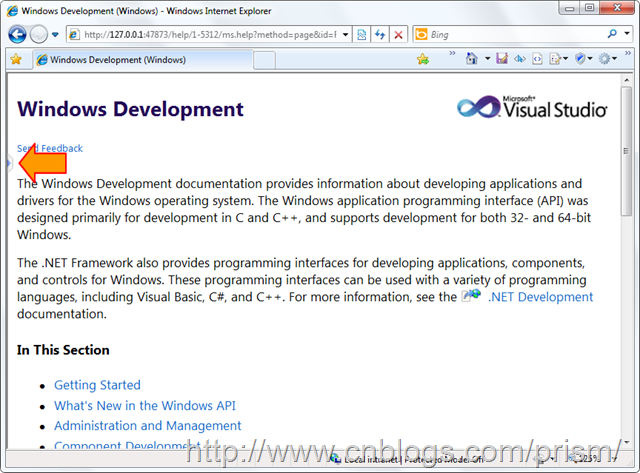
It works. And, mine, only to expand and collapse.


 浙公网安备 33010602011771号