
Android Studio升级3.6 Build窗口出现中文乱码问题解决方法
解决方法
在Android Studio中双击Shift或者点击顶部全局搜索"Edit Custom VM Options"
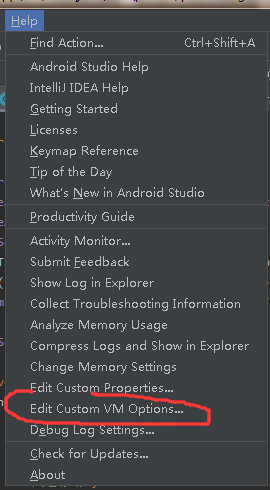
或者点击Help—>Edit Custom VM Options
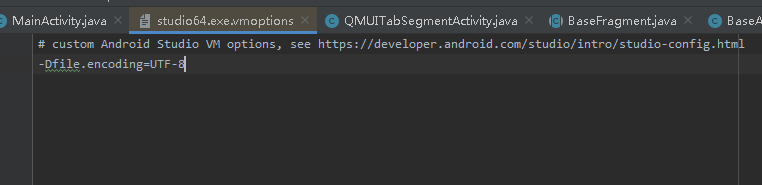
然后在打开的文件中添加一句
-Dfile.encoding=UTF-8
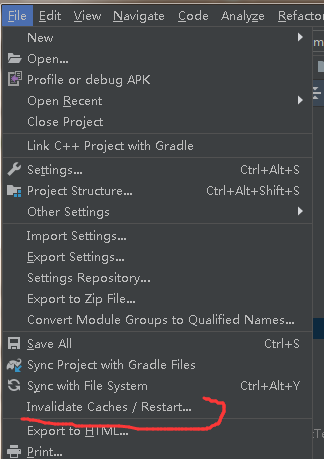
然后重启Android Studio
然后你就会发现,中文乱码的问题解决了

欢迎来到破竹的博客
解决方法
在Android Studio中双击Shift或者点击顶部全局搜索"Edit Custom VM Options"
或者点击Help—>Edit Custom VM Options
然后在打开的文件中添加一句
-Dfile.encoding=UTF-8
然后重启Android Studio
然后你就会发现,中文乱码的问题解决了

 浙公网安备 33010602011771号